Summarize emails with AI Email Summary
AI Email Summary helps you understand long emails and threads by generating a short, clear summary so that you can catch up on conversations without reading every message in full. Please note that AI Summary is not available on email drafts. Summaries are also only available to you; they aren't shared with other users.
Note: Each summary generated uses 1 credit. AI Email Summary is only available to Pro Plus (5 credits), Premium (10 credits), and Ultra plans (unlimited credits). Upgrade my email plan
- Sign in to webmail. Use your Professional Email powered by Titan address and password (your GoDaddy username and password won't work here).
- Select an email in your message list.
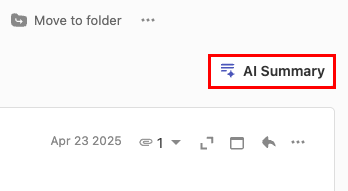
- In the upper-right corner, select AI Summary. The summary will open on the rightmost side.
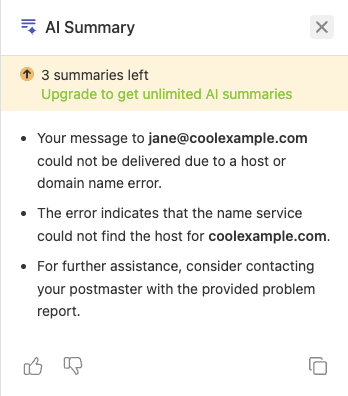
- Once the summary is generated, select
 Copy to copy the summary.
More info
- Use Smart Write powered by Titan AI to write, refine or reply to email using AI-generated suggestions.
- Schedule an email to send later
- Add follow-up reminders to messages with Professional Email powered by Titan