SSL-Zertifikate
Zeig Besuchern, dass du vertrauenswürdig und authentisch bist
Verschlüssele deine Daten, Zugangsdaten und Kreditkartendetails mit SSL. Wähle den Managed-Service für Einrichtung und Wartung oder unser neues KI-gestütztes automatisiertes SSL, das deine Website zukunftssicher gegen Änderungen der Branchenanforderungen macht.
- NEU: Automatisiertes SSL mit automatischer Neuinstallation*
- Genieß sorgenfreien Managed SSL-Service
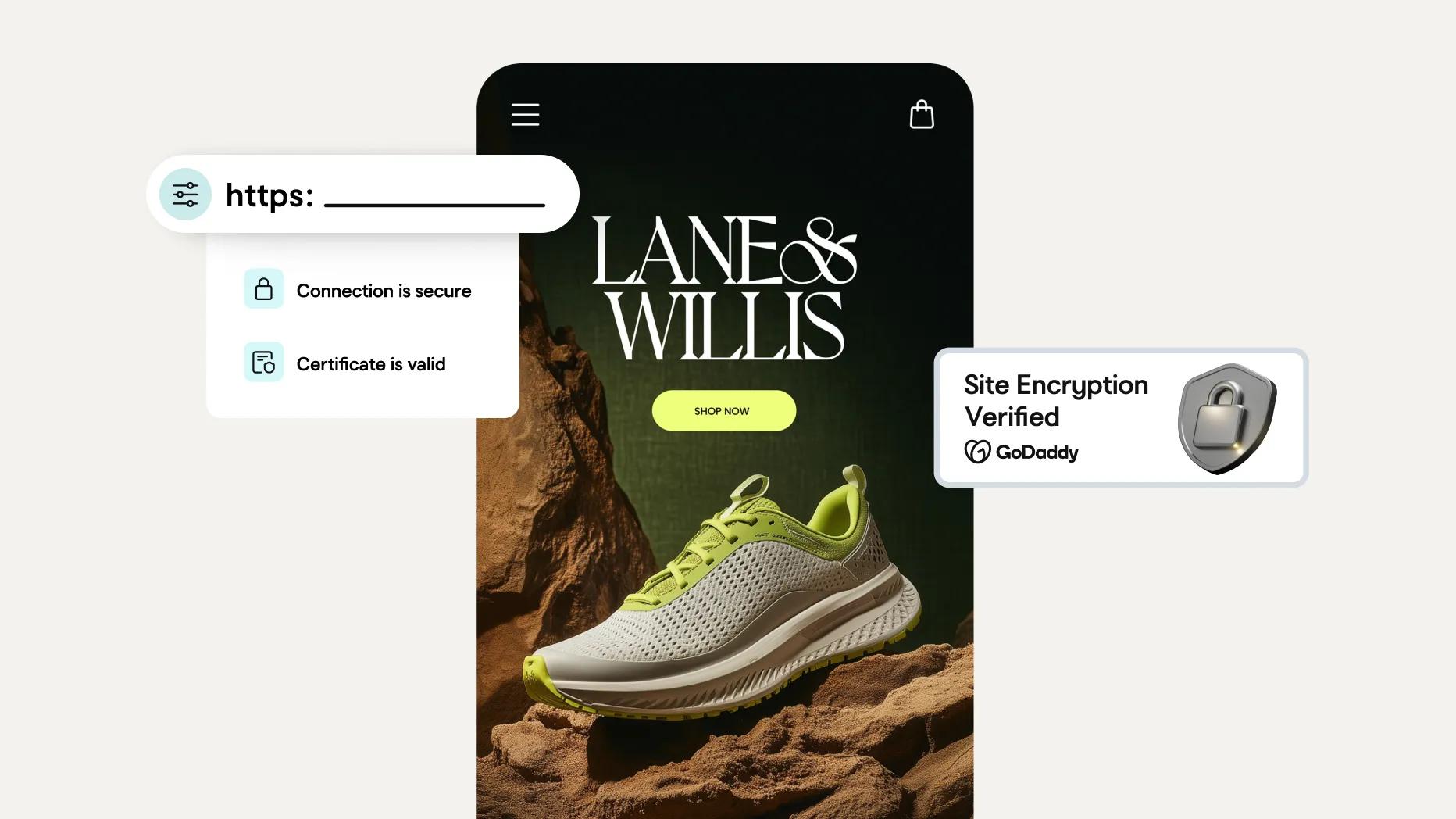
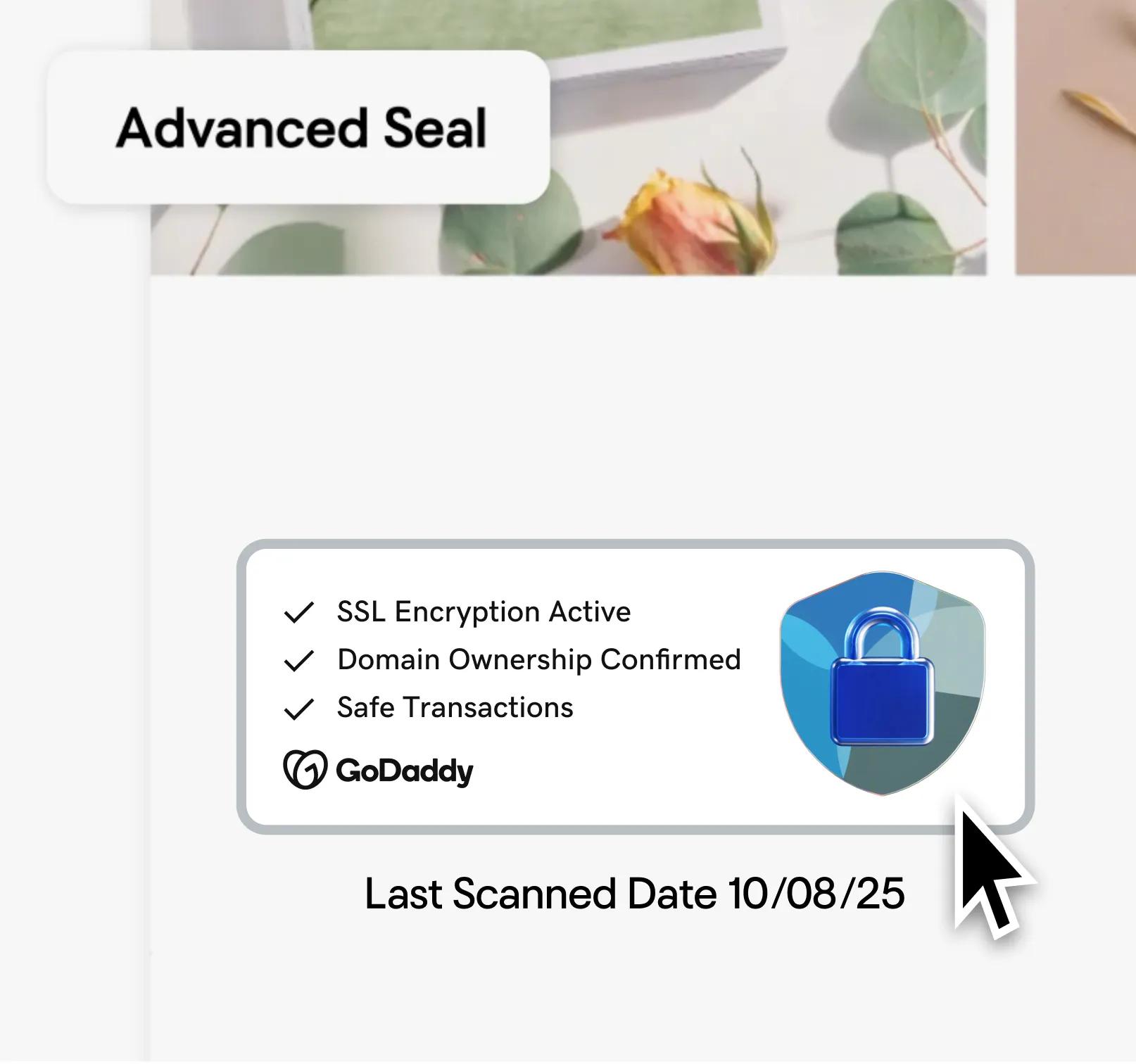
- Enthält ein Sicherheitssiegel zum Nachweis der Website-Verschlüsselung


DV SSL-Zertifikat
Basis-SSL-Zertifikat, das du selbst installierst und verwaltest.
4,49 €
/Monat
Mit einer Laufzeit von 3 Jahren.
SSL-Funktionen
1 SSL-Guthaben pro 1 Domain
Für einzelne Websites, UCC/SAN und Wildcard verfügbar
2x Verschlüsselungserneuerung pro Jahr
Installation
Selbstinstallation
Manuelle Neuinstallation und Fehlerbehebung mehr als zweimal pro Jahr
Zusatzfunktionen
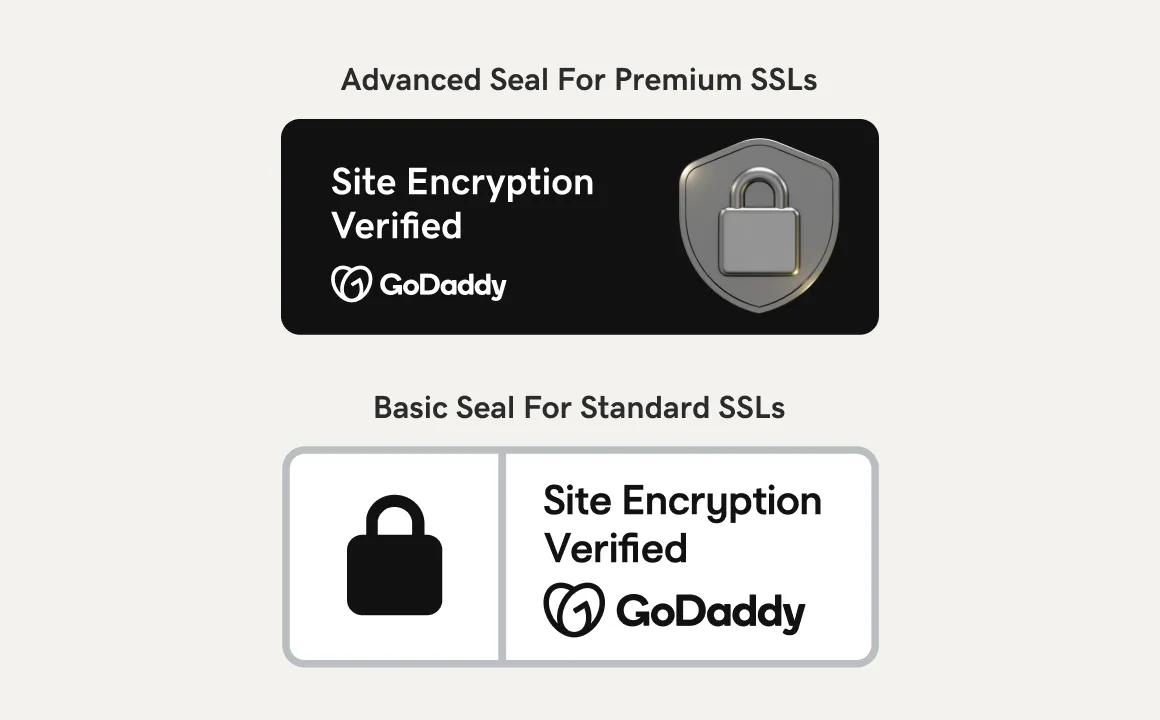
Basis-Trust-Siegel
Bezahlung pro Zertifikat
Automatisiertes DV SSL-Zertifikat
KI-unterstützte Installation und automatische Neuinstallation.
4,99 €
/Monat
Mit einer Laufzeit von 3 Jahren.
SSL-Funktionen
Unbegrenzte SSLs pro 1 Domain
Einzelne Website, Multi-Domain und Wildcard verfügbar
2x Verschlüsselungserneuerung pro Jahr
Installation
Personalisierte KI und geführte Workflows helfen dir bei der einfachen Installation und Konfiguration
Vollautomatische Neuinstallation – du kümmerst dich um die Fehlerbehebung
Zusatzfunktionen
Erweitertes Trust-Siegel
Bezahlung pro Domain, nicht pro Zertifikat
SSL Change Monitoring Alerts informieren dich, wenn dein SSL von jemandem geändert wird
IN WENIGER ALS 1 STUNDE INSTALLIERT
Vollständig verwaltetes DV-SSL-Zertifikat
GoDaddy installiert dein SSL-Zertifikat und übernimmt die gesamte Wartung für dich.
5,99 €
/Monat
Mit einer Laufzeit von 3 Jahren.
SSL-Funktionen
1 SSL-Guthaben pro 1 Domain
Für einzelne Websites, UCC/SAN und Wildcard verfügbar
5x Verschlüsselungs-Refresh pro Jahr
Installation
GoDaddy installiert und richtet alles für dich ein
GoDaddy übernimmt Neuinstallation sowie alle Updates und Wartung für dich
Zusatzfunktionen
Erweitertes Trust-Siegel
Bezahlung pro Zertifikat
SSL Change Monitoring Alerts informieren dich, wenn dein SSL von jemandem geändert wird
Vollständig verwaltete Validierung
PLUS
In jedem SSL-Zertifikatspaket enthalten
Bessere Google-Rankings
Mit SSL erscheinst du weiter oben in den Suchergebnissen.Verschlüsselung nach Industriestandard
Starke SHA-2- und 2048-Bit-Ende-zu-Ende-Verschlüsselung.Ein Vertrauensindikator
Deine Suchleiste zeigt den Vertrauensindikator an, der für ein gutes Gefühl sorgt.Vertrauenssiegel
Bestätigt, dass die Daten deiner Kunden sicher sind.30-Tage-Geld-zurück-Garantie¹
Kaufe sorgenfrei, während du das passende Paket für dich findest.Mehr SSL-Zertifikat-Optionen
OV- und EV-Pakete erhalten ein Upgrade auf das Vertrauenssiegel Extra, das nicht nur die Verschlüsselung anzeigt, sondern Besucher\*innen auch die Seriosität deines Business bestätigt.
NUR FÜR MANAGED SSL-PAKETE
Wir installieren dein Managed SSL für dich.
Richte deinen Managed SSL-Zertifikat-Tarif mit nur einem Schritt ein
01. Nach dem Kauf von Managed SSL sende bitte eine Anfrage an GoDaddy und gib die Website an, mit der du es verknüpfen möchtest. Folge dem Link in deiner E-Mail oder komm zurück und klicke hier, um loszulegen.
Das war’s. Wir kümmern uns um den Rest – das ist das „Managed“ in Managed SSL.
FÜR MANUELLE UND AUTOMATISIERTE SSL-PAKETE
So installierst du dein SSL-Zertifikat
Eine Schritt-für-Schritt-Anleitung zur Installation deines SSL-Zertifikats
01. SSL-Zertifikat beantragen: Gib deinen Domainnamen und den Typ deines Webservers an.
02. SSL-Zertifikat verifizieren: Bestätige, dass du die Kontrolle über die mit dem SSL-Zertifikat und Webserver verbundene Domain hast.
03. Installiere dein SSL-Zertifikat: Schließe die Installation entweder mit ACME für automatische Installation und Verlängerung ab oder lade das Zertifikat herunter und installiere es manuell.
04. HTTP umleiten: Nach der Installation leite deine Besucher auf die HTTPS-Version deiner Website weiter.
05. Installation prüfen: Gib deine URL in einen Browser ein und achte auf das Sicherheits-Symbol. Wenn es angezeigt wird, ist die Installation abgeschlossen.
Gründe, dein GoDaddy SSL-Zertifikat zu kaufen
Branchenstandard übertreffen mit 90-Tage-Neuausstellung
Unsere Managed SSLs werden jetzt alle 90 Tage neu ausgestellt, um deine Website noch besser zu schützen. Das übertrifft den Branchenstandard von 2x jährlicher Neuausstellung.
Außergewöhnlicher Kundenservice
Du kannst dich immer auf superfreundlichen, kompetenten und persönlichen Support durch unsere GoDaddy Guides Sicherheits-Expert*innen verlassen.
Wir sind wirklich deine Zertifizierungsstelle
GoDaddy ist Gründungsmitglied der Certificate Authority (CA)/Browser Forum. Unsere Zertifikate sorgen für mehr Vertrauen, weil sie zeigen, dass du deine Identität online abgesichert hast.
SEO-Ranking verbessern
Suchmaschinen bevorzugen https-verschlüsselte Websites deutlich und platzieren sie höher in den Suchergebnissen.
Einhaltung von Vorschriften und Standards
Ein SSL-Zertifikat hilft beim Schutz von Online-Unternehmen, einschließlich Standards und Vorschriften wie PCI-DSS, HIPAA, HITECH, DSGVO und mehr.
Sichere mobile und Online-Zahlungssysteme
Biete deinen Kunden sichere Online-Zahlungsmöglichkeiten und halte sie zum Shoppen auf deiner Seite. Die Ende-zu-Ende-Verschlüsselung von SSL-Zertifikaten schützt die Daten deiner Kunden vor unbefugtem Zugriff.
Wie SSL-Zertifikate funktionieren
SSL-Zertifikate erstellen einen Verschlüsselungsschlüssel, der dabei hilft, Benutzernamen, Passwörter und andere Daten vor Missbrauch zu schützen.
Die SSL-Vereinbarung
Wenn ein Besucher eine Website mit SSL-Zertifikat aufruft, wird automatisch eine verschlüsselte Verbindung mit seinem Browser hergestellt. Am besten ist das SSL auf allen Seiten und Subdomains vorhanden.

Der Vertrauensindikator erscheint
Sobald die Verbindung steht, wird die Meldung „Nicht sicher“ durch einen Vertrauensindikator und das https-Präfix im Browser ersetzt. So sehen Besucher, dass ihre sensiblen Daten verschlüsselt sind.
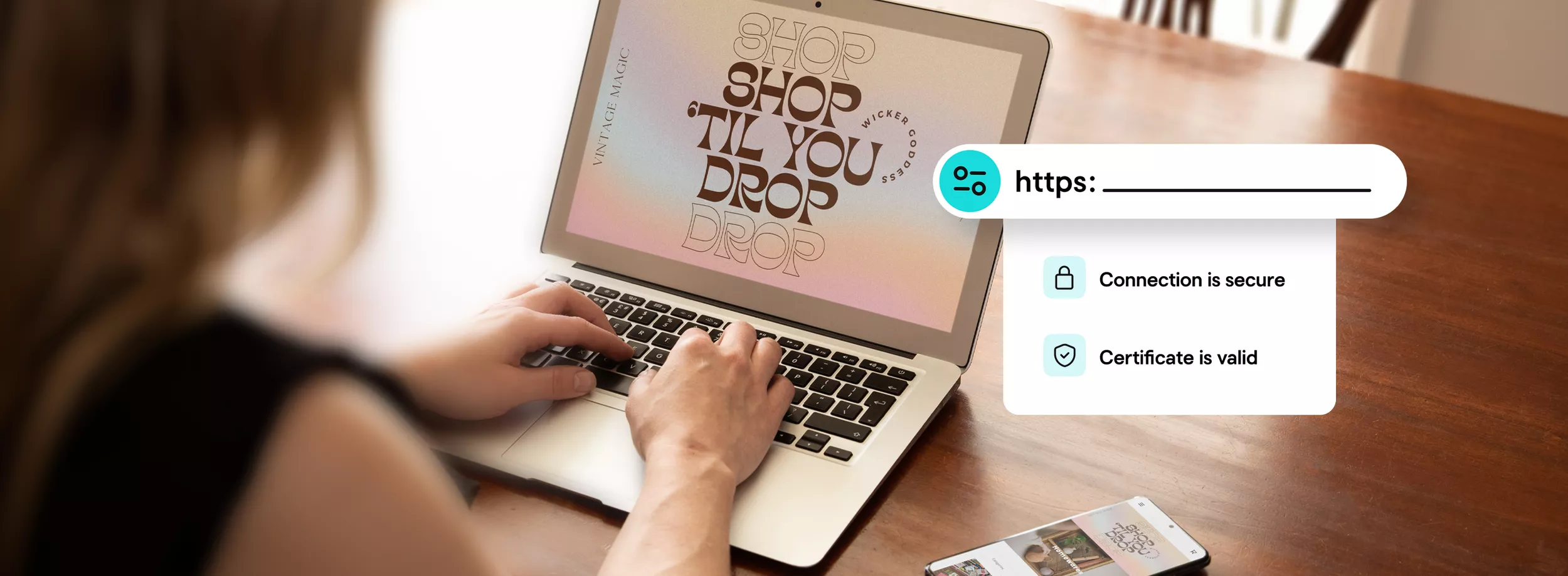
Jetzt bist du startklar
Dein SSL-Zertifikat verschlüsselt alle übertragenen Daten. Denk daran, dein Trust Seal einzubinden, damit Besucher diese Verschlüsselung sehen.

Erhalten Sie ein kostenloses SSL mit dem Jahresplan
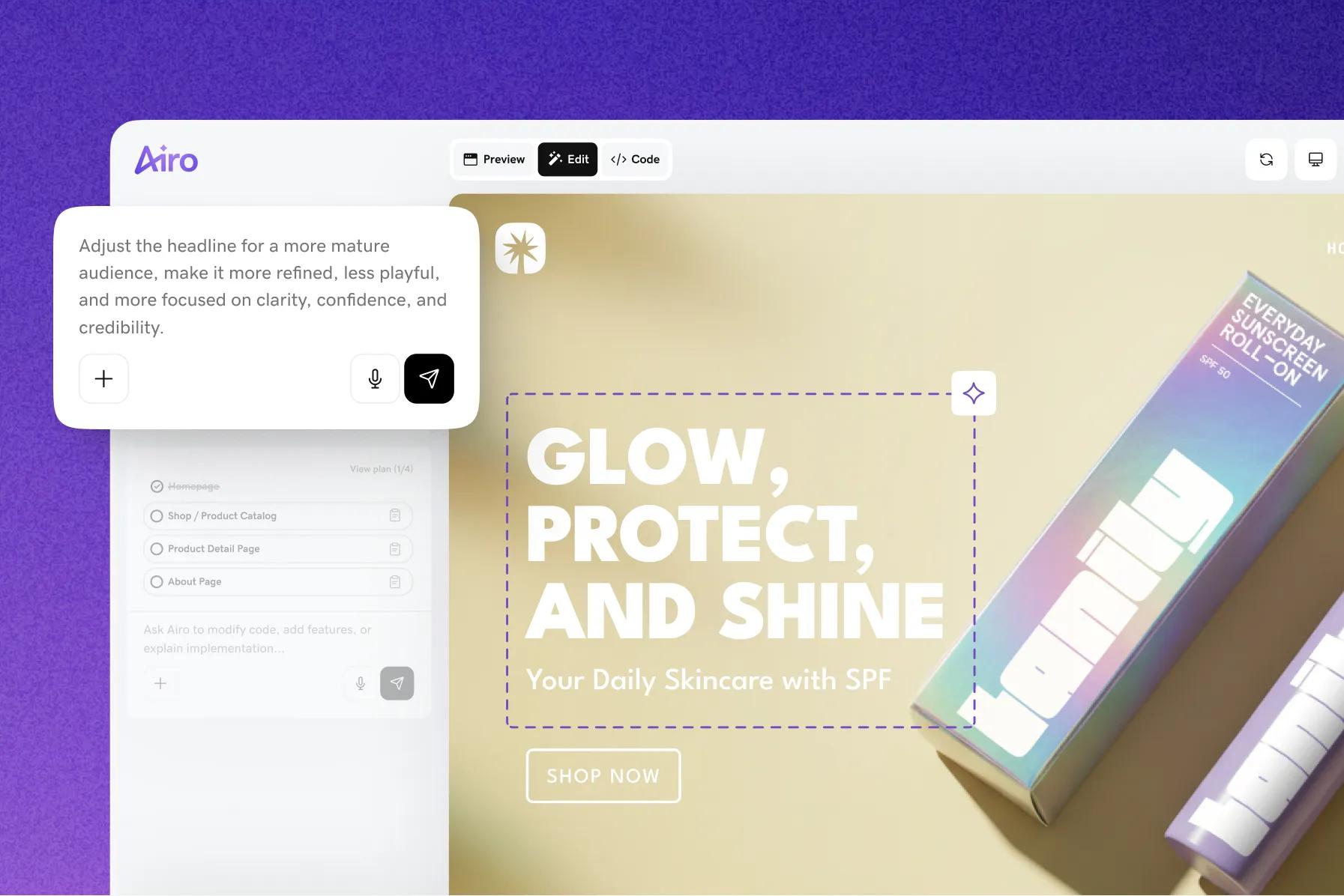
Sichern Sie Ihre Website kostenlos mit einem SSL-Zertifikat, wenn Sie einen Jahresplan Webhosting, Managed Hosting für WordPress oder Airo AI Builder erwerben.

GoDaddy SSL-Zertifikat FAQ
Was ist ein SSL-Zertifikat und warum brauche ich es?
SSL-Zertifikate sind SSL (Secure Sockets Layer)-Zertifikate, die Websites authentifizieren und ihnen ermöglichen, von HTTP auf HTTPS-Verschlüsselung umzuschalten. So wird der Austausch wertvoller Informationen geschützt, die Besucher an eine Website senden oder von dort empfangen.
Ein SSL-Zertifikat auf deiner Website schafft Vertrauen bei deinen Besuchern, hilft, Nutzerdaten zu schützen, bestätigt den Besitz deiner Website und verhindert, dass Angreifer eine gefälschte Version deiner Seite erstellen. Mit einem SSL-Zertifikat können sich deine Kunden sicher sein, dass die Informationen, die sie auf einer gesicherten Seite eingeben, verschlüsselt sind. GoDaddy macht die Installation deines Zertifikats einfach und hilft, sensible Kundendaten auf deiner Seite zu schützen.
- AuthentifizierungSSL-Zertifikate prüfen den Domainbesitz von Kunden und helfen, Angriffe auf Domains und Spoofing zu verhindern.
- VerschlüsselungSSL/TLS-Verschlüsselung funktioniert über das öffentliche/private Schlüsselpaar, das SSL-Zertifikate bereitstellen. Kunden erhalten den öffentlichen Schlüssel, um eine TLS-Verbindung über das SSL-Zertifikat des Servers herzustellen.
- HTTPSSSL-Zertifikate sind für die HTTPS-Webadresse erforderlich. HTTPS (die sichere Version von HTTP) wird auf Websites angezeigt, bei denen der Datenverkehr durch SSL/TLS verschlüsselt ist. Neben dem Schutz von Nutzerdaten sorgt HTTPS für Glaubwürdigkeit und Vertrauen bei deinen Besuchern.
Für noch mehr Infos zu SSL-Zertifikaten schau dir diesen Hilfeartikel an.
Wie installiere ich mein SSL-Zertifikat?
Wenn dein GoDaddy SSL-Zertifikat ausgestellt wurde, bekommst du eine E-Mail. Was als Nächstes passiert, hängt davon ab, wo deine Website gehostet wird und welche Optionen du beim Kauf gewählt hast.
Wenn du Webhosting, Homepage-Baukasten oder Webshop auswählst, übernehmen wir alles für dich. Wenn deine Website bei einem anderen Anbieter gehostet wird oder du unseren VPS Hosting nutzt, hier erfährst du mehr . Wie du ein SSL-Zertifikat auf Parallels Plesk Panel, cPanel und Microsoft IIS installierst, erfährst du hier: schau mal hier .
Welche Arten von SSL-Zertifikaten gibt es?
Die verschiedenen Validierungsarten bei SSL-Zertifikaten zu verstehen ist wichtig, um herauszufinden, welches Zertifikat deine Besucher beim Schutz ihrer Daten am besten unterstützt.
- Domainvalidiertes (DV) SSL-Zertifikat.DV-Zertifikate prüfen den Inhaber der Website. Die Zertifizierungsstelle schickt eine E-Mail an die für die Website registrierte E-Mail-Adresse, um die Identität zu bestätigen. Es werden keine detaillierten Unternehmensinformationen benötigt. Das DV-Zertifikat ist am einfachsten zu bekommen.
- Organisationsvalidiertes (OV) SSL-Zertifikat.Die Zertifizierungsstelle muss das Unternehmen, die physische Adresse und die Domain der Website bestätigen. Das dauert etwa 2–3 Tage. OV-Zertifikate bieten ein mittleres Maß an Vertrauen und sind für öffentlich zugängliche Websites mit einfacheren Transaktionen geeignet.
- Erweitert validiertes (EV) SSL-Zertifikat.Dies ist das SSL-Zertifikat mit dem höchsten Sicherheitsniveau und ideal für Websites, auf denen sensible Informationen verarbeitet werden. Bevor ein EV-SSL-Zertifikat ausgestellt wird, prüft die Zertifizierungsstelle den Antragsteller gründlich. Dazu werden Firmendokumente geprüft, die Identität bestätigt und relevante Informationen über eine Drittanbieter-Datenbank abgeglichen.
Wie lange sind GoDaddy SSL-Zertifikate gültig?
Die Gültigkeitsdauer hängt vom SSL-Produkt ab, das du gekauft hast.
- Zertifikate mit 90-Tage-ValidierungAlle Managed SSL-Abonnements und alle SSL-Zertifikate, die über GoDaddy Websites + Marketing , Managed Hosting für WordPress bereitgestellt werden, haben eine 90-Tage-Validierung. Diese Zertifikate werden alle 90 Tage automatisch neu ausgestellt. Lies unsere FAQ zu 90-Tage-SSL-Zertifikaten für mehr Infos zu diesem Feature.
- Zertifikate mit 200-Tage-ValidierungDeluxe Automated SSL-Zertifikate bieten außerdem eine 200-Tage-Validierung und eine KI-gestützte sowie automatisierte Installation. Basis-DV-SSL-Zertifikate (kostenpflichtig) haben ebenfalls eine 200-Tage-Validierung. Ist dein DV SSL-Zertifikat mit einer GoDaddy-Domain verbunden, übernehmen wir die automatische Revalidierung und Installation während der gesamten Laufzeit deines Abos. Bei Zertifikaten mit einem externen Domain-Anbieter musst du die Neuausstellung selbst installieren.
Was ist der Unterschied zwischen Basis-, Deluxe Automatisiert- und Vollständig verwalteten SSL-Zertifikaten?
- Standard-SSL-ZertifikateKeine Extras – Standard-SSL-Zertifikate, die du selbst installierst, verwaltest und bei Problemen selbst behebst. Nach Ablauf der Gültigkeit installierst du das Zertifikat während deines Abonnements immer wieder neu.
- Deluxe Automatisierte SSL-ZertifikateUnser neues SSL ist eine automatisierte Lösung zur Neuinstallation, die eine durchgehende Verschlüsselung auch bei künftigen, von der Branche geforderten Gültigkeitsänderungen sicherstellt. Der GoDaddy KI-Assistent vereinfacht Installation, Konfiguration und die Fehlerbehebung, damit du die einmalige Einrichtung so einfach und schnell wie möglich erledigen kannst.
- Vollständig verwaltete SSL-ZertifikateDie GoDaddy-SSL-Lösung mit Rundum-Service für alle, die sich nicht um Installation, laufende Wartung, Neuinstallation oder Fehlerbehebung kümmern wollen. Sag uns einfach, für welche Website dein SSL sein soll – wir übernehmen den Rest während der gesamten Laufzeit deines Abonnements, damit du dich um Wichtigeres kümmern kannst.
Welches SSL-Zertifikat brauche ich?
Beantworte diese Fragen, um das passende SSL-Zertifikat für dich zu finden:
- Wo befindest du dich?Unsere Zertifikate werden weltweit ausgestellt, mit ein paar Ausnahmen. Überprüfe dieser Link, ob dein Land dabei ist.
- Hast du eine geschäftliche Website?Falls ja, reicht ein Basic SSL-Zertifikat (DV) aus. Das gilt auch für Informationsseiten von Unternehmen. E-Commerce-Websites sollten ein Einzel-Domain Basic SSL-Zertifikat (DV) oder ein EV SSL-Zertifikat nutzen.
- Welchen Webhosting-Server nutzt du?Unsere SSL-Zertifikate funktionieren mit den meisten Hosting- und Server-Konfigurationen. Um mehrere Domains auf Microsoft Exchange Server 2007, Exchange Server 2010 oder Live® Communications Server zu schützen, nutze ein Multi-Domain UCC SSL.
- Wie viele verschiedene Domains möchtest du schützen?Wildcard SSL-Zertifikate decken mehrere Subdomains ab. Zum Beispiel kannst du mit einem Wildcard *.coolexample.com schützen, also shop.coolexample.com, www.coolexample.com und alle weiteren Subdomains.
UCC SSL-Zertifikate decken mehrere Domains, Subdomains und Websites ab. Zum Beispiel kannst du www.coolexample.com, mail.coolexample.com und www.awesomeexample.com absichern. - Brauchst du ein SSL-Zertifikat, das Intel vPro Technologie für Remote-PC-Management unterstützt?Dann brauchst du unser OV-Zertifikat.
Wie lange muss ich auf mein GoDaddy SSL-Zertifikat warten?
Ein GoDaddy DV SSL dauert in der Regel 5 Minuten oder weniger. Ein GoDaddy OV SSL dauert 3–5 Werktage, weil hier neben dem Domainbesitz auch die Existenz des Unternehmens für das SSL-Zertifikat geprüft wird.
Für GoDaddy EV SSL-Zertifikate gibt es einen ausführlichen Prüfprozess, der mit einer detaillierten Antragstellung beginnt. Bevor du startest, halte Infos zu deinem Unternehmen bereit – etwa die Registernummer, den Eintragungs- oder Registrierungsagenten sowie relevante Angaben zur Rechtsform.
Wie erstelle ich einen Certificate Signing Request (CSR)?
Das hängt von der Software ab, die du auf deinem Webserver verwendest. Mehr erfahren . Wie du ein CSR auf dem Plesk Panel, cPanel und Microsoft IIS erstellst, erfährst du hier: schau hier .
Was ist ein Multi-Domain-UC- oder SAN-Zertifikat?
Ein Unified Communications Certificate (UCC) ist ein SSL-Zertifikat, das mehrere Domainnamen und Hostnamen innerhalb einer Domain absichert. Ein UCC-SSL-Zertifikat ermöglicht es dir, eine Hauptdomain und bis zu 99 zusätzliche Subject Alternative Names (SANs) mit einem einzigen SSL-Zertifikat zu schützen. Zum Beispiel kannst du mit einem UCC www.domains1.com, www.domains2.net und www.domains3.org absichern.
UCCs sind mit Shared Hosting kompatibel und ideal für Microsoft® Exchange Server 2007, Exchange Server 2010 und Microsoft Live® Communications Server. Beachte jedoch, dass auf dem Site Seal und dem Zertifikat („ausgestellt an“) nur der Hauptdomainname angezeigt wird. Alle sekundären Hosting-Konten werden ebenfalls im Zertifikat aufgeführt. Wenn du also nicht möchtest, dass Websites als verbunden erscheinen, solltest du diesen Zertifikatstyp nicht verwenden.
Wie viele einzelne Domains kann ich mit HTTPS schützen?
Je nach Konfiguration deiner Website möchtest du eventuell ein anderes SSL-Zertifikat als ein Einzeldomain-SSL-Zertifikat nutzen.
- Wildcard-SSL-Zertifikate schützen alle Subdomains einer Domain. Zum Beispiel kannst du *.coolexample.com absichern, was shop.coolexample.com, www.coolexample.com und alle anderen Subdomains abdeckt.
- UCC-SSL-Zertifikate können mehrere Subdomains, einzelne Domains und Websites absichern. Zum Beispiel kannst du www.coolexample.com, mail.coolexample.com und www.awesomeexample.com schützen.
Wie kann ich noch mehr über SSL-Zertifikate erfahren?
Besuche unser Wissensdatenbank, um mehr über Einrichtung, Verwendung und Verwaltung von SSL-Zertifikaten zu erfahren.
Logos und Marken Dritter sind eingetragene Marken der jeweiligen Eigentümer. Alle Rechte vorbehalten.
GoDaddy ist ein großartiger Geschäftspartner.
BAUEN SIE IHR EIGENES UNTERNEHMEN AUS
Webseiten, die sich von selbst schreiben.
Social Media leicht gemacht
WELTWEIT VERTRAUENSWÜRDIG
GoDaddy ist ein großartiger Geschäftspartner.
BAUEN SIE IHR EIGENES UNTERNEHMEN AUS
Webseiten, die sich von selbst schreiben.
Social Media leicht gemacht
WELTWEIT VERTRAUENSWÜRDIG
GoDaddy ist ein großartiger Geschäftspartner.
BAUEN SIE IHR EIGENES UNTERNEHMEN AUS
Webseiten, die sich von selbst schreiben.
Social Media leicht gemacht
WELTWEIT VERTRAUENSWÜRDIG
GoDaddy ist ein großartiger Geschäftspartner.
BAUEN SIE IHR EIGENES UNTERNEHMEN AUS
Webseiten, die sich von selbst schreiben.
Social Media leicht gemacht
WELTWEIT VERTRAUENSWÜRDIG
GoDaddy ist ein großartiger Geschäftspartner.
BAUEN SIE IHR EIGENES UNTERNEHMEN AUS
Webseiten, die sich von selbst schreiben.
Social Media leicht gemacht
WELTWEIT VERTRAUENSWÜRDIG
GoDaddy ist ein großartiger Geschäftspartner.
BAUEN SIE IHR EIGENES UNTERNEHMEN AUS
Webseiten, die sich von selbst schreiben.
Social Media leicht gemacht
WELTWEIT VERTRAUENSWÜRDIG
- Web Security
- SSL Certificate