从GoDaddy电子邮件地址将Conversations连接到我的Microsoft 365
Link your Microsoft 365 email address to Conversations to get your emails directly in your Conversations unified inbox. If you’re a Websites + Marketing subscriber and you’re using a chat widget or web forms on your website, messages from those sources will also show in your Conversations box, through this email address.
Note: The GoDaddy mobile app is not available with free Conversations plans.
- 登录到您的GoDaddy移动应用程序。
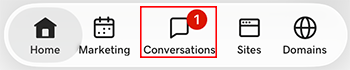
- At the bottom of the screen, tap Conversations to see a list of all your unarchived conversations.
- In the top-right corner, tap
 more, and then tap Settings.
- Tap Email. You may be asked to sign in to your GoDaddy account.
- Expand Email, and then tap Connect.
- Tap Microsoft 365, and then tap Next.
- 如果您已经有Microsoft 365电子邮件地址,它将显示在屏幕上。如果您没有,则系统会提示您购买一台,然后才能继续这些步骤。
选择要连接到Conversations的电子邮件地址,然后轻触继续。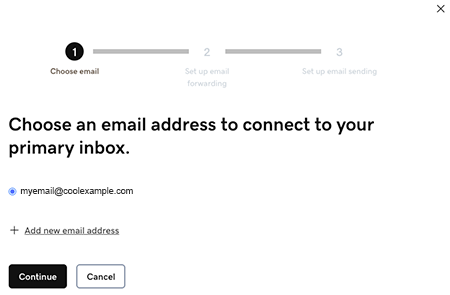
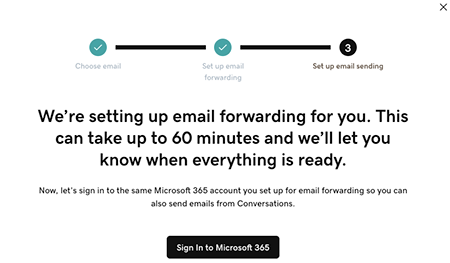
- Email forwarding will be set up for you. This could take up to 60 minutes, but you can continue setting up your email and we’ll let you know when forwarding is ready.
Sign in to the Microsoft 365 account you’re linking to Conversations. This must be the same account you used in Step 7.
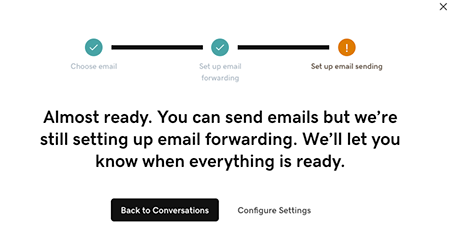
- 您将看到一个屏幕,说明您的电子邮件仍在设置中。
- 登录到您的GoDaddy移动应用程序。
- At the bottom of the screen, tap Conversations to see a list of all your unarchived conversations.
- In the top-right corner, tap
 settings.
- Tap Email. You may be asked to sign in to your GoDaddy account.
- Expand Email, and then tap Connect.
- Tap Microsoft 365, and then tap Next.
- 如果您已经有Microsoft 365电子邮件地址,它将显示在屏幕上。如果您没有,则系统会提示您购买一台,然后才能继续这些步骤。
选择要连接到Conversations的电子邮件地址,然后轻触继续。 - Email forwarding will be set up for you. This could take up to 60 minutes, but you can continue setting up your email and we’ll let you know when forwarding is ready.
Sign in to the Microsoft 365 account you’re linking to Conversations. This must be the same account you used in Step 7.
- 您将看到一个屏幕,说明您的电子邮件仍在设置中。
- 在网络浏览器中,转到GoDaddy产品页面。
如果您拥有Conversations的独立版本,请展开Conversations Unified Inbox(Conversations统一收件箱) 。在您的Conversations套餐右侧,选择Web Inbox(网络收件箱) 。
或
如果您拥有Websites + Marketing套餐,请滚动到Websites + Marketing ,然后选择网站旁边的Manage(管理) 。在左侧菜单中,展开Conversations 。
- 选择设置。
- Select Channels.
- Expand Email, and then tap Connect.
- Select Microsoft 365, and then tap Next.
- 如果您已经有Microsoft 365电子邮件地址,它将显示在屏幕上。如果您没有,则系统会提示您购买一台,然后才能继续这些步骤。
选择要连接到Conversations的电子邮件地址,然后轻触继续。 - Email forwarding will be set up for you. This could take up to 60 minutes, but you can continue setting up your email and we’ll let you know when forwarding is ready.
Sign in to the Microsoft 365 account you’re linking to Conversations. This must be the same account you used in Step 7.
- 您将看到一个屏幕,说明您的电子邮件仍在设置中。
恭喜!您已成功将电子邮件地址链接到GoDaddy Conversations。转址一旦完成,您将开始直接在Conversations收件箱中接收电子邮件。