Find messages marked as important or remove the "Important" label
We use artificial intelligence (AI) to automatically detect when your conversations need urgent attention. Issues like billing problems, delayed orders or upset customers are identified and the message is labeled "Important" to help you prioritize which conversations to respond to first.
Filter conversations to view only those marked as important, and remove the "Important" label if needed. Since the process is automated, conversations can't be manually marked as important, but you can star the conversation instead.
- In a web browser, go to your GoDaddy product page.
-
If you have the standalone version of Conversations, expand Conversations Unified Inbox. To the right of your Conversations plan, select Web Inbox.
OR
If you have a Websites + Marketing plan, scroll to Websites + Marketing and select Manage next to your site. In the left menu, expand Conversations.
- Select Inbox. A list of your unarchived conversations will show.
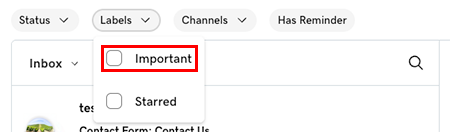
See all messages marked as important
- Select Labels, and then Important. If you have any messages marked as important, they'll show.
Remove the "Important" label from within your inbox
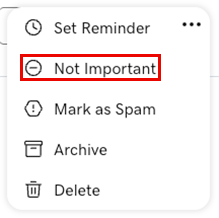
- Hover your mouse pointer over the conversation for which you want to remove the "Important" label.
- Select
 More.
More. - Select Not Important.
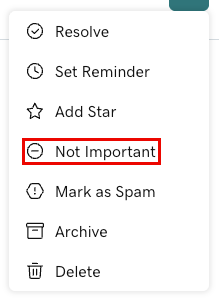
Remove the "Important" label from within a conversation
- Select the conversation for which you want to remove the "Important" label.
- In the upper-right corner, select More.
- Select Not Important.