For many small business owners, email is where business happens. This is why having a professional email is exceptionally important.
It is where customers ask questions, clients request quotes, invoices are sent, appointments are confirmed, and follow-ups turn into sales. Even with messaging apps, social media, and collaboration tools, email remains one of the most important channels for business communication.
The problem with free business emails
Yet, many small businesses still rely on free email accounts.
At first, a free email address may seem good enough. It is easy to create, familiar to use, and does not require much setup. But as your business grows, a free email address can start to hold you back.
An email like yourbusiness@gmail.com may work when you are just starting out, but it does not give the same impression as hello@yourbusiness.com. Free email can limit your branding, make your business look less established, and reduce customer confidence. It might also lack productivity features that your growing business would need to manage communication efficiently.
Beyond a mere inbox, small businesses need reliable, professional, growth-ready tools that help them communicate clearly, stay organized, and build trust with every message.
That is where a professional email comes in.
For a deeper explanation, you can also read: What is a professional email address?
What is a professional email and why it builds trust
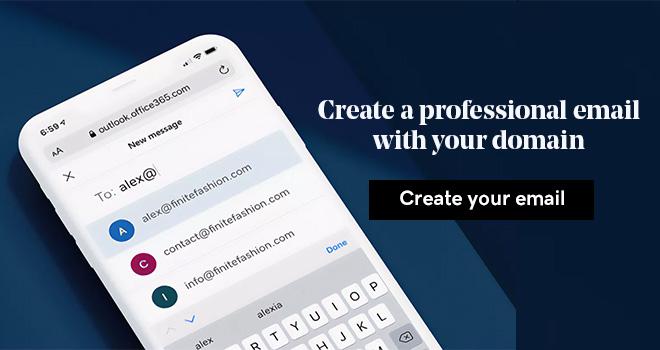
A professional email is an email address that uses your business domain name.
For example: hello@yourbusiness.com
This is different from a free email address such as:
yourbusiness@gmail.com
yourbusiness@yahoo.com
yourbusiness@hotmail.com
The difference may seem small, but it can have a big impact on how customers see your business.
A domain-based email address shows that your business has its own identity. It connects every message you send back to your brand and reinforces who you are.
Customers often expect real businesses to use professional email addresses. When they see an email that matches your website domain, it can make your business feel more credible, organized and trustworthy.
Professional email also helps create consistency. Instead of every team member using a different personal email account, your business can use addresses such as:
support@yourbusiness.com
sales@yourbusiness.com
billing@yourbusiness.com
name@yourbusiness.com
This makes it easier for customers to know who they are speaking with and helps your business look more established.
How modern professional business email goes beyond sending messages
Business email is no longer just about sending and receiving messages. For small businesses, your professional email needs to be a central workspace for communication and productivity. It is where customer conversations, sales opportunities, documents, invoices, updates, and follow-ups come together on a single platform.
A modern professional business email platform should help you work faster, communicate better, and reduce the need to switch between multiple tools.
That is especially important for small business owners who often manage many roles at once. You may be handling sales in the morning, customer support in the afternoon, and invoicing by the end of the day. The right email tools can make those tasks easier to manage from one place.
Modern professional email can support:
- Branded communication
- Faster customer replies
- Better inbox organization
- Automated responses
- Professional invoices
- Consistent email signatures
- Campaign-style messages
- Team-wide brand consistency
Introducing GoDaddy Professional Business Email (powered by Titan): Email productivity features beyond storage
With GoDaddy Professional Business Email, you get a stable, secure & feature-rich email solution at an affordable price to seamlessly upgrade from a free email to a future-ready AI-enabled professional email.
Powered by Titan, this professional email is designed with small businesses and solopreneurs in mind. It helps you shift from messaging to managing productivity, providing tools to help your business create professional messages, respond faster, stay organized, and manage important tasks directly from email.

New email features to help small businesses work smarter
GoDaddy Professional Business Email includes features designed to help small businesses establish a trustworthy brand, save time on communications and support your growth.
These tools are especially useful for users who want professional communication without complicated systems or extra apps. Let’s take a closer look at these features.
Smart Write and Composer Inline: Compose your emails with ease

Being effective and engaging in your emails is crucial for your business. Smart Write, powered by Titan AI, can assist in enhancing your emails by analyzing the context and tone to offer suggestions for improvement. Use it to save time, eliminate errors and ensure that your emails are professional and engaging by simply entering your input.
Composer Inline lets you enhance selected parts of your email using AI, helping you to adjust your content to suit your audience.
Email Designer: Create branded emails without coding
Not every small business has a marketing team, but every business still needs clear, polished and on-brand emails. With Email Designer, you can create professional branded emails using ready-made, editable HTML templates with no coding needed.
This can be useful for:
- Business proposals
- Product or service updates
- Customer announcements
- Promotional emails
- Event invitations
- Seasonal campaigns
- Client onboarding messages
For small businesses, consistency matters. A branded email template can help customers recognize your business quickly and understand that they are dealing with a credible brand.
To get started on building your first email with the Email Designer, click here.
Invoice Builder: Send professional invoices directly from email

Invoices are an important part of business communication. However, using separate tools to create invoices and send them manually can slow things down.
Invoice Builder can help your business create and send professional invoices directly from your email. This makes it easier to move from conversation to payment without relying on multiple third-party tools, improving your customer’s experience and keeping your business organized.
For example, a freelancer can discuss a project with a client, confirm the scope, then send an invoice from the same email environment. A small business can issue payment requests more efficiently after completing a service or confirming an order.
Business Auto Reply: Never miss a customer message
Customers expect quick responses. Even when you are busy or away, a delayed reply can affect how customers see your business.
GoDaddy Professional Email comes with a Business Auto Reply, which helps small businesses manage customer expectations with automated responses.
You can use auto replies to let customers know:
- You have received their message
- Your business hours
- When they can expect a response
- Alternative contact options
- Holiday closure details
- Support instructions
Many small businesses may not have a dedicated support team, but automated replies help you maintain a professional communication flow and support customer communication at scale. This helps improve the perception of responsiveness, even when you cannot reply immediately. When customers feel acknowledged, this can reduce uncertainty and improve trust.
Auto Clean: Keep your inbox organized automatically
A cluttered inbox can slow you down.
Small business owners often receive many types of emails every day. Over time, this can make it harder to find important conversations.
GoDaddy Professional Email’s Auto Clean helps keep your inbox organized automatically by cleaning up emails based on time or conditions.
This can help reduce clutter and improve focus. A cleaner inbox can support better productivity because you spend less time searching, sorting, and clearing space. You can focus more on messages that need action.
For example, you may want to automatically clean up old newsletters, expired notifications, or low-priority messages after a certain period. Instead of manually deleting or sorting emails, Auto Clean helps your inbox stay easier to manage.
Signature Designer: Promote your business with every email you send
Every email is a chance to reinforce your brand.
When you send a message out, your email should look like it comes from a professional business. That includes your email address, tone, formatting and your signature.
Signature Designer helps small businesses create a consistent identity across email communication. This gives every email a more polished finish, and subtly promotes your business with every interaction.
For growing teams, consistent email signatures are especially important. They help make sure everyone represents the business in a unified way. Whether a customer is speaking with sales, support, billing, or the founder, the brand experience feels consistent.
A Professional Email built for every type of small businesses
Every small business works differently. GoDaddy Professional Business Email can support your business at different stages of growth.
It is designed to support reliable communication and ease of access. You can access your email through webmail and native mobile apps for iOS and Android, making it easier to stay connected whether you are at your desk or working on the go.
With 100GB of storage, you do not have to worry about running out of space. On top of that, you can add more addresses to your account in the future. The right email platform should be able to grow with your business instead of forcing you to switch tools later.
Small businesses may not have internal IT teams, so having access to support can make your professional email easier to manage and maintain. With GoDaddy Professional Business Email, you have access to 24/7 customer support and world class security. Titan uses advanced security measures to keep your accounts safe from attacks, giving you a peace of mind.
1. For individuals and freelancers
Freelancers need to look credible from the first interaction.
When pitching a client, sending a proposal, or issuing an invoice, a professional email address can help create a stronger impression. Instead of communicating from a personal free email account, freelancers can use a domain-based address that reflects their business or personal brand.
Useful email workflows for freelancers include:
- Sending proposals
- Following up with leads
- Sharing project updates
- Sending invoices
- Confirming payment details
- Maintaining client records
This helps freelancers present themselves professionally while keeping communication organized.
2. For solopreneurs
Solopreneurs often manage everything themselves.
That includes sales, marketing, customer support, admin, and operations. A strong email platform can help reduce manual work and make the business feel more structured.
For solopreneurs, GoDaddy’s Professional Email can help with:
- Customer inquiries
- Appointment confirmations
- Product updates
- Campaign emails
- Auto replies
- Client communication
- Sales follow-ups
Tools like Email Designer, Business Auto Reply, Auto Clean, and Signature Designer can help solopreneurs work more efficiently without needing a large team.
3. For small and growing businesses
As a business grows, communication becomes more complex.
You may need different email addresses for different functions, or to manage different customer conversations. You may need consistent branding across the team. As your business scales, you could also need tools that support sales, scheduling, customer updates, and campaigns.
GoDaddy’s Professional Email can help growing businesses manage communication more clearly.
Common use cases include:
- Sales follow-ups
- Client communication
- Customer support
- Team-based email addresses
- Scheduling conversations
- Campaign updates
- Invoice communication
- Internal coordination
Having a good professional email supports businesses as they grow from one person to a larger team, helping them stay professional and organized along the way.
Professional email vs free email: a comparison
| Feature | Free Email | Professional Email with Titan |
| Branding | Uses a generic email domain such as Gmail, Yahoo, or Outlook | Uses your own business domain, such as hello@yourbusiness.com |
| Credibility | May look less established for business communication | Helps your business appear more professional and trustworthy |
| Productivity tools | Usually focused on basic sending, receiving, and storage | Includes business-focused tools designed to support productivity |
| Business features | Limited branding and workflow options | Supports features such as branded emails, signatures, invoices, auto replies, and inbox cleanup |
| Customer communication | Can feel personal rather than business-focused | Helps create a more consistent and professional customer experience |
| Support availability | Support may be limited depending on the free provider | Backed by customer support for business users |
| Growth readiness | May work at the start but can become limiting as the business grows | Designed to support individuals, solopreneurs, and growing teams |
Free email may be enough for personal use, but professional email is better suited for businesses that want to build trust, stay organized, and grow.
Get started with your Professional Email today
Your email address is often one of the first things customers see. Make it count with the right Professional Email.
With GoDaddy Professional Business Email, you can create a business email address using your own domain, build trust with every message, and access tools that help you communicate more professionally. lt helps small businesses by offering:
- Professional email with a custom domain
- Tools to reach more clients and build brand visibility
- AI-powered features that save time on composing and replying
- Webmail and native mobile access for iOS and Android
- Productivity features beyond basic email storage
- Security features such as antispam, antivirus, two-factor authentication, and data encryption
- Flexible plan tiers for different business needs
- Dependable service designed for high uptime and email deliverability
- 24/7 customer support
Get started in minutes with professional email for your small business.