If you’re thinking about upgrading your POS system but are worried about the cost, you're not alone.
From coffee shops to retail chains and bustling restaurants, every business needs a reliable point of sale system to track sales, manage inventory, and process payments. But it’s no secret that it can be fairly pricey to have a solid POS system in place.
The average initial POS system cost ranges from $0 to $2,800, with most businesses spending between $700 and $1,400 annually on software and recurring fees. Of course, your specific POS system cost could vary depending on your needs and provider.
If you’re a business owner on a tight budget like me, you might be trying to figure out how to cut costs where you can. With this in mind, let's break down what drives the cost of a POS system and how to avoid overpaying for features you'll never use.
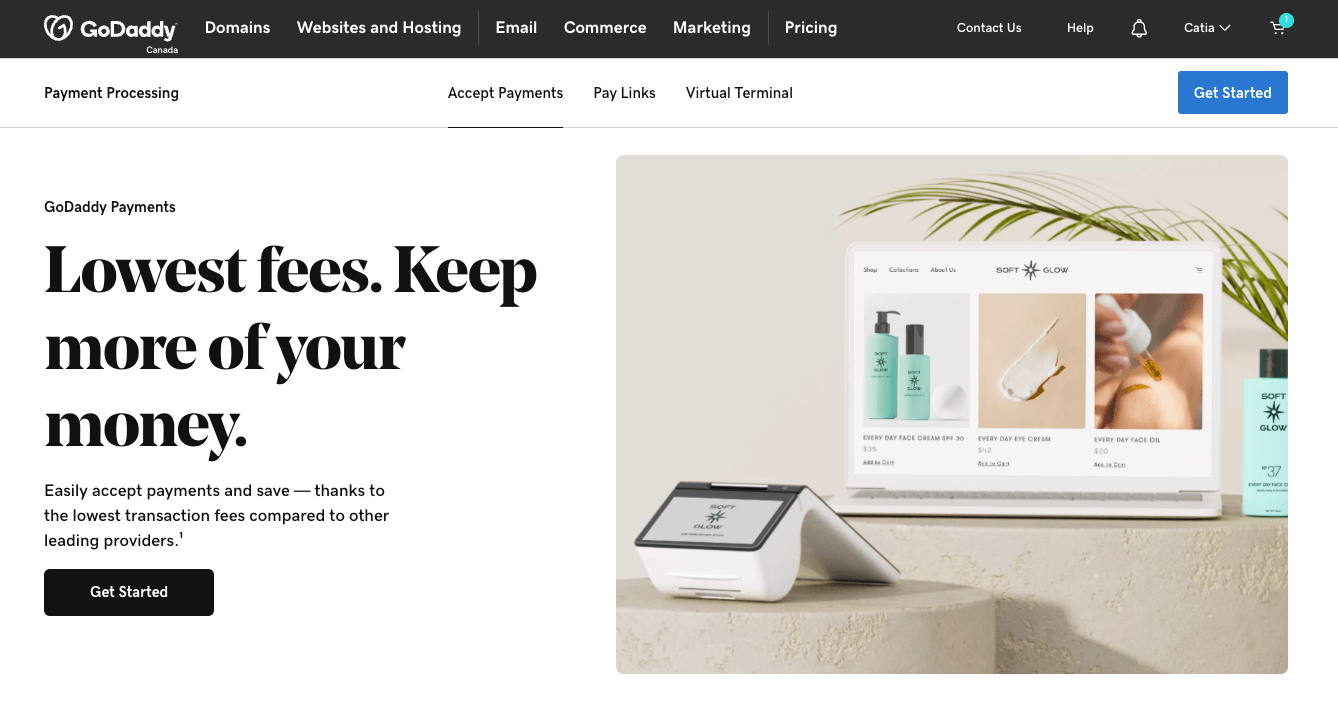
Level up your payment processing with GoDaddy Payments.
What are the components of a POS system price?

If you’re trying to make an informed decision about which system best fits your business needs and budget, it’s important to first understand the breakdown of point-of-sale system prices.
Most POS solutions consist of three primary cost components: hardware, software, and payment processing fees.
Breaking down these elements will give you a better understanding of where your money is going in your point of sale system price. It can also help you to identify areas where you might save or where additional investment makes sense. For instance, some businesses might need robust hardware setups, but can get by with more basic software. On the other hand, some businesses might need advanced software capabilities, but only need minimal hardware.
Let's explore each component in detail to give you a clearer picture of what contributes to the total POS system price you'll pay.
POS hardware costs
The hardware component of your point of sale system can vary dramatically depending on your business type and operational needs. In 2025, POS terminal prices range from as little as $70 for a basic card reader to several thousand dollars for a complete retail checkout system.
For businesses just starting out or those with minimal in-person sales, you might only need something simple, like a virtual terminal, which transforms your smartphone or tablet into a credit card terminal. Or it might be enough to take payments through ‘pay links’, which allow you to send branded payment requests and QR codes via text, email, and social media.
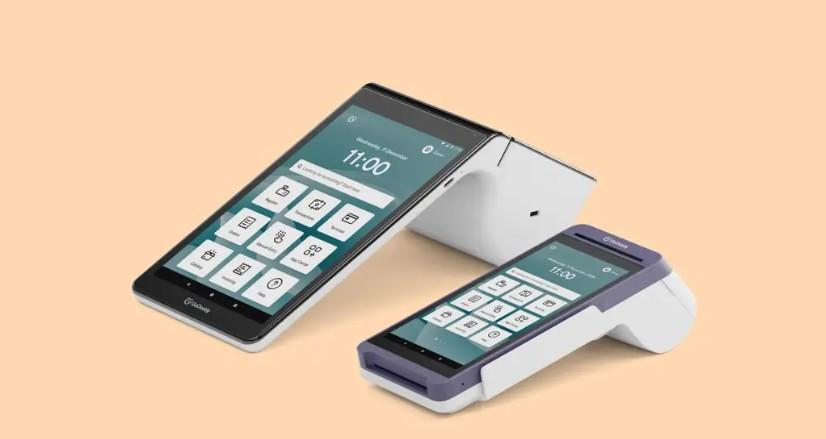
If you need something more substantial, countertop POS terminals range from $400 to $1100 and typically include a tablet or touchscreen, card reader, and sometimes a receipt printer, as with GoDaddy’s Smart Terminals. These are ideal for businesses with a dedicated checkout area, whether that’s in a bricks and mortar store or a market stall or street food truck.
POS software costs
Software is the brain of your POS system, and subscription pricing varies widely based on the features and capabilities you need. In 2025, point of sale software costs ranged from completely free to over $400 per month for advanced enterprise solutions.
Basic POS software typically includes essential features like payment processing, simple inventory tracking, and basic sales reporting. Providers often offer free plans, making these systems attractive options for small businesses.
Mid-tier POS software costs around $70 to $140 per month and adds more robust inventory management, customer relationship management capabilities, and detailed analytics.
GoDaddy’s POS software is free to use with GoDaddy hardware and includes low transaction fees of 10¢ per in-person Interac debit transaction and 2.3%+0¢ for other transactions. It supports advanced features like stock alerts.
Payment processing fees

Perhaps the most overlooked yet potentially most expensive component of your POS system cost over time is your payment processing fees. These fees are charged every time a customer pays with a credit or debit card, and they can significantly impact your profit margins.
Most POS providers use one of two pricing models for payment processing: flat-rate or interchange-plus.
Flat-rate pricing: One simple, predictable fee per transaction, regardless of card type or other variables. This is the structure GoDaddy uses, as it gives business owners clarity, consistency, and confidence in what they’re paying month after month.
Interchange-plus pricing: The actual interchange fee from the card network, plus a markup. It offers transparency but can lead to unpredictable monthly bills since rates vary by card and transaction type.
GoDaddy’s payment processing fees are competitive in the market, charging 2.3% per in person transaction and no extra per-transaction fees for all payment types, and only 10¢ for Interac debit transactions.
Related: Credit card processing fees: What you need to know.
Having an integrated payment processor within your POS system offers several advantages over using a third-party provider. Integration means seamless reconciliation between sales and payments, reducing errors and saving time. It also typically means faster access to your funds.
What other factors impact the POS system costs?
Beyond the three core components we've discussed above, several other factors can significantly influence your total point of sale system costs. Understanding these variables will help you avoid unexpected expenses and budget more accurately for your POS investment.
Business type plays a crucial role in determining your POS needs and costs.
Retail businesses typically require strong inventory management and barcode scanning capabilities, while restaurants need easy to use terminals and deeply efficient checkouts at busy times.
Specialized industries, such as salons or auto repair shops, may need appointment scheduling and service tracking features that come with their own price tags.
The number of locations or terminals will multiply your hardware and sometimes software costs. While some providers charge per device, others charge per location regardless of how many terminals you use at each site.
Your number of users can also impact your pricing. Some POS providers will limit how many staff accounts you can have per subscription level. Additional user accounts might cost $7-$35 per user per month, which adds up quickly for businesses with large teams.
Features beyond the standard offerings often come with additional fees as well. Things like advanced inventory management, customer loyalty programs, email marketing integration, gift card functionality, and advanced reporting can each add $25-$140 monthly to your software costs.
Installation costs and setup fees can range from free to over $1,400, depending on the complexity of your system and the provider. It’s a good idea to ask potential providers about these one-time costs before committing.
Team training and customer support quality vary dramatically between providers. Some include comprehensive training and 24/7 support in their base price, while others charge premium rates for priority support or in-person training.
I recommend you carefully evaluate these factors against your business needs. Doing so will help you identify which expenses are essential for your operations and which can be avoided (or at least deferred) until your business grows.
How to choose a POS system provider
Selecting the right POS system provider is an important business decision that can impact your daily operations, customer experience, and bottom line.
With so many options available, how do you determine which one best meets your needs without breaking the bank?
Let's explore the most important factors to consider beyond just how much a POS system costs.
For most business owners, the choice will come down to cost. As a result, cost transparency is going to be really important when evaluating providers. It’s best to look for companies that clearly disclose all fees without hiding charges in the fine print.
The best POS system providers offer straightforward pricing with no long-term contracts or hidden fees.
It’s a good idea to ask specific questions about setup fees, cancellation charges, and whether prices increase after an initial promotional period. Of course, it’s also important to remember that the cheapest option upfront may not be the most economical in the long run if it lacks essential features or has higher transaction fees.
You might also want to choose a POS system that can grow with you.
Scalability ensures your POS system can grow with your business. The system you choose should accommodate increased transaction volumes, additional locations, and integrate with online store without requiring a complete overhaul.
You might want to ask potential providers how their pricing and capabilities adjust as you add locations, users, or features. A scalable solution might cost slightly more initially, but can save significant money and disruption compared to switching systems later.
Customer service quality can make or break your experience, especially during busy periods when technical issues could mean lost sales. I recommend you evaluate things like support hours (is 24/7 support available?), communication channels (phone, chat, email), and response time guarantees. Read reviews specifically addressing customer service experiences, and ask your fellow business owners for references.
Hardware compatibility affects both your initial investment and long-term flexibility. It’s worth noting that some POS systems work only with proprietary hardware, while others can operate on standard tablets or smartphones you might already own. Proprietary hardware often offers better integration and reliability, but typically costs more and locks you into that provider.
Software features should align with your specific business needs as well. Make a list of must-have versus nice-to-have functions. Then, compare providers against your unique requirements. You don't want to pay for complex features you'll never use, but you also need to ensure the system can handle your core operations efficiently.
Consider integration capabilities too. These can help you determine how well your POS works with other business systems. Seamless integration with your accounting software, ecommerce platform, customer relationship management system, and marketing tools can save countless hours of manual data entry and reduce errors.
For example, GoDaddy’s Smart Terminals can be customized by adding apps designed to fit your unique business needs, from gift card apps to customer loyalty programs.
Payment processing options vary significantly between providers. Some POS systems force you to use their in-house payment processing at set rates, while others allow you to shop around for the best processing rates. Consider the point of sale charges for different payment types and whether there are volume discounts as your business grows.
Finally, you need to be able to figure out how to use it quickly. After all, user-friendliness impacts training time and daily efficiency. Because of this, I would strongly recommend requesting a demo or free trial to evaluate the interface yourself and potentially have a few staff members test it too. An intuitive system reduces training costs and minimizes errors.
Looking for a reliable, cost-effective solution with transparent pricing? Consider exploring GoDaddy Point-of-Sale systems, which offer flexible hardware options, competitive processing rates, and an interface that’s easy to set up and use.
Check out GoDaddy Point of Sale costs
When weighing your options for point of sale costs, GoDaddy offers several solutions designed to meet different business needs while maintaining competitive pricing.
Let's explore GoDaddy's POS offerings to help you determine which option might be the right fit for your business.
GoDaddy's POS lineup includes two main options: the Smart Terminal Duo and Smart Terminal Flex. Each comes with different hardware capabilities, but shares the same software foundation and processing options, allowing you to choose based on your specific operational needs.
| Smart Terminal Duo | Smart Terminal Flex | |
| Hardware | ||
| Software | Free to use with GoDaddy hardware | Free to use with GoDaddy hardware |
| Standard processing rate per in-person transaction | 2.3% + 0¢ 10¢ per in-person Interac debit transaction | 2.3% + 0¢ 10¢ per in-person Interac debit transaction |
| Standard processing rate per ecommerce transaction | 2.7% + 0¢ | 2.7% + 0¢ |
| Best for | Countertop or tableside payments with a durable, compact dual-screen POS | Flexible, portable payments on counters, shop floors or on-the-go |
Both options integrate seamlessly with GoDaddy's broader ecosystem, allowing you to manage inventory, orders and reporting across both digital and physical sales channels from a single dashboard. This integration eliminates the need for costly middleware or manual reconciliation between different systems. There are no onboarding, support, termination or other hidden fees involved in GoDaddy POS.
Finding the right POS solution for your business
From hardware and software expenses to payment processing fees and additional factors that influence your total investment, understanding these components is crucial for making an informed decision that aligns with your business needs and budget.
Don’t forget, though, that the cheapest option isn't always the most cost-effective in the long run. A system that saves you a few dollars monthly but lacks essential features or reliability could end up costing you much more in lost sales, inefficiencies, or the need for an early replacement. Instead, focus on finding the solution that offers the best value for your specific business requirements.
For most small to medium businesses, a modern cloud-based POS system offers the best balance of affordability, functionality, and scalability. These systems typically feature lower upfront costs, regular updates without additional fees, and the flexibility to grow with your business.
Ready to take the next step? Explore GoDaddy Point-of-Sale systems to discover flexible, affordable solutions designed for businesses of all sizes. With transparent pricing, competitive processing rates, and an interface that’s easy to set up and use, GoDaddy offers everything you need to create a smooth, professional checkout experience for your customers while maintaining control of your costs.