Theo dõi các liên kết và tập tin đính kèm trong email của bạn
Theo dõi cách người nhận tương tác với email của bạn bằng cách sử dụng Theo dõi nâng cao (theo dõi liên kết và tập tin) trong Professional Email powered by Titan. Bạn sẽ được thông báo khi ai đó nhấp vào liên kết hoặc tải xuống tệp đính kèm.
Đính kèm các liên kết hoặc tập tin được theo dõi
Chọn một tab dựa trên việc bạn muốn bật theo dõi liên kết hoặc tập tin đính kèm.
Sử dụng theo dõi liên kết để nhận thông báo khi người nhận nhấp vào liên kết trong email của bạn.
- Đăng nhập vào webmail . Sử dụng địa chỉ và mật khẩu Professional Email powered by Titan của bạn (tên người dùng và mật khẩu GoDaddy sẽ không hoạt động ở đây).
- Ở góc trên bên trái, chọn Email mới .
- Nhập người nhận và chủ đề.
- Trong thanh công cụ định dạng ở cuối email, chọn
 Chèn liên kết .
 - Trong cửa sổ bật lên, nhập URL và văn bản hiển thị.
- Bật nút gạt Theo dõi liên kết này .
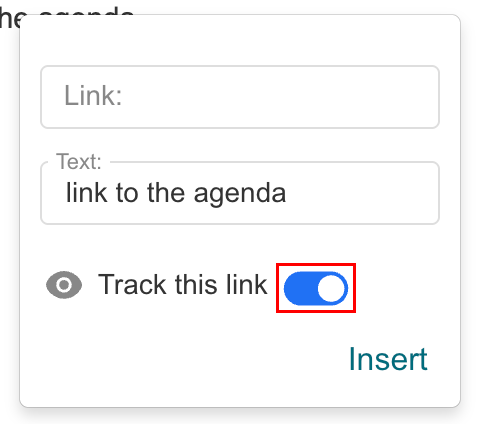
- Chọn Chèn .
Sau khi gửi, bạn sẽ được thông báo khi người nhận nhấp vào liên kết được theo dõi, cùng với dấu thời gian.
Sử dụng tính năng theo dõi tập tin để xem khi nào người nhận tải về các tập tin đính kèm.
- Đăng nhập vào webmail . Sử dụng địa chỉ và mật khẩu Professional Email powered by Titan của bạn (tên người dùng và mật khẩu GoDaddy sẽ không hoạt động ở đây).
- Ở góc trên bên trái, chọn Email mới .
- Nhập người nhận và chủ đề.
- Ở cuối email, chọn
 Đính kèm tập tin , rồi Đính kèm các tập tin được theo dõi .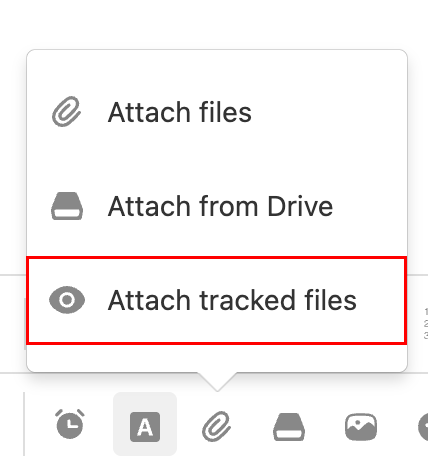
- Nếu bạn thấy thông báo cảnh báo rằng các tập tin được theo dõi sẽ hết hạn sau 60 ngày, hãy chọn OK .
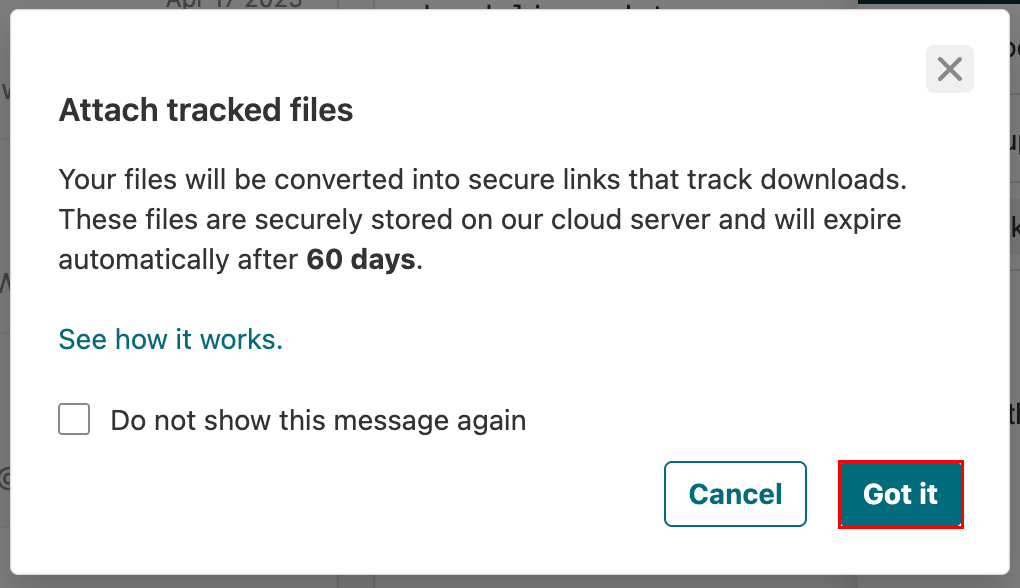
- Chọn (các) tập tin bạn muốn theo dõi.
Sau khi gửi, bạn sẽ được thông báo khi người nhận tải xuống tập tin, bao gồm cả ngày và giờ.
Các tập tin đính kèm được theo dõi được lưu trữ an toàn trên máy chủ của Titan và hết hạn sau 60 ngày kể từ ngày gửi email.
Xem số lần nhấp vào liên kết và lượt tải xuống tập tin
Kiểm tra chi tiết tương tác cho email đã gửi của bạn trong bảng điều khiển theo dõi.
- Đăng nhập vào webmail . Sử dụng địa chỉ và mật khẩu Professional Email powered by Titan của bạn (tên người dùng và mật khẩu GoDaddy sẽ không hoạt động ở đây).
- Ở góc trên bên phải, chọn
 Đọc biên lai .
 - Mở thông báo theo dõi. Bảng điều khiển sẽ hiển thị:
- Hoạt động mở email
- Số lần nhấp vào liên kết
- Tải xuống tệp đính kèm
- Dấu thời gian cho mỗi lần tương tác
Xem thêm thông tin
- Để nhận thông báo khi người nhận đọc email của bạn, hãy bật Theo dõi email .
- Set up Vacation Responder for out-of-office auto-replies
- Lưu các tập tin đính kèm trong email vào Titan Drive