Thêm hoặc nâng cấp gói Domain Protection của tôi
Thêm hoặc nâng cấp Domain Protection để tăng cường bảo mật cho miền của bạn. Domain Protection cung cấp khả năng bảo mật cao hơn trước các mối đe dọa trực tuyến bằng cách gửi cảnh báo khi có thay đổi đối với miền của bạn và ngăn ngừa việc hết hạn ngẫu nhiên. Một số phần mở rộng miền không đủ điều kiện cho một số tính năng Domain Protection.
- Đăng nhập vào Danh mục miền của GoDaddy. (Bạn cần hỗ trợ đăng nhập? Hãy tìm tên người dùng hoặc mật khẩu của bạn.)
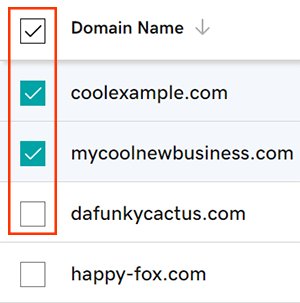
- Chọn các hộp kiểm bên cạnh miền bạn sẽ cập nhật. Hoặc, chọn hộp kiểm bên cạnh Tên miền , rồi chọn Chọn tất cả .
- Từ menu hành động, chọn Gói bảo vệ rồi chọn Nâng cấp Gói bảo vệ .
- Tùy theo kích thước màn hình, bạn có thể cần chọn menu Thêm rồi cuộn xuống để xem Các gói bảo vệ.
- Chọn gói Domain Protection ưa thích của bạn từ các tùy chọn có sẵn.
- Chọn Thanh toán để hoàn tất đơn hàng của bạn.
Tính năng tự động gia hạn sẽ được bật tự động khi bạn thêm hoặc nâng cấp Domain Protection.
Các bước liên quan
- Thay đổi cài đặt Domain Privacy cho miền của bạn.
- Vui lòng xem thông tin liên hệ miền của bạn để đảm bảo các chi tiết là chính xác và được cập nhật.
Thông tin thêm
- Thiết lập xác minh 2 bước để có bảo mật tốt nhất trên miền và tài khoản của bạn.