Rebuild my website in Airo AI Builder
Airo AI Builder is an AI-powered way to build and manage your website and digital presence. Describe what you want in your own words and language, and it makes the changes for you, or switch to edit mode to adjust things manually in the editor.
Moving your existing website over is a good way to keep what you've already built while making it easier to maintain and grow. We use your current website as the starting point and you refine it from there.
Follow the steps below to take the first step and get started with Airo AI Builder.
- Open Airo AI Builder.
- You have 2 options:
- Type in “Rebuild my site”, enter your website’s URL and ask Airo to rebuild your website (for example, https://www.coolexample.com. Replace “coolexample” with your own URL). Optionally, add screenshots of your site to help guide Airo in the design.
OR
- Select Rebuild Site, and then complete steps 3 to 6.
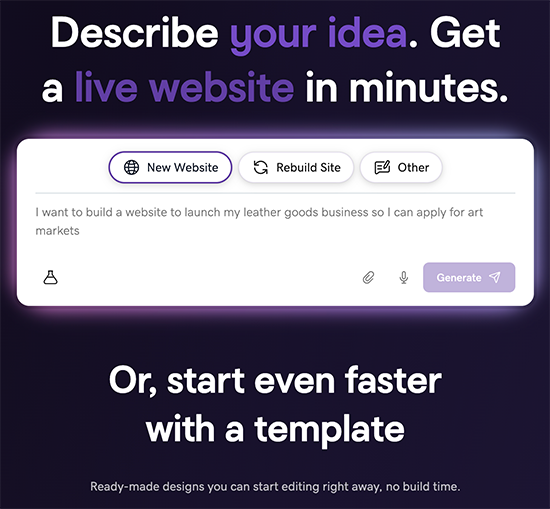
- Type in “Rebuild my site”, enter your website’s URL and ask Airo to rebuild your website (for example, https://www.coolexample.com. Replace “coolexample” with your own URL). Optionally, add screenshots of your site to help guide Airo in the design.
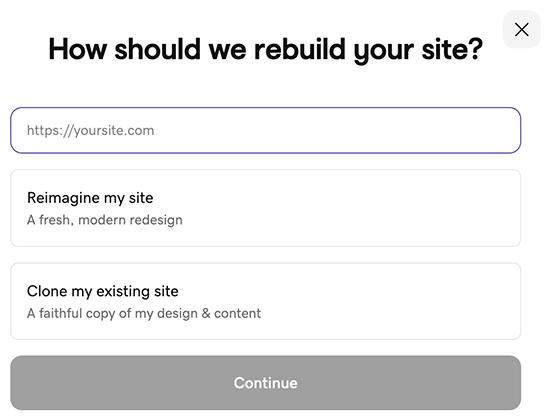
- Enter your existing website's URL. For example, https://www.coolexample.com (replace "coolexample" with your own URL).
- Choose whether you'd like a fresh look for your website or want to keep it similar to your current look, and then select Continue.
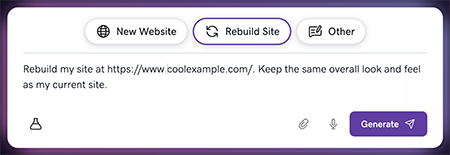
- Confirm the prompt is correct, and then select Generate.
- If asked, sign in to your GoDaddy account to have your website generated.
Airo AI Builder uses your current website as a starting point to generate a fresh look or keep your current look. From there, you can customize and refine it. When you're satisfied with the preview, publish, choose a plan and make your new website live.
Your Airo AI Builder site is published as "https://[uniquename].airoapp.ai". After it's published, you can connect it to a custom domain.