Disable or enable my Auto Attendant greeting
Auto Attendant is enabled by default for all our Conversations business phone customers. You can disable the service so that customers don’t hear the greeting and are instead connected directly to you or to team members you've added to your Conversations account. If you change your mind, you can enable it again.
Required: You'll need the GoDaddy Conversations app to manage your Auto Attendant. If you don't already have it, follow the steps to download the app for iOS and Android.
- Sign in to your GoDaddy Conversations app.
- In the lower-right corner, tap
 Account.
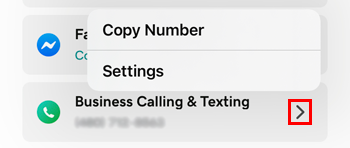
 - To the right of Business Calling & Texting, tap the arrow, and then Settings. (If you don't see this option, first add a business number.)
- Tap Auto Attendant.
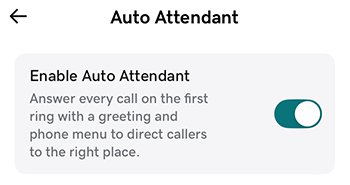
- Switch the Enable Auto Attendant toggle off or on to disable or enable the service.
- Sign in to your GoDaddy Conversations app.
- In the lower-right corner, tap Account.
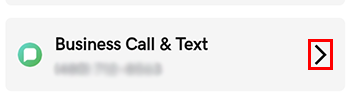
- To the right of Business Call & Text, tap the arrow. (If you don't see this option, first add a business number.)
- Tap Auto Attendant.
- Switch the Enable Auto Attendant toggle off or on to disable or enable the service.
Your settings are applied immediately.