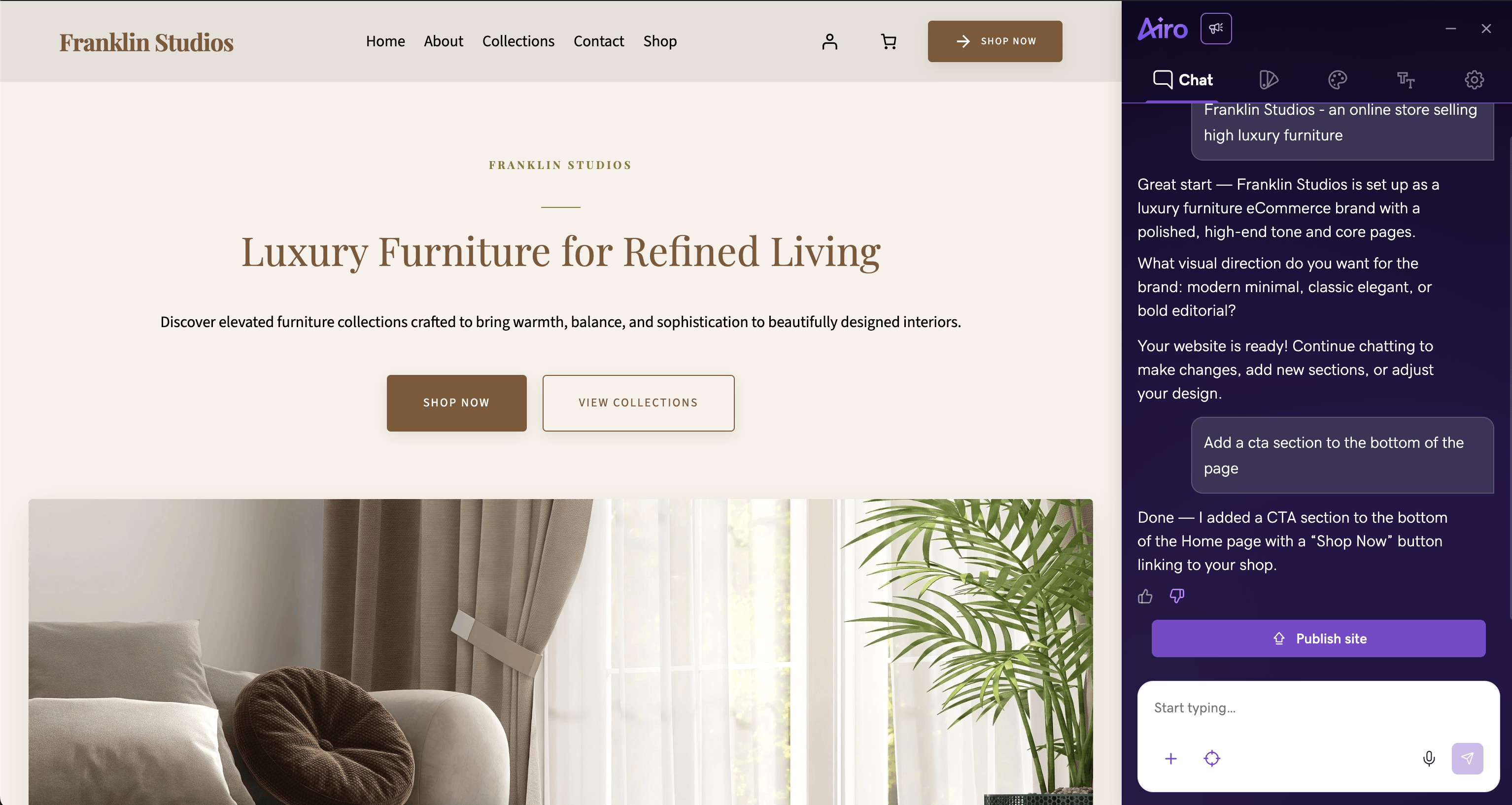


A few months ago we shared what was coming next for Airo for WordPress. Two of the biggest ones are here now: you can point Airo at a WordPress site you already own for a site refresh, and Airo can now take real action across your site, working with your plugins and settings through WordPress's own Abilities API and REST API.
Here is everything new since our last update.
Redesign the site you already have
Until now, Airo built new sites without being able to reference an existing site you owned.
That changes with Site Refresh. Give Airo your existing site and it reads what is already there, your pages, your words, your logo, and your images, then rebuilds it with a fresh, modern design. You keep your content. You lose the dated look.
So this is for anyone with a website that needs a refresh, not just people starting from scratch. If you run an agency, you can take on redesign jobs and let Airo do the first draft for you.
Undo any change with one click
Editing your live site used to take a little nerve. Now you can experiment without the worry.
Changes made in Airo can be undone with a simple chat. Ask for a new banner at the top of your page, decide you liked the old one better, and put it back. For bigger edits, Airo can work on a draft first, so you get to review everything before it goes live and throw it out if it is not right.
If you held back from trying edits on a real site, that reason is gone.
Airo can do more of the work for you

Airo for WordPress is starting to help run your site, not just write it. From a normal conversation, it can change your site settings, create and update content, and work with your plugins.
What makes that possible is that Airo speaks WordPress's own languages. It connects to your site through two open WordPress standards: the new Abilities API and the WordPress REST API.
The Abilities API is a new WordPress standard that lets a plugin describe what it can do in a way an AI can understand and act on. As more plugins adopt it, Airo can work with them automatically, without a custom integration built for each one. For everything else, Airo uses the WordPress REST API, the same connection WordPress relies on to read and update your pages, posts, and settings. Between the two, Airo can take real action on a real site instead of just telling you what to do.
If you build sites for a living, this is the part to watch. It means Airo is not limited to a fixed set of tricks. Its reach grows with the plugins you already use and the standards WordPress itself is moving toward.
When a change is a big one, Airo asks first. It shows you in plain language exactly what it wants to do, and nothing happens until you say go. You stay in control of anything that affects how your site works.
You can also schedule posts now. Tell Airo to publish something next Tuesday and it will line it up for you.
A smarter, more dependable Airo
We moved Airo to a newer, more capable AI behind the scenes. You will see it in better headlines, better writing, and steadier results when you ask for changes.
A few specifics:
- Airo looks at your site before it edits. Ask it to "make the heading match my brand color" and it uses your real colors and fonts instead of guessing.
- It picks the right building block faster. When you ask for something specific, Airo is better at getting it right the first time.
- Setup gets to the point. The opening questions wrap up quickly, fill in sensible defaults, and point you straight to the Generate button instead of asking forever.
Sites that look more designed

We kept working on the thing that separates a polished site from one that looks auto-generated.
Airo now builds from ready-made design styles that keep your fonts, colors, and spacing consistent on every page. Pick the style that fits your business and the whole site hangs together instead of looking different from one section to the next.
Airo also picks better headers and footers while it builds, so the top and bottom of your site look intentional from the start. Big headlines now fit their space in a few lines instead of running long, and they read tighter and more professional out of the box.
Colors are smarter too. Airo warns you when two colors are hard to read together and keeps your menu text legible even on dark backgrounds.
Point at what you want to change

Describing the exact thing you want to fix is not always easy. So now you can just point at it.
Click the section, heading, or image you want to change, and Airo knows what you mean before you type a word. Less describing, more pointing.
Smaller things you will still notice
- Start a fresh chat, keep your site. Clear the conversation without touching your pages, styles, or content.
- Name your blog page. Call it "Insights" or "News" and give it the web address you want, just by asking.
- Manage pages from the chat. Ask Airo to delete a page or post and it takes care of it.
- Show Airo a site you like. Paste a link when you describe your site, and Airo uses it as inspiration.
- Polish fixes. We cleaned up fonts that did not display right, footers that bled into the section above, logos that resized on their own, and the odd logo upload that got lost before your site was built.
- Smoother online stores. Adding or removing WooCommerce while you build is more reliable now.
- More blog posts. Customers on our top plan get unlimited blog posts, and everyone else gets a higher monthly amount.
What we are working on next
- Higher quality designs. This will be a major focus for the next few months ensuring the sites that are generated meet your expectations.
- Try another look. Flip through different design directions before you commit, instead of starting over.
- Design from a screenshot. Show Airo a picture of a site you like and have it recreate the look.
- Helpful nudges. Airo suggests what to improve next, instead of waiting for you to ask.
- More store help. Run your shop through Airo, from adding products to handling orders.
- Get found online. Built-in tools to help people and AI assistants discover your site.
Try it
Site Refresh, one-click undo, and everything above are live today.
If you already use Airo, open your WordPress dashboard and have a look. And if you have a site sitting somewhere that needs a fresh coat of paint, this is a good week to point Airo at it.