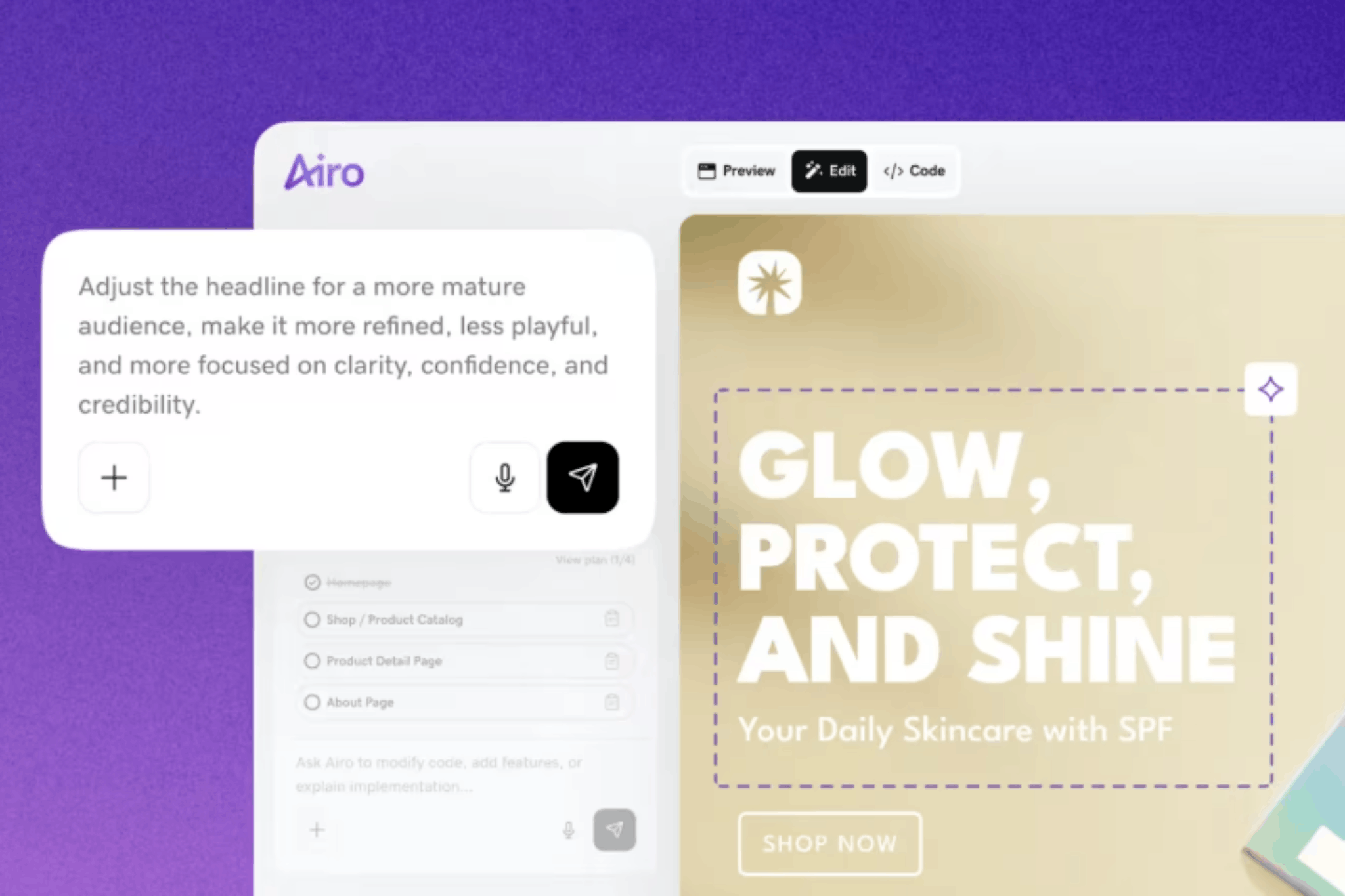

Your next client could be searching for someone just like you right now. A portfolio website gives them a clear place to explore your work, get a feel for your skills, and see what you could bring to their next project. Designers, photographers, writers, developers, artists, and other creative professionals can use a portfolio website to make a memorable first impression and turn interest into real opportunities.
AI tools can help you create a polished site that feels like your own, even if you’ve never built a website before. Let’s take a closer look at what to do before creating your portfolio website, what to include in it, and how to build it step by step with GoDaddy Airo AI Builder.
GoDaddy Airo AI Builder
Describe your idea. We'll build your live website in minutes.
With a few prompts, Airo AI Builder generates your website, web app, pages, databases and logic in minutes — no coding required. Start for free with 50 AI credits a month. No credit card required.
Build for FreeWhat to prepare before building your website
It’s tempting to jump straight into an AI website builder, but taking a little time to organize first can make the process faster and the result much stronger. Your portfolio website relies on the work, details, and direction you give it, so thorough preparation leads to a better first draft.
Get organized
Take care of these three essentials first so your site has a clear purpose, a logical structure, and work worth showing off.
Write a description of yourself and your work
Think of this as a creative brief for your portfolio. A description of yourself and your work gives AI the context it needs to create copy, choose a tone, and suggest a site structure that fits your goals. Include details such as:
- What you do, including your discipline, medium, or specialty
- The people or organizations you want to attract, such as clients, recruiters, agencies, art directors, or a particular industry
- What makes your work or approach distinct
- Your experience level and any relevant credentials, awards, or recognizable clients
- The kind of work you want to do next
Aim to describe the opportunities you want your portfolio to create, not simply the projects you’ve completed.
Remember, the more specific your description, the more personalized your portfolio website will be. Use these examples as a guide:
Vague: “I’m a designer, and I want a portfolio.”
Specific: “I’m a freelance brand identity designer based in Brooklyn. I work with startups and small businesses to create logos, brand guidelines, and packaging. I want my portfolio to attract founders who need a full brand system, not just a logo.”
Map out your pages
Most portfolio websites have a similar structure, but the pages you need depend on your work and goals. You may want to include:
- Homepage
- Portfolio, work, or projects
- About
- Services and pricing for freelancers
- Resume or experience for job seekers
- Testimonials
- Contact
- Blog, which can support SEO and establish thought leadership
You don’t need every page to launch. A focused homepage, portfolio gallery, about page, and contact page give visitors the essentials and provide a strong foundation to build on later.
Select your strongest projects (quality over quantity)
The projects you choose shape how people see your skills, style, and experience, so this step deserves your full attention. When curating your portfolio:
- Select eight to 15 of your strongest, most relevant, and most recent pieces instead of every project you’ve ever completed.
- Choose projects that reflect the work you want more of in the future.
- Prepare high-quality images or screenshots for each project.
- Write a short project description that covers the challenge, your role, and the outcome.
- Include the client name or project context when you’re allowed to share it.
- Group projects into categories, such as branding, web design, or editorial, if you work across multiple disciplines.
- Lead with your strongest piece to make a great first impression.
Quality always beats quantity. Ten excellent projects create a far stronger impression than 50 so-so ones.
Choose a domain name
Your domain name is your professional address online. It appears on your portfolio, business cards, email signature, and job applications, making it one of the first details potential clients or employers may notice.
When you search for and register a domain name:
- Use your full name when possible, such as yourname.com.
- Try simple variations if your name is taken, such as your first name plus last initial, your name plus “studio,” or your name plus “design.”
- Keep it short, memorable, and easy to spell.
- Many people choose .com because it’s familiar, but creative extensions like .design, .studio, .art, and .photo can also be a great fit.
- Avoid hyphens and numbers, which can make a domain harder to remember and share.
Airo AI Builder paid plans include a free custom domain*, so you may not need to buy one separately.
Want to see if the domain you want is available? Give it a try here:
Prompting tips for a portfolio site that stands out
Airo AI Builder uses your description to shape your site’s copy, layout, and visual direction. The more clearly you describe your work and goals, the closer Airo AI Builder’s first draft will be to a portfolio you’re excited to share. Use these tips to help Airo understand what you want to create:
- Lead with your discipline and specialty. Give Airo AI Builder a clear picture of your work instead of a broad label like ‘creative.’ ‘Freelance motion graphics designer’ or ‘editorial portrait photographer' gives it a stronger starting point than “I do creative work.”
- Describe the audience you want to attract. A portfolio for tech startup founders should feel different than one designed for gallery curators. Tell Airo AI Builder who you hope will visit your site, such as agency creative directors, wedding clients, hiring managers, or local business owners.
- Share how you want your work displayed. Let Airo AI Builder know if you prefer a clean grid gallery, full-bleed images, detailed case studies, or a text-forward layout. This helps it create a site that presents your projects in a way that fits your discipline.
- Set the mood and aesthetic. Add a few words that capture the look you have in mind. You might ask for a minimal site with plenty of white space, a dark and moody visual style, a colorful and playful layout, or a corporate and polished design.
- Name the action you want visitors to take. Your portfolio should guide people toward a clear next step. Tell Airo AI Builder if you want visitors to contact you for a quote, book a consultation, download your resume, or hire you for a project.
- Include your visual identity. Mention your brand colors, logo, typography preferences, or other existing design elements. Airo AI Builder can use that direction to make your site feel consistent with the rest of your professional presence.
Here are a few examples of how to talk to Airo AI Builder:
“I’m a freelance graphic designer who creates brand identities and packaging for consumer brands. I want to attract creative agencies looking for a reliable design partner. Build a clean, polished portfolio with bold project images, detailed case studies, and a contact form. Use a modern, editorial style with warm neutral colors.”
“I’m a wedding photographer serving couples in Austin, Texas. I want my website to feel romantic, bright, and personal, with full-width images that put my photography first. Include galleries for weddings, engagement sessions, and family portraits, plus an inquiry form for couples who want to book.”
“I’m a front-end developer looking for a full-time role at a product-focused tech company. Create a minimal portfolio that highlights my web applications through short case studies, screenshots, and links to live projects. Include an about page, resume download, and contact section. Keep the design modern and easy to scan.”
Portfolio website checklist
Use this checklist while you build your portfolio website and again before you publish it. Each element helps visitors understand your work, trust your expertise, and take the next step.
Homepage with a strong first impression
Your homepage needs to make visitors want to keep looking. Above the fold, clearly state who you are and what you do, show a standout project or image, and include a visible call to action like “View my work,” “Hire me,” or “Get in touch.” Skip long introductory paragraphs that delay the work visitors came to see.
Portfolio or project gallery (organized by type, client, or theme)
Your gallery is the centerpiece of your portfolio. Organize it in a way that feels intuitive for visitors, such as by discipline, client type, industry, or theme, and use clear thumbnails that show each project at a glance. Make sure it’s easy to browse on desktop and mobile.
Project descriptions or case studies
Strong visuals grab attention, but context helps people understand the value behind the work. Add concise descriptions for each project, or at least your top three to five, covering the challenge, your role, your approach, and the outcome. Designers, developers, and strategists in particular can benefit from showing the thought process behind a finished piece.
About page with your story, skills, and credentials
Visitors often head to the about page once your work catches their interest. Share your background, area of expertise, creative approach, and any credentials, awards, or notable clients that support your experience. Add a professional photo and write in a voice that feels like you, not a generic list of qualifications.
Services and pricing
A services page helps freelance clients understand what you offer before they reach out. List your services, such as branding, web design, photography packages, illustration, or consulting, and include starting prices or a clear explanation of how you price your work. This page is optional if you’re focused on employment opportunities rather than client work.
Client testimonials
Testimonials offer proof that goes beyond the work itself. A quote about your communication, professionalism, reliability, or ability to deliver can help new clients feel confident reaching out. Add two or three strong testimonials near your services or beside relevant projects.
Resume or experience highlights
A resume or experience section gives hiring managers and agencies useful context beyond individual projects. Keep each entry concise with the company or client name, your role, dates, and two or three key contributions. Including a downloadable PDF resume can make it even easier for recruiters to learn about your background.
Contact page with a clear call to action
Your contact page should make it simple for someone to start a conversation. Include a short form with fields for name, email, and message, along with your email address and preferred contact method. Use a specific call to action, such as “Start a project,” “Request a quote,” “Get in touch,” or “Book a consultation,” and keep the page accessible through your site navigation.
Social media and professional profile links
Relevant professional profiles give visitors another way to explore your work and credibility. Link to platforms that support your goals, such as Instagram, Behance, Dribbble, GitHub, LinkedIn, Vimeo, or YouTube. Only include profiles that are active and present your work well.
How to build a portfolio website with Airo AI Builder
You’ve got a plan, curated your strongest work, and chosen a domain name. Now it’s time to bring your portfolio to life.
Follow the steps below to make a portfolio website with Airo AI Builder. Airo AI Builder creates a stunning portfolio website tailored to your direction through a conversation, with no coding or design experience required.
Step 1: Tell Airo AI Builder about yourself and your work
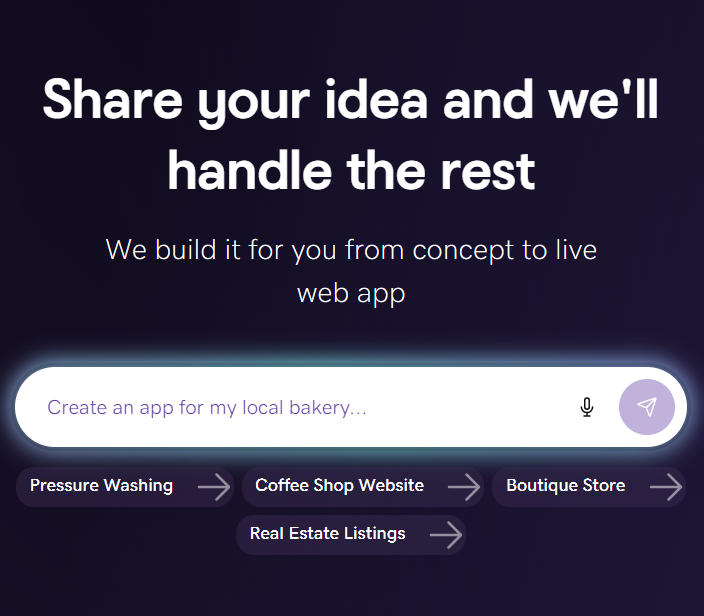
To start the building process, you’ll want to add the prompt that you built during the earlier steps in this guide:

Your goal here is to include the type of work you’re looking for, what your specialty is, who you’re trying to attract, and the overall vibe you’d like for your portfolio website.
Using the attachment button, you can also attach files, such as your logo or artwork, but you’re also able to include these later in the process. If you already have a website that you’re looking to pull details from, feel free to add the URL for that website in your prompt as well.
Step 2: Answer a few questions
Once you’ve entered that initial prompt, Airo AI Builder will likely ask several quick followup questions to ensure that your vision is achieved.

Once you’ve answered these questions, Airo AI Builder will create a first draft of your website and prompt you to begin working on filling out the wireframe that it has created for you.
Step 3: Make changes through follow-up prompts
While Airo AI Builder does create a draft of your portfolio website in that first pass, it’ll be up to you to continue to refine it.
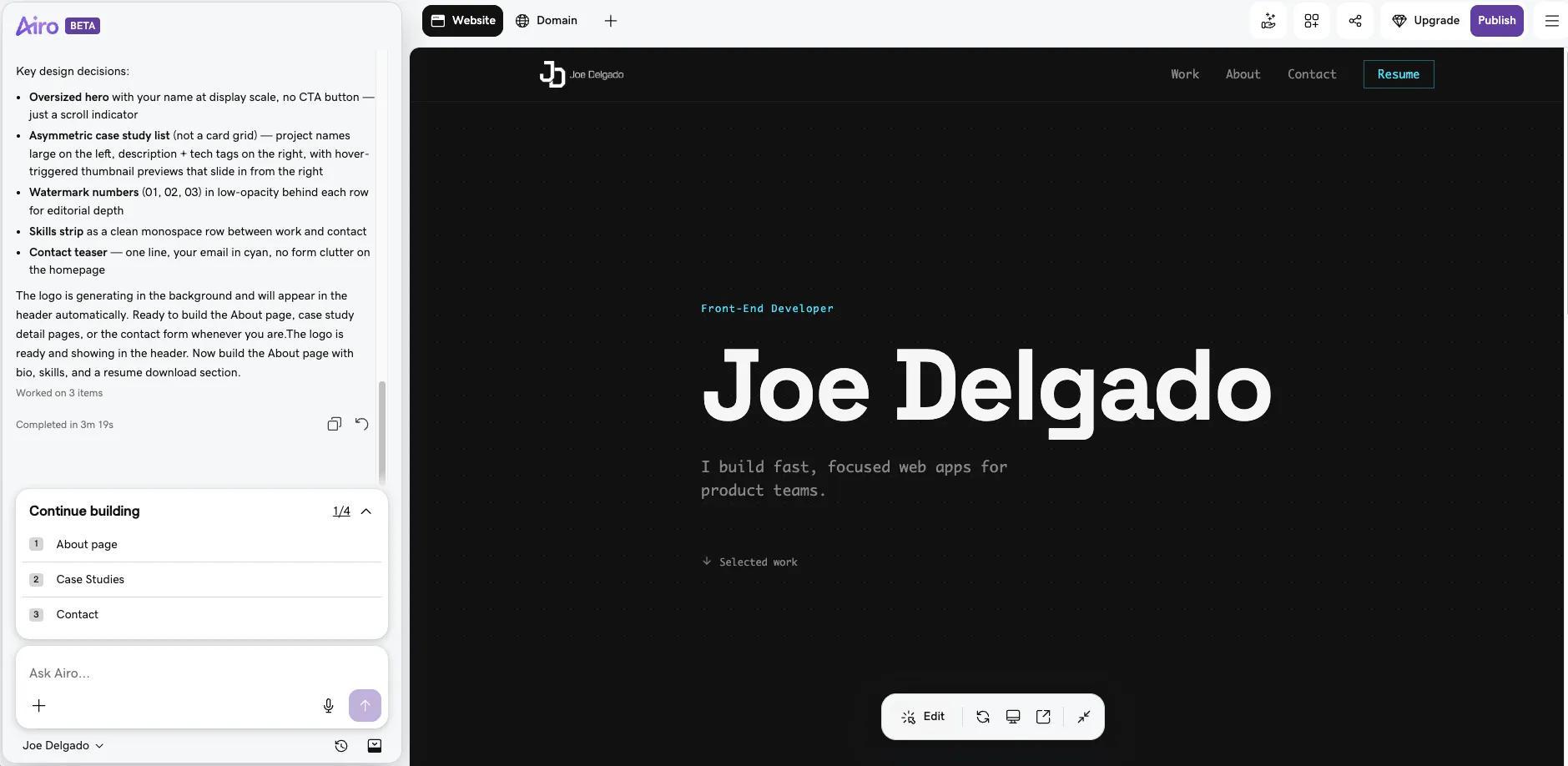
Here are some examples of prompts that you might use when modifying your website:
- "Make the homepage a full-screen image with just my name and a 'View work' button"
- "Organize my portfolio into three categories: application development, web design, and mobile-first ecommerce"
- "Add a case study layout for my top three projects with text alongside the images"
- "Change the aesthetic to dark background with white text — minimal and clean"
- "Add a downloadable resume link to the about page"
Keep refining your portfolio website until you’re happy with the results. Be sure to be as specific as possible for the best results.
Pro tip: Asking Airo AI Builder to make changes, like adding pages, changing the design, or generating new copy, uses AI credits. Basic edits made with the Edit button (or by double-clicking an element in the preview), such as changing text or swapping images, don't use credits.
Step 4: Add your work and arrange your gallery
This step is where your portfolio website truly takes shape. It’s time to add your work and show off your skills.
Here are the steps you’ll want to take for a winning portfolio:
- Upload high-resolution images for each project (optimized for web so they load quickly)
- Add project titles, descriptions, and any case study content you prepared
- Organize projects into the categories you defined (by type, client, theme, etc.)
- Set the order and put the strongest work first (you can tell Airo AI Builder the order you’d like to use)
- Preview the gallery on both desktop and mobile to make sure images display correctly
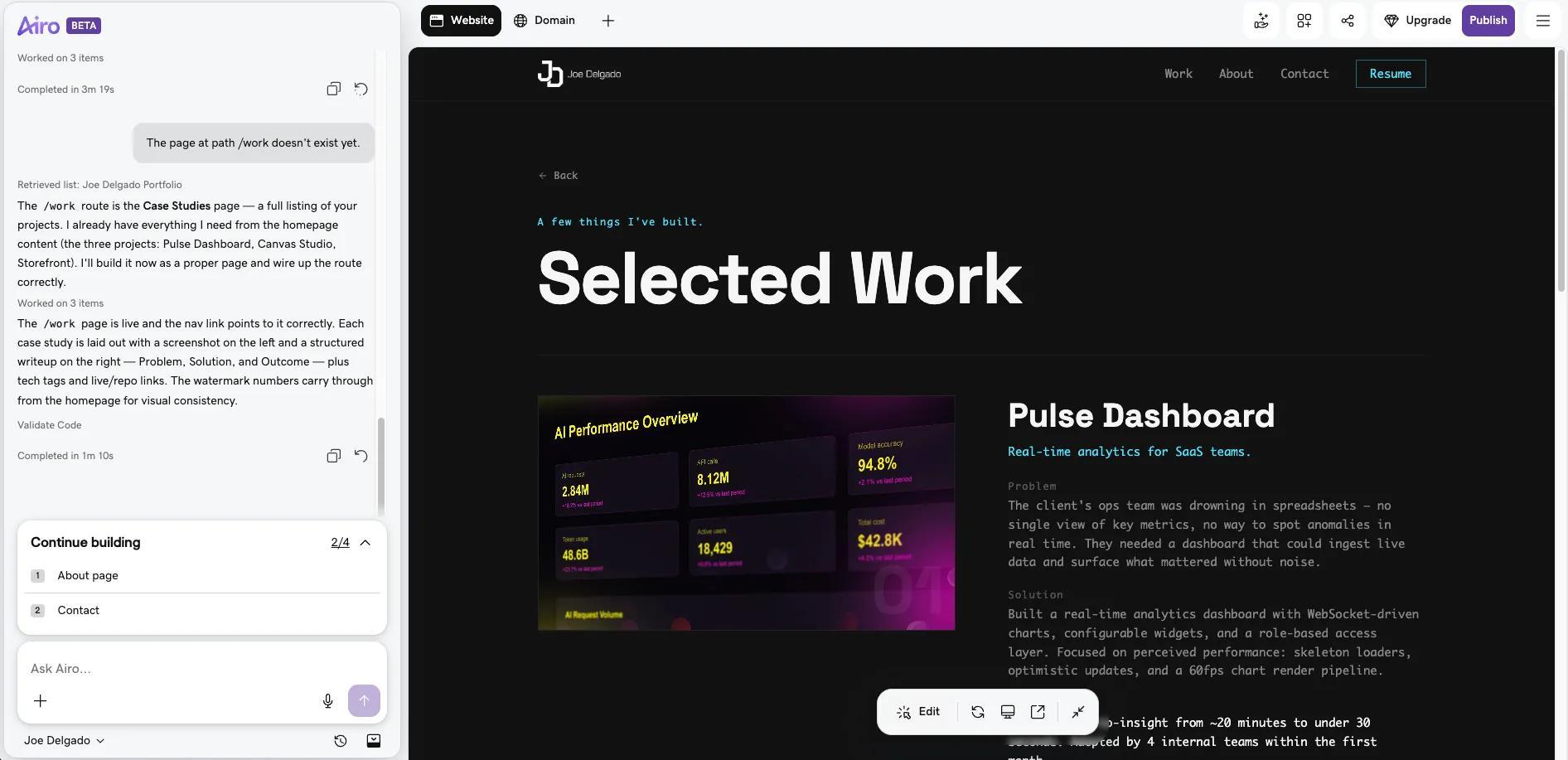
Airo AI Builder also allows you to add from a growing list of apps/tools directly to your website, from an embedded version of your LinkedIn profile to a calendar showing your current freelancing availability. Check out the apps available through Airo AI Builder and see what might work for your site.
Step 5: Link your domain and launch
With your website polished and your work history organized, your portfolio website is ready to take live. Airo AI Builder handles the SEO basics for your website as you work through building your website, as well as mobile responsiveness. These tasks being handled natively can help simplify your pre-publishing review process and get you live faster.
Be aware that if you’re still on the free version of Airo AI Builder, you will need to upgrade to a paid plan before you’ll be able to publish your website. You can click the Upgrade button at the top right to accomplish that.
Once you have a paid plan and you’re ready to make your website live, click on the Publish button at the top right, enter your domain name (paid Airo AI Builder plans include a free domain), and click Publish again.

Important note: If your domain is registered in the same GoDaddy account as Airo AI Builder, then your domain's DNS settings will be configured automatically when publishing. If your domain is registered in a different GoDaddy account, or at a different domain registrar, then additional steps will be required before your site can be live online. See our help guide on how to connect a domain to Airo AI Builder for the steps needed for each domain scenario.
Publish your portfolio website today
A portfolio website starts working once people can see it. Launch with your strongest projects, a clear introduction, and an easy way to get in touch. You can keep refining the gallery, adding new work, and updating your story as your career grows.
Airo AI Builder puts the pieces you need to establish your online presence in one place, including your domain, website, project gallery, and SEO tools. Make a portfolio website with Airo AI Builder and give your work a professional home online.
GoDaddy Airo AI Builder
Describe your idea. We'll build your live website in minutes.
With a few prompts, Airo AI Builder generates your website, web app, pages, databases and logic in minutes — no coding required. Start for free with 50 AI credits a month. No credit card required.
Build for FreePortfolio website FAQ
What should a portfolio website include?
A strong portfolio website includes a clear homepage, a gallery of your best projects, brief project descriptions, an about page, and an easy way to contact you. Add services, testimonials, a resume, or social media links if they support your goals.
How many projects should I put in my portfolio?
Aim for eight to 15 strong, relevant projects. Quality matters more than quantity, so choose work that reflects your current work and the kind of opportunities you want next.
Do I need a portfolio website if I have social media?
Yes. Social media can help people discover your work, but a portfolio website gives you a professional space you control. It also lets you organize your projects, share your story, and guide visitors toward a clear next step.
How much does a portfolio website cost?
The cost depends on your website builder plan, domain name, and any additional tools you choose. Airo AI Builder paid plans include a free custom domain, which can simplify your setup costs.
What is the easiest website builder for creating a portfolio?
Airo AI Builder is an easy option for creating a portfolio website. Describe your work, goals, and preferred style in a conversation, and Airo helps create a site you can customize and publish without coding experience.
*One free available domain with new purchase of an annual Airo AI Builder plan. Plus annual ICANN fee per domain. Domain name must be added to cart before purchase, and selected term must be equal to or less than term of selected plan to qualify for free domain. Additional years billed at current rates. Offer valid for 1st year only; renews at current prices. Invalid with other offers.