
Real estate professionals spend plenty of time answering the same listing questions, following up with leads, and estimating property values. Those tasks keep your business moving, but they also take time away from meeting clients and closing deals. Today, AI apps can handle much of that work automatically, helping solo agents and small brokerages save time without the cost of building custom software from scratch.
There are three main ways to build a real estate AI app: no-code platforms like GoDaddy Airo AI Builder for simpler, faster launches, and low-code or custom development for more complex or specialized projects. In this guide, we’ll explore each option in greater detail, as well as explain how to build a real estate AI app using Airo AI Builder.
GoDaddy Airo AI Builder
Describe your idea. We'll build your live website in minutes.
With a few prompts, Airo AI Builder generates your website, web app, pages, databases and logic in minutes — no coding required. Start for free with 50 AI credits a month. No credit card required.
Build for FreeWhat is a real estate AI app?
Many real estate professionals already use AI tools to write listing descriptions or draft emails, but building your own AI app is different. Instead of switching between multiple tools, you create a branded experience that helps buyers, sellers, or agents complete specific tasks on your website or app.
For example, a buyer could type, "Show me three-bedroom homes under $500,000 with a fenced yard," and instantly receive a ranked list of matching properties. A seller could enter an address on your website and receive an AI-generated property value estimate in seconds. Those experiences save time while giving customers the information they need when they're ready to act. Many real estate professionals start by validating an app idea to find out what solution best fits their audience.
The best part is that you don't need AI expertise to build an AI-powered app. GoDaddy Airo AI Builder handles the technical aspects behind the scenes, so you can focus on creating an app that delivers value to your clients.
How real estate AI apps differ from traditional listing platforms
Traditional real estate listing websites help people browse listings. AI-powered apps go a step further by helping buyers and sellers make decisions. They can personalize recommendations, estimate property values, and answer questions in real time rather than relying on static search filters.
Imagine a solo agent who regularly receives late-night messages asking which homes meet a buyer's budget, commute, and must-have features. Instead of waiting until the next business day, an AI-powered app can answer those questions instantly, recommend matching properties and collect the buyer's contact information for a follow-up conversation.
Here’s a closer look at how the two solutions compare:
| Traditional listing platforms (MLS) | AI-powered real estate apps |
|---|---|
| Static filters let users search by price, location, and home features. | Intelligent recommendations adapt to a buyer's preferences and search behavior. |
| Property values rely on manual research or agent estimates. | Predictive valuation tools generate instant AI-powered estimates using available property data. |
| Lead capture typically happens through contact forms. | Conversational AI answers questions, qualifies leads, and collects information before the first conversation. |
| Listings are updated by people or MLS feeds with limited personalization. | Natural-language search for more custom results. |
Why small businesses should consider building a real estate AI app
Large brokerages and real estate platforms have invested heavily in AI to personalize searches, qualify leads, and streamline customer interactions. Thanks to today’s no-code and low-code platforms, those capabilities are no longer limited to enterprise businesses.
Building your own real estate AI app gives you more control than relying solely on third-party platforms. Instead of sending prospects elsewhere, you own the customer experience, collect first-party data, and strengthen your brand every time someone interacts with your app.
The business case: what AI can do for a small real estate operation
AI can automate repetitive work while creating a better experience for buyers and sellers. Here are four ways a real estate AI app can make an immediate impact:
- Lead triage: Score and prioritize incoming inquiries so agents can spend more time with buyers and sellers who are ready to move forward.
- 24/7 chat support: Answer common questions, schedule property tours, and capture contact information, even after business hours.
- Instant valuation snapshots: Give homeowners an AI-generated estimate before the listing appointment, helping start conversations sooner.
- Listing image enhancement: Use AI-powered virtual staging to transform empty rooms into furnished spaces that help buyers visualize a home's potential.
For instance, consider a real estate professional who owns a three-agent brokerage. Before launching an AI chatbot, every new inquiry had to wait until someone was available to respond. Now, buyers can get answers, schedule tours, and share their contact information immediately while allowing agents to focus on higher-value conversations throughout the day.
No-code vs. custom-built: choosing the right path
There isn't a single right way to build a real estate AI app. The best option depends on your budget, timeline, and long-term goals. For most small real estate businesses with one to 10 agents and no in-house developers, a no-code platform like GoDaddy Airo AI Builder offers the fastest path from idea to launch. Businesses with more specialized requirements can explore low-code or fully custom development as their needs grow.
| No-code | Low-code | Custom development | |
|---|---|---|---|
| Budget | Low | Moderate | Typically starts around $20,000+ |
| Timeline | Weeks | Weeks to months | Several months or more |
| Limitations | Less flexibility for highly specialized features | Often requires technical expertise | Higher cost, longer development timeline, and ongoing maintenance |
| Best for | Small brokerages, independent agents, MVPs, and rapid launches | Businesses that need additional customization or integrations | Large teams, proprietary valuation models, deep MLS API integrations, or white-label SaaS platforms |
Core features to include in a real estate AI app
The best real estate AI apps don't try to solve every problem on day one; they focus on the features that save the most time or deliver the most value to buyers, sellers, and agents. As you plan your app, think about the problems you want to solve rather than the technologies you want to use.
The five features below are a great starting point. You don't need to include all of them in your first release, but understanding what each one does will help you decide which capabilities make the most sense for your business.
AI-powered property search and recommendations
Traditional property searches rely on filters like price, location, and the number of bedrooms. AI-powered search lets buyers use natural language instead. Someone can type, "Show me family-friendly neighborhoods with homes under $600,000 and an easy commute downtown," and the app interprets the request to deliver relevant results.
Recommendations can also become more personalized over time. As buyers browse listings, save favorites, and spend more time viewing certain properties, the app can surface similar homes that better match their interests.
Automated lead capture and qualification
Every inquiry isn't at the same stage of the buying journey. AI-powered lead qualification helps identify which prospects are ready for a conversation, allowing agents to prioritize their time more effectively. This typically looks like:
- A visitor asks a question through the chat or contact widget.
- The AI assistant collects contact information and asks a few qualifying questions, such as budget or preferred timeline.
- The app scores the lead based on those responses and other engagement signals, like pages viewed.
- If the lead meets your criteria, the app notifies an agent to follow up.
Instead of manually sorting through every inquiry, your team can dedicate time to connecting with qualified buyers and sellers.
Conversational AI assistant and chatbot support
Questions don't stop when the workday ends. An AI assistant gives visitors a way to get answers any time of day, whether they're asking about a listing, requesting a showing, or reaching out after business hours.
Your chatbot should reflect your business, not sound like a generic AI assistant. Configure it with your business name, preferred greeting, service area, listing information, frequently asked questions, and other details that help it provide accurate, on-brand responses. It should also know when to hand conversations to a human, especially for negotiations, complaints, legal questions, or situations that require personal expertise.
Predictive property valuation and market insights
A property valuation tool gives homeowners a quick estimate of what their home may be worth based on available market data, comparable sales, and property characteristics.
Consider adding a "What's my home worth?" widget to your homepage or seller resources page to capture homeowner interest before your first listing appointment. You may need to connect a third-party property data or valuation service to power this feature.
Keep in mind that this is a helpful starting point for sellers, but it isn't a substitute for a formal appraisal performed by a licensed professional.
AI-enhanced listing photos and virtual staging
High-quality listing photos help properties stand out, and AI can speed up the editing process. Virtual staging lets you furnish empty rooms digitally, while AI-powered enhancements can improve lighting, remove clutter, and make exterior photos more inviting.
For example, an empty living room can be transformed into a fully furnished, modern gathering space that helps buyers picture themselves in the home. In some situations, you might have to integrate a third-party AI image editing or virtual staging tool to add these capabilities.
Build your real estate AI app with Airo AI Builder
Now that you know which features matter most, it's time to start building. GoDaddy Airo AI Builder is a no-code, AI-powered website and web app builder designed to help small businesses create a professional online presence without hiring developers. Learn more about the platform and how to build a real estate AI app using it below.
What Airo AI Builder does
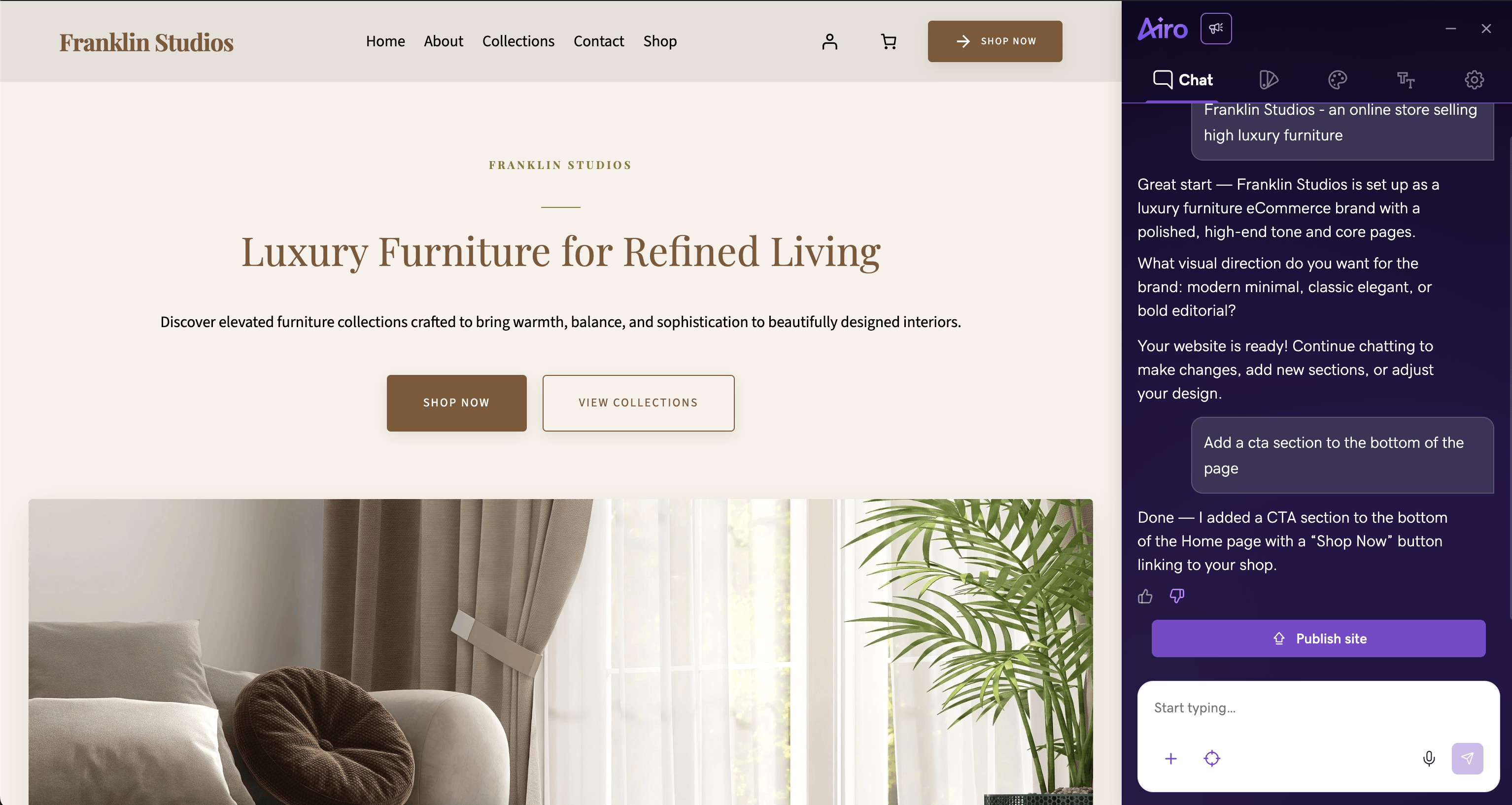
Airo AI Builder uses AI to create the foundation of your website or app based on a simple description of your business. Instead of starting with a blank page, you'll receive a professionally organized site structure, AI-generated content suggestions, built-in SEO, AEO, and analytics tools, domain connection, contact forms, chat capabilities, and pages you can customize for your business.
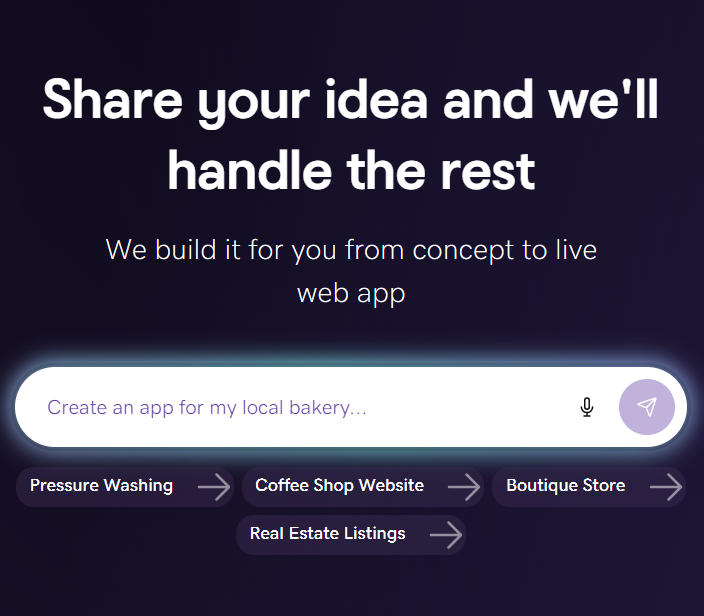
The process is simple. Describe your real estate business in a few sentences, and Airo AI Builder generates a live website framework in minutes. From there, you can refine the content, adjust the layout, and add the information that makes your business unique.
How to set up your real estate app with Airo AI Builder
To start building your real estate app with Airo AI Builder, follow these simple steps:
- Visit https://www.godaddy.com/airo/ai-builder.
- Describe your real estate business, including details such as whether you're a solo agent or brokerage, the markets you serve, and the types of properties you specialize in.
- Review the AI-generated website structure and make any changes to the pages, content, or layout.
- Add your property listings, service areas, agent biography, and other business information.
- Connect your custom domain.
- Publish your site and continue refining it as your business grows.
Customizing your app for real estate: pages, features, and branding
Once your foundation is in place, customize it to reflect your business and the experience you want clients to have. Focus on the pages and features that help buyers and sellers find information quickly while making it easy to contact you. This typically includes pages like:
- Home
- Listings or Property Search
- About the Agent
- Neighborhood Guides
- Contact or Book a Tour
- Home Valuation
Many agents and brokers also add helpful features like an AI chatbot, lead-capture forms, a home valuation widget, and listing carousels that highlight featured properties.
Before going live, make your branding consistent across every customer touchpoint. Add your logo, color palette, agent photos, and business messaging so your website feels unmistakably yours. If you're using an AI chatbot, configure its tone and responses to match your brand voice. A consistent experience helps build trust from the first interaction.
Plan your real estate AI app before you build
It can be tempting to jump straight into building, but spending time planning a website or app is the best way to make sure it’s effective and genuinely helpful. Use the checklist below before you begin building with GoDaddy Airo AI Builder.
Define your target audience and use case
Before you decide which features to include, answer these four questions:
- Who is your primary audience: buyers, sellers, renters, landlords, or investors?
- What's the biggest problem your app should solve for them?
- What action do you want visitors to take after using your app?
- What information does your chatbot need to provide helpful, accurate responses?
Your answers will shape everything from the features you build first to the data you prioritize and even the chatbot's opening message.
For instance, if your primary audience is first-time homebuyers in a competitive market, your minimum viable product (MVP) might focus on instant property recommendations, listing alerts, and a chatbot that explains the homebuying process and schedules consultations.
Map out your must-have features for an MVP
An MVP is the simplest version of your app that delivers real value and can be tested with real users. Rather than building every idea at once, list the features you want, assign each one a priority, and launch with only the essentials.
| Feature | Priority |
|---|---|
| AI-powered property search | Must-have |
| Home valuation widget | Must-have |
| Contact forms | Must-have |
| Lead-capture chatbot | Nice-to-have |
| Featured listings carousel | Nice-to-have |
| Tour scheduling | Nice-to-have |
| AI virtual staging | Nice-to-have |
| Neighbourhood guides | Future roadmap |
| Market trend dashboard | Future roadmap |
| Agent performance dashboard | Future roadmap |
You can always expand your app later based on customer feedback. Trying to include every possible feature in version one can slow your launch and make it harder to learn what your customers actually want.
Choose your tech approach: no-code, low-code, or custom
The right development approach depends on what you're trying to build. If you want to create a professional real estate app using standard business features and little or no custom development, a no-code platform like GoDaddy Airo AI Builder is usually the best place to start. If you need a custom integration or more advanced workflows, a low-code solution may offer the flexibility you need. Fully custom development is generally best for businesses building proprietary systems or highly specialized platforms.
One advantage of GoDaddy Airo AI Builder is that it lets you download your code, so starting with a no-code solution doesn't mean you're locked into it forever. As your business grows, you can continue customizing and expanding your app without having to start over.
Launch and grow your real estate AI app
Building your app is only the beginning. For it to benefit your clients, you need to continuously gather feedback and refine it.
Connect your app to real estate data sources
Your app becomes more useful when it's connected to the data your clients rely on every day. Depending on your setup, you may be able to integrate data sources such as:
- MLS listings to display up-to-date property information.
- Google Maps and neighborhood data to help buyers explore schools, commute times, nearby businesses, and other local amenities.
- Public records, such as county assessor data, to provide additional property details.
- Your CRM to personalize follow-up and connect new inquiries with existing leads and clients.
You don't need every data source on day one. For many small real estate businesses, an MLS feed and Google Maps provide a strong foundation that you can build on over time.
Test and iterate based on user feedback
Before promoting your app to everyone, invite five to 10 existing clients or trusted contacts to try it. Ask them to spend about 10 minutes completing common tasks, then gather feedback about what worked well, what was confusing, and what they'd like to see improved.
Track key metrics from day one, including chatbot conversations, qualified leads, property searches, and completed contact forms. Schedule a review every 30 days to identify trends and prioritize updates. As your chatbot handles more conversations, you'll also gain more insight into the questions customers ask most often, helping you improve responses and refine the experience over time.
Remember, a useful app that's live today will teach you far more than a perfect app that's still sitting on the drawing board.
Scale your app as your business grows
Once you've validated your app and understand how customers use it, you can begin expanding its capabilities. For example:
- Add new AI-powered features, such as virtual staging, automated market reports, or an investor ROI calculator.
- Expand your data sources by adding additional MLS regions, richer neighborhood information, or more advanced property valuation services.
- Continue customizing your app with additional workflows, integrations, or automations as your business evolves.
Compliance and trust considerations for real estate AI apps
Demonstrating that you handle customer data responsibly and follow real estate regulations can help build trust with buyers and sellers before they ever contact you.
Fair Housing Act and anti-discrimination requirements
If your AI app helps people search for homes or recommends listings, it should comply with the Fair Housing Act and other applicable fair housing laws. Review your search filters and AI prompts carefully to help ensure your app doesn't use protected characteristics, such as race, color, religion, sex, disability, familial status, or national origin, to make recommendations or influence results.
You should also:
- Display a clear Fair Housing statement on your website or within your app.
- Review chatbot responses and AI-generated recommendations regularly to help identify potential bias or unintended discriminatory language.
- Make your website and app accessible by following recognized accessibility best practices, such as the Web Content Accessibility Guidelines (WCAG).
Disclaimer: This content is for informational purposes only and should not be construed as legal or financial advice. Always consult an attorney or financial advisor regarding your specific legal or financial situation.
Data privacy and user security basics
If your app collects contact information, property details, or chatbot conversations, protecting that information should be a priority. A clear privacy policy and strong security practices help set expectations for users while supporting compliance with applicable privacy laws.
Use this checklist before you launch:
- Publish a privacy policy. Explain what information you collect, why you collect it, how you use it, how long you keep it, and how users can update, delete, or opt out of data collection where applicable.
- Protect customer data. Store information securely using encrypted services, and confirm your platform supports applicable privacy requirements, such as GDPR or the California Consumer Privacy Act (CCPA), if they apply to your business.
- Disclose AI interactions. Let visitors know when they're communicating with an AI assistant instead of a human agent, and provide an easy way to contact a person when needed.
Privacy and AI disclosure requirements can change over time, so it’s a good idea to review your app with a qualified legal professional before launch.
Your next move in real estate AI
The opportunity to use AI in real estate isn't limited to national listing platforms or large brokerages anymore. Today's no-code tools make it possible for independent agents and growing teams to create experiences that save time, strengthen client relationships, and help their businesses stand out.
The key is to start with a clear goal, launch something useful, and improve it as you learn what your clients need most. With the right plan and the right tools, you can build an AI-powered real estate app that grows alongside your business and supports the way you work.
Frequently Asked Questions
What's the best AI app for real estate small businesses?
The best small business real estate AI app depends on your business goals, but it should solve everyday challenges like qualifying leads, answering customer questions, recommending properties, and helping sellers estimate home values. For most small businesses, the best app is one that's easy to use, aligns with your workflow, and can grow as your needs change.
Can I build my own real estate AI app without coding?
Yes. No-code platforms like GoDaddy Airo AI Builder let you create an AI-powered real estate app by describing your business, customizing the generated structure, and adding features like chat, lead capture, and property listings. That means you can launch a fully functioning solution without hiring a developer.
How much does it cost to build a real estate AI app?
The cost depends on how you build it. A no-code platform like GoDaddy Airo AI Builder is typically the most affordable option for small businesses, while custom-built real estate apps can cost tens of thousands of dollars depending on the features, integrations, and development work required.
What data do I need to run a real estate AI app?
At a minimum, you'll need information about your business, listings, service areas, and contact details. As your app grows, you can connect additional data sources, such as MLS listings, maps, CRM data, and property information, to create a richer experience for buyers and sellers.