
Key takeaways
- Look at the rate for every way you accept payments, including any percentage and fixed amount per transaction.
- Include software and equipment costs, along with the billing terms and conditions of each plan or offer.
- Understand what can trigger an additional charge and what may happen if a service or equipment arrangement changes or ends.
- Know where to get help and how an account review, payout delay or reserve could affect your business.
The processing rate is the number everyone notices on a Point-of-Sale (POS) quote. But it’s rarely the whole story. Software, equipment and the fees that show up later all shape what you’ll actually pay, so a great quote starts with knowing what to ask. Here’s how to read one with confidence, and what to expect when your needs change.
Transparent pricing makes the costs and conditions clear before you decide. You can see what may be charged, what triggers it, and when it’s charged. The details often vary by plan, payment channel, and your payment processor’s policy. Use the checklist to look at those details, then see how GoDaddy Payments’ focus on transparent pricing looks like in practice.
What makes POS pricing transparent?
Transparent doesn’t mean free, but clear transparent pricing helps you understand which costs and conditions apply upfront, so you can decide what works for your business.
A rate is more useful when you know whether it applies at the counter, online or when you enter a card by hand. The same goes for a separate charge when you know what triggers it. The US Chamber’s guide to card processing fees offers more general background on transaction charges and other possible expenses.
A transparent POS pricing checklist
Use these categories to work through a quote and its terms. Remember, not every charge or condition applies to every service, so make sure to cross check this with your actual statement to identify all the fees you’re paying.
| What to look for | What clarity means for your business |
|---|---|
| Rates by payment channel and type | You can see the rate for each relevant way you take payments, such as in person, online, by invoice or by manually entering a card. Applicable plan and card-type conditions are clear, too. One advertised rate may not describe all your sales. |
| Percentage and fixed transaction amounts | You can see whether the price includes a percentage, a fixed amount per payment or both, and what amount the percentage applies to. A fixed amount can matter more when you have many smaller sales. |
| Software plans and add-ons | You know the plan’s price and billing schedule, what’s included, what’s optional and how you agree to or remove an add-on. If a trial becomes a paid service, you know when and at what price. |
| Equipment and offers | You know whether you’re buying or renting a device and what it costs. An offer also makes its conditions clear, including any processing minimums, return requirements, or how credits work and what happens to unused credits. |
| Additional and event-based fees | You can see what may trigger a charge, how much it is and whether it’s refundable. A customer dispute, for example, can carry a separate fee under a provider’s terms. |
| Fees charged to customers | If a fee is added to your customer’s payment or order, the terms explain what it’s for, who receives it and how it’s disclosed. |
| Price changes and renewal | You can see how long a price lasts, when a plan renews, whether prices can change and how changes will be communicated. |
| Cancellation | You know how to cancel, what notice is needed, when cancellation takes effect and how it’s confirmed. The terms also explain any remaining plan payments, equipment obligations or other charges. Different parts of your setup may have different terms. |
| Financing | If you have a loan or cash advance tied to payment processing, you can understand what happens to the balance if you change providers and who to contact about repayment. |
| Support | You know which channels and hours are available, including when the team that handles your particular question can help. |
| Account and payment reviews | You can learn what a review could mean for processing, payouts or reserves, how to respond if more information is needed and where to ask about your situation. |
How a percentage and a fixed amount work together
Here’s how that can add up in a hypothetical, non-GoDaddy example. Say you accept 100 in-person card payments of $50 each in one month, at an assumed fee of 2% plus 10¢ per payment. The percentage-based fee is $1.00 per payment, and the fixed amount adds 10¢. That’s $1.10 per payment, or $110 for that transaction-fee category for the month.
Software, equipment, disputes, taxes and other possible costs are outside this calculation and remain unknown. This isn’t a quote or a total bill. Actual rates and the amounts used to calculate them depend on the applicable terms.
What transparency means at GoDaddy
You should be able to understand a rate alongside the plan and circumstances that affect it. Here’s a closer look at some of our in-person rates, a chargeback fee and the way account reviews can affect access to funds. These examples aren’t a complete list of every cost that might apply.
GoDaddy Payments’ in-person rates and plan conditions
| In-person payment option | Processing rate | Plan and other conditions |
|---|---|---|
| Standard, credit or debit | 2.5% + 0¢ per transaction | Standard rate without a subscription |
| Point of Sale Plus, credit or debit | 2.3% + 0¢ per transaction | Point of Sale Plus is $28.99 per month, billed annually |
| Rate Saver^, eligible credit and debit | Eligible credit: as low as 0% credit card processing with a credit card surcharge. Eligible debit: 1.9% + 0¢ per transaction | Requires an eligible plan subscription* and is subject to availability. Rate Saver is available with Point of Sale Plus or Invoicing and Pay Links Plus |
| Chargeback (customer dispute) | $15 per chargeback | Charged separately from processing rates. Nonrefundable. Deducted from your next payout, or from your GoDaddy Payments account balance |
* Requires subscription to one of the following GoDaddy subscription plans: Website Builder, Managed WooCommerce Stores (all plans), Point of Sale Plus, or Invoicing and Pay Links Plus.
*Requires subscription to a plan. A credit surcharge is not available in all U.S. states. Not currently available for ecommerce transactions. Rate savings based on the average GoDaddy Payments customer transaction distribution. Actual rates may vary.
With Rate Saver^, a credit card surcharge is added to an eligible credit card transaction, so your fees can be as low as 0%, and you get discounted debit rates as well.
^Requires subscription to a plan. A credit surcharge is not available in all U.S. states. Not currently available for ecommerce transactions. Rate savings based on the average GoDaddy Payments customer transaction distribution. Actual rates may vary.
Other payment channels and services may be priced differently, and software, equipment or other charges may apply. For more information, see our payments fees page and check the current pricing and terms for the services you use.
A charge that can come up separately
A chargeback can happen when a customer disputes a card payment. Our chargeback fee is $15 per chargeback and is nonrefundable. It’s deducted from your next payout, or from your GoDaddy Payments account balance if no payout is scheduled that day.
The disputed sale amount may also be held or debited while the case is reviewed, separate from the fee. If you receive a chargeback notice email from us, you’ll find the transaction details and a deadline for providing requested documentation. That gives you a place to start when deciding how to respond.
Equipment and changing your setup
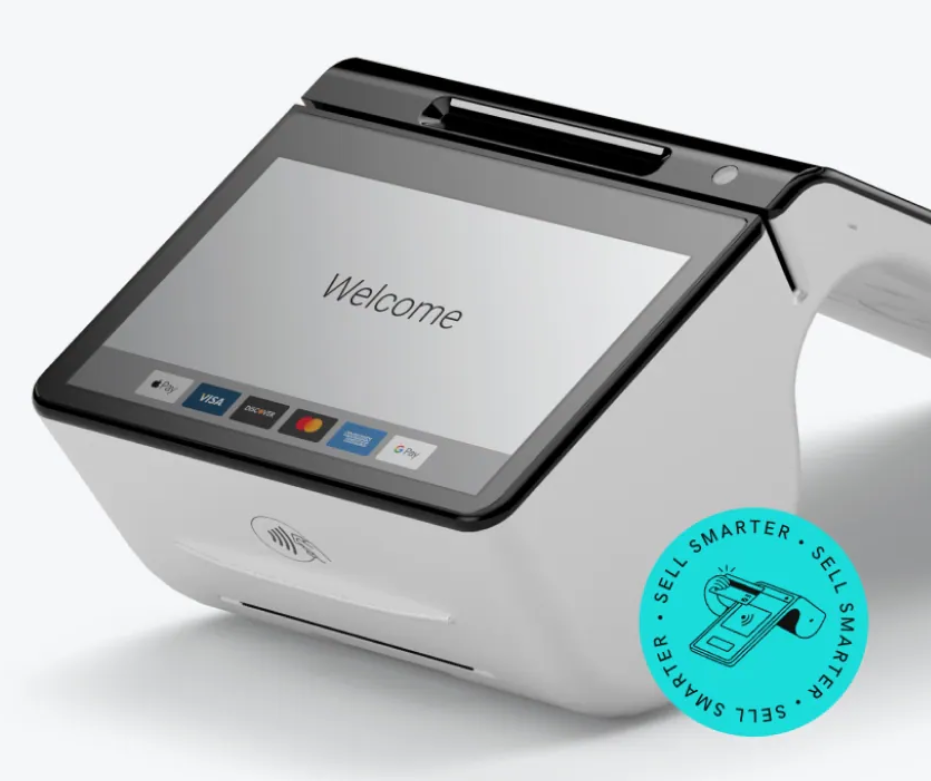
You can buy a GoDaddy POS device outright or rent a GoDaddy Smart Terminal through our hardware rental program. Rentals have a 6-month minimum term. Once you’ve met it, you can cancel and return the device at any time with no cancellation fee.
Here’s how GoDaddy Payments’ rental program works, depending on when you cancel:
- Within 30 days: No cancellation fee. Try it out, and if the device isn’t right for you, contact us within 30 days to start a return at no additional charge.
- 30 days to 6 months: The fee is the remaining amount of the 6-month term. For example, if you cancel after 4 months, you’ll be charged for the remaining 2 months.
- After 6 months: No cancellation fee. Keep renting for as long as you like and cancel at any time.
When you cancel, you’ll have 30 days to return the equipment using the shipping label and instructions from GoDaddy. A $300 charge applies to hardware that isn’t returned or is physically damaged.
If you ever decide to close your payments account, that’s different from disconnecting it as a payment option in your online store. Our account-closure guide explains how to prepare, including settling recent transactions and saving records you want to keep.
After your account is closed, you won’t be able to access its transaction history or issue refunds through it. You remain responsible for chargebacks and fees on transactions you’ve already taken.
However, GoDaddy Payments does not impose any additional hidden fees or cancellation fees if you decide to switch to a different payments processor.
Account reviews, payout delays and reserves
Understanding costs matters, and so does knowing what could affect access to your funds. As our payout help page explains, we periodically review accounts to help protect your business from fraud and scams. Account reviews, chargeback fees, payout holds and reserves all work toward that goal, and each one can affect your business in a different way.
Account reviews. A review looks at account or transaction activity. If our Review Team needs more information, such as bank statements or previous processing statements, you can send them using the secure upload link in the team’s email. What a review means for your account depends on the circumstances, and it isn’t a guarantee against fraud. Think of it as due diligence on our part to help protect your account from potentially fraudulent activities.
Chargeback fees. A chargeback happens when a customer disputes a card payment. When that happens, our $15 chargeback fee applies. It’s nonrefundable and separate from the disputed sale amount, which may be held or debited while the case is reviewed. If you receive a chargeback notice email from us, it includes the transaction details and a deadline for providing the documentation we ask for.
Payout holds and delays. An account review is one possible reason a payout may be held or delayed, which can affect when money is available to your business. A review and a payout delay aren’t the same thing. A review looks at your account activity, while a delay affects when your funds arrive.
Reserves. A reserve is different from a review. One type of reserve temporarily holds a percentage of transactions against potential chargebacks or refunds, so funds are available to cover them if they occur. Held funds aren’t immediately available to your business, so a reserve can affect when some funds reach you. Reserve policies are determined case by case, and this description doesn’t cover every circumstance or applicable term.
A note on emails. If you receive an email asking for more information about your account, be cautious. If it looks suspicious, contact us by phone or chat before opening any links in it.
Questions about pricing, a chargeback or your account? Our general support team is available 24/7 by phone or chat. The team that handles a specific issue may have different availability.
The bottom line
At GoDaddy Payments, our focus is simple, transparent pricing: you should know what you’ll pay, what can trigger a charge and when, with no hidden fees. The same goes for protecting your business. Account reviews, chargeback handling, payout holds and reserves exist to help guard against fraud and scams, and we explain how each one works so there are no surprises.
Our in-person rates and chargeback fee are laid out above in plain terms. Ready to see how it works for your business? Explore GoDaddy POS and find out how GoDaddy Payments can work for you.
Frequently asked questions
What does transparent POS pricing mean?
Transparent doesn’t mean free. It means you can understand the charges that may apply, what triggers them, when they’re charged and which conditions matter.
Why might a transaction price include both a percentage and a fixed amount?
Some prices combine a percentage of the applicable sale amount with a set amount per payment. When a fixed amount applies, it’s added for each eligible transaction. That means both the number and size of payments matter. Not every pricing structure includes both components.
Can a POS plan have a software price as well as processing fees?
Yes. A software plan can have its own price while payment processing is charged separately. Cost, billing interval and features depend on the plan and provider, so a lower processing rate alone doesn’t show the full cost.
What should equipment pricing make clear?
It should explain whether you’re buying or renting a device, the applicable charges and any conditions on an offer, return or continuing obligation. The details depend on the equipment arrangement.
Can a customer dispute lead to a separate fee?
Yes. A provider’s terms may include a separate chargeback fee when a customer disputes a card payment. Our fee is $15 per chargeback and is nonrefundable. It’s deducted from your next payout or your GoDaddy Payments account balance if no payout is scheduled that day. The disputed sale amount may also be held or debited during the review, separate from the fee. Other providers’ terms may differ.
Do all payment channels have the same rate?
Not necessarily. A provider may price in-person, online, invoiced or manually entered payments differently, and the applicable plan or payment type can also matter. Check the rate for each channel your business uses.
What happens to a cash advance if I switch payment providers?
That depends on your financing agreement. Before switching, ask your financing provider what happens to the remaining balance and how repayment would work. A financing arrangement may have different terms from your payment processing account.
Is an account review the same as a delayed payout?
No. An account review concerns account or transaction activity, while a delayed payout affects when funds are available. An account review is one possible reason a GoDaddy payout may be held or delayed. Circumstances and consequences vary.
What is a reserve and how can it affect available funds?
A reserve can temporarily hold funds against potential obligations. One type of GoDaddy reserve holds a percentage of transactions against potential chargebacks or refunds, and reserve policies are determined case by case. This description doesn’t cover every circumstance or applicable term. Held funds aren’t immediately available for your business to use.
Where can I ask about GoDaddy pricing or an account review?
Our general support team is available by phone or chat 24/7 to help with your questions. The team that handles a specific issue may have different availability, and next steps depend on your account and circumstances.
Disclaimers:
GoDaddy Payments is conditioned on you accepting the GoDaddy Payments Terms and providing us with standard business details, such as contact information and industry type for our approval prior to payout.
Requires subscription to a plan. A credit surcharge is not available in all U.S. states. Not currently available for ecommerce transactions. Rate savings based on the average GoDaddy Payments customer transaction distribution. Actual rates may vary
Requires subscription to one of the following GoDaddy subscription plans: Website Builder, Managed WooCommerce Stores (all plans), Point of Sale Plus, or Invoicing and Pay Links Plus.