
Most apps don't fail because of bad code. They fail because nobody wanted them in the first place. Founders pour months and thousands of dollars into building a product, only to launch to silence.
The problem isn't execution; it's skipping the step that comes before execution. Validation is that step, and it's the difference between building something people actually pay for and building something impressive that nobody uses.
The core principle is simple: measure action, not opinions.
Asking people, "would you use this?" is almost always misleading — people are polite, optimistic on your behalf, and bad at predicting their own behavior.
Real validation means finding evidence that people have the problem, want a solution, and will pay for yours. This guide walks you through exactly how to do that — and it works whether you're a developer or someone who has never written a line of code.
If you're also thinking about starting a business around your app, the principles here apply equally to that broader journey.
What does it mean to validate an app idea?
Validating an app idea is the process of testing whether real users want, need, and will pay for your app before you invest in building it. It involves gathering evidence — through research, conversations, and small experiments — that a genuine market exists for the problem you're solving.
It's worth being precise about the difference between validation and an MVP, because many founders confuse the two:
| Concept | What it is | When to do it |
|---|---|---|
| Validation | Testing whether demand exists for your idea | Before any development |
| MVP (Minimum Viable Product) | The smallest functional version of your product | After demand is proven |
The right order is to validate first, then build an MVP. Many founders skip straight to building — often because it feels more productive — and end up creating something polished that solves a problem nobody cares about enough to pay for.
Understanding what a business model looks like for your app is part of this early thinking, too. The good news is that no-code tools have brought the cost of validation to near-zero. You don't need to build anything to find out whether your idea has legs.
When should you validate your app idea?
The short answer: before you write any code, hire any developers, or spend any significant money. That means before you pick a tech stack, before you scope features, and before you build a pitch deck based on assumptions.
It's also worth validating even when you're completely convinced the idea will work.
Confidence isn't evidence. Some of the most catastrophic product failures in tech history were backed by founders who were absolutely certain they'd identified a genuine need. Certainty feels like validation — but it isn't.
Validation should happen as early as possible, and the framework in the next section is designed to be completed in days or weeks, not months.
If you're already thinking about the bigger picture, now is also a good time to start writing a business plan — validating your idea and mapping your business model are complementary activities.
How to validate an app idea in 7 steps
The following framework moves from research to direct evidence in a logical sequence. The steps build on each other, but some — like market research and competitor analysis — can be run in parallel. The goal is to arrive at step seven with enough signal to make a confident decision.
Step 1: Define the core problem you're solving (not the app)
Before anything else, strip the app out of the equation. What problem does it solve? Who has that problem? How often do they have it? How painful is it? A useful test: if you can't describe the problem in one or two sentences without mentioning your app, you haven't defined it clearly enough yet. The more specific and painful the problem, the easier validation becomes.
Step 2: Check market demand with search volume and trends
Use Google Trends to assess whether interest in your problem is stable, growing, or declining. A growing trend is a tailwind, while a declining one is a warning sign. Pair this with keyword research tools — even free ones like Google Keyword Planner — to understand how many people are actively searching for solutions to the problem.
Low search volume doesn't always mean no market, but it means you'll need to work harder to find where your audience lives. Understanding market demand is a foundational skill worth developing early.
Step 3: Analyze competitors with app intelligence tools
If competitors already exist, that's a good sign — it means the market is real. Use tools like Data.ai, Sensor Tower, or simply browse App Store Connect and the Google Play Store to understand what's already out there.
Look at download estimates, ratings, and — critically — the reviews. The reviews are gold: they tell you exactly what users love, what frustrates them, and what they wish the app did differently.
Step 4: Find the niche gap
After mapping the competitive landscape, look for the gap. What segment of users is underserved? What use case does every existing app handle poorly? The best app ideas don't need to beat incumbents on every dimension — they need to win decisively for a specific audience.
The path is: web search → check App Store → read mobile-related complaints → spot the opening. Our guide to finding your niche market is a useful companion resource at this stage.
Step 5: Talk to 10–20 real potential users
Ten to twenty interviews are the sweet spot — enough to identify genuine patterns, but not so many that the process becomes unmanageable. The critical rule: don't talk to friends and family. They want you to succeed and will unconsciously give you positive feedback.
Find strangers who match your target audience — Reddit communities, LinkedIn groups, niche Discord servers, industry forums. Your goal in these conversations is to understand their problem, not to pitch your solution.
Step 6: Find where your audience already complains
Before you even approach anyone directly, spend time listening. Search Reddit, Discord, LinkedIn groups, niche Slack communities, and Twitter/X for phrases like "I hate [existing tool]," "wish there was an app for," or "alternative to [competitor]."
These organic complaints are some of the most valuable validation data available: people describing their own pain points in their own words, with no reason to be diplomatic. A community full of frustrated users is a market waiting to be served.
Step 7: Test willingness to pay
Everything up to this point tells you whether people have the problem. This step tells you whether they'll actually pay to solve it. Methods include:
- Setting up a simple landing page with a payment button or waitlist signup, and driving traffic to it
- Running a small Facebook or Google ad campaign and measuring click-through rates
- Offering an early-bird pricing tier to interview participants
Real conversion — not expressed interest, actual conversion — is the most credible signal you can collect.
How to run customer interviews that actually validate demand
Most interviews fail for the same reasons: founders ask leading questions ("Would you use an app that did X?"), talk to the wrong people (friends, family, colleagues who are too polite to be honest), or treat hypotheticals as evidence ("I would definitely pay for that").
Genuine validation interviews require a different approach.
Find participants in Reddit communities, Discord servers, LinkedIn groups, niche Slack communities, and competitor product review sections. Cold outreach via LinkedIn works well with a non-salesy opener. Focus on asking for their perspective and expertise, not pitching your idea. Industry events and online meetups are also productive.
Once you have someone's time, focus entirely on understanding their existing behavior and frustrations. Ask about the last time they experienced the problem, what they tried to fix it, and what the cost of not solving it has been.
What you're listening for is frequency, intensity, and evidence that existing solutions have already failed them. That combination is the closest thing to a green light that validation offers.
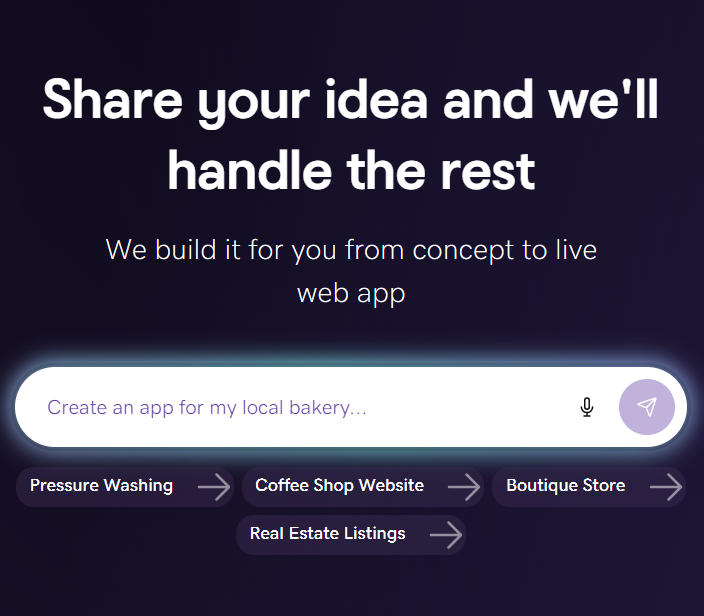
How to launch your validation site fast with GoDaddy Airo AI Builder
At some point in your validation process — usually around steps 6 and 7 — you need a real online presence to send people to. A landing page, a waitlist, a smoke test. This is exactly where GoDaddy Airo AI Builder fits in. If you can describe your idea, you can build it — in minutes, not weeks.
Unlike a Figma mockup or a clickable prototype, Airo produces a live, production-ready site with secure login, database, hosting, and front-end components from day one. The same site you use to validate is the one you can launch with — there's no need to rebuild when validation succeeds.
Airo automates the entire technical setup: hosting, domain, email, security, and analytics are all handled, which means founders reclaim up to 70% of the time normally spent wiring infrastructure together. For guidance on the broader process, see how to create a website with AI and how to plan a website.
Everything you need is bundled in one place — domain, hosting, email, payments, security, and marketing tools — so you're not stitching together five separate subscriptions just to test an idea.
Messaging can be updated by chatting with the AI directly, which makes iterating during a smoke test fast and frictionless. And if your validation succeeds, you're not starting over — the same Airo site scales from waitlist page to full product.
GoDaddy Airo AI Builder
Describe your idea. We'll build your live website in minutes.
With a few prompts, Airo AI Builder generates your website, web app, pages, databases and logic in minutes — no coding required. Start for free with 50 AI credits a month. No credit card required.
Build for FreeHow to decide: Build, refine, or kill the idea
Once you've completed the validation steps, you'll have a body of evidence. The question is what it tells you. Use this simple decision framework:
Build: If you're seeing strong waitlist signups, paying or pre-paying users, consistent pain expressed across multiple interviews, and a clear gap in the competitive landscape. These signals together constitute genuine demand.
Refine: If you're getting mixed signals: some interest but low conversion, enthusiasm in interviews but hesitation around pricing, or a well-defined problem but no clear audience segment that prioritizes it. Go back to specific steps, sharpen the positioning, and retest.
Kill: If ad click-through rates are very low, signups don't materialize, nobody shows willingness to pay, and interview subjects don't express urgency. This is a good outcome, not a failure. Killing a bad idea fast preserves your time, money, and credibility for the next one, which, now that you know how to validate properly, has a much better chance of working.
Turn your validated idea into a real product
Validation is the starting point for building with confidence. Most founders who skip this step build on assumptions, but you'll be building on evidence. You'll know who your users are, what specific problem drives them, what they've already tried, and what they're willing to pay.
That changes everything about how you scope, build, and market your product.
If your validation has given you a green light, the next step is straightforward: turn the site you built to test demand into the product itself. With the infrastructure already in place through GoDaddy Airo AI Builder, you can build and iterate on something real, with real users already in the loop.
FAQ: Validating an app idea
What’s the cheapest way to validate an app idea?
A simple landing page with a waitlist or pre-order button, driven by a small social media ad spend. Tools like GoDaddy Airo AI Builder let you build the page in minutes at minimal cost. Pair it with 10–15 customer interviews, and you have meaningful validation for well under $200.
Can I validate an app idea without writing any code?
Yes. Landing pages, smoke tests, waitlists, customer interviews, and ad click-through tests all require zero code. No-code and AI-powered tools have made it possible to build convincing validation sites — including ones with real functionality — without any development knowledge.
Do I need a developer to validate my app idea?
No. Validation is specifically designed to happen before development. If your validation signals are strong, that's when bringing in a developer (or using a tool like Airo AI Builder to build it yourself) makes sense. Hiring a developer before validating is one of the most common and costly mistakes early-stage founders make.
How long does app validation take?
Most of the seven steps in this guide can be completed within two to four weeks if you're focused. Market research and competitor analysis can be done in a few days. Customer interviews typically take one to two weeks to schedule and complete. A smoke test can run for as little as five to seven days to collect meaningful data.
Is it bad if my app idea already has competitors?
No — it's actually a good sign. Competition confirms that a market exists and that people are already spending money to solve the problem. The goal isn't to find a problem nobody has addressed; it's to find a segment, use case, or approach that existing solutions handle poorly. That's your opening.