
Professional services thrive on expertise, yet a surprising amount of the workday is spent on tasks that don't require years of training. Admin work, client follow-ups, meeting notes, and repetitive paperwork can quickly eat into the hours you'd rather spend advising clients, closing deals, or growing your business.
AI apps are changing the game. They can handle the repetitive work behind the scenes, making it easier to stay organized, respond faster, and deliver a better client experience.
In this guide, you'll find AI app ideas for professional service providers, like consultants, lawyers, accountants, marketers, and HR professionals, plus a simple way to build one yourself using no-code tools.
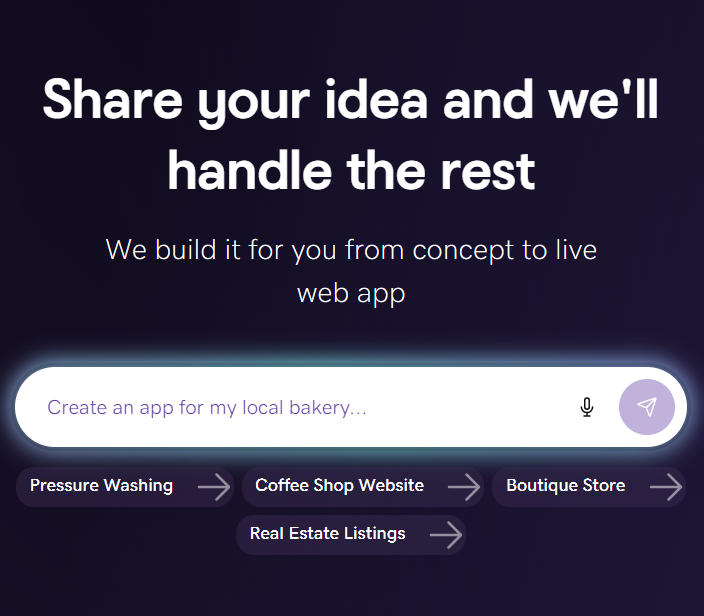
GoDaddy Airo AI Builder
Describe your idea. We'll build your live website in minutes.
With a few prompts, Airo AI Builder generates your website, web app, pages, databases and logic in minutes — no coding required. Start for free with 50 AI credits a month. No credit card required.
Build for FreeWhy professional services firms are turning to AI apps
For many professional services businesses, growth means finding ways to serve more clients without piling on more administrative work. That's one reason AI has become a practical tool for small firms. It helps automate repetitive tasks so you can spend more time on work that moves your business forward.
Hubstaff found that businesses with fewer than 50 employees are adopting AI faster than larger organizations. It also reports that professionals who use AI spend 23% less time on unproductive tasks.
While chatbots can be helpful, the real advantage comes from building AI apps that match the way your business already works. You can create tools that draft proposals, review documents, answer common client questions, track billable work, or simplify client onboarding instead of relying on software built for everyone else.
Related: AI prompts for small businesses
What counts as an AI app (and what doesn't)
Not every app that saves time uses AI. Traditional automation follows a set of predefined rules. It does the same thing every time unless you update those rules yourself. AI apps go a step further. They use machine learning or generative AI to interpret information, adapt to different inputs, and generate new content based on context.
For example, an app that automatically sends the same email after a client signs a contract is automation. An app that reads the client's intake form, identifies the project's goals, and drafts a personalized scoping email is an AI app. Instead of following one fixed path, it can tailor its response to the information it receives.
The good news is you don't need to build an AI model from scratch. Today's no-code AI builders handle the AI behind the scenes, so you can focus on solving a real business problem. In order to do that, you should spend some time validating your app idea to make sure it’s something people will actually use.
AI app ideas for consultants and advisory firms
Consulting businesses move fast. Between writing proposals, meeting with clients, and managing follow-ups, administrative work can quickly fill the day. These AI app ideas help streamline those recurring tasks so you can focus on giving advice, not managing paperwork.
If you’re just getting your business off the ground, GoDaddy’s business name generator can help you flesh out your branding.
1. Proposal and RFP response generator
A proposal and RFP response generator creates a tailored first draft using the details from an RFP alongside your existing case studies, service descriptions, pricing guidance, and methodology documents. Instead of starting every proposal from scratch, your team starts with a draft that's already grounded in your firm's expertise.
That can dramatically reduce the time spent assembling proposals. Firms using AI for proposal development have reported cutting proposal creation time by 60% to 70%. The goal isn't to replace your consultants, though. A team member should still review the strategy, recommendations, and pricing before sending the final proposal.
To build this app, you'll need a library of past proposals, case studies, team bios, and service descriptions that the AI can reference.
2. Client intake and scoping assistant
A client intake and scoping assistant guides new prospects through a structured intake process, gathers project requirements, creates a scope summary, and books a discovery call. It gives every potential client a consistent experience while reducing the back-and-forth that often comes with scheduling and qualifying leads.
Consistent intake leads to better project planning. When consultants start with complete, standardized information, they're less likely to overlook key requirements or underestimate the scope of work. Some firms report improving scoping accuracy by 15% to 25% after introducing AI-assisted intake workflows.
This type of app works best when it's connected to your CRM and calendar and built around the questions your team already asks every prospect. With GoDaddy Airo AI Builder, you can create customizable intake forms and appointment booking experiences without writing code.
3. Meeting-to-action pipeline
A meeting-to-action pipeline turns meeting notes or transcripts into organized next steps. It can identify key decisions, assign owners, draft a client recap email, and send action items to your project management platform automatically.
Even a lightweight version delivers immediate value. Paste in your meeting notes, and the app can return a polished follow-up email and a structured action list in seconds. That means less time documenting meetings and less risk of important tasks slipping through the cracks.
AI app ideas for legal and compliance professionals
Legal and compliance teams manage an enormous volume of documents, and accuracy matters at every step. AI can help organize information, identify patterns, and produce first drafts, but it shouldn't replace professional judgment. Every output should be reviewed by an attorney or compliance professional.
4. Contract review and risk flagging tool
A contract review and risk flagging tool analyzes agreements against your firm's review standards. It can identify non-standard clauses, flag missing protections, and generate a risk summary that highlights the sections requiring closer attention.
AI can significantly speed up the initial review process. Some organizations have reported cutting contract review time by 85%, and Thomson Reuters estimates that AI tools can shorten due diligence review by up to 70%.
To build this app, you'll need a documented review playbook that defines acceptable language, preferred clauses, and common risk factors. Keep in mind that the output should always be treated as a risk summary for an attorney to review rather than a legal opinion.
5. Regulatory compliance monitor
A regulatory compliance monitor tracks updates from the agencies and jurisdictions that matter to your practice. Instead of checking multiple websites manually, the app can summarize regulatory changes, identify which clients or industries may be affected, and draft a client alert for review.
This approach makes it easier to stay ahead of changing requirements and share timely updates with clients. A weekly digest that prioritizes changes by practice area or client impact can help reduce the chance of overlooking an important development.
The app works best when it's connected to a defined list of regulatory bodies and jurisdictions, along with templates for client alerts and internal summaries.
6. Document drafting assistant
A document drafting assistant generates first drafts of frequently used legal documents, including engagement letters, NDAs, memos, and standard contract clauses. Starting with a draft instead of a blank document can speed up routine work while keeping formatting and language consistent.
Some law firms have reported dramatically reducing drafting time with AI-assisted workflows. One case study in the Hubstaff AI report describes a firm that cut drafting tasks from days to minutes using Gemini.
While these tools can produce well-written drafts, they can also generate language that sounds convincing but contains factual or legal errors. Because of this, AI-generated legal documents should always be reviewed by an attorney before they're shared with a client.
AI app ideas for accountants and financial advisors
Many accounting and advisory firms rely on repeatable processes to keep client work moving. These AI app ideas help streamline those workflows while keeping professionals in control of the final output.
7. Automated time capture and billing assistant
An automated time capture and billing assistant reviews your calendar, emails, and work documents to suggest billable time entries throughout the day. It can also generate billing narratives based on the work completed, making it easier to capture time accurately before invoices go out.
AI-assisted time capture can help recover work that might otherwise go unbilled. In one pilot program, professionals recovered an average of 1.5 additional billable hours each week, and more than 70% said the tool surfaced time they would have otherwise missed.
It’s important to note, however, that the app should never submit time automatically. Instead, it should present suggested entries for review so accountants and advisors can confirm accuracy before anything is billed to a client.
8. Financial report summarizer
A financial report summarizer transforms structured financial data into a clear, client-friendly narrative. Using information from reports like a profit and loss statement, balance sheet or cash flow statement, it can highlight performance trends, unusual changes, and talking points for your next client meeting.
This is a strong AI app idea because it starts with structured financial data and produces a draft that's easy to review and refine. Instead of writing every report from scratch, advisors can focus on interpreting the numbers and discussing what they mean for the client's business.
To build this app, you'll need a consistent data export from your accounting software, such as QuickBooks or Xero, along with a template that reflects how your firm typically presents financial insights.
9. Client onboarding workflow
A client onboarding workflow brings the first steps of a new client relationship into one place. Instead of sending multiple emails to collect business information, request documents, share an engagement letter, and schedule a kickoff meeting, the app guides clients through each step in a single workflow.
That means fewer follow-up emails, fewer missing documents, and a smoother onboarding experience for both your team and your clients. It's also an easy process to standardize, so every new client starts with the same information and next steps.
With Airo AI Builder, you can combine customizable intake forms, appointment booking, and Stripe payment collection into one no-code app, making it easy to collect a retainer and get new engagements moving faster.
AI app ideas for marketing and creative agencies
Creating content is only one way marketing and creative agencies can use AI. It can also help organize the work that keeps projects moving, like building campaign briefs, reviewing content for brand consistency, and tracking what competitors are doing. Small improvements across these everyday tasks can add up to faster turnarounds and more consistent client work.
10. Brand voice and content consistency checker
A brand voice and content consistency checker reviews content and compares it to brand guidelines before it's shared with a client. It can flag off-brand messaging, inconsistent terminology, and tone that doesn't match the client's style.
As agencies grow, it gets harder to keep every team member and AI tool on the same page. This app gives your team a consistent review process, helping catch issues before they turn into client revisions.
The key to building this app is a detailed brand voice guide. Include preferred vocabulary, messaging priorities, tone, words to avoid, and examples of content that reflects the brand.
11. Competitive intelligence tracker
A competitive intelligence tracker keeps tabs on the competitors your clients care about. It can monitor websites, product launches, hiring activity, advertising, and company announcements, then deliver a weekly summary of the updates that matter most.
Instead of spending time hunting for competitive insights, your team gets a clear picture of what's changed and which client accounts could be affected. That makes it easier to bring new ideas to clients before they ask.
To get the best results, create a competitor list for each client and decide how you'd like updates organized, such as by account, industry, or priority.
12. Campaign brief generator
A campaign brief generator turns client intake information into a structured creative brief. After collecting details like the target audience, campaign goals, budget, and timeline, it can recommend messaging themes, creative direction, marketing channels, and KPIs.
Building campaign briefs is one of the first steps in every client engagement, but it doesn't have to start from a blank page each time. An AI-generated first draft gives your team a consistent foundation that can be reviewed, refined, and approved before work begins.
This app works best with a standardized client intake form and a brief template that reflects how your agency plans and launches campaigns.
AI app ideas for HR and recruitment professionals
Hiring and onboarding involve a lot of repeatable work. Reviewing resumes, writing job descriptions, and helping new hires get up to speed are all important, but they can also take hours away from more strategic HR initiatives. These AI app ideas help simplify those processes while keeping people at the center of every hiring decision.
13. Resume screening and candidate ranking tool
A resume screening and candidate ranking tool reviews applications against a role's requirements and scoring criteria. It can rank candidates by fit, highlight relevant experience, and identify potential gaps, giving hiring teams a structured shortlist to review.
When hundreds of applications come in for a single role, this type of app helps recruiters evaluate every candidate more consistently instead of stopping after finding a handful of qualified applicants. Human review is still essential, though. AI can reflect bias in the job criteria or historical hiring data it's trained on, so recruiters should always review recommendations before moving candidates forward.
To build this app, you'll need a clear role brief, a standardized scoring rubric, and hiring criteria that are reviewed regularly for fairness and consistency.
14. Job description generator
A job description generator creates a complete draft based on the role, responsibilities, required skills, and team context. Instead of starting from a blank document, hiring managers begin with a structured job description that's ready to review and customize.
This helps create more consistent job postings across departments while reducing the time it takes to open a new position. It's especially useful for growing businesses where multiple managers are involved in hiring but don't all write job descriptions the same way.
The app works best with a standardized intake form and approved job description templates. You can also include an inclusion checklist to review the draft before it's published.
15. Employee onboarding assistant
An employee onboarding assistant gives new hires one place to complete the tasks that come with starting a new job. It can share the right documents, answer common policy questions, and schedule meetings with managers and teammates throughout the onboarding process.
For smaller HR teams, that means fewer repetitive questions and less time tracking down paperwork or coordinating schedules. New employees also know exactly what to expect during their first days, creating a more organized onboarding experience from the start.
With Airo AI Builder, you can combine FAQ modules, appointment booking, and other onboarding resources into a single no-code app that supports employees from day one.
How to choose the right AI app idea for your firm
The best AI app isn't always the most advanced one, but the one that solves a real problem your team runs into every week. If you're deciding where to start, these three questions can help you identify an app that's useful and realistic to build.
Step 1: Start with your biggest time drain
A good rule of thumb is to look for a task that takes more than two hours a week and follows roughly the same steps every time. For example:
- Writing meeting summaries and follow-up emails
- Collecting the same client information over and over
- Chasing missing documents or approvals
- Formatting reports before they're shared
- Drafting proposals or responding to RFPs
- Tracking billable time
- Reviewing routine documents
- Onboarding new clients or employees
Step 2: Check your data before you build
An AI app is only as useful as the information it can access. Before you start building, think about what the app needs to do its job and whether you already have that information in a consistent format. If those resources don't exist yet, build them first. A well-organized folder, spreadsheet, or template will do more for your app than adding extra AI features.
If your app will process client financial records, legal documents, or other sensitive information, make sure you understand how your AI platform stores, processes, and protects that data before you put it to work.
Step 3: Think small scope first
It can be tempting to build an app that handles every step of a workflow, but that's rarely the fastest path to success. Start with one problem, one input, and one output. Test it with your team, gather feedback, and expand from there.
For example, if you want to automate proposal writing, begin with a single deliverable like a one-page project scope instead of trying to generate an entire RFP response. Once that workflow is working well, you can add more features over time.
GoDaddy Airo AI Builder is designed to support this approach. Start with a focused prompt, build an app around one workflow, and refine it as your business grows.
How to build your AI app for professional services without coding
Building a custom AI app no longer means hiring a developer or spending months on a software project. If you can describe the problem you want to solve, today's no-code AI builders can help you turn that idea into a working app.
Related: How to build a website with AI
1. Describe your idea clearly
The quality of your app starts with the quality of your prompt. Instead of describing a broad goal, explain exactly what you want the app to do, who it's for, and what it should produce.
Too broad: "I want an AI app for my consulting firm."
More specific: "I want an app that collects new client information through an intake form, summarizes the responses, and lets clients book a 30-minute discovery call."
Use this framework for prompts:
- Input: What information does the app receive?
- Process: What should the app do with that information?
- Output: What should the user get in return?
You can learn more about how to write effective prompts for AI website builders in this guide.
2. Use Airo AI builder, an easy no-code solution
GoDaddy Airo AI Builder takes a prompt-first approach to building with AI. Instead of starting with a template, you describe what you want to create, and the AI generates a site, app, store or dashboard from that prompt.
That makes it a good fit for professional services businesses that want to build tools around their existing workflows. Depending on your needs, you can create apps with features like intake forms, appointment booking, FAQ modules, Stripe payment collection, and simple CRM functionality. Airo AI Builder also supports integrations with platforms, including Clio for legal practices and Canopy and Soraban for accounting workflows.
As your app grows, you can continue refining it without starting over. Built-in features like a database, unlimited previews, and code download give you the flexibility to test ideas, make changes, and keep control of your project as it evolves.
3. Test, refine, and launch
Your first version doesn't have to be perfect. Treat it as a starting point and test it the same way a client would.
Walk through every step. Does the intake form ask the right questions? Is the confirmation message written in your brand's voice? Is it easy to book an appointment on a phone?
If something isn't working, update your prompt and generate a new version. You can add fields, adjust the wording, reorganize the flow, or introduce new features through conversation instead of code.
The goal isn't to build the perfect app on day one. Start with one workflow that solves one real business problem. Once that's working well, you can continue improving and expanding your app.
Frequently asked questions
Can I build an AI app for my professional services firm without a developer?
Yes. No-code AI builders make it possible to create apps by describing what you want them to do instead of writing code. Many professional services firms start with simple apps for client intake, appointment booking, or FAQs before expanding to more advanced workflows.
What is the easiest type of AI app to build first?
A client intake app is often the easiest place to start. It follows a clear process, solves a common business problem, and can save time by collecting information, summarizing responses, and scheduling appointments in one workflow.
How long does it take to build a simple AI app for a service business?
It depends on the complexity of your app and how prepared your content is. A simple app with a clear prompt and organized information can often be created in a single session, while more advanced workflows may take additional testing and refinement.
Are AI apps for professional services worth the investment?
They can be, especially if they automate repetitive tasks your team handles every day. Starting with a focused app that saves time or improves the client experience makes it easier to measure the value before expanding to other workflows.
What's the difference between an AI tool and an AI app?
An AI tool typically performs a single task, like generating text or answering questions. An AI app combines AI with a specific workflow, guiding users through a process and producing an outcome tailored to your business.