
AI website builders can create a polished small business website in minutes, but the quality of the results depends on the prompts you provide. Think of an AI website builder prompt as a set of instructions that tells the AI about your business, your audience, your goals, and the style you're looking for. The clearer and more detailed your prompt, the more likely you'll get a website that matches your vision from the start.
Let’s dive into what makes an effective AI website builder prompt, which details to include, common mistakes to avoid, and prompt examples you can adapt for your own business. With a few simple techniques, you can focus on launching a website that works for your brand, not copy editing or UX design.
What is an AI website builder prompt?
An AI website builder prompt is a plain-language description you give an AI website builder to generate your website. Instead of building every page yourself, you tell the AI about your business, who you serve, the type of website you want, your preferred style, and any features you need. The AI then uses those instructions to create a website tailored to your goals.
Keep in mind that an AI prompt is not a search query. You're not typing a few keywords into a search engine and hoping for the best. You're giving the AI clear instructions, much like you would when briefing a web designer. The more context you provide, the better the AI can understand your vision and produce relevant content, layouts, and design suggestions.
Related: What is vibe coding?
How do AI website builders work?
AI website builders turn your ideas into a functional website by using natural language prompts. Instead of starting with a blank page, the process looks like:
- Describe your business. Share what you do, who you serve, and what makes your business unique.
- Review the generated website. The AI creates a live website with pages, images, copy, and navigation based on your prompt.
- Refine the results. Use follow-up prompts to adjust the tone, add new sections, update your branding, or make other changes until the site feels right.
You can build a small business website with Airo AI Builder with nothing more than conversational text. Answer a few questions about your business, review the website it creates in minutes, then continue refining your site with additional prompts as your needs evolve.
GoDaddy Airo AI Builder
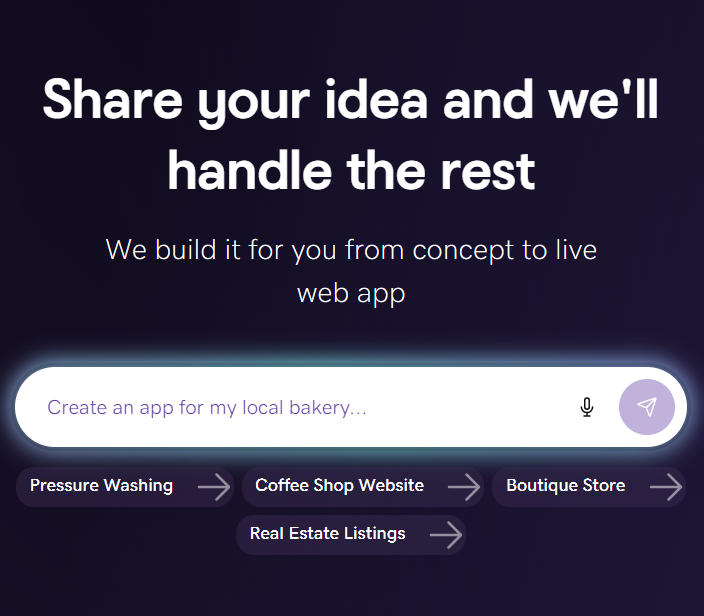
Describe your idea. We'll build your live website in minutes.
With a few prompts, Airo AI Builder generates your website, web app, pages, databases and logic in minutes — no coding required. Start for free with 50 AI credits a month. No credit card required.
Build for FreeThe 4C framework for effective AI website prompts
If you’re new to AI website building and prompting or looking to up your game, the 4C framework is a great place to start. It provides a simple structure that helps AI website builders generate more accurate, relevant results.
Clarity: Say exactly what you want
Start with a clear objective. Tell the AI what you want it to create and avoid vague requests.
For example, instead of writing:
Make me a good website.
Try:
Create a professional website for my landscaping business that encourages homeowners to request a free estimate.
The more specific your goal, the easier it is for the AI to generate a website that aligns with your vision.
Context: Your business and audience
Once you've explained what you want, provide the background the AI needs to make informed decisions, such as:
- Your business name
- Location and/or service area
- Products or services
- Target audience
- Primary business goal, such as generating leads, booking appointments, or selling products
Think about ordering coffee. If you simply ask for "a coffee," you'll get whatever someone decides to hand you. But if you ask for a large iced vanilla latte with oat milk, you're much more likely to get exactly what you wanted. AI website builders work the same way. They aren't mind readers, so the more context you provide, the better the results.
GoDaddy has found that users who included their business name, location, and page requirements in their very first prompt were much more likely to continue building their website.
Constraints: Colors, fonts, and layout
Help the AI understand your brand by setting a few creative boundaries. Use your brand identity guidelines to specify things like:
- Colors or hex codes
- Font styles
- Layout preferences
- Overall tone and visual style
Content: The pages and features you need
Finally, tell the AI what your website should include. Depending on your business, you might request pages or features such as:
- Homepage
- About page
- Services or products page
- Contact page
- Online booking
- Photo gallery
- Customer testimonials
- Frequently asked questions
- Blog
- Online store
Including these requirements in your initial prompt gives the AI a stronger starting point and reduces the amount of editing you'll need to do later.
Structure your prompts like a blueprint
While clarity and detail are key, you don’t need to describe your entire website in one massive prompt. In fact, AI website builders often work better when you build in stages. This approach, known as prompt chaining, lets you establish a strong foundation first, then add features and refine the design with follow-up instructions. Think of each prompt as another layer in your website blueprint.
Step 1: Start with the foundation
Begin by describing the type of website you want, your business, and the essential pages it needs. Focus on the overall structure rather than every small detail.
For example:
Build a fitness studio website with a class schedule, instructor profiles, and a membership signup page.
This helps the AI generate the core website before you introduce more advanced requests.
Step 2: Layer in features
Once the main pages are in place, use follow-up prompts like the following to add specific functionality:
Add a booking system where members can reserve spots in classes. Show the available capacity for each class.
Breaking features into separate prompts makes it easier to review each change and adjust the website as you go. It can also help you use your available AI credits more efficiently by reducing the need to regenerate large portions of the site.
Step 3: Refine the design
After the structure and functionality feel right, focus on the visual details. You can ask the AI to update the colors, typography, spacing, or overall style without rebuilding the website from scratch.
For instance:
Change the color scheme to dark navy and gold. Use a modern sans-serif font and give the pages a clean, spacious layout.
GoDaddy's Airo AI Builder data shows that its most active users were primarily fine-tuning design details rather than correcting major mistakes. They had already created a good foundation and were using follow-up prompts to make the website feel more polished and personal.
7 tips for writing better AI website prompts
Thousands of prompts submitted to GoDaddy's Airo AI Builder reveal a clear pattern: the best results come from clear communication and steady iteration, not perfect prompts. Use these tips to get more from your AI website builder.
- Be specific in your first prompt. Include your business name, location, and the pages you want from the beginning. Giving the AI this information upfront helps it generate a more relevant website, reduces unnecessary revisions, and can help you use AI credits more efficiently.
- Write in your own words. Don't worry about sounding technical or using the "right" AI terminology. A simple, two-sentence description of your business and goals is often more effective than a long prompt copied from the internet.
- Skip prompts written for other AI tools. AI website builders are designed for creating websites, so you don't need instructions like "You are an expert web designer" or "Act as a website development agent." Simply describe what you want your website to do, and let the builder handle the rest.
- Describe problems clearly if something isn't right. Instead of saying, "Nothing works," explain exactly what happened and what you expected. For example, "The contact form appears on the homepage, but I'd like it on a separate Contact page instead." Specific feedback gives the AI a much better chance of making the right adjustment.
- Build your website in stages. Start with the foundation, then add features and refine the design. Breaking your work into smaller prompts gives you more control over the final result than trying to create an entire website in a single request.
- Use built-in editing tools for small updates. Not every change needs a new AI prompt. If you just want to edit a sentence, swap an image, or update a button label, using the website builder's editing tools is often faster and may not use additional AI credits.
- Treat AI like a creative partner. Your first result doesn't have to be your final one. Review what the AI creates, give constructive feedback, and continue refining the website. The more direction you provide throughout the process, the closer the final site will be to your vision.
Prompt examples and lessons from real users
The prompt examples below are based on patterns from thousands of real interactions with GoDaddy's Airo AI Builder and can help you write prompts that produce better results from the start.
What 26,000 real prompts taught us about prompting
GoDaddy analyzed 26,000 real prompts submitted to Airo AI Builder over an 11-day period and found that successful prompting has less to do with technical expertise than clear communication.
A few standout findings include:
- 17% of users left after a single prompt, highlighting the importance of starting with a clear request instead of expecting a perfect website on the first try.
- 8.8% of users pasted the same 400-word template from an external prompt generator. In most cases, these generic prompts produced generic results because they weren't tailored to the user's business.
- 7% of users copied prompts from AI chatbots like ChatGPT or Claude, including instructions such as "You are a website builder agent." These prompts often included unnecessary directions that Airo AI Builder doesn't need.
- The most successful users simply described their business, audience, and goals in plain language, then refined their websites through conversation instead of trying to generate everything at once.
The takeaway is simple: you don't need to be a prompt engineer. A short, specific prompt written in your own words is often more effective than a lengthy template copied from another AI tool.
Related: What is an app?
Quick reference: good prompt vs. bad prompt
Use the table below to guide and refine your AI website builder prompts.
| Instead of… | Try… |
|---|---|
| Make me a website. | Create a website for Smith & Sons Plumbing in Phoenix, Arizona. Include Home, Services, About, Reviews, and Contact pages with an online estimate request form. |
| Make it look better. | Use a clean blue and white color palette, modern sans-serif fonts, and large call-to-action buttons throughout the site. |
| Add more stuff. | Add an FAQ section, customer testimonials, and a financing page that explains payment options. |
Example prompts to inspire you
Remember, you don’t have to use these AI prompt ideas for branding word-for-word. We recommend that you use them as inspiration and customize them for your own business.
Local home services
Create a website for Green Valley HVAC, serving homeowners in Charlotte, North Carolina. Include Home, Heating, Cooling, Maintenance Plans, About, and Contact pages. Add an online appointment request form, financing information, and customer reviews. Use a clean, trustworthy blue and gray design.
Professional services
Build a website for BrightPath Accounting, a bookkeeping and tax firm serving small businesses in Denver, Colorado. Include pages for bookkeeping, payroll, tax preparation, About, and Contact. Add an appointment booking form, pricing overview, and client testimonials. Use a modern, professional design with navy and white branding.
Fitness studio
Create a website for Elevate Fitness Studio in Brooklyn, New York. Include class schedules, instructor profiles, membership plans, and online class booking. Use bold photography, energetic colors, and prominent calls to action encouraging visitors to start a free trial.
Online Boutique
Build an ecommerce website for Willow & Pine Boutique to sell handmade candles and home décor. Include product categories, featured collections, customer reviews, gift cards, and a newsletter signup. Create a warm, minimalist design with earthy colors.
Restaurant with online ordering
Create a website for Bella Roma Italian Kitchen in Tampa, Florida. Include menus, online ordering, reservations, catering services, location details, and customer reviews. Use rich photography, elegant typography, and prominent buttons for ordering and reservations.
5 common prompting mistakes (and what to do instead)
Even experienced AI users don't always write effective prompts. GoDaddy's analysis of 26,000 Airo AI Builder prompts uncovered a handful of common mistakes that often led to less useful results. The good news is that each one is easy to fix with a little more context and a clearer request.
One-word prompts
Short prompts like "Ok," "Help," or "Fix this" don't give the AI enough information to understand what you're trying to accomplish. Instead, explain what's happening and include the relevant details. For example:
I'm trying to upload product photos for my bakery website, but they aren't appearing on the homepage. The images are JPG files under 2 MB each. Can you help me figure out what's wrong?
The more specific you are about the file type, where the content should appear, and what you're experiencing, the easier it is for the AI to help.
Copy-pasted template prompts
Although AI prompt templates look detailed, they weren't written for the user's business, so the results often felt generic.
Rather than copying a template, describe your business in your own words. Two or three sentences about what you do, who you serve, and what you want your website to accomplish will usually produce more relevant results than hundreds of words of generic instructions.
Prompts written for a different AI tool
Generative AI users often include instructions like “You are a website builder agent..." in their prompts, so many people assume they should be used with AI website builders as well.
However, they aren’t necessary in this context because Airo AI Builder is built for this sole purpose, not a wide variety of tasks. You can talk directly to your AI builder as if you're explaining your project to a colleague.
Emotional / frustration prompts
When something doesn't work, it's tempting to write "NOTHING WORKS!" or "Why is this broken?" While understandable, those prompts don't provide enough information for the AI to identify and troubleshoot the issue.
A better approach is to describe what happened and what you expected.
For example:
The contact form submissions aren't arriving in my inbox. I configured the form to send messages to hello@mybusiness.com, but I don't receive anything when I submit a test.
Unrealistic scope
It's easy to get excited about what AI can do, but asking it to "Build me Amazon" or recreate another massive platform in a single prompt sets unrealistic expectations. Instead, focus on creating a simple first version of your website or application. Start with the core pages and features you need today, then continue improving your site through follow-up prompts. Breaking large projects into manageable steps gives you more control over the final result and helps the AI produce higher-quality work throughout the process.
For app projects, see how to build an app without coding.
Ready to build? Start with a clear prompt
Writing effective AI website builder prompts doesn't require technical expertise or prompt engineering. It simply requires clear communication.
Whether you're launching a new small business, refreshing an existing website, or taking your first steps online, AI can help you get there faster. The key is to think of it as a collaborative partner. Start with a solid foundation, refine your site through follow-up prompts, and continue improving it as your business grows.
If you're ready to turn your ideas into a professional website, GoDaddy Airo AI Builder makes it easy. Simply describe your business in your own words, and Airo AI Builder can generate a live website in minutes. From there, you can continue customizing your pages, branding, and content through a simple, conversational experience.
Frequently asked questions
What makes a good AI website builder prompt?
A good AI website builder prompt clearly explains your business, who you serve, and what you want your website to include. Include details like your business name, location, target audience, desired pages, and any design preferences. The more relevant context you provide, the more tailored the AI's first draft is likely to be.
Do longer prompts get better results?
Not necessarily. A concise prompt with specific details is usually more effective than a lengthy, generic prompt. Focus on clearly describing your business and goals rather than trying to include every possible instruction.
How do I save credits when building with an AI website builder?
Start with a detailed first prompt so the AI has a strong foundation to build from. Then refine your website in stages and use built-in editing tools for simple text or image changes instead of generating new AI responses.
Can I rebuild an existing website with an AI website builder?
Yes. You can describe your current website, explain what you want to keep, and highlight what you'd like to improve, and the AI can generate a new version based on those requirements. It's a simple way to modernize your online presence without starting from scratch.
Do I need coding knowledge to write prompts?
No. AI website builders are designed to understand plain language, so you can describe your business and goals just as you would to a web designer or colleague.