
Mobile applications, also commonly called apps, are part of everyday life. They have a wide range from functions, from helping us watch our favorite television series to ordering food for delivery.
This guide explains what a mobile app is and looks into how you can make the most of this digital tool to connect with users in helpful, meaningful ways.
GoDaddy Airo AI Builder
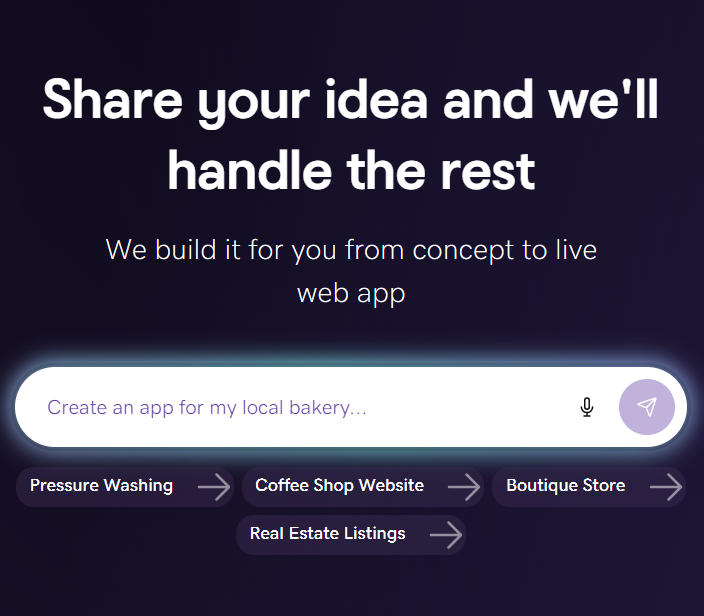
Describe your idea. We'll build your live website in minutes.
With a few prompts, Airo AI Builder generates your website, web app, pages, databases and logic in minutes — no coding required. Start for free with 50 AI credits a month. No credit card required.
Build for FreeWhat is an app?
An app (short for application) is a software program designed to perform a specific task or function on a smartphone, tablet, computer, or smart device.
While traditional software can often be multifaceted and complex, apps are typically lightweight, self-contained tools built to solve a specific problem, entertain you, or connect you to an online service.
In plain terms: an app is a tool that does one thing — or a tight set of related things — really well. A calculator app does math. Instagram lets you share photos. Google Maps gets you from A to B. The GoDaddy App helps you manage a business online.
Unlike web apps, which you access through a browser and don’t need to install, mobile apps are installed on the device. Their popularity surged with the launch of the Apple App Store and the Android Market (now Google Play) in 2008, turning “app” into an everyday term and a type of software most people use daily.
Fun fact: The Merriam-Webster dictionary added the word 'app' in 2010.
Key characteristics of a quality app
- Intuitive interface: The easier it is to navigate, the more successful it’ll be.
- Clear purpose: Each app should solve a specific need for its users.
- Responsive design: Adapts to different screen sizes for a great experience on phones and tablets (and complements desktop experiences).
- Performance: Fast, lightweight, and quick to access core features.
- Ongoing updates and support: Regular improvements and reliable help.
- Stellar user experience (UX): It’s mission-critical for an app’s success.
How do apps work?
Most apps follow the same basic pattern, whether they live on your phone, your laptop, or your browser:
- You install or open the app. Mobile apps are downloaded from an app store. Desktop apps are installed from a file or store. Web apps load in a browser — no install required.
- The front end runs on your device. This is the interface you see and tap that's designed to feel fast and responsive.
- The back end runs on remote servers. When you send a message, place an order, or log in, the app talks to cloud-based servers and databases to send and receive data.
- The app uses your device's resources. Processor, memory, storage, and network all power the experience. Mobile apps can also tap into the camera, GPS, microphone, biometrics, and notifications.
- The operating system manages it all. iOS, Android, macOS, or Windows handle permissions, security, and how the app interacts with hardware.
Some apps work entirely offline (a calculator, a notes app). Most modern apps need an internet connection to do their job.
Types of apps
Apps are often grouped by how they’re built and what they do: mobile, web, and hybrid, each with different use cases and trade-offs. Knowing the landscape helps if you’re considering building an app for your business.
1. Desktop apps
These are software programs designed for laptops and desktop computers running macOS, Windows, or Linux. They are often more powerful than mobile apps, with bigger feature sets and full keyboard/mouse control.
Examples: Microsoft Word, Photoshop, Slack.
2. Mobile apps
Designed for phones and tablets running iOS or Android. Downloaded from the Apple App Store or Google Play Store.
Examples: Instagram, Uber, the GoDaddy app.
3. Web apps
Services you access through a browser (Chrome, Safari, Edge) without downloading anything. Easy to update and they allow you to work on any device with the internet.
Examples: Google Docs, Gmail in a browser, Canva.
4. Native apps
Mobile apps built for one specific operating system using its native programming languages — Swift for iOS, Kotlin for Android. Fastest performance and best access to device features, but require separate development for each platform.
Examples: Instagram, Spotify, WhatsApp.
5. Hybrid apps
Built with web technologies (HTML, CSS, JavaScript) and wrapped in a native shell so they can be installed from app stores. One codebase, two platforms — cheaper and faster to build, with some performance trade-offs.
Examples: Many small business and ecommerce apps.
Apps vs. websites: what's the difference?
These get mixed up constantly. Here's the clean version:
- Website: A collection of pages you view in a browser. Works on any device with internet access. Example: a small business storefront built with GoDaddy's Website Builder.
- Web app: A website that behaves like an app — interactive, dynamic, often requires a login. Still accessed through a browser. Example: Google Docs.
- Mobile app: Software installed on your phone, built specifically for iOS or Android. Example: the Instagram app.
Examples of apps and what they’re for
The Apple Store alone features somewhere between 1.9 and 2.5 million apps. Here are few of the most common and popular types and brands.
Business
- GoDaddy App: Mobile app for managing your GoDaddy domains, websites, and online store from one place. Includes functions like designing content, logos, and videos, and monitoring website performance on the go.
- Airo AI Builder: AI-powered builder for websites, apps and online business presence - no coding required.
Social
- WhatsApp: Instant messaging with text, calls, and media sharing with your contacts.
- Instagram: A social platform focused on photos, Stories, and short-form video.
- Facebook: Meta’s flagship platform for connecting with people, sharing content, and joining communities.
Productivity
- Microsoft 365: Online tools including Word, Excel, and PowerPoint, well-optimized for mobile and accessible across devices.
- Notion: Notes, tasks, and databases in one place to streamline organization.
- Google Keep: Notes and reminders that sync across devices in real time.
Related: Top paid and free productivity apps
Entertainment
- Netflix: Streaming for shows and movies.
- Spotify: Music and podcast streaming with a massive audio library.
- YouTube: The largest video platform for creators and viewers.
Ecommerce
- Amazon: Shop a vast catalog and get fast delivery with Prime.
- eBay: Buy and sell via auctions or fixed-price listings.
- Etsy: Marketplace for handmade, vintage, and unique goods.
Health and wellness
- Fitbit: Pairs with wearables to track activity and health metrics.
- MyFitnessPal: Track nutrition and workouts to support healthy habits.
How to create an app
Building an app usually follows these stages:
- Concept and scope: Define the problem, your MVP, and the must-have features.
- Market research: Validate demand and analyze competitors.
- UX/UI design: Map user flows and design the interface. Development typically uses platform languages like Swift (iOS) and Kotlin (Android).
- Testing: Validate functionality, performance, accessibility, and security.
- Launch: Publish to app stores like Apple’s App Store and Google Play.
You don’t have to be an engineer to start creating an app, you can do it without coding. AI tools now make it possible to turn your concept into something real without writing a code. For example, you can try Airo AI Builder, which can generate an app for you through the process of you simply describing the type of app you want to build.
Why apps matter for small businesses
You don't need to build your own app to benefit from the app economy. In fact, most small businesses don't — and they shouldn't. A custom app can cost tens of thousands of dollars and take months to launch. For a deeper breakdown, see our guide to the cost to create an app. Here's how apps fit into running a US small business today, without writing a line of code:
- Sell where customers already are. List products on Amazon, Etsy, eBay, Walmart, Instagram, and Facebook to reach millions of mobile shoppers.
- Run your business from your phone. Use apps to accept payments, manage inventory, track sales, and message customers from anywhere. See our guide to accepting payments online .
- Meet a mobile-first audience. More than half of US web traffic comes from mobile devices. Even without an app, your website needs to feel app-like on a phone — fast, clean, and easy to tap.
- Offer app-style experiences without an app. A modern online store or PWA can deliver mobile-friendly shopping, push-style notifications, and saved carts without the cost of building a native app.
A custom app might make sense down the road if:
- You have a large, repeat customer base that interacts with you often.
- Your service genuinely benefits from device features (GPS, camera, push notifications) — for example, a delivery, fitness, or booking business.
- You've validated the idea with real customer demand, not just a hunch.
Until then, focus on the foundation: a domain name, a professional website, and a mobile-friendly online store.
Trends and future of applications
- Smarter, more automated experiences: AI is powering new categories, while AI chatbots keep advancing with machine learning.
- On-device AI: Expect more generative features embedded in traditional apps and more processing happening on the device to reduce latency and protect privacy. Android is advancing on-device genAI with Gemini Nano, and Apple is emphasizing on-device processing with Apple Intelligence.
- Connectivity: With 5G rolling out across the United States, real-time experiences and heavier workloads will feel faster and more seamless.
- Formats and speed-to-market: Mini-apps, super apps, and cross-platform development will continue to grow as teams aim for faster launches.
If you’ve been on the fence about building an app, make 2026 the year you go for it.
Tips for choosing and using apps:
- Check the developer’s reputation and read recent reviews.
- Prioritize apps with regular updates and reliable support.
- Review app permissions and make sure they’re necessary for how the app works.
- Organize apps by category or frequency of use. Periodically delete apps you no longer need to free up space and improve performance.
- Keep apps updated to benefit from new features and security fixes.
The bottom line on apps
Data suggests that the average American uses 18 apps a day, and has between 40 to 90 installed in their phone. So it's clear to see how vital these tiny tools have become to modern life.
There are lots of different types of app out there and every one serves a slightly different function.
Yet, however they work behind the scenes, all the average person needs to know is the simple fact that they exist to make people's lives easier. Because of this, they can be an essential part of a business's offering and day to day operations.
The good news is that apps don't have to be expensive to either create or use, and can be obtained in as little as a few clicks, as is the case with the GoDaddy App.
Frequently asked questions
How do I download a mobile app?
- On iPhone: Open the App Store, search for the app you want, tap Get or the price, then authenticate with Face ID, Touch ID, or your password. Wait for the download over Wi‑Fi or cellular, then open it from your Home Screen and grant any necessary permissions.
- On Android: Open Google Play, search for the app, review ratings, tap Install, wait for the download, then open it and accept any required permissions.
How much does it cost to build a mobile app in the United States?
There’s no single price for building an app. Cost depends on complexity, design, platforms, integrations, and who develops it. With tools like Airo AI Builder, you can generate an app from a description of what you want to build, which can help reduce development costs.
How much can I charge for my mobile app?
The amount you can charge for a mobile app depends on the value it provides and the audience you’re targeting. Some apps are offered for free and earn money through ads or in-app purchases, while others charge a one-time price subscription for access to premium features. Reviewing pricing models used by similar apps can help you decide what makes sense for your app.
Do apps need internet?
Some do, some don't. Apps that rely on live data (social media, ride-sharing, banking) need a connection. Others (calculators, offline games, note-taking apps) can work without one.