

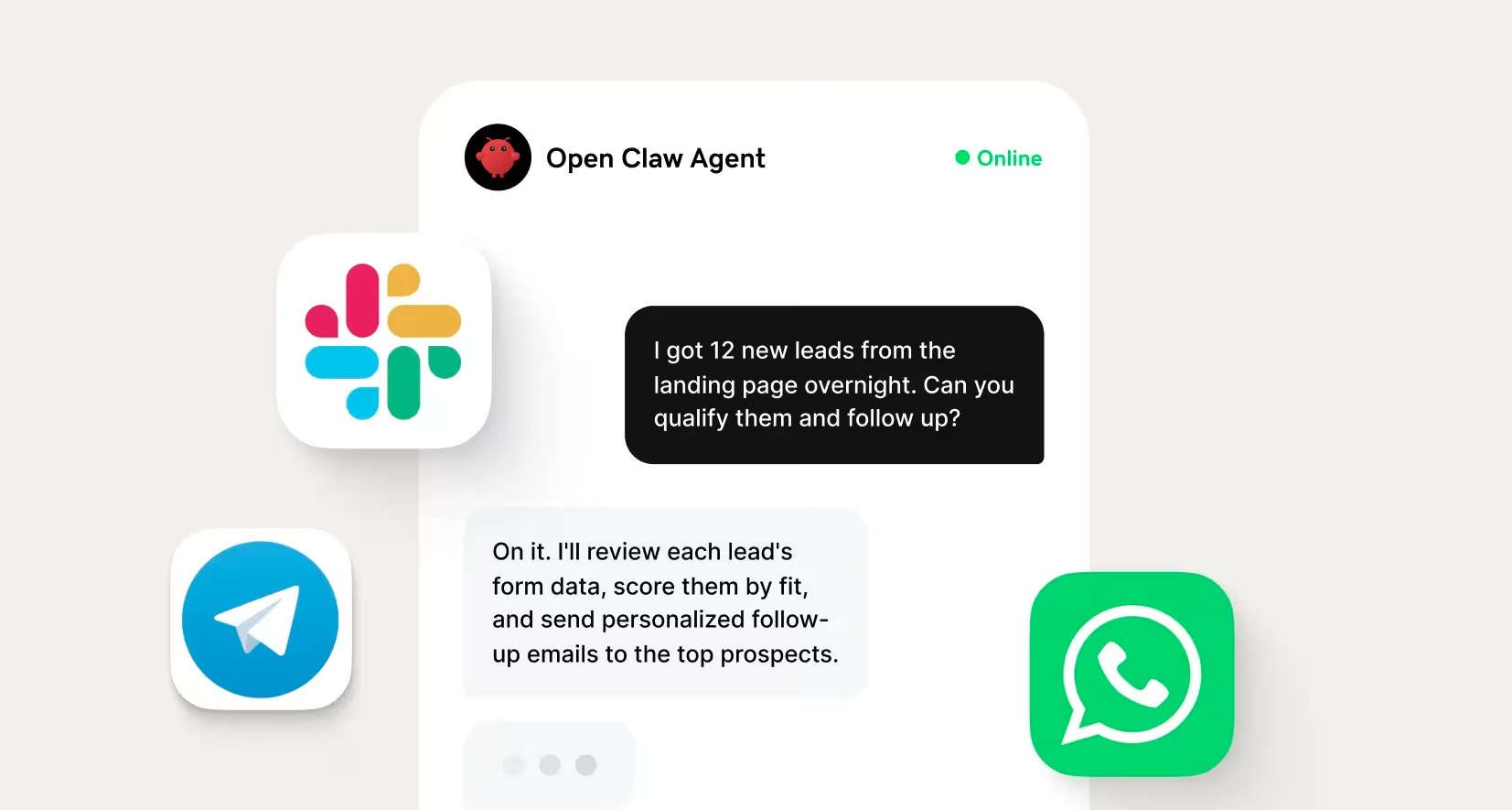
Growing an agency or building a software business usually comes down to the same challenge: finding ways to create more value without adding more hours to your workload. That's where tools like OpenClaw AI Assistant can be especially valuable.
OpenClaw agents are a leverage tool. They amplify the expertise, systems, and solutions you already bring to the table, making it easier to scale what customers are willing to pay for.
In this guide, we’ll show you how to make money with OpenClaw agents as a founder or agency, what costs you should expect along the way, and how to choose the right business venture for your situation.
What OpenClaw agents actually do (and why that matters for earning)
OpenClaw is an open-source AI agent framework that connects large language models (LLMs) to popular business tools, like email, Slack, CRMs, and web browsers. Instead of simply generating responses, an OpenClaw agent can execute multi-step workflows on its own and turn repetitive tasks into automated systems.
This distinction between OpenClaw AI agents and a standard LLM is crucial for earning money through the platform. Clients don't pay for clever AI conversations; they pay for solutions that create efficiency, convenience, and more time to focus on higher-value tasks. The more valuable the workflow an agent can handle, the more valuable your service becomes.
From chatbot to autonomous worker
A traditional chatbot waits for a prompt, generates a response, and stops there. An OpenClaw agent maintains context, uses external tools, completes multiple steps, and can run automatically based on a schedule or trigger instead of waiting for someone to ask a question.
Your own AI assistant, running 24/7
Deploy a private, always-on AI assistant with one click. No coding required.
- Deploy OpenClaw in one click — no terminal, no setup headaches
- Works with WhatsApp, Telegram, Slack, Discord and more
- Keep your AI online 99.9% of the time

Here’s a closer look at how they compare:
| Chatbot | OpenClaw agent |
|---|---|
| Answers prompts | Completes workflows |
| Requires a user to start each conversation | Runs automatically from triggers or schedules |
| Mostly limited to conversation, but may offer some third-party integrations | Connects to email, Slack, browsers, CRMs, and other tools to take action |
The word “autonomous” often causes some confusion. With OpenClaw, autonomous means that the agent can monitor an inbox, gather information, draft content, update systems, and deliver the finished work without requiring a person to initiate every step. Much of that behavior is defined through configuration files like SOUL.md, which shapes the agent's personality and operating principles, and USER.md, which provides task-specific instructions and context. Together, they help create agents that behave consistently across complex workflows.
For agencies and founders, that's where the business opportunity grows. As agents become capable of handling larger portions of a client's recurring workflow, they become easier to package into monthly retainers or subscription-based services.
The costs you need to know: API, hosting, and time
Running an OpenClaw agent isn't expensive, but it isn't free. Your costs typically come from three places:
- LLM API usage: Every request to models like ChatGPT or Claude consumes tokens, and multi-step workflows naturally use more than a single chat response.
- Hosting: Self-hosting on a VPS can cost as little as $4 to $6 per month, and managed OpenClaw hosting typically starts around $6 per month, depending on the provider and included features.
- Your time: Planning workflows, configuring agents, testing integrations, and maintaining them all requires an upfront investment.
When pricing your agent, focus on the value you create, not just the cost of the AI. If an agent saves a client dozens of hours each month or replaces a manual process that slows their business down, your API bill is often a small fraction of what the client gains.
Choose your path: agency model vs. founder model
There are two primary ways to make money with OpenClaw agents, and the right choice depends on your goals. You can use agents to deliver services more efficiently for clients, or you can build a product that earns recurring revenue on its own. Both approaches can work well, but they differ in how you package the value and scale the business.
Below, we’ll break down the agency and founder models to help you decide which is right for you.
| Agency | Founder | |
|---|---|---|
| Income model | Client retainers and project fees | Subscriptions, SaaS, or productized services |
| Time to first revenue | Fast, especially with existing clients | Slower due to product development and validation |
| Growth ceiling | Limited by team capacity and client management | Higher through recurring, scalable revenue |
The agency model: sell agent-powered services to clients
With the agency model, clients aren't buying an AI agent; they’re buying a business outcome. OpenClaw simply becomes part of how you deliver that outcome faster, more consistently, and with less manual work behind the scenes.
That means you can continue charging the rates your expertise already commands while improving your margins as the agent takes over repetitive parts of the workflow. For many agencies, OpenClaw can automate research, reporting, lead qualification, content production, or other recurring tasks, allowing your team to spend more time on strategy and client relationships.
If you already have clients, this is often the fastest path to revenue. You're enhancing services people already trust you to provide instead of convincing them to buy something entirely new.
The founder model: build a product or recurring service on top of agents
The founder path shifts your focus from selling your time to selling a system. Instead of using OpenClaw behind the scenes for individual clients, you build a product or recurring service where the agent delivers value for many customers at once. You might create specialized skills for the OpenClaw ecosystem, build a vertical micro-SaaS for a specific industry, or package an automated workflow into a subscription service that customers can use without your direct involvement.
Building a product usually requires more upfront work and takes longer to generate revenue than client services. The tradeoff is a higher long-term ceiling because each new customer doesn't require a proportional increase in your time.
How to decide which path fits where you are right now
Both models can become successful businesses, but trying to build both from day one often spreads your time too thin. Pick one path, prove there's demand, then expand once you have a repeatable system.
Choose the agency model if you:
- Already have clients or an established professional network.
- Need revenue within the next few weeks.
- Want to improve your existing services instead of creating a new product.
- Prefer solving unique business problems for individual clients.
Choose the founder model if you:
- Understand a niche workflow that many customers share.
- Want recurring revenue that's less tied to billable hours.
- Are comfortable investing more time before earning your first dollar.
- Enjoy building products, systems, and scalable businesses.
Many successful founders start with agency work to validate a workflow, then turn that proven process into a product. It's often easier to build something people want after you've solved the same problem for a handful of paying clients.
Need more guidance? Check out this full guide on how to choose a business model.
Agency revenue streams: how to earn from client work
If you already provide marketing, operations, consulting, or technical services, OpenClaw can help you expand what you offer without reinventing your business. The five revenue streams below build on skills agencies and freelancers already have, making them some of the fastest ways to start earning with AI agents.
Starting a business from scratch? Learn how to start a marketing agency or how to start a freelancing career before delving into the details.
Done-for-you setup and configuration
Most business owners don't want to learn Docker, configure API keys, or write detailed agent instructions. They want an AI agent that already works, and that technical gap is the service you're selling. Your role would typically include:
- Installing and configuring OpenClaw.
- Connecting business tools.
- Writing and refining SOUL.md and agent instructions.
- Testing workflows and handing off a production-ready system.
Setup projects commonly range from $500 to $5,000, depending on the complexity of the workflow, integrations, and level of customization. The real opportunity comes from documenting your process so each deployment becomes faster than the last. If every new client starts from the same templates, your delivery time shrinks while your margins grow.
Autonomous content pipeline management
Many businesses struggle to publish consistently because content creation involves dozens of small, repetitive tasks. Instead of selling individual blog posts or social media updates, you can sell an automated content operation that runs every month.
A typical workflow might look like this:
- Monitor industry trends, news, and competitor activity.
- Draft content that matches the client's brand voice.
- Route drafts through a human review process.
- Schedule approved content and track performance.
One well-designed OpenClaw agent can support multiple clients simultaneously because much of the work happens automatically in the background. That means your monthly retainer isn't tied directly to the number of hours you spend producing content. As your systems improve, your capacity grows without a proportional increase in labor.
Lead generation and qualification as a managed service
Sales teams spend countless hours researching prospects, organizing contact information, and qualifying inbound leads. An OpenClaw agent can handle much of that work for them by delivering qualified opportunities directly into a CRM or sending structured reports on a recurring schedule.
For many service businesses, replacing manual lead qualification can deliver meaningful operational savings while helping sales teams focus on conversations instead of administrative work. That's the value clients are paying for, making monthly retainers of $1,500 to $3,000 realistic depending on the complexity and volume of work.
As with any lead generation service, make sure your workflows comply with applicable email marketing laws, privacy regulations, and the terms of service for the platforms you're using.
Multi-agent operations consulting
Some organizations don't need a single AI agent. They need an entire system of specialized agents working together across different parts of the business.
In these engagements, you're acting as a consultant rather than a managed service provider. Your job is to audit existing operations, identify repetitive work, and design an automation architecture that improves efficiency while keeping humans involved where approvals and oversight matter. For example, you could do the following for each client:
- An operational workflow audit.
- Recommendations for high-value automation opportunities.
- Agent architecture and role definitions.
- Implementation plans with approval checkpoints and monitoring.
These consulting projects often command higher fees because clients are paying for strategic expertise as much as technical implementation. Many entrepreneurs who opt for this route see between $5,000 and $15,000 per engagement.
Productized niche services: build once, sell repeatedly
The most profitable agency services are often the most specialized. Instead of building a different solution for every client, focus on one industry and one recurring workflow you can deliver repeatedly with minimal customization, such as:
- Automated client communication for marketing agencies.
- AI-powered deal flow monitoring for venture capital firms.
- Weekly competitive intelligence reports for SaaS companies.
Once you've documented the workflow, each new client becomes a configuration project instead of a custom build that can bring in between $1,000 and $5,000 per month. This often becomes a natural bridge between client work and a full software product.
Founder revenue streams: how to earn from what you build
Agency services can generate revenue quickly, but founder businesses offer a different advantage: the ability to grow without increasing your workload at the same pace. These models require more upfront effort to build, but they can create recurring revenue long after the initial work is done.
Related: Passive income ideas
Micro-SaaS: turn one workflow into a subscription
A micro-SaaS solves one specific problem for one specific audience. OpenClaw powers the automation behind the scenes, but customers are actually buying a faster, easier way to accomplish a task, such as:
- A review monitoring service for Shopify stores.
- A competitor price tracker for e-commerce businesses.
- A reservation management assistant for restaurants.
- A lead routing system for real estate agents.
Beyond the OpenClaw agent itself, you'll also need a customer dashboard, a billing system, authentication, and a simple onboarding experience.
Many lightweight SaaS products are subscription business models that charge $49 to $499 per month, but highly specialized solutions can command $1,000 or more per month. This is one of the highest long-term revenue ceilings, but expect a longer path to your first paying customer than a service business.
Sell custom skills on ClawHub
ClawHub allows developers to publish reusable skills that extend what OpenClaw agents can do. While many available skills focus on general-purpose tasks, businesses often need industry-specific automations that solve problems unique to their workflow. Some high-value opportunities you may want to explore include:
- Shopify inventory management.
- Real estate follow-up automation.
- Podcast production workflows.
- Industry-specific reporting and integrations.
Selling skills can generate revenue through marketplace installs, while custom versions for enterprise customers may command significantly higher fees. For most creators, however, ClawHub works best as part of a broader business strategy. Publishing useful skills can demonstrate your expertise, attract consulting clients, and open the door to larger implementation projects.
Related: How to make money with AI
Agent-as-a-service with usage-based billing
Instead of selling software that customers install themselves, you can host an OpenClaw-powered service and charge customers whenever they use it. The agent becomes part of your platform, and your customers simply interact with the finished product.
Building this model typically requires:
- Multi-tenant hosting.
- Billing integration.
- Run history for customers.
- Basic logging and monitoring.
Customers might bring their own AI API keys or pay for usage through your platform. Pricing can be structured as monthly subscriptions, per-task billing, seat-based plans, or a hybrid approach that combines recurring access with usage fees. This model is often best suited for technical founders who want to turn a specialized automation into a scalable software business.
Productized research and intelligence reports
Not every founder business requires building software. You can also create recurring research products where OpenClaw gathers information automatically while you provide the analysis that customers value. For example:
- Competitor pricing reports for ecommerce companies.
- Regulatory update briefings for legal or financial firms.
- Job posting, app review, or market trend monitoring for SaaS businesses.
Weekly email briefings commonly sell for $50 to $500 per month, while more comprehensive dashboards for teams can command $500 to $5,000 per month.
Because the agent handles much of the research, you can spend your time adding context, identifying trends, and presenting actionable insights. It's one of the simplest founder models to launch because it delivers recurring value without requiring a full software product.
How to set up your first income-generating agent
The best OpenClaw agents start with a clearly defined business problem, not a long list of features. Before you write instructions or connect integrations, follow these steps:
Define the job before you build the agent
Start with one sentence that explains exactly what your agent does and why it matters. A simple framework is:
This agent helps [audience] do [task] so they can [outcome].
Then map the workflow from start to finish:
Trigger → Input → Processing → Action → OutputKeep each agent focused on one job. It's much easier to build one reliable workflow than several unfinished ones. Use these agent scope examples as guidance:
| Well-scoped | Poorly scoped |
|---|---|
| "This agent helps real estate agents qualify inbound leads so they can spend more time with serious buyers." | "This agent handles all marketing, sales, customer support, scheduling, reporting, and administrative work for a real estate business." |
Choose a channel: WhatsApp, Telegram, Slack, or a webhook
Your agent is only useful if it works where your audience already spends time. Instead of choosing a platform based on personal preference, choose the one that fits the people using it.
- WhatsApp: Best for client-facing conversations with local businesses and consumer services.
- Telegram: Best for technical communities and audiences comfortable with automation.
- Slack: Best for internal workflows, team collaboration, and B2B operations.
- Webhook or API: Best for software products, custom integrations, and developer-focused solutions.
If you're building for a client, ask where they already communicate before you begin configuring the agent. Meeting users where they already work usually leads to faster adoption.
Write a tight brief (your agent's SOUL.md)
A strong SOUL.md file clearly defines what the agent should ask, what information it needs to collect, the tone it should use, what the final output should look like, when it should decline a request, and when it should hand the conversation to a human.
These guardrails aren’t optional; they help ensure the agent behaves consistently, follows business rules, and knows when automation should stop and a person should step in.
Specific instructions almost always outperform generic ones. For instance:
| Weak instruction | Strong instruction |
|---|---|
| "Be helpful." | "If a lead's budget is under $500, send the pricing FAQ, answer follow-up questions, and recommend contacting the sales team for additional options." |
The more precise your instructions are, the more predictable your agent becomes.
Test before you invoice a client
Never assume an agent is ready because it worked once. Test it with realistic conversations before handing it over to a paying customer, and use any mistakes to improve the instructions instead of manually fixing individual responses.
Before launch, make sure you've:
- Run at least 10 realistic test conversations.
- Tested 2 to 3 edge cases that challenge the workflow.
- Reviewed every response for accuracy, tone, and brand consistency.
- Created a simple acceptance checklist for the client to review before handoff.
One off-brand response to a real customer can undo weeks of trust. A thorough testing process helps you catch problems early, build client confidence, and deliver an agent that's ready for production.
Price your offer correctly
One of the biggest mistakes people make with AI services is pricing based on the technology instead of the outcome. Clients don't care how many prompts you wrote or how inexpensive your hosting is. They care about the time you save, the revenue you help generate, and the problems you eliminate.
The setup fee and retainer model explained
For most OpenClaw services, the simplest pricing structure has two parts: a one-time setup fee followed by an ongoing monthly retainer. The setup covers planning, configuration, testing, and handoff, and the retainer covers monitoring, prompt refinements, maintenance, and incremental improvements as the client's needs evolve.
This could look like:
| Service type | Setup fee | Monthly retainer |
|---|---|---|
| Straightforward agent | $300–$800 | $100–$500 |
| Complex multi-agent implementation | $1,000–$5,000+ | $100–$500 |
Even for smaller projects, it’s best not to skip the setup fee. Charging separately for implementation establishes clear expectations, reinforces the value of your expertise, and helps prevent scope creep before it starts. It also helps create healthier margins.
Usage-based vs. flat-rate pricing
The right pricing model depends on how your agent delivers value.
| Flat-rate | Usage-based |
|---|---|
| Best for predictable workloads and recurring services. | Best for work that varies based on volume, such as leads, reports, or documents. |
| Easier to sell, budget for, and manage. | Aligns pricing with customer usage and value received. |
| Creates predictable monthly recurring revenue. | Scales naturally as customer demand grows. |
If you're launching your first OpenClaw service, start with flat-rate pricing. It's easier for both you and your clients because everyone knows exactly what to expect each month. Once you've gathered real usage data, you can introduce usage-based pricing for customers whose workloads vary significantly.
How to anchor pricing to client ROI, not your costs
The fastest way to underprice your services is to calculate what the agent costs you to run. A better approach is to calculate what the client currently spends to complete the same work, then price your solution as a fraction of the value it creates.
For example, an inbound lead qualification agent may replace $1,500–$3,000 per month in virtual assistant costs. An automated content pipeline can also reduce the amount of manual work required from a part-time marketing hire. Those are the benchmarks clients compare against, not your API bill.
ROI example: A client spends $2,000 per month on manual lead qualification. Your OpenClaw workflow automates much of that process while improving response times. Charging $1,000 per month creates meaningful savings for the client while generating a healthy recurring revenue stream for your business.
A simple question can help uncover these opportunities during a sales conversation:
"What are you currently paying to get this done, and how many hours does your team spend on it each week?"
The answer gives you a much stronger pricing anchor than your operating costs ever will.
Common mistakes that kill early revenue
Most early failures with OpenClaw aren't caused by the technology, but by business decisions that make it harder to deliver consistent results or build client confidence. Avoid these common mistakes, and you'll put yourself in a much stronger position to grow.
Trying to automate everything at once
It's tempting to build an agent that handles every part of a business process, but that's usually where things go wrong. Complex workflows are harder to test, harder to troubleshoot, and more likely to produce inconsistent results.
Treat your first agent like a new employee. Give it one clearly defined responsibility, make sure it performs that job reliably, then expand its role over time.
Underpricing because the tool is cheap
OpenClaw is inexpensive to run, but that doesn't mean your services should be inexpensive to buy. Clients should be paying for expertise, implementation, maintenance, and better business outcomes, not the software itself.
Pricing based on hosting or API costs leaves little room for the time you spend configuring, testing, refining, and supporting each deployment. Price the value you create, not the cost of the tool.
Skipping client qualification
Not every client is a good fit for AI automation. If someone can't explain their workflow, doesn't have a budget, or expects an agent to operate perfectly without any oversight, the project is likely to become more work than it's worth.
Before you start building, make sure the client can answer yes to these questions:
- Do they have a specific, repeatable workflow?
- Do they have a realistic budget?
- Are they willing to review outputs during the first few weeks?
No guardrails, no human-in-the-loop, no trust
Clients trust automation when they know it's operating within clear boundaries. Without guardrails, logging, or approval steps, even a single inaccurate response can damage customer relationships and undermine confidence in the entire system.
For high-impact workflows, start with a review process before allowing the agent to take action automatically. As your agent proves itself, you can gradually automate more of the workflow. Clients are often willing to pay more for reliable, well-controlled automation than for a system that simply does everything on its own.
How to scale from one client to a repeatable operation
Landing your first client proves your idea works, but building a scalable business requires creating systems that make every new client easier to serve than the last. Your goal should be to deliver the same results with less effort each time.
Templatize your configuration, not your pitch
Your second client shouldn’t take as long to onboard as your first. Once you've solved a workflow successfully, document everything so you can reuse it instead of starting from scratch.
Create templates for your SOUL.md instructions, workflow maps, testing checklist, client onboarding documentation, and prompts for each use case. Every project will still require some customization, but most of the work should become configuration rather than creation.
When you've built a repeatable system, onboarding another client in the same niche can take a few hours instead of several days. That's how your margins improve.
From bespoke service to productized offer
If you've delivered the same workflow for 2 to 3 clients, you're already closer to having a product than you might think. The only difference is that your process probably still lives in your head instead of being packaged into a standardized offer.
Productizing your service means defining exactly what every client receives. That includes a fixed scope, a fixed price, a predictable delivery timeline, and a simple specification that both you and the client agree to before work begins. Requests outside that scope become separate projects instead of unexpected additions.
For many businesses, this becomes the bridge between agency work and the founder model. Once your delivery process is standardized, turning it into software becomes much more achievable because you've already proven customers are willing to pay for the outcome.
When to hire vs. when to add another agent
As your business grows, you'll face a recurring question: should you automate more work or bring in another person? Use this framework to decide:
| If the work is... | Add... |
|---|---|
| Repetitive, well-defined, and low-risk | Another agent |
| Requires judgment, relationship management, or accountability | A human |
Turn your OpenClaw skills into a real business
Right now, many businesses are still figuring out how AI agents fit into their operations. That creates an opportunity for agencies and founders who can design reliable workflows, document repeatable systems, and deliver measurable value. As AI becomes more common, the advantage won't come from knowing how to install OpenClaw, but from having proven templates, tested configurations, and repeatable processes that consistently solve real business problems.
If you're ready to turn those skills into a business, don't overlook the foundation. Setting up your company, securing a domain, launching a website, and creating a professional online presence all make it easier to attract clients or launch a product. Read about how to start a business here, or let GoDaddy Airo AI Builder help you build the business infrastructure you need so you can spend less time on setup and more time building the AI-powered solutions your customers will pay for.
Frequently asked questions
Can I make money with OpenClaw without coding skills?
Yes, especially if you're following the agency model. Services like done-for-you setup, content pipeline management, and lead qualification rely more on workflow design, prompt engineering, and configuration than traditional software development. More technical products, such as micro-SaaS applications, custom ClawHub skills, or usage-based API services, typically require coding skills.
How long does it take to get a first paying client?
If you already have a professional network or existing clients, you could realistically land your first OpenClaw project in 1 to 4 weeks. The fastest path is usually offering agent-powered services that build on work you already provide rather than launching a brand-new product.
What does it actually cost to run an OpenClaw agent for a client?
For most agency deployments, monthly costs stay well under $20 per client. Managed hosting typically costs $8.99 to $12.99 per month, while AI API costs vary based on the model you use and the number of tasks your agent completes. Monitor API usage closely, as complex workflows can increase costs over time.
How do agencies use OpenClaw without losing margin?
Successful agencies protect their margins by using reusable templates, pricing based on client ROI instead of API costs, and keeping hosting expenses predictable. A service that costs $6 to $20 per month to operate can support a $500 monthly retainer, provided you control scope and API usage. Technical agencies can also have clients supply their own API keys to eliminate model costs entirely.
Is OpenClaw better for agencies or solo founders?
It depends on your goals. Agencies typically generate revenue faster because they can sell services to existing clients, while solo founders invest more time upfront to build products with greater long-term scalability. Many successful businesses start with agency work and later turn proven workflows into software.