
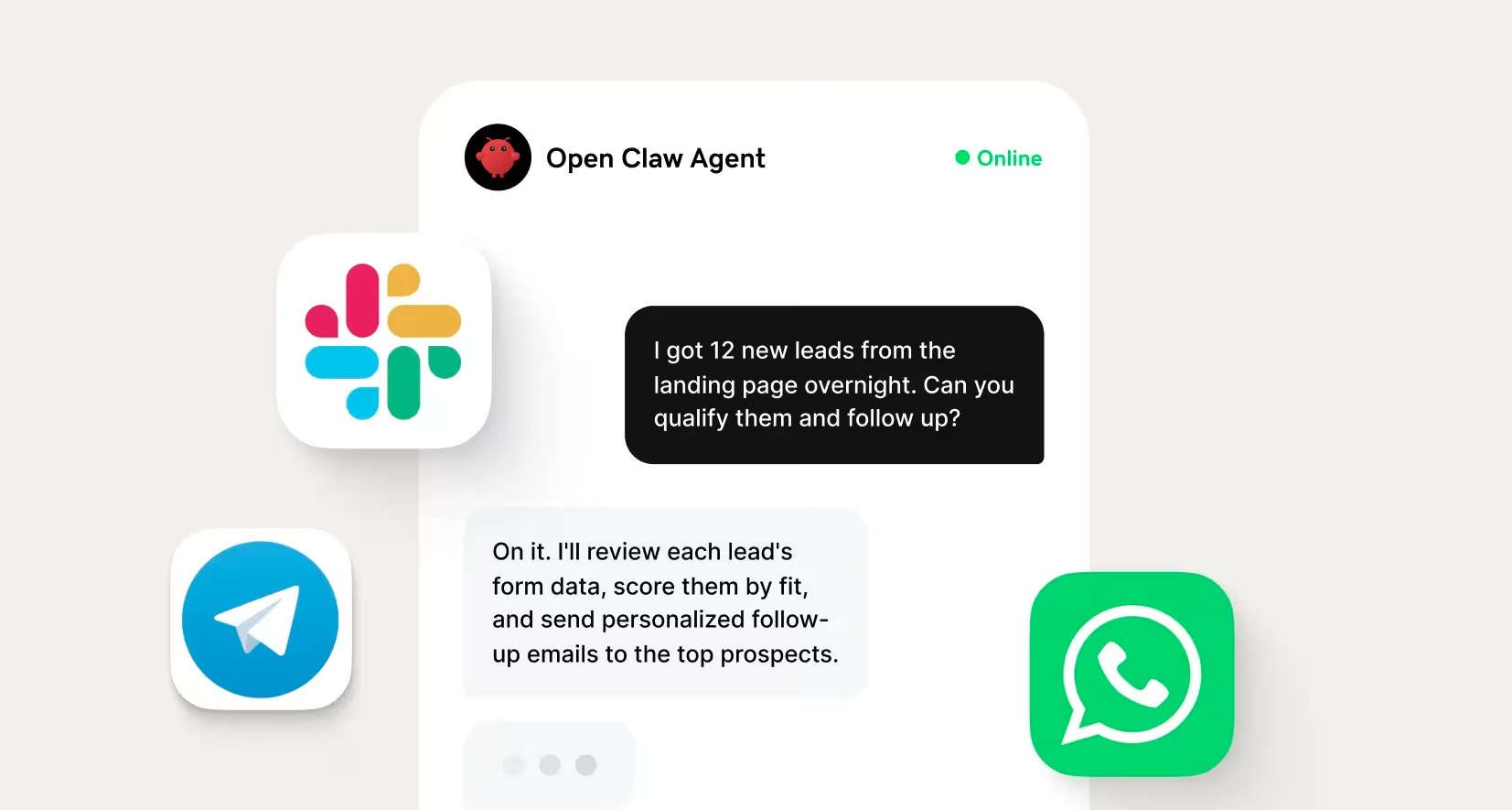
Picture this: you start your morning, and your inbox is already organized, your calendar is ready for the day, and your next social post is waiting to go live before you’ve even picked up your phone. That's the idea behind OpenClaw, an open-source AI assistant you set up once so it can keep working for you around the clock through the messaging apps you already use.
If you've heard the buzz but still wonder what OpenClaw actually is, this guide is for you. You'll learn what it is, what it costs, what it can realistically do for a small business, how to get started, and how it compares with other AI tools.
Related: Getting started with generative AI
What is OpenClaw and why it matters now
OpenClaw is a free, open-source AI agent that can perform tasks for you behind the scenes. Unlike AI chatbots that wait for you to ask a question in a browser, OpenClaw is designed to keep working in the background through messaging apps you already use, helping you manage everyday work with less manual effort.
A brief history: from Clawdbot to Moltbot to OpenClaw
OpenClaw was created by Peter Steinberger, founder of PSPDFKit. It launched in late 2025 as Clawdbot, was briefly renamed Moltbot following a trademark dispute, and eventually became OpenClaw. In just a few months, the project earned more than 355,000 GitHub stars, making it one of the fastest-growing open-source repositories in GitHub's history. It was released under the MIT license, which means anyone can use, modify, and build on the software for free.
From chatbot to autonomous agent: what makes OpenClaw different
Think of a chatbot, like ChatGPT, Claude, or Gemini, as a knowledgeable coworker you ask for advice. An AI agent like OpenClaw is more like an assistant you assign work to.
OpenClaw can review emails, update your calendar, gather research, draft social posts, and send reminders without requiring you to guide every step. You stay in control, but the AI handles more of the repetitive work without manual intervention.
Why OpenClaw is trending right now
OpenClaw is taking off for two main reasons:
- Today’s AI models have become reliable enough to complete multi-step tasks with less oversight than previous generations.
- OpenClaw is free and open-source, so you're not tied to a single subscription or AI provider.
These factors have attracted developers and small business owners alike because they allow them to reclaim more time for the work that actually grows their businesses.
What OpenClaw can do for your small business
The biggest benefit of OpenClaw for small businesses is that it can take repetitive, time-consuming tasks off your plate. Instead of bouncing between apps throughout the day, you can set it up to handle routine work in the background and send updates through the messaging apps you already use.
Let’s take a closer look at some of the tasks it can do.
Manage your schedule and calendar automatically
OpenClaw can help you stay on top of your schedule without having to check your calendar constantly. It can be set up to alert you to incoming email notifications, organize calendar invites, schedule meetings, and send daily summaries of what's ahead. It can also provide recurring check-ins through its scheduled workflow features.
Automate social media and content tasks
Managing social media often involves a long list of small, repetitive jobs. OpenClaw can help with many of them through a single chat instruction once the appropriate social media AgentSkills are installed.
It can help you:
- Draft posts for platforms like X and Bluesky
- Schedule approved posts for publication
- Monitor brand mentions and important conversations
- Research trending topics in your industry
- Repurpose existing content into multiple social posts
If you're looking for more ways to streamline your marketing, explore these guides on AI for small business marketing and the types of content AI can create for your business.
Handle scheduling, reminders, and task management
Keeping track of everything on your to-do list can be just as challenging as completing the work itself. OpenClaw can be set up to create and update task lists, pull assignments from supported productivity tools, send deadline reminders, and generate a morning summary of your top priorities.
Imagine starting each day with a WhatsApp message outlining your meetings, upcoming deadlines, and most important tasks. There's no need to open multiple apps to figure out what comes next. For busy solopreneurs, that kind of daily guidance can make it easier to stay proactive instead of constantly reacting to new requests.
Monitor the web and summarize what matters
Staying informed doesn't have to mean checking dozens of websites throughout the day. OpenClaw can monitor information you're interested in and deliver concise summaries instead of long lists of links. It can be set up to watch for:
- Competitor announcements and news
- Industry trends and breaking updates
- Mentions of your business or brand
- Product pricing changes
- Customer reviews and feedback
- Updates from RSS feeds and newsletters
Instead of spending 30 minutes scanning headlines every morning, you receive a short digest that highlights the information most relevant to your business.
Expand what it can do with AgentSkills
AgentSkills are add-ons that teach OpenClaw how to work with specific apps and services. Think of them as extensions that expand what your AI assistant can do, much like installing an app on your phone adds new features.
The OpenClaw community maintains a searchable library of AgentSkills covering a wide range of business tasks, such as:
- Email and calendar tools
- Social media platforms
- Task and project management apps
- Web search and research tools
- File storage and document management
Installing them typically doesn't require coding, making it easier to customize OpenClaw for the tools you already use. As with any software, it's a good idea to stick with well-reviewed, widely used AgentSkills from trusted sources.
How OpenClaw works (the key features, simply explained)
One of the biggest advantages of OpenClaw is that its features make it highly adaptable. These four features are what make it different from a traditional AI chatbot and help it work more like a digital assistant.
- It lives in your messaging apps. OpenClaw connects to messaging platforms like WhatsApp, Telegram, Slack, Discord, Signal, and iMessage, so you interact with it the same way you would any other contact. There's no separate dashboard or interface to learn. Whether you're at your desk or on the go, you can message your assistant from your phone just as you would a coworker.
- Persistent memory. It learns your preferences over time. Instead of starting every conversation from scratch, OpenClaw remembers details that help it work more effectively. It can learn your preferred time zone, daily briefing schedule, important contacts, and what you consider urgent. Because this information is stored on your own OpenClaw server, you keep control of your data while your assistant becomes more personalized over time.
- Your agent that works while you sleep. OpenClaw includes a configurable timer, called the Heartbeat, that periodically checks whether it should do anything, even if you haven't sent a message. For example, you can tell it to review your inbox every hour and notify you only when an important email arrives. If nothing needs your attention, it stays quiet. Unlike a standard chatbot that waits for instructions, OpenClaw can proactively reach out when something matters.
- Model-agnostic: bring your own AI. OpenClaw doesn't include its own AI model. Instead, you connect it to the AI service you want to use, such as Claude, GPT models, DeepSeek, or even a locally hosted model, using your own API key. That flexibility gives you more control over costs, avoids locking you into a single provider and makes it easy to switch models as new options become available.
What does OpenClaw actually cost?
With OpenClaw, you don’t pay a monthly subscription fee for the software itself. However, you will likely need to pay for the infrastructure and AI services that keep your assistant running.
| Cost component | What it covers | Typical cost* |
|---|---|---|
| OpenClaw | The OpenClaw application (MIT-licensed and open source) | Free |
| AI model API | Usage charges or subscription fees for the AI model you connect, such as Claude or GPT models | About $5–20/month for light use, $30–80/month for moderate use |
| Hosting | An always-on server where OpenClaw runs | Starts at $8.99/month |
*Actual costs depend on the AI model you choose, how often your agent runs, and the types of tasks it performs.
For many small businesses, a realistic starting budget is around $15–50 per month. That's often less than the cost of a dedicated social media scheduling platform and significantly less than hiring a part-time virtual assistant for repetitive administrative work. If your workload grows, you can scale your AI usage over time.
To keep OpenClaw available around the clock, you'll need a server that's always running. GoDaddy VPS Hosting for OpenClaw starts at $8.99 per month and includes one-click deployment, so you can get started without using the command line.
OpenClaw vs. other AI tools: which is right for your business?
There are more AI tools for small businesses than ever before, and each one solves a different problem. OpenClaw stands out because it's designed to automate ongoing work instead of being a chatbot you visit when you need help, but it also requires more initial setup.
Use the table below for a quick comparison, or read our article on AI tools small business owners should consider for more in-depth information.
Comparison table: OpenClaw, ChatGPT Agent, Claude Code, OpenAI Codex, Manus
| Feature | OpenClaw | ChatGPT Agent | Claude Code | OpenAI Codex | Manus |
|---|---|---|---|---|---|
| Open source | Yes (MIT) | No | No | No | No |
| Primary interface | WhatsApp, Telegram, Slack, Discord, and other messaging apps | ChatGPT web and desktop | Terminal and IDEs | Web app and development tools | Web dashboard |
| Best for | Solopreneurs who want ongoing task automation | Everyday productivity and AI assistance | AI-assisted software development | Coding and engineering workflows | Research and web automation |
| Persistent memory | Yes, stored on your own server | Account-level memory | Project-level context | Workspace context | Cloud-based memory |
| Data stays on your server | Yes | No | No | No | No |
| Setup required | Medium. Requires hosting and an AI model. GoDaddy VPS Hosting for OpenClaw offers one-click deployment with no terminal or coding required, starting at $8.99/month. | Minimal | Moderate | Moderate | Minimal |
| Typical cost | Free software, plus hosting and AI API costs | Subscription-based | Subscription-based | Usage- or subscription-based | Subscription-based |
OpenClaw isn't necessarily the best choice for every business. If you mainly want an AI assistant for writing, brainstorming, or occasional research, a managed service like ChatGPT may be the simpler option. If you'd like an assistant that works in the background, remembers your preferences, and automates routine tasks over time, OpenClaw offers more flexibility while giving you greater control over your data and ongoing costs.
How to get OpenClaw running on a VPS (the simplified path)
Setting up OpenClaw doesn't have to mean becoming a server expert. Here's a high-level look at the recommended setup, why a VPS is the easiest way to run it, and what to expect before you start using your AI assistant.
Why a cloud server beats running it on your laptop
A cloud server is simply a computer hosted online that you control. You don't need to own physical equipment or have advanced technical knowledge to use one.
There are a few reasons it's the recommended option for OpenClaw:
- It's always on. OpenClaw can only monitor tasks and send proactive updates while it's running. A VPS stays online even when your laptop is asleep or powered off.
- It keeps your setup separate. Running OpenClaw on its own server helps isolate your AI assistant from your personal files and day-to-day computer use.
- It's cost-effective. Instead of purchasing dedicated hardware, you can rent a VPS for a low monthly cost while getting the reliability needed for an always-on assistant.
Some OpenClaw users choose to run the software on a dedicated Mac mini for similar reasons, but a VPS delivers the same always-on experience at a fraction of the cost. GoDaddy VPS Hosting for OpenClaw simplifies the process so you can focus on using your AI assistant instead of maintaining a server.
How to install OpenClaw on GoDaddy VPS hosting
- Choose a GoDaddy VPS Hosting plan. Each plan includes one-click OpenClaw deployment, managed hosting, and 99.9% uptime, with plans starting at $8.99 per month.
- Complete the onboarding process. Choose the AI model you want to use, add your API key, and connect your preferred messaging platform.
- Launch the OpenClaw setup wizard. Follow the guided installation process to install OpenClaw on your VPS without working through complex server configuration.
- Customize your assistant. Adjust your preferences, install any AgentSkills you need, and decide how often OpenClaw should check for new tasks.
Connect OpenClaw to your messaging app and go
The final step is connecting OpenClaw to the messaging app you'll use every day. Telegram is often the simplest option for first-time users because WhatsApp typically requires a separate phone number during setup. Once connected, using OpenClaw feels much like texting a colleague.
You'll also have access to a web dashboard where you can review activity, manage AgentSkills, and update your settings whenever needed. To get started, send OpenClaw a simple message asking it to introduce itself and explain what it can do. From there, you can begin assigning small tasks and gradually expand its role as you become more comfortable with the platform.
Running OpenClaw safely: what small business owners need to know
OpenClaw works best when you start with a simple, strategic setup.
Running it with VPS hosting for peace of mind
One of the biggest decisions you'll make is where OpenClaw runs. With VPS hosting, you’re using a cloud server that provides your AI assistant with its own dedicated environment.
A VPS hosting environment gives OpenClaw room to work without sharing space with your everyday files and applications. It also means your information stays on the server you control instead of living entirely within a third-party AI platform. Services like GoDaddy VPS Hosting for OpenClaw provide an always-on, managed environment that's designed to make setup and maintenance easier for small businesses.
Choose a reliable, always-on hosting environment
OpenClaw can only monitor your calendar, send reminders, and complete scheduled tasks while it's running. A VPS stays available around the clock, allowing OpenClaw to work in the background even when you're away from your desk. When comparing hosting options, look for:
- Reliable uptime
- Seven-day backups
- Unlimited bandwidth
- Straightforward server management
- Transparent monthly pricing
- Room to scale as your automation needs grow
Smart defaults: what to connect (and what not to)
You don't need to connect every account during setup. In fact, limiting OpenClaw to the tools you actively want help with often creates a more effective workflow. It’s generally best to:
- Connect only the apps you'll use regularly.
- Use a dedicated email account for OpenClaw instead of your primary inbox.
- Link only the social media accounts you want it to help manage.
- Give it access to a specific folder rather than your entire file library.
- Add additional integrations only after you've become comfortable with how they work.
Start with limited permissions and expand gradually
When getting started with OpenClaw, many small businesses opt to:
- Begin with read-only tasks. Let OpenClaw monitor emails, summarize updates, and send alerts before allowing it to make changes on your behalf.
- Add limited write access. Once you're comfortable, you can allow OpenClaw to perform low-risk actions such as creating calendar events or drafting emails for your review.
- Expand to more advanced automation. When you've built confidence in your workflows, you can allow OpenClaw to handle tasks like sending messages or publishing approved social media posts. If something isn't working as expected, you can always remove permissions or disconnect an integration.
Keep sensitive accounts separate
A little separation goes a long way. Rather than connecting your most important business accounts during your initial setup, create a dedicated workspace for OpenClaw to operate in.
For example, you might create a separate business email address for OpenClaw instead of using your primary inbox. Keeping your AI assistant's workspace separate from your core business accounts makes managing permissions easier as your setup grows.
Put OpenClaw to work for your small business
OpenClaw gives small business owners a different way to think about AI. Instead of adding another app to your workflow, it can become an assistant that quietly handles routine tasks while you focus on higher-value work.
If you're ready to try OpenClaw, the easiest place to start is with reliable hosting built for the job. GoDaddy VPS Hosting for OpenClaw includes one-click deployment, an always-on environment, and the flexibility to run the AI models you choose, so you can spend less time configuring your setup and more time putting AI to work for your business.
Your own AI assistant, running 24/7
Deploy a private, always-on AI assistant with one click. No coding required.
- Deploy OpenClaw in one click — no terminal, no setup headaches
- Works with WhatsApp, Telegram, Slack, Discord and more
- Keep your AI online 99.9% of the time

FAQs about OpenClaw
Is OpenClaw really free?
Yes. OpenClaw is free to download and use, but running it requires services like AI models and hosting. The total cost depends on how you use it, and choosing a reliable OpenClaw hosting provider like GoDaddy helps keep things simple and predictable.
Do I need a developer to set up OpenClaw?
No, but you'll need to complete a few basic setup steps, such as choosing a cloud server, running the installation wizard, and connecting your AI model. With managed hosting and step-by-step guidance, many small business owners can get OpenClaw up and running in an afternoon without hiring a developer.
What is the difference between OpenClaw and ChatGPT?
ChatGPT is a conversational AI that responds when you ask a question, while OpenClaw is an AI agent that can work in the background and complete tasks on your behalf. OpenClaw also runs through messaging apps and lets you choose your own AI model, while ChatGPT is a managed service. Put simply: ChatGPT answers your questions, while OpenClaw acts on your behalf.
Is OpenClaw safe for small businesses to use?
Yes, when it's set up properly. Running OpenClaw on managed hosting, connecting only the tools you need, and starting with limited permissions are simple ways to use it safely.
Can I use OpenClaw alongside GoDaddy Airo AI Builder?
Yes. OpenClaw and GoDaddy Airo AI Builder serve different purposes, so many small business owners can benefit from using both. OpenClaw and Airo AI Builder are separate tools that don’t connect to each other. However, they complement each other well because they solve different problems for business owners.