

For construction companies, a website can be the difference between getting found and getting skipped. Homeowners, property managers, and businesses looking for contractors often start online. They search for local providers, compare services, check reviews, and request quotes before they ever pick up the phone.
A professional website gives potential clients a place to see your work, understand your services, and take the next step. If you’re still in the early stages of launching your business, start with this guide on how to start a construction company. If you’re ready to get online, an AI website builder can help you create a construction website without coding or design experience.
GoDaddy Airo AI Builder
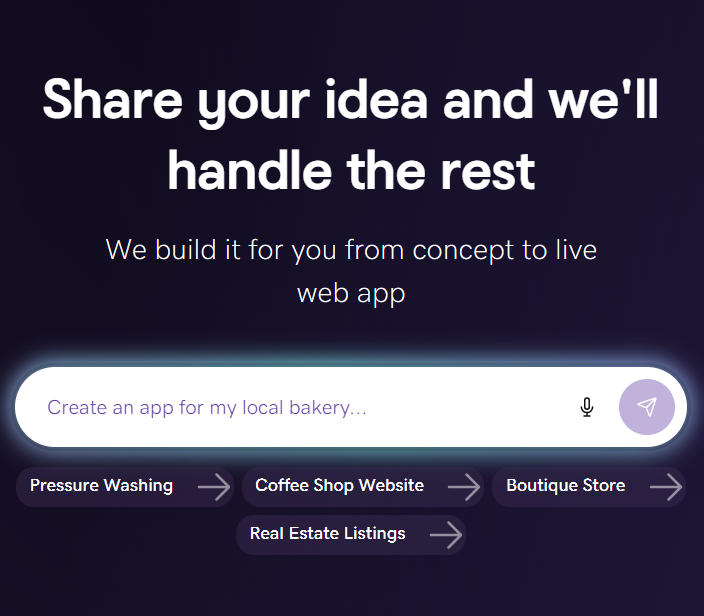
Describe your idea. We'll build your live website in minutes.
With a few prompts, Airo AI Builder generates your website, web app, pages, databases and logic in minutes — no coding required. Start for free with 50 AI credits a month. No credit card required.
Build for FreeWhat you need before building a website
Before you start building, take a little time to organize your business information. The better you can describe your services, completed work, and ideal clients, the more useful your AI-generated website will be from the beginning.
Make a plan
A few minutes of planning can save you time during the AI website build. Before firing up your builder, prepare a description of your business, decide which pages you need, and gather photos that show the quality of your work.
Write a description of your construction business
Your business description is the starting point for your AI-generated website. The more specific you are, the easier it is for Airo AI Builder to create relevant copy, pages, and calls to action.
Include details such as:
- The type of construction work you do: Residential construction, commercial projects, remodeling, new builds, roofing, concrete, framing, or general contracting
- Your service area: The cities, counties, or regions you serve
- Your typical clients: Homeowners, property managers, developers, businesses, or other contractors
- What sets you apart: Years of experience, family ownership, licensing, insurance, certifications, craftsmanship, or communication
- The size of your operation: Whether you’re a solo contractor, small crew, or full-service company with project managers
- Your primary goals: Whether you want visitors to request an estimate, call your office, view your project gallery, or book a consultation
Here’s the difference between a vague description and a useful one:
Vague:
“I do construction.”
Specific:
“I run a licensed residential remodeling company in Denver called Summit Built. We specialize in kitchen and bathroom renovations, deck builds, and basement finishing. We’re a five-person crew with 12 years of experience and more than 200 completed projects. Our clients are homeowners who value clear communication, detailed workmanship, and on-time project completion.”
The second description gives Airo much more useful information. It explains what the company does, where it works, who it serves, and why clients should consider hiring it.
If you’re still deciding what to call your company, see these construction company name ideas.
Decide what pages you need
Construction websites don’t need to be complicated, but they do need to answer the questions potential clients have before getting in touch.
Consider including:
- Homepage: Introduce your company, services, service area, and primary call to action.
- Services: Explain exactly what types of work you offer.
- Project gallery: Show completed projects with before-and-after images.
- About or meet the team: Share your experience, story, and people.
- Service areas: List the cities, counties, or regions you cover.
- Contact or quote request: Give visitors an easy way to ask for an estimate.
- Reviews and testimonials: Display feedback from satisfied clients.
- Project cost calculators: Give visitors a general starting point for understanding potential costs.
- FAQ: Answer common questions about your process, timelines, and services.
You can start with the essentials and add more pages as your business grows. A simple site with accurate information and strong project photos is better than a large site with incomplete or outdated content.
Gather photos of your completed projects and team
In construction, photos are proof of quality. Potential clients want to see the type of work they’re hiring you to complete, so use real images of your projects rather than stock photos or AI-generated images.
Gather photos of:
- Completed projects: Include exterior and interior images from several angles.
- Before-and-after work: These are some of the most persuasive images on a construction website.
- Your team on the job: Show crew members working, project managers on site, and your company in action.
- Equipment or specialist work: Include custom carpentry, concrete finishing, heavy equipment, or other work that demonstrates your capabilities.
Phone photos are fine as long as they’re clear, well lit, and thoughtfully composed. For before-and-after pairs, try to take both images from the same angle. This makes the transformation easier for visitors to understand.
Choose a domain name
A custom domain makes your construction company look more professional and gives clients a reliable way to find you. It can also appear on your business cards, truck wraps, yard signs, invoices, and promotional materials.
Search for a domain name with GoDaddy and consider these tips:
- Use your company name whenever possible.
- Choose a domain that’s short and easy to spell.
- Select a .com if it’s available and appropriate for your audience.
- Consider a specialized extension such as .construction or .build.
- Avoid unnecessary hyphens and numbers.
- If your company name is long, consider a short abbreviation that’s still recognizable.
- Choose a name that’s easy to say and remember.
Eligible paid Airo AI Builder plans include a free custom domain, so you’ll be able to create and publish your site without purchasing a domain separately.
Prompting tips to make your construction website stand out

When you use Airo AI Builder, the quality of your first website draft depends partly on the quality of the information you provide. Think of your prompt as a briefing for a website designer and copywriter. Tell Airo what your company does, where you work and what you want potential clients to do.
Here’s how to talk to Airo about your construction business:
- Lead with your specialty.
Start with “licensed residential remodeling contractor” or “commercial concrete and foundation specialist” rather than simply saying “construction company.” - Mention your service area.
Construction is a local business, so tell Airo where you work. For example: “We serve the greater Phoenix metro area, including Scottsdale, Tempe, and Mesa.” - List your specific services.
Include details such as kitchen remodeling, bathroom renovations, deck building, room additions, roofing, framing, or commercial tenant improvements. - Describe what you want visitors to do.
Ask Airo to help visitors request a free estimate, view your project gallery, call your business, or schedule a consultation. - Share your branding.
Mention your logo, brand colors, and visual style so the website works with your existing truck wraps, signage, and business cards. If you need to develop your visual identity, see this guide to construction logos.
Try prompts like these:
“Create a professional website for Summit Built, a licensed residential remodeling contractor in Denver. We specialize in kitchen and bathroom renovations, basement finishing and custom decks. We have a five-person crew and 12 years of experience. Include a services page, project gallery, service area list, reviews, and a free estimate form. Use navy blue, white, and warm wood tones to reflect our brand.”
“Build a bold, modern website for Desert Concrete Works, a commercial concrete contractor serving Phoenix, Scottsdale, and Mesa. We handle foundations, flatwork, concrete finishing, and parking lot construction for developers and commercial property owners. Make it easy for visitors to request a bid, view completed projects, and call our office.”
“Create a trustworthy website for Northline Roofing, a family-owned roofing company serving Minneapolis and nearby suburbs. We offer roof inspections, repairs, replacements, and storm-damage work. Add a project gallery, insurance information, testimonials, service areas, and a form for homeowners to request an inspection.”
Construction company website checklist

Use this checklist while building your website and as a final review before going live. A strong construction website should make it easy for potential clients to understand your services, trust your company, and request an estimate.
Services list with descriptions
Potential clients should be able to tell quickly whether you offer the work they need. List every major service with a clear description instead of using broad labels such as “remodeling” or “contracting.”
For example, write “full kitchen and bathroom remodeling, including design, demolition, plumbing, electrical, and finish work” rather than simply “home renovations.” Specific descriptions can also help attract more qualified leads.
Project gallery (before and after photos)
A project gallery is one of the most persuasive sections on a construction website because it shows what your company can do. Organize projects by type, such as kitchens, bathrooms, decks, additions, commercial buildings, or roofing.
Include a short description with each project, including the scope of work, timeline, and any notable details.
Free estimate or quote request form
A quote request form is often the primary conversion action on a construction website. It turns a visitor who is researching contractors into a potential lead.
At a minimum, ask for:
- Name
- Phone number and email address
- Project type
- Property address or ZIP code
- Description of the requested work
Using the phrase “free estimate” can lower the barrier to contact because it gives potential clients a clear next step without requiring an immediate commitment.
Service areas
Construction is a local business, so visitors need to know whether you work in their area. Create a service areas section or page listing the cities, counties, and regions you cover.
A map or list of nearby communities can help visitors decide whether to contact you. It can also support local search visibility when people look for contractors in specific locations.
About page with your team and experience
Construction is a trust-based business. Clients are giving you access to their property and may be investing a significant amount of money in the project.
Your About page should explain your company’s history, years of experience, team structure, and approach to communication and project management. Add team photos where possible to make the business feel more personal and credible.
Licenses, insurance and certifications
Displaying your licenses, insurance and certifications can be an important trust signal. Clients want to know that your company is legitimate, qualified, and properly protected.
Depending on your business and location, you may include your contractor license number, liability insurance, bonding status, workers’ compensation coverage, and trade-specific certifications. Make sure any information you publish is accurate and current.
Client reviews and testimonials
Construction projects often involve major financial decisions, so potential clients typically research contractors carefully before making contact. Display reviews from platforms such as Google, Yelp, or Houzz.
Pairing a testimonial with a before-and-after photo from the same project can make both pieces of content more persuasive. If you have permission to share video testimonials, consider adding those as well.
Contact information
Make your contact information easy to find from every page. Include your phone number, email address, and service area, and make the phone number clickable on mobile devices.
Many construction clients still prefer to call, but a simple contact form gives visitors another way to get in touch. Make sure inquiries go to an inbox that someone checks regularly.
Social media links
Linking to your social media profiles gives visitors another way to see your work and follow project updates. Facebook, Instagram and YouTube can all be useful for construction businesses.
Use Instagram for progress photos, Facebook for local referrals and community engagement, and YouTube for walkthroughs, time-lapse videos and project explanations.
Create a construction company website: step by step with Airo AI Builder
Now that you have your plan, photos, and domain ready, it’s time to build. Create a construction company website with Airo AI Builder by describing your business in a conversation.
Airo AI Builder can help create construction websites with service pages, project galleries, quote request forms, contact information, and other features. You can refine the site through follow-up prompts without needing to write code or design every page from scratch.
GoDaddy Airo AI Builder
Describe your idea. We'll build your live website in minutes.
With a few prompts, Airo AI Builder generates your website, web app, pages, databases and logic in minutes — no coding required. Start for free with 50 AI credits a month. No credit card required.
Build for FreeStep 1: Describe your construction business to Airo AI Builder

Airo AI Builder starts by asking you to describe your business. This is where the description you prepared earlier becomes useful.
Include:
- Your construction specialty
- Your service area
- Your typical clients
- Your experience and qualifications
- Your team size
- Your primary services
- What you want visitors to do on the site
For example:
“Create a website for Summit Built, a licensed residential remodeling company in Denver. We specialize in kitchen renovations, bathroom renovations, basement finishing, and custom decks. We’re a five-person crew with 12 years of experience and more than 200 completed projects. Create a professional website with a services page, before-and-after project gallery, service area list, reviews, and a free estimate request form.”
You may also be able to attach files such as your logo, existing brochures, or project photos. If you already have a website, you can point Airo towards it as a reference for your existing content and branding.
Step 2: Answer a few questions

After your initial description, Airo may ask follow-up questions to refine the website. These might involve the pages you want, your brand colors, your service area, or the features you need.
This should be a quick back-and-forth rather than a lengthy questionnaire. Answer as specifically as you can, but remember that you can continue refining the website after the first draft is created.
Step 3: Make changes through follow-up prompts

Airo creates a full site draft that you can shape through additional prompts. Instead of dragging blocks around or searching through settings, describe the changes you want in plain language.
For example, you could ask Airo to:
- “Add a before-and-after photo gallery to the homepage.”
- “Create a separate page for each service we offer.”
- “Add our contractor license number and insurance information to the About page.”
- “Change the colors to match our logo — navy blue and orange.”
- “Add a service areas section listing the cities we cover.”
- “Move the free estimate form higher on the homepage.”
- “Add a project description beneath each gallery image.”
- “Make the phone number prominent and clickable on mobile.”
And for small updates, such as a new license number or project photo, you can also edit content directly in the editor. Keep refining the website until the layout, content, and branding look right for your business.
Step 4: Set up multi-step forms for requests

The main goal of many construction websites is to generate leads. A quote request form helps potential clients provide the information you need to decide whether a project is a good fit.
Airo can help set up a multi-step form that breaks the request into manageable sections:
- Project type: Remodeling, new build, repair, addition, or another type of work
- Project details: Square footage, timeline, budget range, and description of the work
- Contact information: Name, phone number, email address and property address
Multi-step forms can feel less overwhelming than one long form. They also help you gather more structured information from each inquiry.
Depending on your needs, you can ask Airo to help create a project cost estimator, client portal, or other custom website feature. You can also ask about integrating your existing tools and workflows. Available features and integrations may depend on your plan and the tools you use.
Step 5: Connect your domain and go live

Once your website is ready, connect the domain you registered earlier and publish it. If your domain is registered with GoDaddy, Airo AI Builder will connect it and configure the DNS automatically, saving you the extra time.
Airo AI Builder can also help with basic website essentials such as mobile responsiveness, page titles, and meta descriptions. Before you publish, review every page and test your lead forms on both a phone and desktop computer.
Check that:
- Your services and service areas are accurate.
- Your project photos display correctly.
- Your phone number and email address work.
- Quote requests reach the right inbox.
- Your license and insurance information is current.
- Your social media links open correctly.
- Your domain loads securely.
- Your website is easy to use on mobile devices.
And keep in mind, you can build and preview your site before upgrading, but publishing requires a paid Airo AI Builder plan.
Important note: If your domain is registered in the same GoDaddy account as Airo AI Builder, then your domain's DNS settings will be configured automatically when publishing. If your domain is registered in a different GoDaddy account, or at a different domain registrar, then additional steps will be required before your site can be live online. See our help guide on how to connect a domain to Airo AI Builder for the steps needed for each domain scenario.
Get your construction website live today
A construction company website doesn’t need to be complicated. Start with an accurate description of your business, a clear list of services, real project photos, and an easy way for potential clients to request an estimate.
With Airo AI Builder, you can create your construction website through conversation, refine it with follow-up prompts, set up lead capture forms, and connect your custom domain. Eligible paid Airo AI Builder plans include a free custom domain, helping you bring your website, forms, built-in SEO and AEO capabilities, and online presence together in one place.
GoDaddy Airo AI Builder
Describe your idea. We'll build your live website in minutes.
With a few prompts, Airo AI Builder generates your website, web app, pages, databases and logic in minutes — no coding required. Start for free with 50 AI credits a month. No credit card required.
Build for FreeConstruction company website FAQ
Does a construction company need a website?
A construction company can find work through referrals and social media, but a website gives potential clients a reliable place to research your business. Your website can display your services, service areas, project gallery, reviews, qualifications, and contact information.
It also helps your business appear when homeowners or commercial clients search online for contractors in your area.
How do I get leads from my construction website?
Make your website useful to potential clients and give them a clear next step. Include a prominent “Request a free estimate” or “Get a quote” button, a short contact form, your phone number, and examples of completed work.
You can also attract qualified leads by listing your service areas, describing your services in detail, displaying reviews, and creating project pages that answer common client questions.
Can Airo AI Builder help me connect my existing tools to the website?
Airo AI Builder may be able to help connect your website with existing business tools and workflows, depending on the tool, plan, and integration available. You can describe the connection you need in your prompt and follow the instructions provided by Airo.
For example, you might ask about connecting a form to your preferred email workflow, adding a client portal, or creating a project estimate tool. Test any connection before launching your website to make sure information is being sent to the correct place.
How much does a construction company website cost?
The cost depends on how you build the site and which features you need. A basic website may require a website plan and domain*, while additional costs may apply for premium features, custom photography, specialized tools, payment processing, or third-party services.
Airo AI Builder plan pricing and included features can change, so check the current construction website product page for the latest details.
Can I create a page so my clients can track project milestones?
You may be able to ask Airo AI Builder to create a client-facing project page or portal that displays milestones, updates, timelines, and other project information. The exact setup will depend on the features available in your plan and how you want to manage client access.
Before adding a project tracking feature, decide what information clients should see, who can update it, and whether each client needs a private login or individual project page.
*One free available domain with new purchase of an annual Airo AI Builder plan. Plus annual ICANN fee per domain. Domain name must be added to cart before purchase, and selected term must be equal to or less than term of selected plan to qualify for free domain. Additional years billed at current rates. Offer valid for 1st year only; renews at current prices. Invalid with other offers.