
When starting a landscaping business, a website can be the difference between getting found and getting skipped. Homeowners often search online for landscaping, lawn care, and hardscaping services, then compare project photos, read reviews, and request quotes before making a call. A polished site gives them a clear reason to choose your business.
The good news is that you don’t need web design experience to create one. With AI website builders, you can quickly build a professional website that highlights your services, showcases your work, and helps potential customers get in touch.
In this guide, we’ll explain how to make a landscaping website with GoDaddy Airo AI Builder step by step so you can grow your brand.
GoDaddy Airo AI Builder
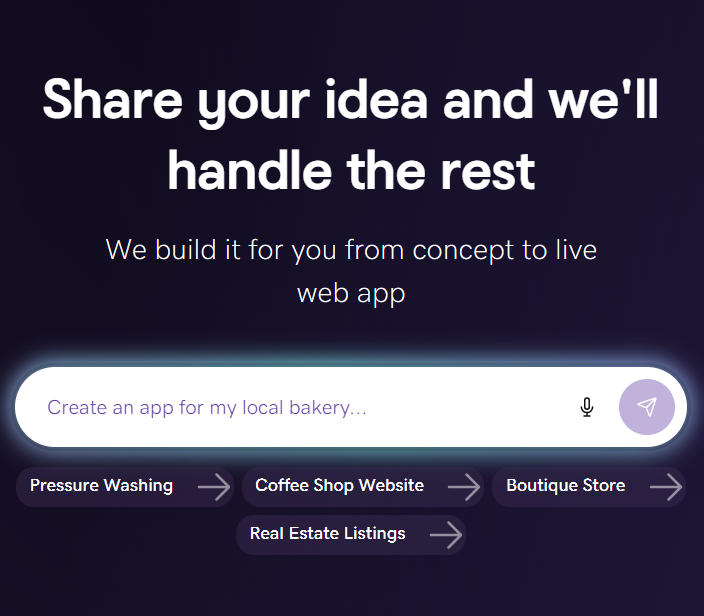
Describe your idea. We'll build your live website in minutes.
With a few prompts, Airo AI Builder generates your website, web app, pages, databases and logic in minutes — no coding required. Start for free with 50 AI credits a month. No credit card required.
Build for FreeWhat you need before building a website
A little preparation goes a long way before you start building. The more clearly you can describe your landscaping business and services, the better your AI-generated website will be on the first try.
Plan your site
Planning your website can save time during the build and help you create a site that guides potential customers toward requesting a quote. Have these three essentials ready before you begin:
Write a description of your landscaping business
Your business description gives Airo AI Builder the context it needs to generate relevant pages and messaging. Specific details lead to a stronger result, so include:
- Services you offer, such as lawn maintenance, landscape design, hardscaping, irrigation, tree trimming, seasonal cleanup, or outdoor lighting
- The customers you serve, including residential, commercial, or both
- Your service area, including cities, counties, or neighborhoods
- What sets your business apart, such as years of experience, family ownership, licensing and insurance, eco-friendly practices, or design-build capabilities
- The size of your operation, such as a solo business, small crew, or full company with project managers
Use these descriptions as a guide:
Vague description: “I do landscaping.”
Detailed description: “I run a licensed residential landscaping company in Austin called GreenEdge Landscapes. We specialize in full backyard redesigns, patio and retaining wall installation, irrigation systems, and weekly lawn maintenance. We serve the greater Austin metro area, including Round Rock, Cedar Park, and Georgetown. We’re a six-person crew with 10 years of experience.”
Decide what pages you need
A single services page is a useful start, but individual pages for key services can give visitors more detail and help search engines understand what your business offers in each local market. Consider including these pages:
- Homepage
- Individual service pages for lawn maintenance, hardscaping, landscape design, irrigation, seasonal cleanup, and other core services
- Project gallery
- About or meet the team
- Service areas
- Quote request or contact page
- Reviews or testimonials
- Blog
- FAQ
Start with the pages that matter most to your business, then add pages as your website grows.
Gather photos of your completed projects (before and after)
For landscaping businesses, before-and-after photos can be your most persuasive conversion tool. They give potential customers visual proof of the transformations your team can deliver.
Try to include photos like:
- Before-and-after photo pairs taken from the same angle
- Completed project photos featuring patios, gardens, retaining walls, outdoor lighting, and lawn transformations
- Progress photos that show the scope and professionalism of your work
- Photos of your team working on-site to introduce the people behind the projects
Well-lit phone photos taken in good weather can work well. Use real project photos instead of AI-generated images so homeowners can see actual results from your work.
Register a domain name
A domain name is your website’s location online. A custom domain gives your landscaping business a more professional online presence and can make it easier for local customers to remember and find you. It can also be used on your truck wraps, business cards, yard signs, and other marketing materials.
Keep these tips in mind as you search for and register a domain name:
- Use your company name, such as greenedgelandscapes.com
- Add your location if your company name is generic, such as austinlawnpros.com
- Keep it short and easy to spell
- Avoid hyphens and numbers
Paid Airo AI Builder plans include a free custom domain*, so you may not need to purchase one separately. You can also connect an existing domain during the build.
Want to see if the domain you want is available? Give it a try here:
Prompting tips to make your landscaping website stand out
Airo AI Builder uses the information you share to create your website, so a detailed description can make the first version more personalized and relevant to your business. Think of it as giving Airo a clear brief: explain what you do, where you work, who you serve, and what you want visitors to do next.
- Lead with your specific type of landscaping work. Replace a broad description like “landscaping company” with language such as “residential hardscaping and patio installation company” or “full-service lawn care and landscape design business.” This helps Airo emphasize the services that drive your business.
- Name your service area. Landscaping is local. Include the cities, neighborhoods, counties, or metro area you serve so your site reflects the places where you want to attract customers. For example: “We serve the greater Denver metro area, including Lakewood, Arvada, and Aurora.”
- List each service by name. Give Airo a complete service list so it can create relevant sections and pages for your offerings. Include services such as lawn maintenance, patio installation, retaining walls, irrigation, landscape design, and seasonal cleanup.
- Tell Airo what visitors should do on the site. Choose the main action you want potential customers to take, such as requesting a free estimate, viewing your project gallery, or calling your team directly. Clear goals help shape the calls to action throughout your site.
- Share your existing brand details. Mention your logo, brand colors, truck wrap, yard signs, or other materials you already use. Airo can use those details to create a website that feels consistent with your business.
- Specify the type of quote form you want. A simple contact form can work well for straightforward inquiries. A multi-step quote form may be a better fit if you want customers to share project details, service needs, location, and budget before your team follows up.
Here are a few examples:
Example prompt: Solo lawn care operator
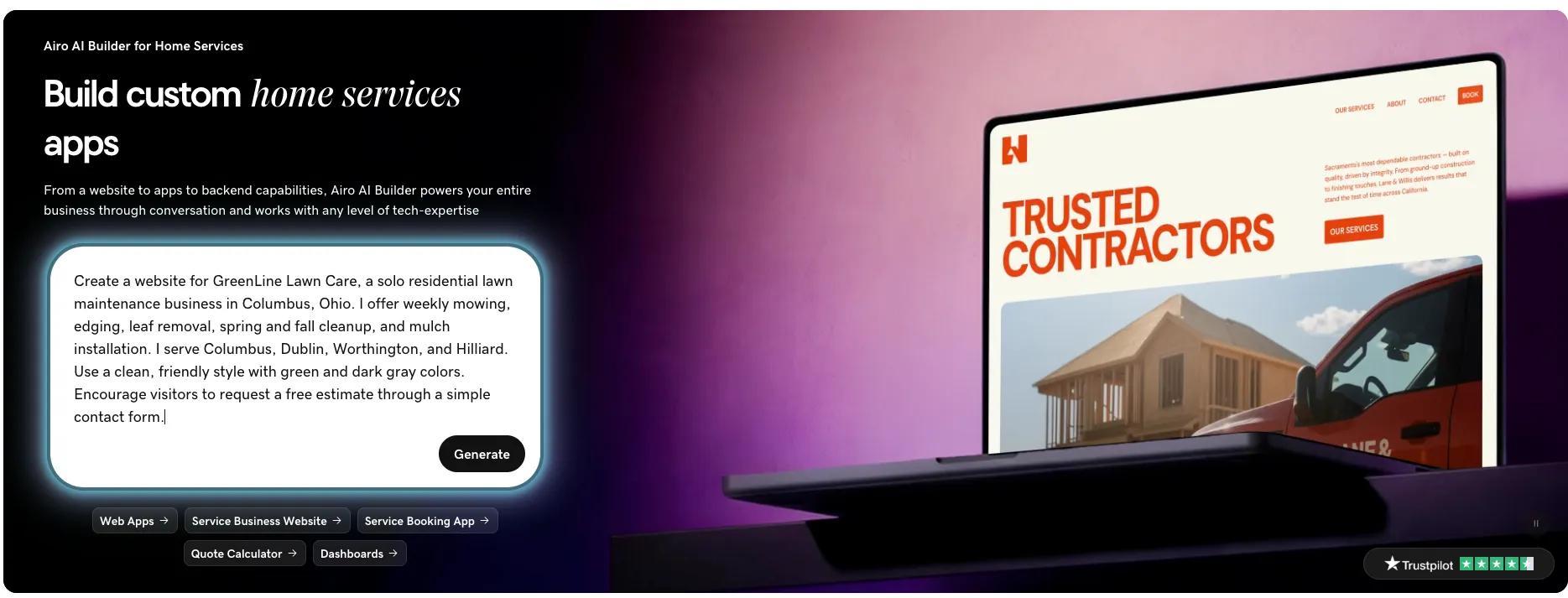
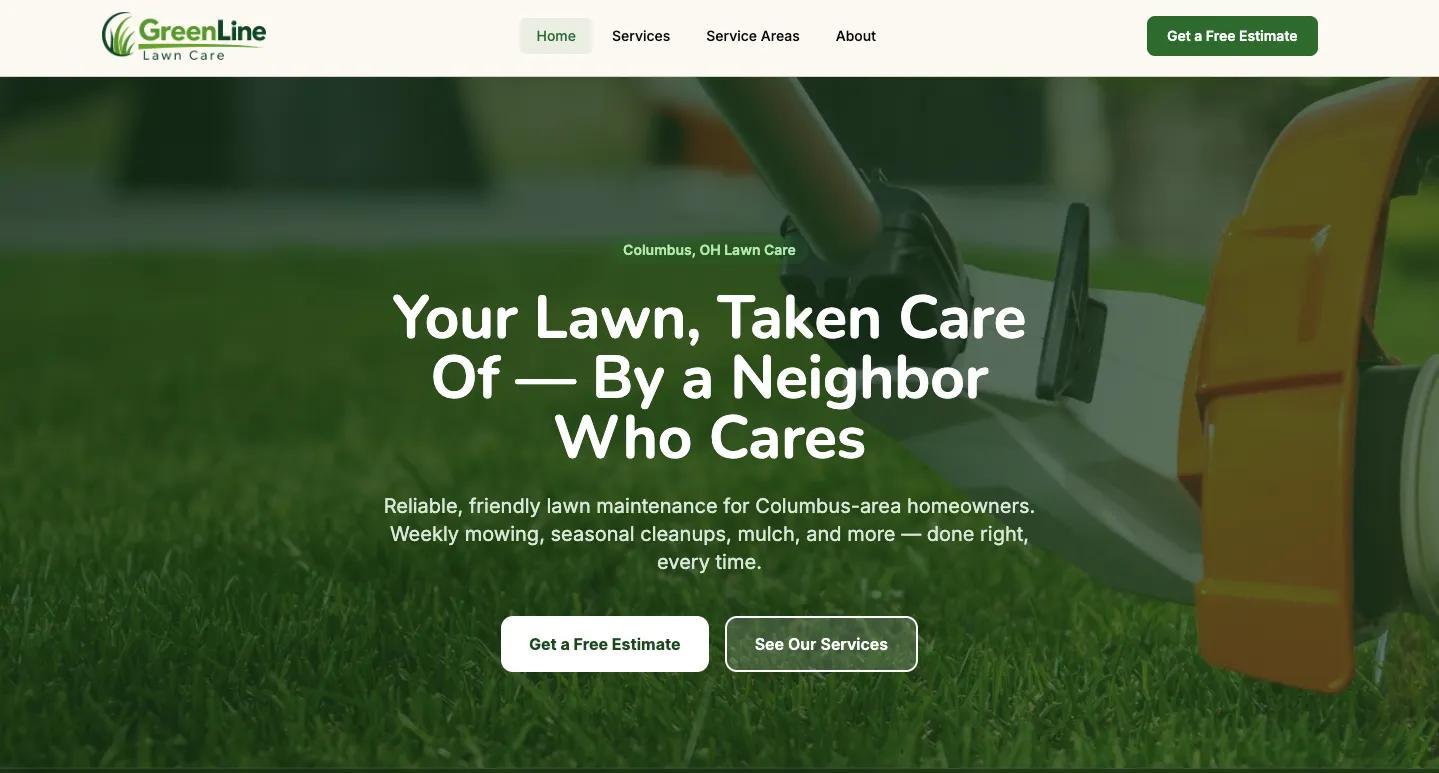
“Create a website for GreenLine Lawn Care, a solo residential lawn maintenance business in Columbus, Ohio. I offer weekly mowing, edging, leaf removal, spring and fall cleanup, and mulch installation. I serve Columbus, Dublin, Worthington, and Hilliard. Use a clean, friendly style with green and dark gray colors. Encourage visitors to request a free estimate through a simple contact form.”
Example prompt: Full-service design-build firm
“Create a professional website for Stone & Sprout Landscapes, a residential landscape design and hardscaping company in Raleigh, North Carolina. We design and install patios, retaining walls, outdoor kitchens, fire pits, irrigation systems, gardens, and outdoor lighting. We serve Raleigh, Cary, Apex, and Wake Forest. Highlight our 15 years of experience, licensed and insured team, and before-and-after project gallery. Use our navy, sage green, and white brand colors. Add a multi-step quote form for custom project requests.”
Example prompt: Commercial grounds maintenance company
“Build a website for Metro Grounds Management, a commercial landscaping and grounds maintenance company serving office parks, retail centers, HOAs, and apartment communities across the greater Denver area. We provide recurring lawn maintenance, snow removal, irrigation management, seasonal color, tree care, and landscape enhancements. Use a polished, professional design in blue and green. Make it easy for property managers to call us or request a commercial maintenance proposal.”
Landscaping website checklist
Use this quick-reference checklist while building your landscaping website and again before you publish it. Each element helps visitors understand your services, trust your business, and take the next step toward becoming a customer.
Homepage with a clear call to action
Your homepage should quickly explain what you do, where you work, and how visitors can contact you. Lead with a strong before-and-after image or a photo of a completed project, then place a prominent “Get a Free Estimate” or “Request a Quote” button above the fold. Keep your phone number in the header and make it clickable on mobile.
Services pages (one per service)
Give each core service ( lawn maintenance, patio installation, gardening, etc.) its own page instead of grouping everything under one broad services page. Include a detailed description, relevant project photos, and a call to action on every page. This helps customers find what they’re looking for faster, and enables your site to appear for searches such as “patio installation [city]” and “lawn care service [city].”
Project gallery (before and after photos)
A project gallery gives visitors proof of the work your team can do. Make before-and-after pairs the centerpiece, organize projects by type, and include helpful context such as the project type, city, approximate scope, and timeline. Comparison sliders can make the transformation especially compelling and easy to follow.
Free estimate or quote request form
Your quote form is where a site visitor becomes a lead, so keep it easy to complete. A multi-step form can feel more manageable than one long form and gives you the details your team needs to follow up.
Be sure to:
- Ask about property type and project type, such as residential or commercial, design, maintenance, or hardscaping.
- Collect project details, including approximate size, budget range, and timeline.
- Request contact information, including name, phone number, email, and address or ZIP code. Add an optional photo upload for project inspiration or existing site conditions.
Use language such as “Get a Free Estimate” to make reaching out feel simple and low-commitment.
Service areas
Homeowners need to know that your company works in their area. List each city, neighborhood, and ZIP code you serve in a dedicated service areas section. You may want to add a map, especially if you cover a wider region. Individual pages for major locations, such as “Landscaping in Round Rock,” can give customers more relevant information and strengthen your local visibility.
About page with your team and credentials
Landscaping is a trust-based business. Use your about page to share your company story, years of experience, team photos, and the values that guide your work, such as reliability, quality, communication, and clean job sites. Emphasize local roots, family ownership, and sustainability practices if those details apply to your business.
Licenses, insurance, and certifications
Visible credentials can reassure customers that they are hiring a qualified professional. Include your contractor license number when required, liability insurance, workers’ compensation coverage, bonding status, and relevant trade certifications. This could be an ICPI paver certification, irrigation specialist credentials, ISA arborist certification, or pesticide applicator licensing.
Client reviews and testimonials
Reviews carry real weight when homeowners are comparing companies, particularly for significant outdoor projects. Display testimonials from Google, Yelp, Angi, or Thumbtack, and pair them with project photos when possible. A short video testimonial can add even more credibility for visitors considering a quote.
Blog (seasonal tips, project highlights, lawn care advice)
A blog can help your business attract traffic throughout the year with useful seasonal content. Publish topics such as spring cleanup tips, summer watering guides, fall aeration advice, and winter prep checklists, then link each post to a relevant service page and quote request. Project-specific posts that walk through a job from start to finish can also showcase your expertise.
Contact information with click-to-call
Keep your phone number, email, service area, and contact form easy to find on every page. Place a clickable phone number in the header so mobile visitors can call right away, and consider adding a floating click-to-call button that remains visible as visitors scroll. Fast access to contact information can help turn an interested homeowner into a new lead.
Social media links
Social profiles give homeowners another way to see your work and get a feel for your business. Link to platforms where you actively post, especially Facebook, Instagram, YouTube, and Nextdoor. Instagram works well for project photos and time-lapse transformations, YouTube can be great for behind-the-scenes content, and Facebook and Nextdoor can support local referrals and community engagement.
Make a landscaping website: step by step with Airo AI Builder
Your plan, project photos, and domain are ready—now it’s time to build. Make a landscaping website with Airo AI Builder by describing your business in a conversation, then letting Airo AI Builder create a professional site around your services, service area, and goals. No coding or design experience is required.
GoDaddy Airo AI Builder
Describe your idea. We'll build your live website in minutes.
With a few prompts, Airo AI Builder generates your website, web app, pages, databases and logic in minutes — no coding required. Start for free with 50 AI credits a month. No credit card required.
Build for FreeStep 1: Describe your landscaping business to Airo AI Builder
First up, you’ll want to provide the prompt that we built earlier in this guide to get Airo AI Builder started. Make sure to include your business name, the services you provide, your service area, your experience, and what you’d like visitors to accomplish on your website.
If you have an existing logo or an old website that you’d like to repurpose, you can also add these during the build process. Your logo file can be uploaded while building your site with Airo AI Builder, and you can include the existing URL for your old website at any time.
Step 2: Respond to a few questions
Once you’ve provided your prompt, Airo AI Builder will start planning out the build. However, to make sure that your site is built exactly how you want it, there will be a few brief clarifying questions before the build starts.
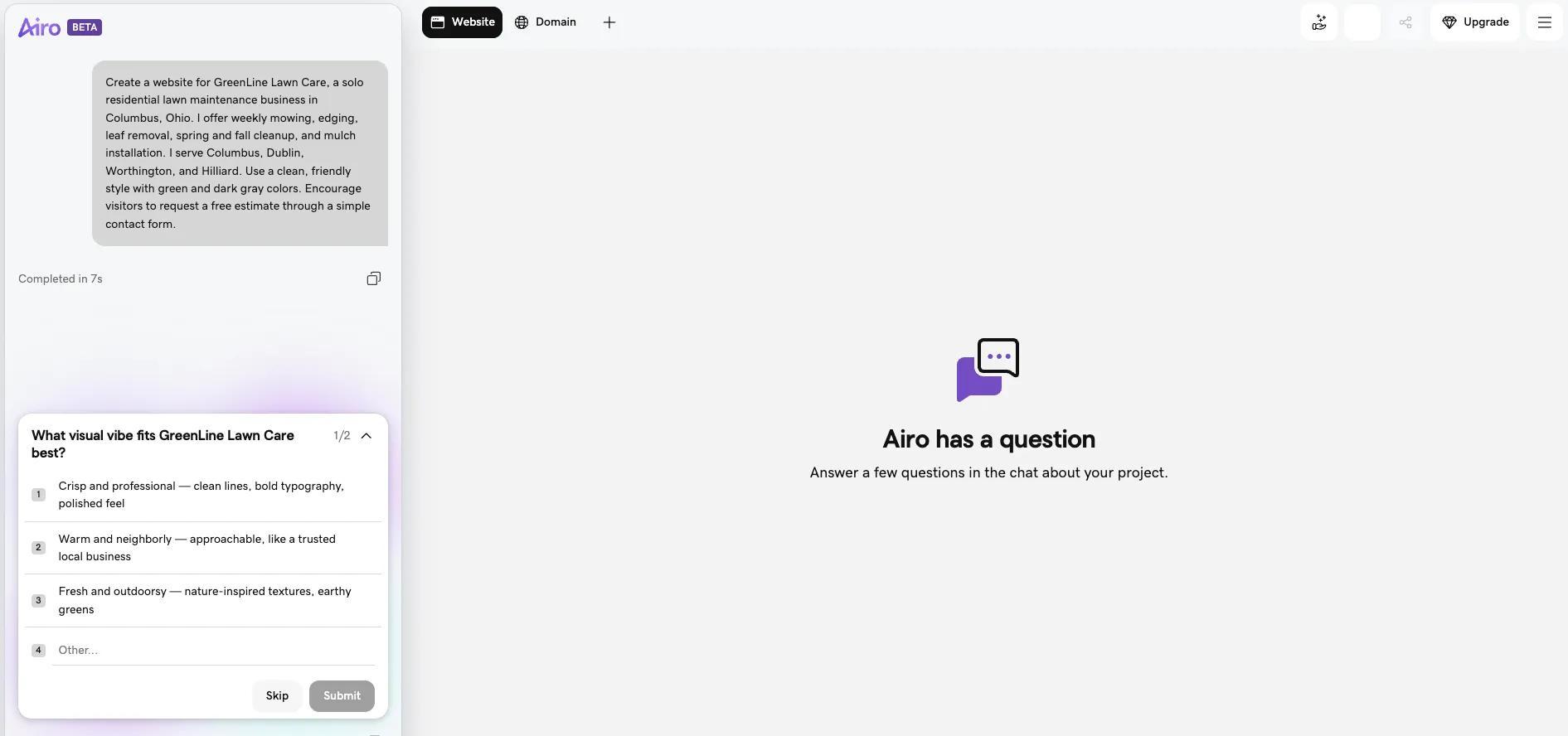
These questions are a quick back-and-forth and only take a few minutes. And then the build will fully kick off.
Step 3: Make changes through follow-up prompts
Airo AI Builder will generate a first version of your full website. From there, you can refine it through follow-up prompts or make basic edits directly in the editor. No coding required.

Here are some examples of requests that you can make in the Airo AI Builder editor:
- "Create a separate page for each service: lawn maintenance, patio installation, landscape design, and irrigation"
- "Add a before-and-after project gallery to the homepage"
- "Add a service areas page listing every city we cover"
- "Add our contractor's license number and insurance info to the about page"
- "Change the colors to match our truck wrap — dark green and white"
Continue making updates to your site until it’s exactly what you need. Be as specific as possible to ensure the best results.
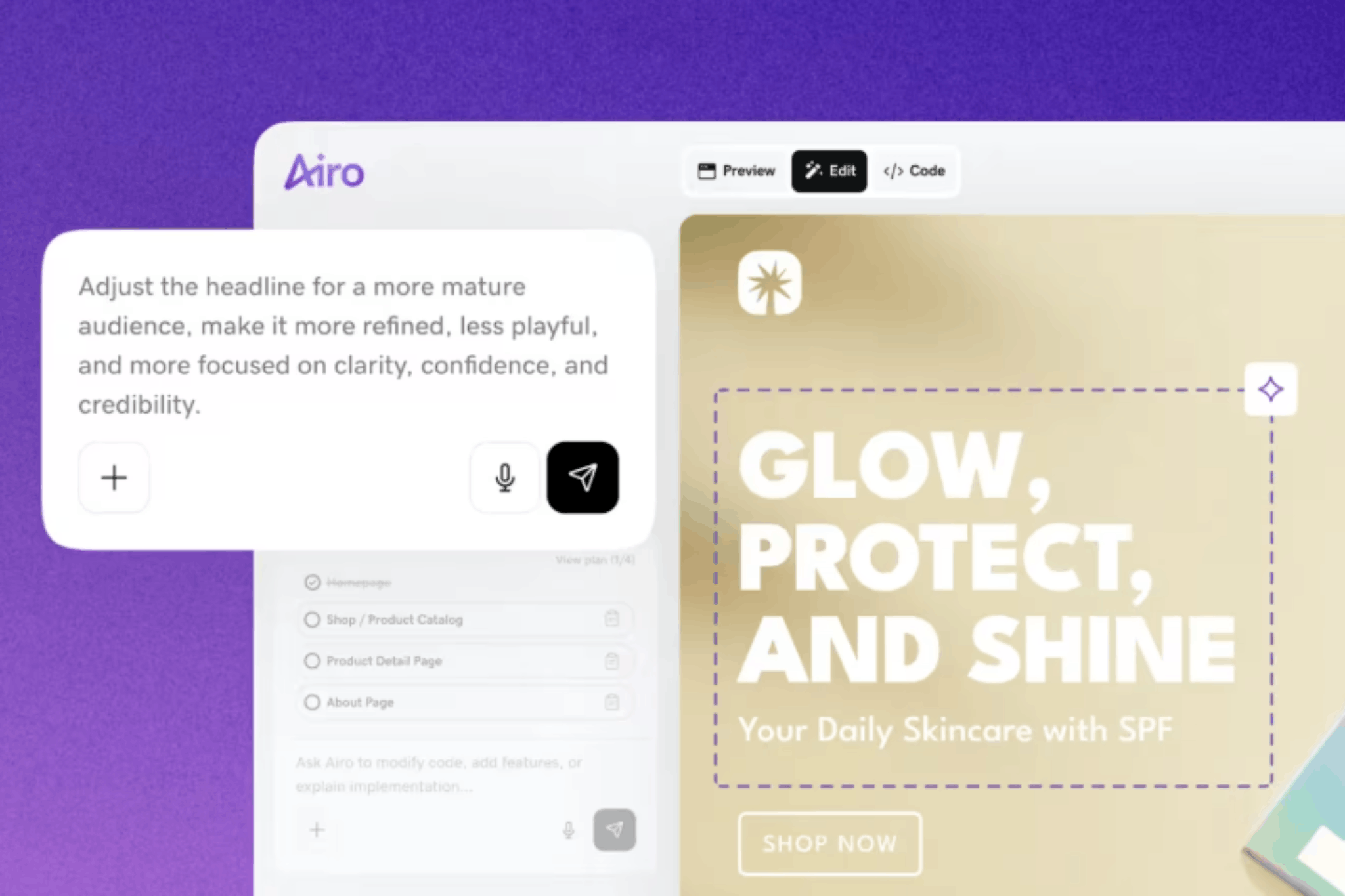
Pro tip: Asking Airo AI Builder to make changes, like adding pages, changing the design, or generating new copy, uses AI credits. Basic edits made with the Edit button (or by double-clicking an element in the preview), such as changing text or swapping images, don't use credits.
Step 4: Set up your quote request form and booking
Your website’s purpose is to generate leads for your business, and your request form is how that happens. Here are some examples of what Airo AI Builder can make for your landscaping website:
- Multi-step quote form: walks homeowners through providing project type, details, and contact info in steps rather than one long form.
- Simple contact form: for businesses that prefer to keep it basic: name, phone, email, message.
- Online booking: for recurring maintenance clients who want to schedule service directly.
- Photo upload: let homeowners attach photos of their yard or project area with the quote request.
If your business currently uses field service management software tools like Jobber, Housecall Pro, or ServiceTitan, then Airo AI Builder can create a connection between your website and those tools for seamless scheduling. Or, if you don’t have an external tool currently, Airo AI Builder can create a booking form to handle scheduling instead.
Step 5: Connect your domain and publish your landscaping site
We’ve made it to the final step: publishing your website. If you haven’t done so already, you’ll need to upgrade your Airo AI Builder to a paid plan in order to publish your website. You can click the Upgrade button at the top right to select the paid plan you’d like to use.
Airo AI Builder has built-in SEO and AEO capabilities to help your site get found, as well as mobile optimization. This means less work for you, as manually configuring settings like title tags, meta descriptions, and local search optimizations can be tricky and time-consuming.
Once you’re ready to go live, click on the Publish button at the top right, then click Publish again in the pop-up window.
Important note: If your domain is registered in the same GoDaddy account as Airo AI Builder, then your domain's DNS settings will be configured automatically when publishing. If your domain is registered in a different GoDaddy account, or at a different domain registrar, then additional steps will be required before your site can be live online. See our help guide on how to connect a domain to Airo AI Builder for the steps needed for each domain scenario.
Get your landscaping website live today
Getting a landscaping website online does not have to be a major project. Airo AI Builder helps you create your site through a simple conversation, then brings your domain, quote forms, and SEO tools together in one place.
Your finished site can show homeowners what you do, where you work, and how to request an estimate. As CS Lawn Service shared, “GoDaddy Airo works so easily that even a technologically deficient person like myself can create an entire website on his own.”
Ready to get started? Create a landscaping website with Airo AI Builder today.
GoDaddy Airo AI Builder
Describe your idea. We'll build your live website in minutes.
With a few prompts, Airo AI Builder generates your website, web app, pages, databases and logic in minutes — no coding required. Start for free with 50 AI credits a month. No credit card required.
Build for FreeLandscaping website FAQ
Does a landscaping business need a website?
In most cases, yes. A website gives potential customers a reliable place to find your services, view project photos, read reviews, and request an estimate. It also helps your business appear more credible when homeowners search online for local landscaping help.
How do I get leads from my landscaping website?
Make it easy for visitors to request a free estimate with clear calls to action, a simple quote form, and a clickable phone number. Service pages, local service area details, project photos, and customer reviews can also help turn website visitors into leads.
What should a landscaping website include?
An effective landscaping website should include a clear homepage, individual service pages, a before-and-after project gallery, a quote request form, service areas, reviews, and contact information. Add an about page, licenses and certifications, and seasonal blog content to build even more trust and credibility.
How much does a landscaping website cost?
The cost of a landscaping website depends on how you build it, the features you need, and the amount of custom work involved. A DIY option such as Airo AI Builder can help you create a professional site without paying for a custom design project.
*One free available domain with new purchase of an annual Airo AI Builder plan. Plus annual ICANN fee per domain. Domain name must be added to cart before purchase, and selected term must be equal to or less than term of selected plan to qualify for free domain. Additional years billed at current rates. Offer valid for 1st year only; renews at current prices. Invalid with other offers.