
Websites are an expectation for restaurants these days. Not only do potential customers expect a website, your restaurant’s website is also often the first impression that they’ll have of your business.
With all of the stress of running a restaurant, the thought of having to manually build a website can feel overwhelming. Don’t sweat it. In this guide, we’ll show you how quickly and easily you can build a restaurant website (or app) using GoDaddy Airo AI Builder.
GoDaddy Airo AI Builder
Describe your idea. We'll build your live website in minutes.
With a few prompts, Airo AI Builder generates your website, web app, pages, databases and logic in minutes — no coding required. Start for free with 50 AI credits a month. No credit card required.
Build for FreeWhat you need before building a website
Take a few minutes to gather your ingredients before jumping into making your website; it’ll save you a bunch of time in the long run, and you’ll have a beautiful website as a result.
1. Make a plan
AI is amazing at understanding natural language requests, but it also can only build based on what you provide for it. Take a few minutes at the beginning to make a list of the features that you need on your website so that you can be sure to request them during the build process.
Related: How to plan a website
2. Write a description of your restaurant
Next, create a short description about your business. This should include your cuisine type, atmosphere, type of restaurant (fast casual, table service, etc.), and how you’re different from other restaurants in the area. Being specific in your description will help Airo AI Builder provide a tailored website for your restaurant.
Here’s an example of a good restaurant description:
A family-owned table service Mexican restaurant in Austin, TX, serving traditional Oaxacan dishes in a casual, colorful setting. Known for housemade mole and weekend brunch. Great for families and date nights.
3. Decide what pages you need
While Airo AI Builder will suggest pages to include, we recommend making a list of pages that your business needs for the best results. Pages that restaurant websites typically include are:
- Home
- Menu
- About
- Contact
- Reservations
- Order online
- Events/catering
4. Gather photos of your food, venue, and team
Customers expect high-quality images when planning a restaurant visit. Airo AI Builder will add placeholder images when building your restaurant’s website, but you’ll want to have your own images on hand to truly make the site your own.
Don’t overthink this step too much; smartphones can take high-quality photos these days, so capturing images for your website should be relatively quick.
5. Register your domain name
And last, but definitely not least, you’ll need to pick the domain name you want to use. If you’ve already got a domain name, you can skip ahead. But, if you still need to register a domain for your restaurant, now is the time.
When choosing your domain name, keep it short, easy to spell, and as close to your restaurant’s name as possible. If you’re not sure of what to pick for your restaurant, check out our guide on how to choose a good domain name.
Prompting tips to make your restaurant website stand out
Now that you’ve gathered your information, it’s time to start working on your website. Airo AI Builder is able to walk users of any skill level through building a website, but better prompts will equal better outcomes. So here are some tips on how to get the best website possible out of Airo AI Builder:
- Be specific about your restaurant’s identity: Be sure to list your cuisine, location, restaurant vibes, and your audience in your prompt.
- Mention your must-have features up front: If your restaurant website needs online ordering, catering options, or a reservations page, mention that in the initial prompt. But don’t stress if you forget to mention it, Airo AI Builder can build it later as well.
- Work on one task at a time: Don’t try to have Airo AI Builder build your entire website using a single prompt. Work through your site page by page, section by section.
- Use natural language: Describe what you want like you’re talking to a person. Technical terms aren’t required. But if you need help with wording a prompt, just ask Airo AI Builder for assistance.
- Iterate rather than restarting: If you’re not happy with something, tell the AI what you’d like to change. And be specific!
Restaurant website checklist
Ready to build? Here’s a checklist that you can follow as you go along.
| Feature | Why It Matters |
|---|---|
| These are the details customers look for first. Include item names, descriptions, prices, and dietary notes (allergens, specific diets). Airo AI Builder generates a menu section, but you'll need to fill in your own details. | |
| Let guests know where you are and when you're open. Embed a map and list operating hours on both your home page and contact/about page. | |
| If you offer online ordering, dedicate a page to it. Airo AI Builder can link your ordering page to your preferred portal to streamline operations. | |
| Link your website to tools like OpenTable, Resy, Tock, or Waitwhile to let guests book directly from your site. | |
| Make your phone number and email address easy to find. Visitors shouldn't have to hunt for a way to reach you. | |
| Include real, high-quality images of your food and space. Airo AI Builder adds placeholders, but your own photos set accurate expectations for guests. | |
| Social proof builds trust. Embed reviews from Google or Yelp, and use Airo AI Builder's testimonials section — just have a few quotes ready to add. | |
| If you offer these services, add a dedicated page with capacity details, menu options, and a contact form specifically for event inquiries. | |
| Promote gift cards prominently — they're a revenue source restaurants often forget. Airo AI Builder can create the perfect callout for your site. | |
| Link to your active social accounts. Instagram and Facebook are top channels for attracting new customers — keep them current and up to date. |
Build a restaurant website: step by step with Airo AI Builder
Interested in seeing exactly how the site-building process works? Let’s go over how to use Airo AI Builder for your restaurant website.
GoDaddy Airo AI Builder
Describe your idea. We'll build your live website in minutes.
With a few prompts, Airo AI Builder generates your website, web app, pages, databases and logic in minutes — no coding required. Start for free with 50 AI credits a month. No credit card required.
Build for FreeStep 1: Describe your restaurant to Airo AI Builder
First up, we’ll need to add our initial prompt to Airo AI Builder. We’ll be using the restaurant description you created earlier in this guide as the basis for our first prompt.
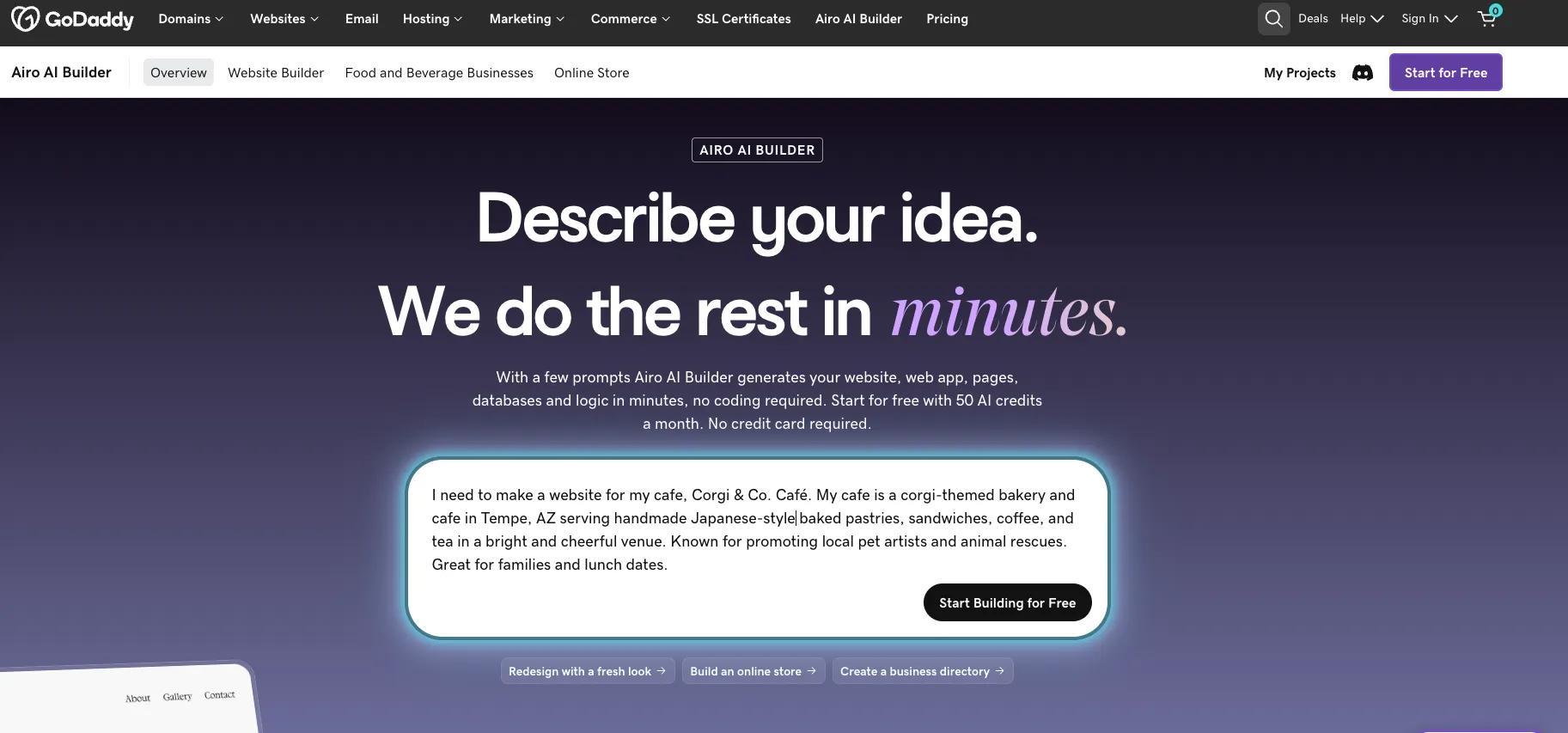
The prompt reads: “I need to make a website for my cafe, Corgi & Co. Cafe. My cafe is a corgi-themed bakery and cafe in Tempe, AZ serving handmade Japanese-style baked pastries, sandwiches, coffee, and tea in a bright and cheerful venue. Known for promoting local pet artists and animal rescues. Great for families and lunch dates.”
Step 2: Answer a few questions
Once you’ve entered your prompt, Airo AI Builder will ask several follow-up questions and then generate a first draft.
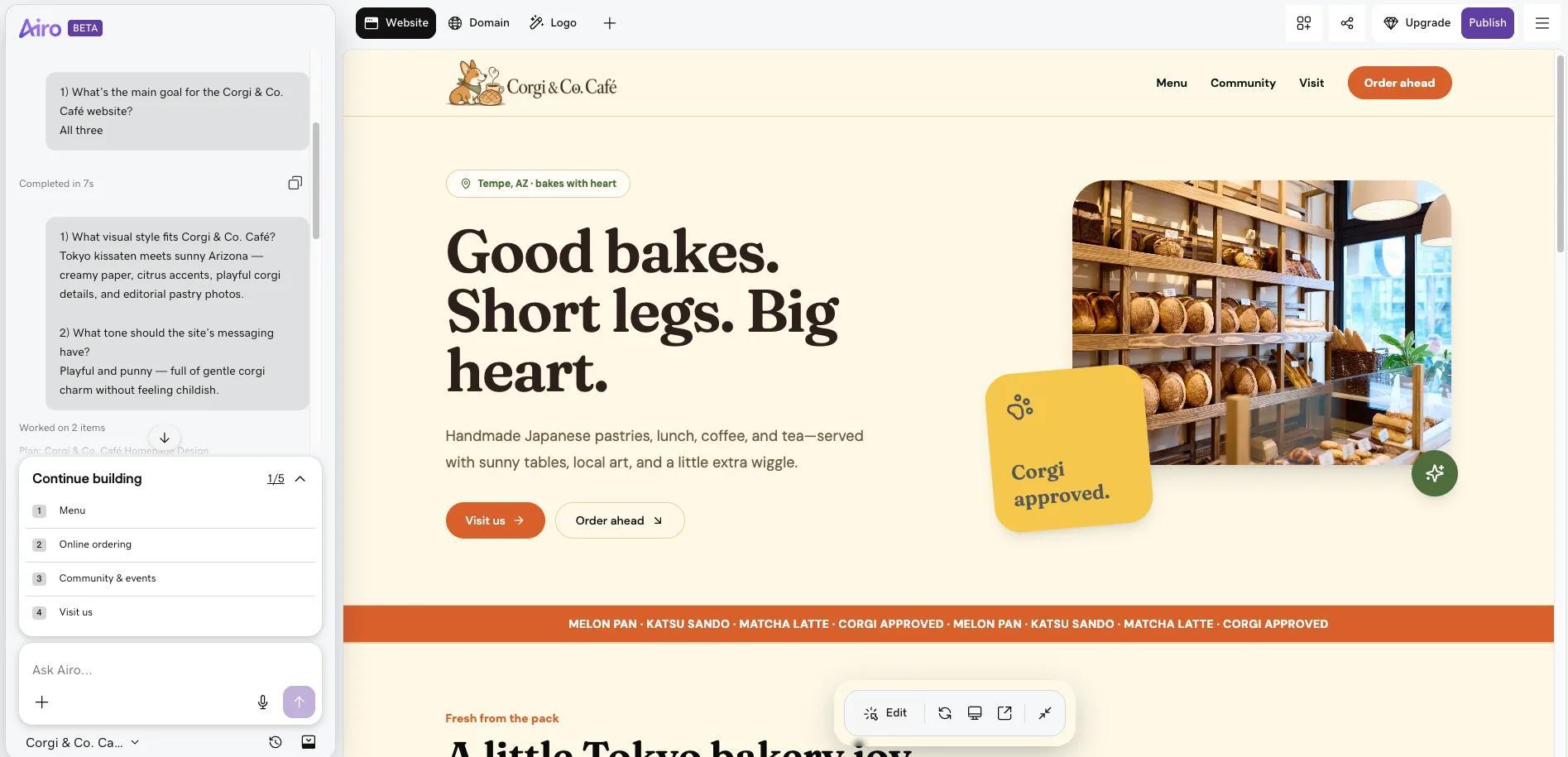
Treat the questions like a conversation; there are no wrong answers here.
Step 3: Refine through conversation
Once the initial draft is created, you can continue to converse with Airo AI Builder to make adjustments to your website. You can update fonts, site colors, add pages/sections, and more, but we recommend working in focused requests rather than trying to change everything at once. This way, only minimal adjustments will be needed as you go along, as it’ll be easier to give Airo AI Builder actionable feedback.
Step 4: Link to your ordering and reservation tools
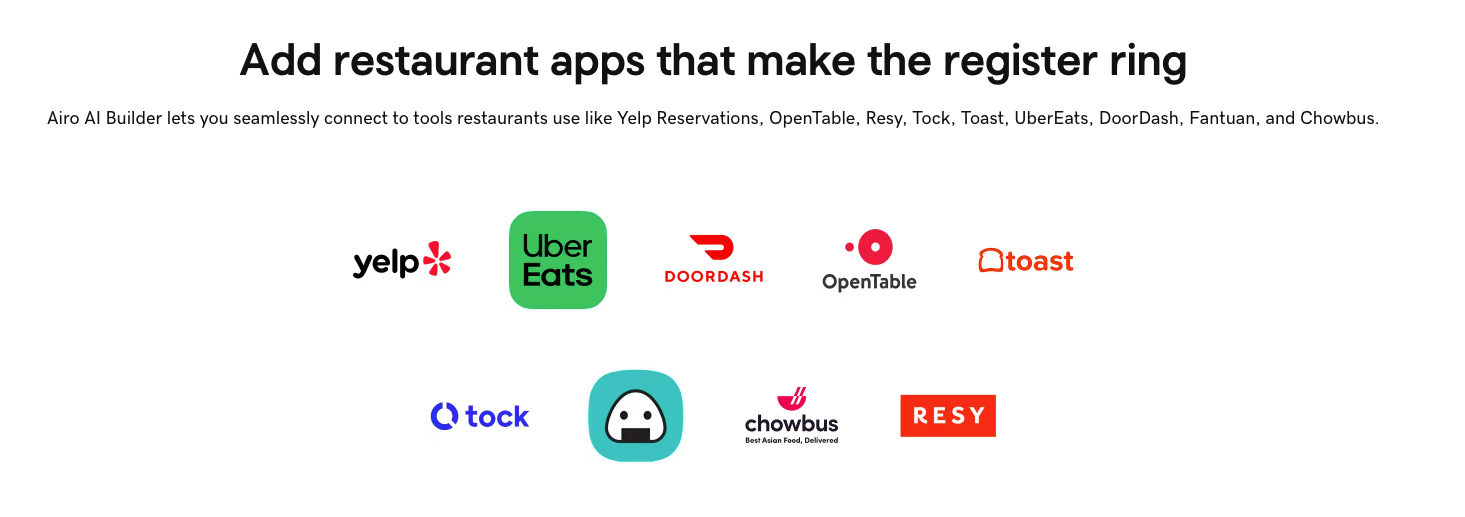
For restaurants that need online ordering or reservation options, Airo AI Builder supports the third-party apps that your business may already be using, such as:
- OpenTable
- Resy
- Tock
- ChowNow
- DoorDash Storefront
- Toast
- Chowbus
- Fantuan
- UberEats
- Waitwhile
- ezCater
If you have an account with any of these apps, tell Airo AI Builder that you’d like to connect your website to the app that you’re using, and it’ll walk you through the process of adding it to your site. For most of these apps, you’ll need to obtain the API key and secret from the provider that you’d like to connect to your website before Airo AI Builder can complete the connection.
Step 5: Connect your domain and launch
Once you’ve personalized your website, added your menu, customized your photos, and added your online ordering apps, you’re ready to go live! Once you’ve paid for your Airo AI Builder plan, you can publish to a placeholder URL or connect it to a domain that you own, then click Publish.
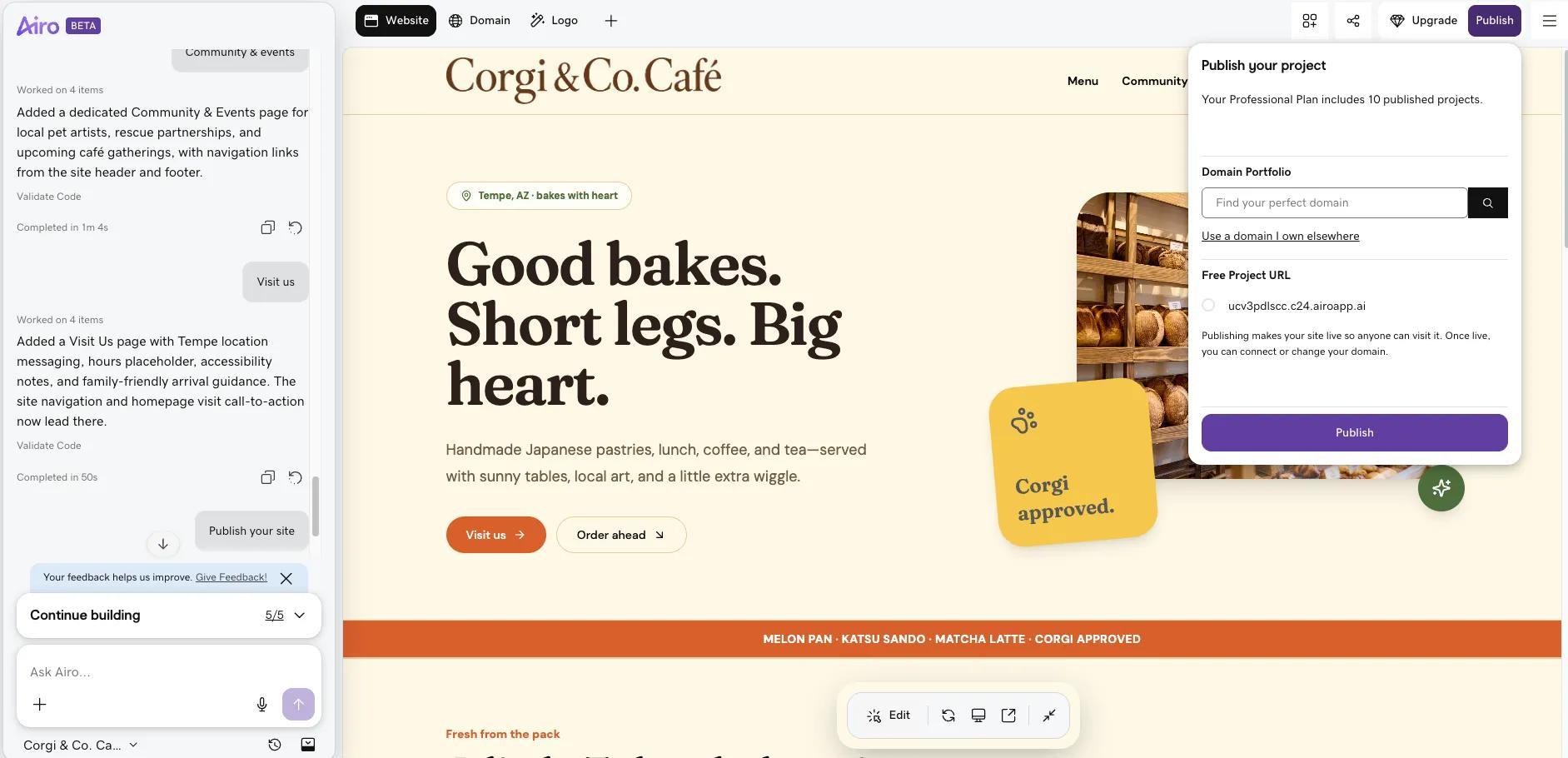
Important note: If you're using a domain to publish and your domain is registered in the same GoDaddy account as Airo AI Builder, then your domain's DNS settings will be configured automatically when publishing. If your domain is registered in a different GoDaddy account, or at a different domain registrar, then additional steps will be required before your site can be live online. See our help guide on how to connect a domain to Airo AI Builder for the steps needed for each domain scenario.
You can update your live site whenever you need after you've published. Basic text and image edits are free, while AI-driven changes like new pages or design updates use AI credits.
Get your restaurant website live today
Airo AI Builder is the fastest way for restaurant owners to get a professional website live fast, without a developer or designer needed. With GoDaddy’s infrastructure built into your site from the start, there’s nothing you need to migrate or configure. And, you can update your website at anytime, so there’s no one else to wait on to make changes on the fly.
With Airo AI Builder, you can make the full-featured website your restaurant has been craving, no tech skills required. Get yours online today!
GoDaddy Airo AI Builder
Describe your idea. We'll build your live website in minutes.
With a few prompts, Airo AI Builder generates your website, web app, pages, databases and logic in minutes — no coding required. Start for free with 50 AI credits a month. No credit card required.
Build for FreeFAQ
How much does a restaurant website cost?
The cost of a restaurant website varies widely depending on how you build it and what features you need. Here's a general overview:
- DIY website builders (like GoDaddy Airo AI Builder): The most budget-friendly option. GoDaddy Airo AI Builder offers a free plan to get started (with 50 AI credits/month, no credit card required), and paid plans remain competitively priced for small businesses. You can start building for free, and paid plans, which are required to publish, are priced for small businesses.
- Freelancer or template-based build: Typically $1,500–$5,000 one-time, plus $30–$80/month in ongoing costs.
- Small agency, full-featured site: Usually $3,000–$10,000 for a custom design with online ordering, reservations, and local SEO.
- Multi-location or enterprise build: Can run $10,000–$25,000+, with ongoing monthly costs of $400–$1,200.
For most independent, single-location restaurants, the sweet spot is somewhere between $1,500 and $10,000 for a professional site with the core features that drive bookings and orders. However, if you use an AI-powered builder like GoDaddy Airo AI Builder, you can launch a polished, functional restaurant website for a fraction of that cost — often just the price of a monthly subscription — without any coding required.
Do I need to know how to code to build a restaurant website?
No, you don't need to know how to code to build a restaurant website. Thanks to modern AI-powered website builders, anyone can create a professional, fully functional restaurant website without writing a single line of code.
Can I add online ordering to my restaurant website?
Yes. With GoDaddy Airo AI Builder, online ordering isn't a complicated add-on that requires a developer. You can build a fully functional ordering app for your restaurant website simply by describing what you need, with no coding required.
How do I add a menu to my website?
If you're building with a tool like GoDaddy Airo, you can generate a fully structured, mobile-friendly digital menu simply by describing your dishes and categories. You can also set up separate menus for different meal services and tag dietary preferences without any technical expertise required.