
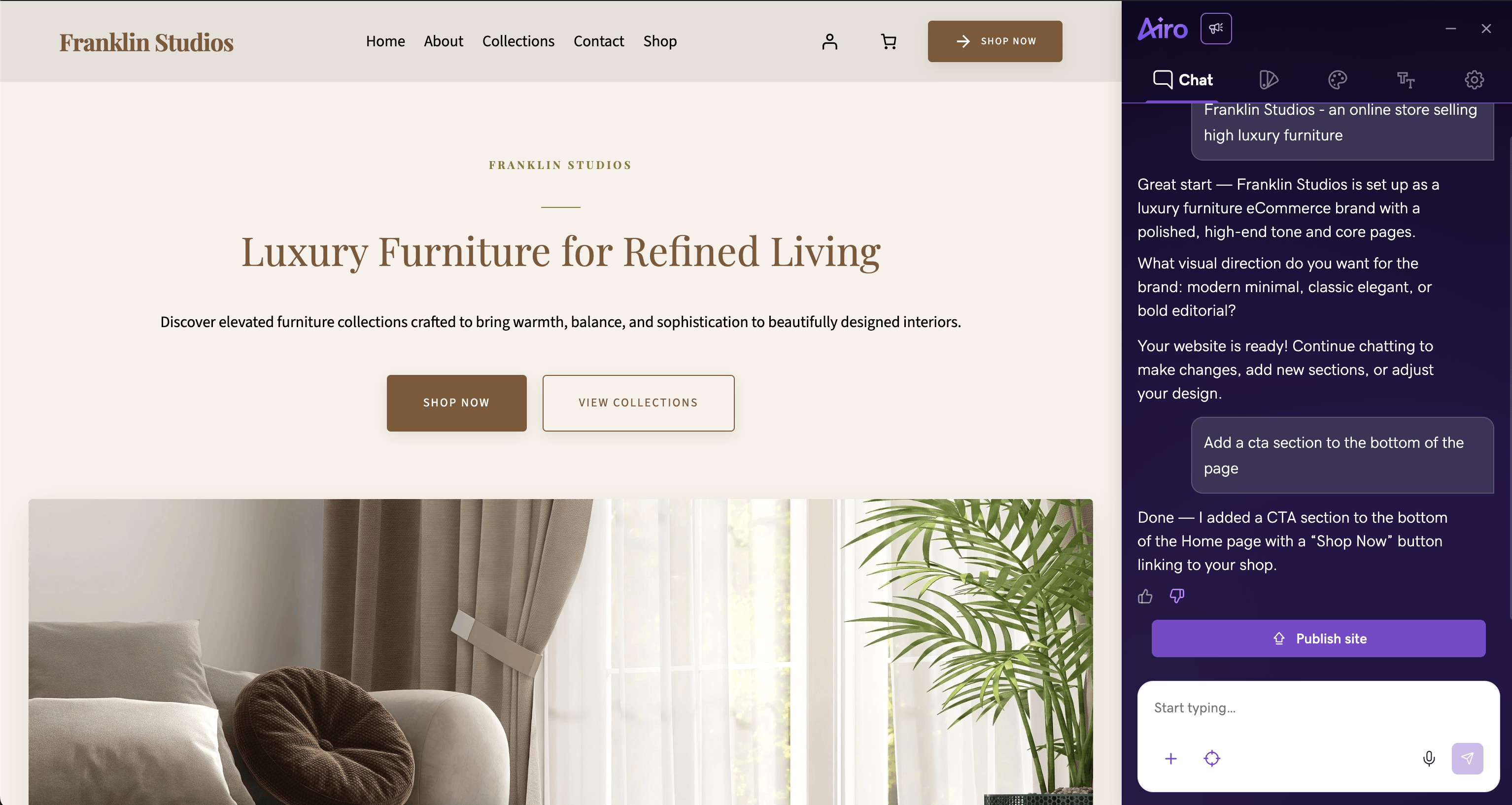
Airo lives in your WordPress dashboard. Build a site, edit a page, or try a new design on a staging copy of an existing site. Draft mode lets you review larger changes before publishing, and Undo can restore an earlier version.
This post tracks what's new in Airo for WordPress throughout 2026. We update it each month, with the latest releases first.
2026 at a glance
| Month | Highlights |
|---|---|
| September | Site Refresh for existing sites, custom styles, color previews, and better mobile layouts |
| August | Document attachments, a rebuilt Site Style tab, staging-to-live Site Refresh, and faster visitor pages |
| July | Site Refresh improvements, image understanding, and brand-matched style kits |
| June | Site Refresh, industry templates, site health checks, abilities API, slash commands, and Point-to-edit |
| May | Undo, draft mode, reset chat, style kits, and Improve with Airo |
| April | Airo inside WordPress admin, faster setup, design-aware editing, and more reliable uploads |
| January to March | 150+ patterns, 12 homepage templates, multilingual sites, brand assets, and faster setup |
September: Try a new design on your existing site
Existing Managed Hosting for WordPress sites can use Site Refresh to rebuild their design on staging. Airo brings over your pages, images, and styles, so you can review the new version before it touches your live site. When it looks right, choose Sync to Live Site. Edit Live Site then opens Airo on your live site without another sign-in.
Type /create-style and tell Airo the look you want. It creates a custom style kit with color options and adds it beside your existing styles.
When Airo suggests a palette in chat, you can see the colors before deciding. Apply them, ask for another option, or decline. The Site Style tab also lets you preview palette and font changes, then save or cancel.
If your business has more than one phone number, email address, or location, Airo can show each one in the contact sections with its own link. It leaves opening hours out when you have not provided them. Section spacing now fits smaller screens, and we fixed layouts and header buttons on tablets.
Blog posts created through chat no longer stop at 10 per month, though they still use your available AI credits. During generation, the preview now shows your business name and a styled header button instead of placeholder content. We also fixed a gap that sometimes appeared above the preview after a style change.
August: Bring your own files, and a new way to change the look
July taught Airo to look at an image. August widened that to the documents you already have, and rebuilt the design panel.
Attach a document, not just a picture. Drop in a PDF, a Word file, a spreadsheet export, or plain text and Airo reads it while it builds or edits, so a menu or price list becomes site content without retyping it. Airo also remembers files from earlier in the conversation, and the separate logo upload is gone: attach an image, say it is your logo, and Airo adds it to your media library and sets it.
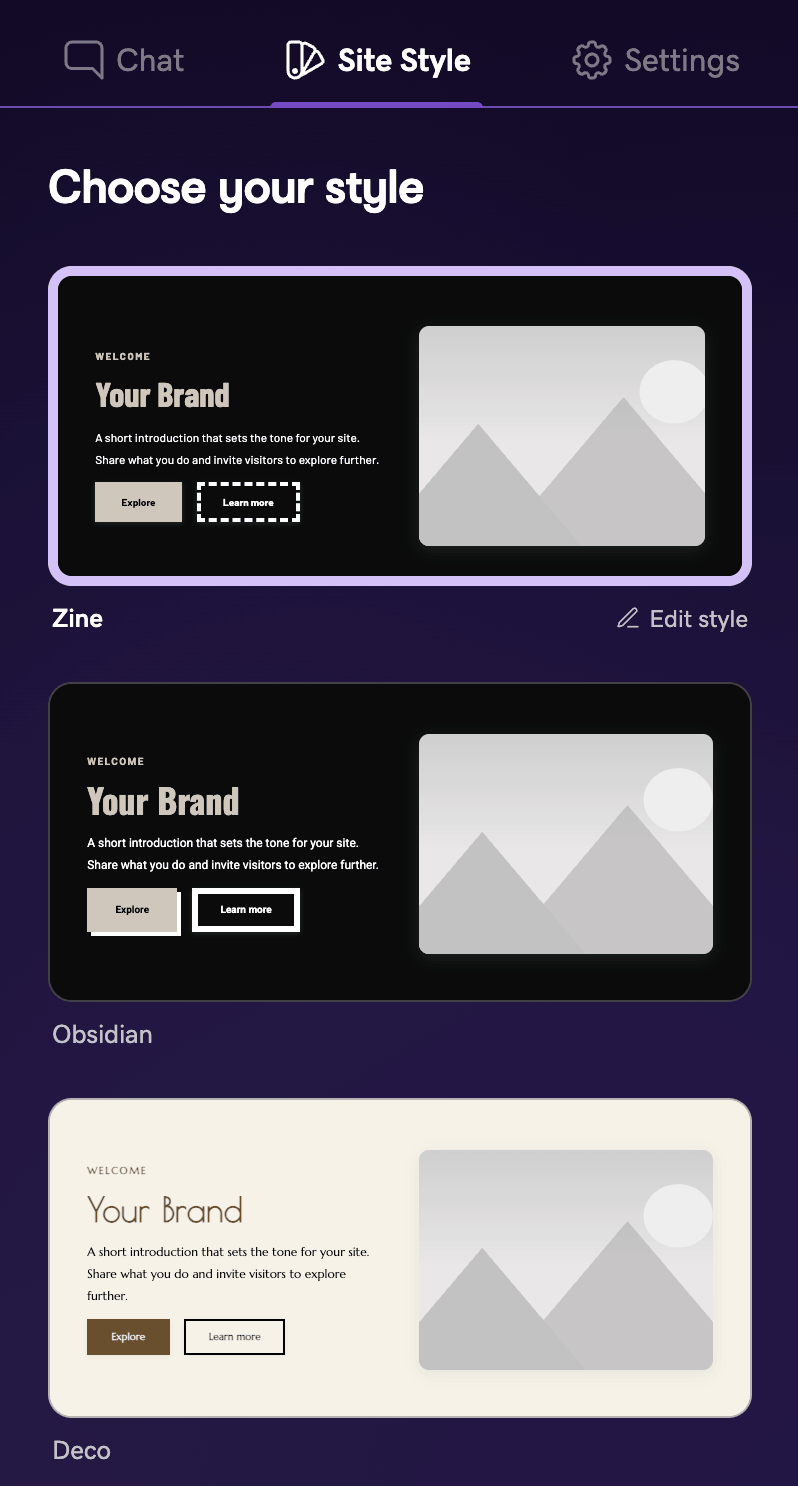
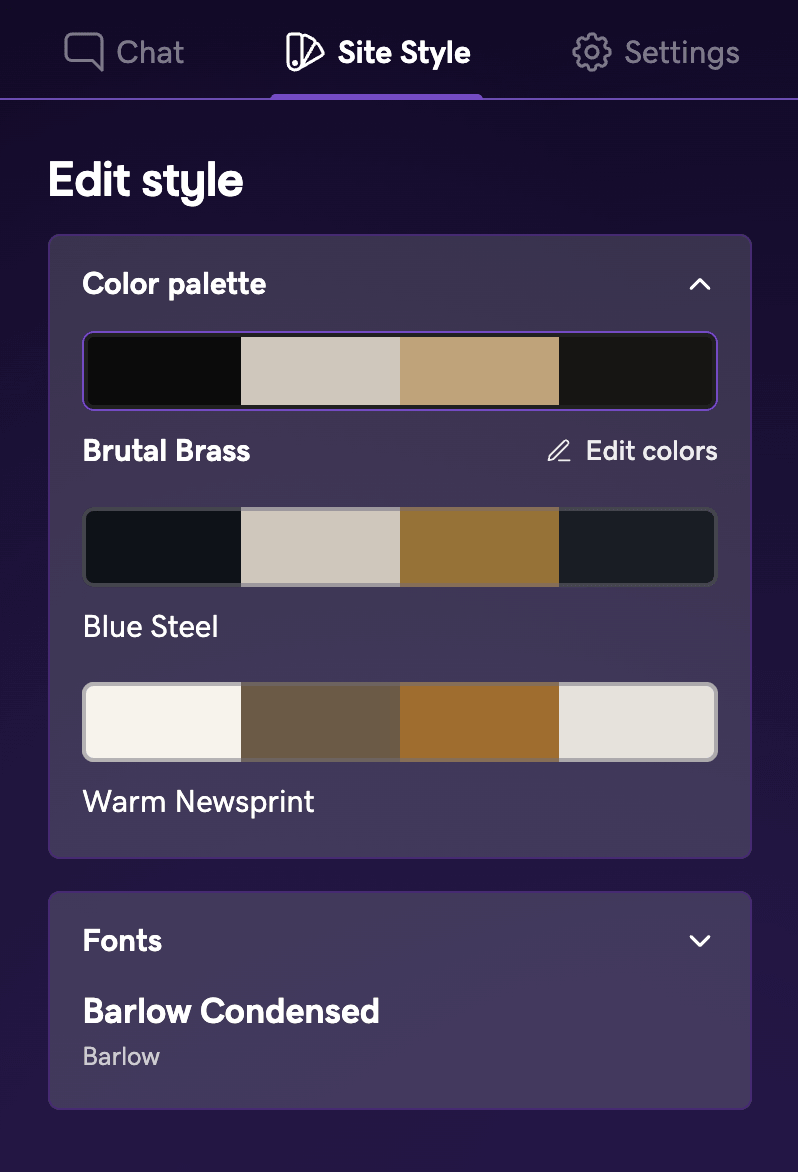
Site Style is one tab now. Styles, Colors, and Fonts have become a single Site Style tab, where each card previews a real design in its own colors. Open the one you picked to change its palette or fonts. Type /create-style and Airo builds a direction it has not shown you yet, added next to your existing looks rather than replacing them.
Refresh a staging site, then send it live. Open Airo on a staging site and it pulls the content, media, and styles from your live site and rebuilds the design there. When you like it, choose Sync to Live Site and carry on editing the live site.
Contact details survive the rebuild. Addresses outside the US used to fall back to a placeholder street and a blank map. Airo now takes the address, phone, email, and opening hours from your existing site in whatever format they were written, turns them into working map links and dialable numbers, and drops a social profile you do not have instead of pointing it at a sample account.
Visitors get faster pages. An earlier release slowed first paint and server response on sites using a style kit. Fonts no longer hold up rendering, and the color work behind each page is cached.
Site Refresh keeps more of what it finds. It saves the photos on your existing site and works out what each one shows, so your own images land in the rebuild instead of stock. New headers, richer footers, and opening-hours sections arrived this month too.
We also fixed logos losing their proportions, stale colors after a style switch, drafts that could be published on their own instead of merging into the page they belong to, and builds that ended on an interim screen rather than your finished site. The information icon in the Airo chat header opens this post.
July: Airo understands more of what you show it
June introduced Site Refresh. In July, we made it better at finding the parts of your existing site that are worth keeping.
Site Refresh sees more of your site. It checks more pages, starts with your navigation, and finds images that load as you scroll. It also pulls better-quality image files and does a better job identifying your logo and contact details.
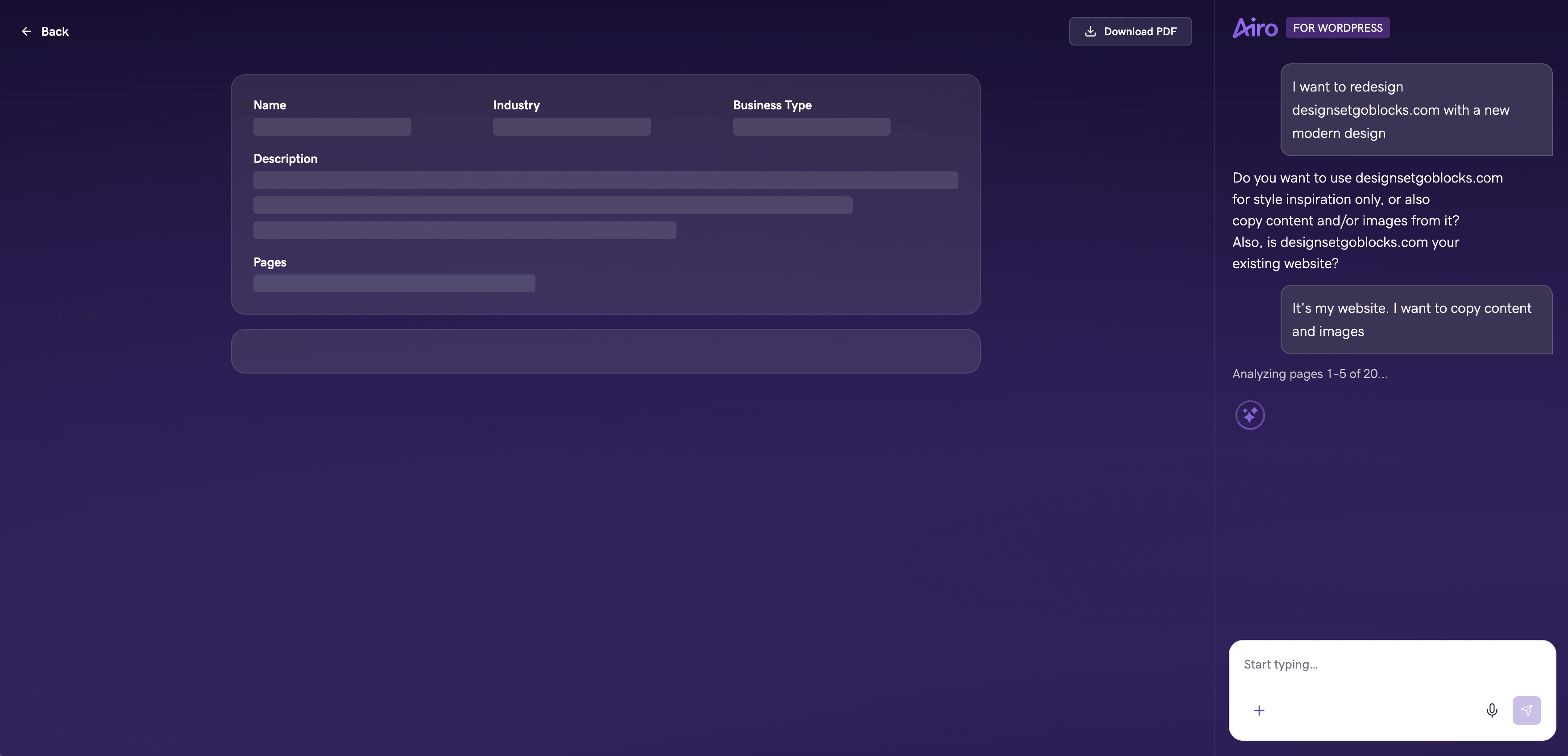
Airo understands attached images. Add a logo, product photo, or design reference to the conversation and Airo can look at the image while planning the site or making an edit. Uploaded files can move directly into the WordPress media library with their alt text, captions, and other details.
Style kits fit the brand more closely. Airo considers the personality and visual mood you describe before using the business category as a tiebreaker. A playful children's studio and a formal consulting firm should not start from the same design.
Colors stay consistent and readable. Airo treats background, text, button, and accent colors differently, then checks the combinations that matter for readability.
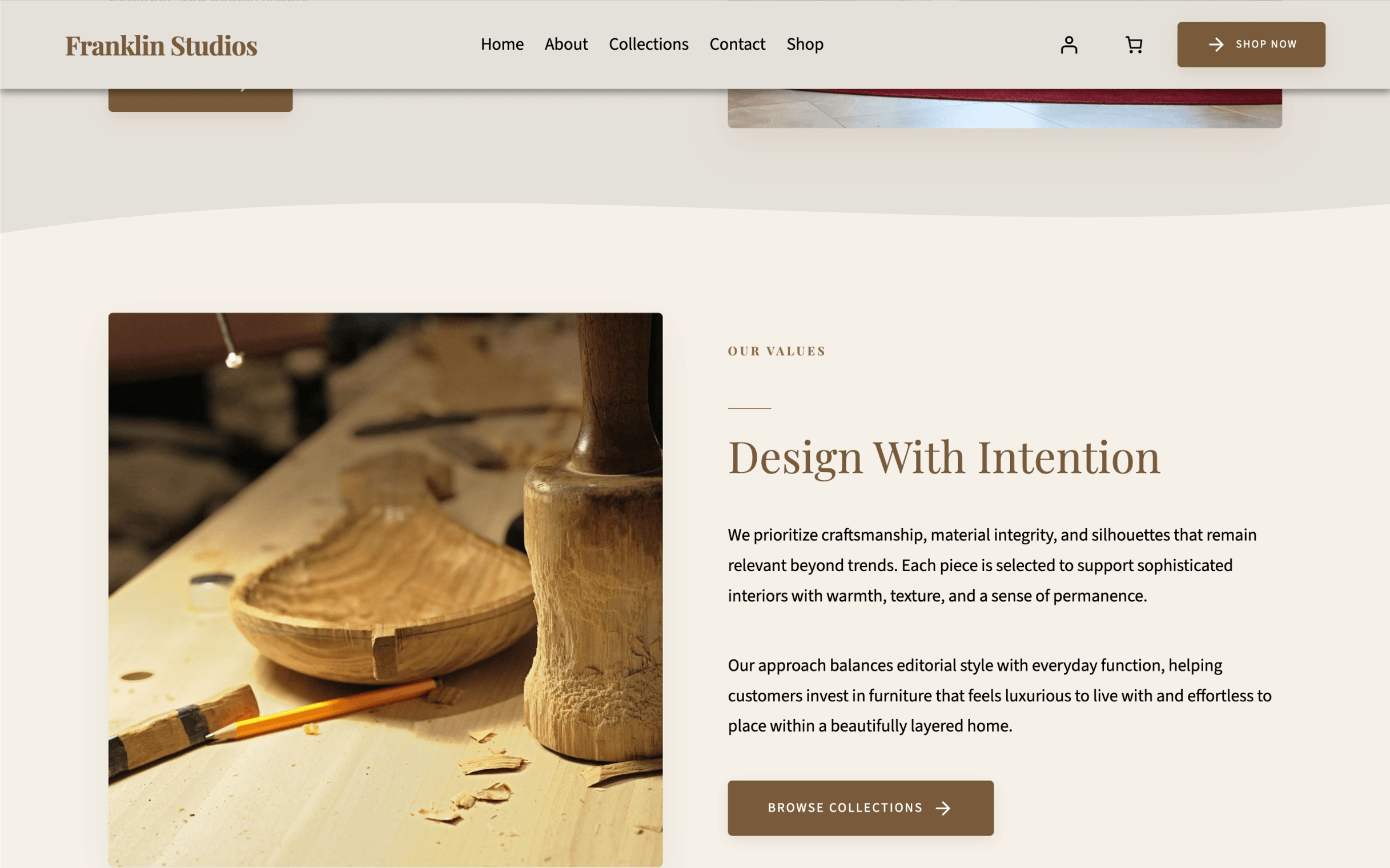
Style kits can also add shape dividers between sections. The divider picks up the colors around it, so a dark section flows into a light one without an odd strip in between.
Airo can use contact forms, maps, and embedded content without WordPress removing pieces when the page is saved. If a business detail is missing, the layout keeps a sensible placeholder instead of leaving an empty phone or map icon.
We also fixed logo widths being ignored, text disappearing after a theme switch, color previews freezing after repeated changes, and card text collapsing into narrow columns.
June: Site Refresh and more control from chat
June's update brought Airo to sites that were already built, not only sites starting from scratch.
Site Refresh reads an existing site, keeps its pages, copy, logo, and images, then rebuilds it with a new WordPress design. For an agency, that gives you a useful first draft for a redesign instead of a blank page.
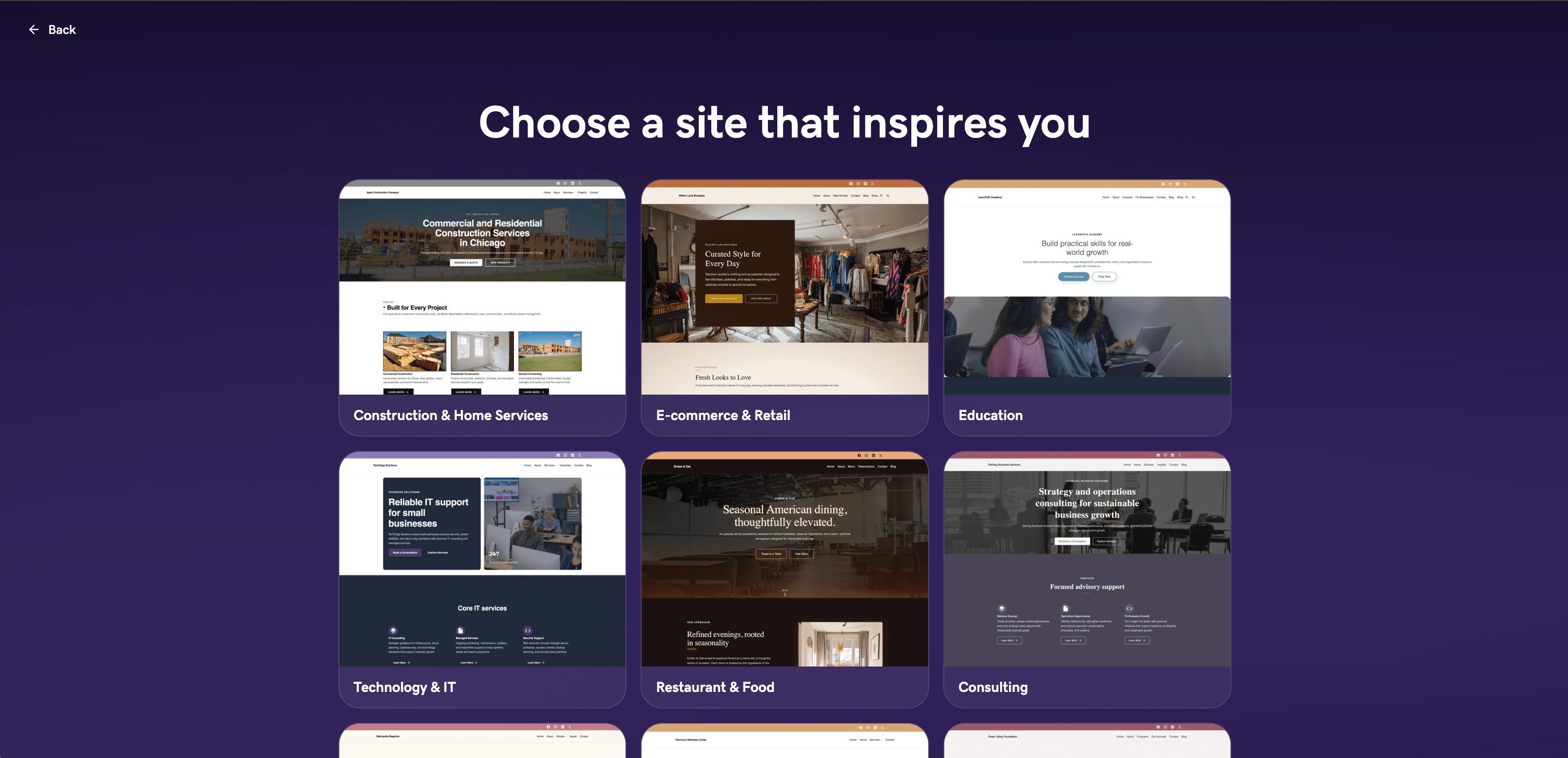
Start from an industry template instead of a blank prompt. Pick a template built for construction, consulting, ecommerce, education, healthcare, media, nonprofit, restaurant, or technology. It fills in the pages, business type, writing style, and a matching design, so you skip the setup questions and go straight to a site you can edit.
Airo helps when something on the site is broken. Describe the symptom, such as a checkout that will not complete or a page that disappeared, and Airo runs a site health scan, explains what it found, and proposes a fix before it changes anything. Approve the fix and it can activate, deactivate, or update the plugin involved. If the site is fully down, Airo says so rather than guessing, because it cannot reach a site that will not load.
Airo does more of the work. Ask it to change site settings, update content, work with plugins, or edit a template. You do not need to find the right WordPress screen first.
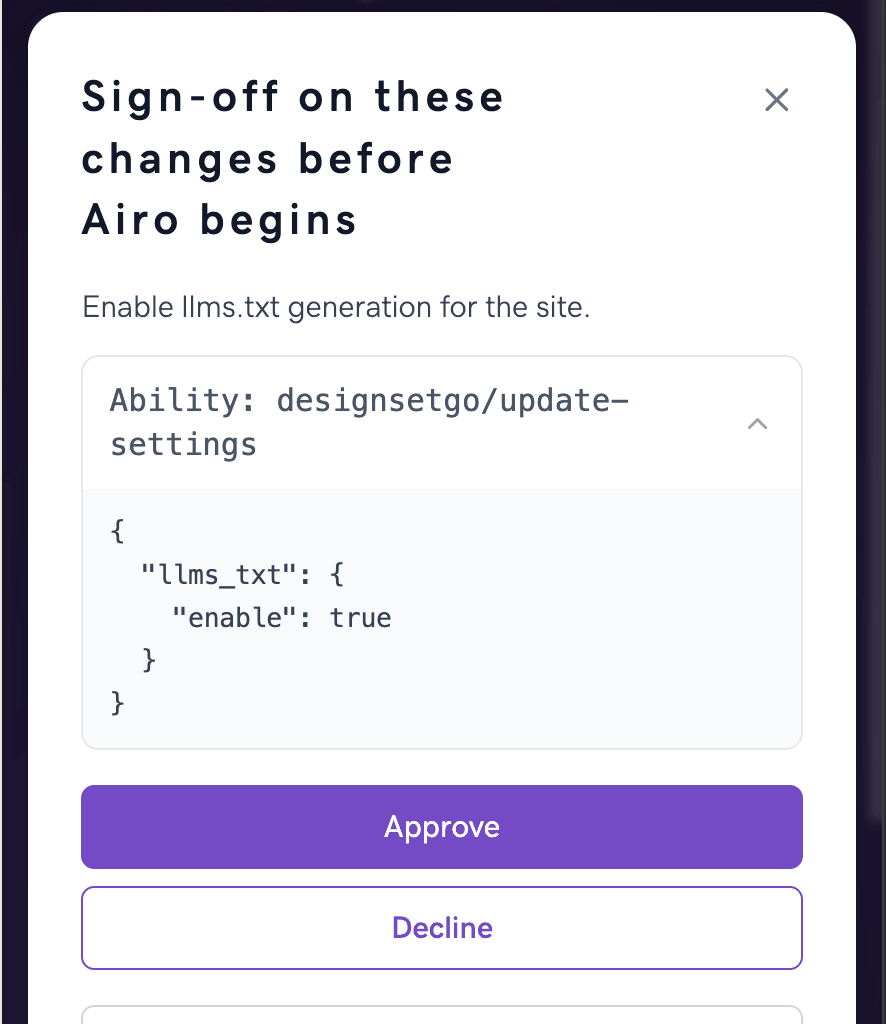
Airo can use more of WordPress. It can discover and use the abilities available from WordPress and your plugins, and work with supported WordPress REST API routes when a task needs them. Before it makes a change through either path, it asks for your approval.
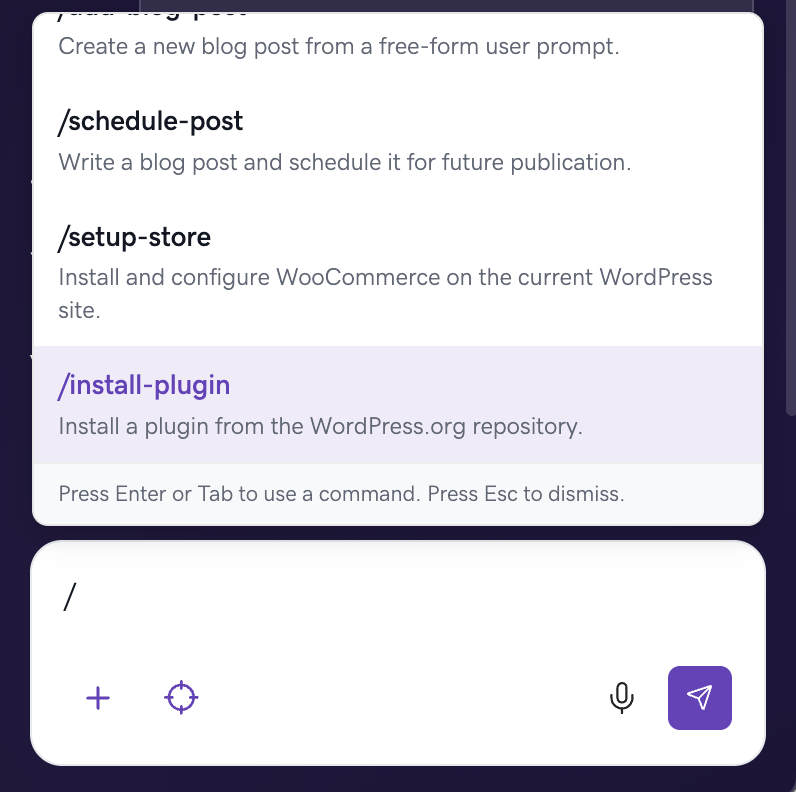
Slash commands save you from describing a common job. Type / in the sidebar and pick the task: add a blog post, set up a store, install a plugin, add booking, or set up cookie consent. Airo handles the WordPress steps behind it.
Point-to-edit gives Airo the exact target. Click a section, heading, or image before typing your request. Airo knows which part of the page you mean.
Post scheduling works from chat. Tell Airo to publish a post next Tuesday and it schedules it for you.
Style kits keep the fonts, colors, and spacing together across the site. Better headers, footers, headline sizing, and contrast checks also improve the first design Airo gives you.
Undo for drafts, font and color fixes, and more dependable WooCommerce setup rounded out the month.
May: Undo and draft mode make editing safer
Moving Airo into WordPress made it easier to edit a live site. May made those edits easier to trust.
Undo restores an earlier version of a page, template, header, footer, or the site's overall styles. Ask for a new hero, decide the old one worked better, and put it back.
Draft mode keeps larger edits away from the live page. Review the draft first, then publish it or throw it away.
Reset chat clears the conversation, not the site. Your pages, content, plugins, and design stay where they are.
Improve with Airo sharpens one section at a time. Select a section in the WordPress editor and choose Improve with Airo. It rewrites the wording using your business details, keeping your links, images, and layout as they are. Accept the result or decline it without leaving the page, and turn the button off in settings if you would rather not see it.
Style kits let you change the whole visual direction together. Browse a different look and update the site's fonts, colors, spacing, and details as one coordinated design.
You can also name the blog "Insights," "News," or something else and choose a matching URL. The sidebar shows progress while Airo works and confirms when the WordPress change is complete.
During May, Airo also learned how to analyze an existing website and carry its content into a new WordPress build. That work became Site Refresh in June.
April: Airo moves into WordPress admin
In April, Airo moved directly into the WordPress dashboard. The AI and the site it edits now live in the same place.
The Airo sidebar sits beside your WordPress site. Chat, edit pages, change styles, manage plugins, and work with WooCommerce without switching tools.
Airo checks the design already in use. Before making a change, it reads the colors, fonts, spacing, and block styles on your site. Ask for "a darker header with more space above the logo" and Airo edits the template with the existing design in mind.
Setup wraps up after a few useful questions. Airo fills in reasonable defaults for anything still missing, so you can get to the first site sooner.
Logos and reference images land in the right place. Airo tells them apart and uses each one correctly during the build.
The sidebar works on smaller screens, stays clear of WordPress publishing controls, and keeps the Airo button within reach. Airo also refreshes stale sessions earlier and handles attached custom domains more reliably.
Before April: The standalone builder
January through March happened in the original web-based builder outside WordPress admin. That experience is no longer the current way to use Airo, but several pieces from those months still shape what it does today.
Airo gained more than 150 section patterns and 12 complete homepage templates, including galleries, pricing sections, testimonials, comparison tables, and timelines.
It detected the language used in chat, wrote the site in that language, and translated progress and error messages.
The GoDaddy Media Library and Brandbook brought logos and business photos into the build, while automatic blog setup added a blog page and initial posts.
The opening site brief dropped from roughly 10 seconds to about 3 to 5 seconds. If a blog or WooCommerce step failed, Airo finished the rest of the site and explained what needed attention.
Those improvements carried into the WordPress dashboard when the native experience launched in April.
What's next
We're working on trying another design direction without starting over, deeper WooCommerce management, proactive suggestions, and tools that help search engines and AI assistants understand your site. We'll keep updating this post as those changes ship.
Try Airo for WordPress
If you last used Airo in the separate web builder, the current experience will feel different. Open your WordPress dashboard and launch Airo from there. You can build a new site, refresh an existing one, or ask for a small change on the page you already have.