

If you’re looking to make money online, starting an online store offers huge potential. In fact, ecommerce sales last year are estimated to have topped $3.6 trillion USD worldwide — and that figure is expected to continue surging in the years to come.
Talk about a juicy apple. But how do you take a bite of your own?
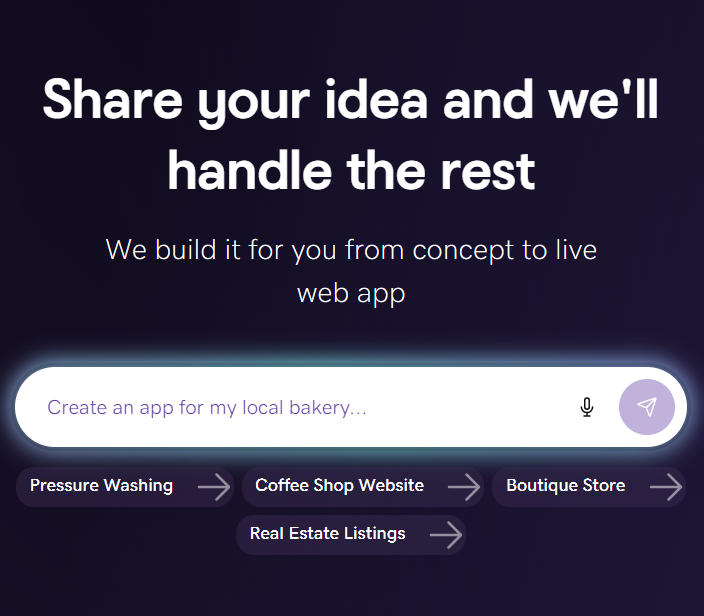
It’s all about choosing the right ecommerce website builder, a critical step in creating a seamless and appealing online store. Whether you’re seeking to start a side hustle, grow a local shop, or scale a national brand, there’s the right tool for the job.
With that in mind, let’s explore and compare the best ecommerce website builders available today. We’ll focus on their unique features, pros and cons, pricing, and suitability for various business needs.
Key ecommerce website builders covered
| Price range (based on annual plans) | Rating (Trustpilot) | Best for | |
|---|---|---|---|
| GoDaddy | $20.99/month | 4.5 | Businesses that want value and simplicity with 24/7 phone support, live chat, and messaging, a fast launch of their online site, social promotion to help them grow their business, and best-in-class ecommerce. |
| Shopify | $29-$299/month | 1.3 | Scaling brands that need robust, extensible ecommerce and an app ecosystem. |
| Wix | $29-$159/month | 3.7 | All‑in‑one brand building, design flexibility, and content‑heavy sites that also sell online. |
| Squarespace | $16-$99/month | 3.0 | Visually led brands, portfolios, and service businesses that care most about design. |
| Hostinger | $3.95-$9.95/month | 4.7 | Budget-conscious businesses and side hustles that want low-cost hosting plus basic store features and don’t need extensive support options. |
| Weebly | $10-$26/month | 1.2 | Brick-and-mortar stores going digital, especially those already using Square POS. |
We researched available plans and pricing, Trustpilot ratings, pros and cons, etc. If you find discrepancies with the information, let us know. Information collected on 01/29/2025.
- GoDaddy
- Shopify
- Wix
- Squarespace
- Hostinger
- Weebly
1. GoDaddy Online Store
Best for: Businesses that aim for value and simplicity backed by 24/7 support via phone, email, and messaging. This helps deliver a fast launch of their site, social promotion to help them grow their business, and best-in-class ecommerce.
Plans and pricing
- Commerce: $20.99/month (For 1-yr term with annual billing), transaction rate at 2.7% + $0.30. Provides options for online appointment booking, social media scheduling, and integrated marketplaces.
Key features
- Airo® AI website creation and simple editor: Effortless website creation with AI using a few prompts, plus an easy, streamlined editor for getting online quickly.
- Integrated marketing tools: Social post generator and scheduler, email marketing, and marketing dashboard.
- AI-powered tools: Tools for content creation, logo design, and other branding elements.
- Integrated marketplaces: Integrates with marketplaces like Amazon, eBay, Google, Facebook, and more for multichannel selling.
- Built-in online appointments: Scheduling tools for service businesses with calendar syncing and notifications.
- Integrated POS and payment processing: In‑house POS that syncs in‑person and online sales, plus GoDaddy Payments for simplified processing and lower fees.
- Unified inbox: Centralized inbox for customer messages across channels.
- Included hosting: Hosting, SSL, and performance optimizations included on every plan.
- Professional email: A free business email address to match your domain name.
Pros
- Fast and user‑friendly: You can launch a simple online store quickly using an intuitive drag‑and‑drop builder that works well for non‑technical users.
- All-in-one solution: Integrated domains, hosting, marketplaces, POS, and marketing tools in one place.
- Affordable with built-in marketing: Lower pricing than Shopify/Wix/Squarespace, plus generous email sends (and features like appointments—no extra add-ons needed.
- Multi-channel sales: Supports selling via social, marketplaces, in‑person, and your online store.
- Strong support: 24/7 phone support for troubleshooting, especially useful for beginners.
- App ecosystem: Apps to manage your business and commerce on the go.
- Competitive payment processing and POS costs: Competitive payment processing fees and affordable POS systems for brick-and-mortars going online.
Cons
- Limited customization: The builder's user-friendly nature comes at the cost of design flexibility and advanced customization options.
- Fewer integrations: Lacks the extensive app market found with other platforms like Shopify.
If you need more functionality, GoDaddy’s managed solution for WordPress and WooCommerce is a great alternative. It lets you build a site with vast customizations and deep ecommerce features. You’ll also get the ability to create a completely new WordPress site and online store in less than 5 minutes with AI, using only prompts.
2. Shopify
Best for: Scaling brands that need robust, extensible ecommerce and an app ecosystem.
Plans and pricing
- Basic: $29/month (annual billing), transaction rate at 2.9%+$0.30. Includes an online store with unlimited products and abandoned cart recovery. Best for new businesses launching their first serious ecommerce site.
- Grow/Shopify: $79/month (annual billing). Adds more staff accounts, stronger reports, and lower payment fees than Basic. Best for growing brands needing better data and team access.
- Advanced: $299/month (annual billing). Adds advanced reporting and third party calculated shipping rates, with Shopify’s lowest standard fees outside Plus. Best for scaling, operations heavy stores.
- Plus: $2,300+/month (custom). Includes enterprise- grade automations, multi store capabilities, and dedicated support. Best for high volume, multi- region or complex merchants.
Key features
- Unlimited products: Ability to sell unlimited products across plans.
- Customizable templates: Wide range of professional designs for your store.
- Staff accounts: Shopify offers additional accounts in its more expensive paid plans, including up to 15 staff members with the Advanced plan.
- Integrated payment processing: Seamless integration with Shopify Payments, reducing transaction fees.
- Multichannel selling tools: Selling products across marketplaces and social channels, like TikTok
- Marketing and analytics tools: Features for inventory management, marketing, and tracking performance.
- Scalability: The platform can grow with your business, from a small starter store to an enterprise-level operation.
- Mobile app: Comprehensive mobile app for ecommerce
Pros
- Extensive features: Provides robust ecommerce tools for sales, marketing, and payments.
- Scalable solutions: Offers different plans that can accommodate businesses as they grow, with enterprise-level options available.
- Robust app store: Access to a large ecosystem of apps to extend functionality.
- Multi-channel sales: Supports selling on social media, in-person, and online marketplaces.
Cons
- High pricing: Pricing plans, especially for top-tier features, can be more expensive.
- App reliance: Relies on paid apps for many advanced functions, which increases overall costs.
- Transaction fees: An additional Shopify transaction fee is charged on top of the credit card fee if you use an external payment gateway.
- Steeper learning curve: Not the best for beginners.
3. Wix
Best for: All‑in‑one brand building, design flexibility, and content‑heavy sites that also sell online.
Plans and pricing
- Core: $29/month (annual billing). Includes basic ecommerce, secure online payments, and customer accounts with Wix’s visual site builder. Best for small stores that want design flexibility plus core ecommerce.
- Business: $39/month (annual billing), transaction rate at 2.9%+$0.30. Adds abandoned cart recovery, subscriptions, and loyalty options. Best for businesses layering on recurring revenue.
- Business Elite: $159/month (annual billing). Adds advanced automation, unlimited storage, customized reports, and priority support at a larger scale. Best for established Wix stores, optimizing operations and retention.
- Enterprise: Custom pricing. Offers tailored infrastructure and dedicated success/support teams. Best for large organizations standardizing on Wix.
Key features
- Drag-and-drop editor: A user-friendly interface for designing your store.
- Mobile functionality: Drag-and-drop builder: Visual editor with prebuilt sections so beginners can assemble pages without coding.
- Store management and payments: Manage physical and digital products, with integrated payments through Wix Payments or popular gateways like Stripe, PayPal, Apple Pay, and Google Pay.
- Marketing, SEO, and apps: Built‑in SEO assistant, email marketing, social integrations, and an extensive app market for extending functionality.
- Native app builder: Built-in mobile app builder to create branded apps for your store.
- Back-in-stock notifications: Automated alerts when items become available again
- Wix app market: Add extra functionality with a vast selection of apps.
Pros
- User-friendly: The drag-and-drop editor and intuitive interface are great for beginners.
- All-in-one solution: Includes hosting, security, and tools to start selling immediately.
- Design versatility: A wide variety of modern templates and a highly customizable design system.
- Mobile-friendly design: Websites automatically adapt for optimal viewing on mobile devices.
- Rich app ecosystem: Access to many apps for advanced marketing, bookings, and more.
Cons
- Template lock‑in: You cannot switch templates after launch without rebuilding the site.
- Higher cost for advanced features: Some powerful ecommerce capabilities and higher limits are restricted to the more expensive plans.
- Limited products: One major downside of Wix is that it only allows you to sell a maximum of 50,000 products, while other ecommerce website builders like Shopify allow for unlimited products.
- Storage and bandwidth limits: Although improved, free and lower-tier plans have limitations, though higher plans offer more.
4. Squarespace
Best for: Visually led brands, portfolios, and service businesses that care most about design.
Plans and pricing
- Basic: $16/month (annual billing). Includes premium templates, blogging, and basic ecommerce with a free first-year domain. Best for content-led brands and portfolios that also sell.
- Core: $23/month (annual billing), transaction rate at 2.9%+$0.30. Adds ecommerce analytics, free business email, and custom CSS/JavaScript, with no Squarespace transaction fees on online sales. Best for growing brands that want more design and data control; however has membership transaction fees of 5%
- Plus: $39/month (annual billing). Adds more advanced shipping/discount tools and additional video hosting and storage. Best for scaling online and in-person sales.
- Advanced: $99/month (annual billing). Unlocks the full ecommerce toolset and the most favorable fee structure on Squarespace. Best for higher-volume stores with more complex setups.
Key features
- Beautiful templates: High-quality, industry-leading templates that are visually appealing and responsive across devices.
- Squarespace AI: AI-powered tools to help with content creation and site building.
- Ecommerce tools: Features for product listings, inventory management, abandoned cart recovery, and selling subscriptions.
- Custom inventory management: Squarespace offers access to an open API for inventory, allowing you to fully customize how you keep track of your products.
- Advanced analytics: In-depth reporting on website traffic, sales, and customer behavior on higher-tier plans.
- Customization: Access to HTML/CSS/JavaScript for deeper customization on Core plans and above.
- Marketing tools: Includes features like pop-ups and announcement bars to enhance user engagement.
Pros
- Design-focused: Squarespace is known for its beautiful and modern templates, making it ideal for creative and visual-heavy businesses.
- Integrated ecommerce: Offers built-in ecommerce functionality, reducing the need for external apps for basic selling.
- Strong image management: Excellent tools for managing and displaying images and portfolios.
- Free domain: A complimentary custom domain is included with annual payment plans.
Cons
- Higher cost: Pricing can be more expensive than some budget-friendly website builders.
- Paid add-ons: Features like online appointment scheduling, marketing, and social tools are paid add-ons.
- Inflexibility: It is not possible to switch templates once a site has been built and launched, which can be a drawback for users who change their minds.
- Limited ecommerce features: While good for many, Squarespace has fewer shipping, fulfillment, and payment options compared to specialized platforms like Shopify.
- Fewer app integrations: Offers a limited selection of third-party apps and integrations compared to some competitors.
- No phone support: Relies on email and chat support instead.
5. Hostinger
Best for: Budget-conscious businesses and side hustles that want low-cost hosting plus basic store features and don’t need extensive support options.
Plans and pricing
- Business Plan: $2.75/mo - promo). Includes AI-generated site and store creation on top of performance-optimized hosting. Best for budget-first users who want very low cost and AI help.
Key features
- Drag-and-drop editor: Allows for easy customization without coding.
- AI-powered tools: Help creators and businesses build professional websites quickly.
- Free tools: Free domain, unlimited SSL, and professional email on eligible plans.
- Ecommerce basics: No transaction fees on the Business plan, integrated payment methods, and dropshipping support via tools like Printful, usually with a product cap of around a few hundred items.
- Link-in-bio tool: A feature for creators to create a single-page hub for social media followers.
- Support: 24/7 chat support is available.
Pros
- Affordable pricing: Significantly lower starting costs compared to competitors.
- Beginner-friendly: The simple, drag-and-drop editor is easy for beginners to use.
- Value-packed: Hosting, SSL, email, and basic ecommerce in one package.
Cons
- Limited ecommerce: Product limits and feature sets are geared to small stores, not large or complex ecommerce operations
- No app market: Lacks the extensive app store found in other builders.
- Fewer built-in marketing tools: Lacks robust built-in marketing tools and automation compared to competitors.
- Limited scalability: May not be suitable for large or rapidly scaling businesses.
6. Weebly
Best for: Brick-and-mortar stores going digital, especially those already using Square POS.
Plans and pricing
- Personal: $10/month (annual billing). Includes a custom domain, SSL, and basic ecommerce on a simple drag and drop builder. Best for first professional sites with light selling.
- Professional: ~ $12/month (annual billing). Removes Weebly ads and adds unlimited storage and site search. Best for small businesses that need a cleaner, more credible experience.
- Performance: ~ $26/month (annual billing). Adds more advanced ecommerce tools such as abandoned cart emails and additional payment options. Best for stores that rely more heavily on online sales.
Key features
- Drag-and-drop builder: Visual editor with prebuilt sections so beginners can assemble pages without coding.
- Ecommerce tools: Product catalog with item variants, inventory management, coupons, automatic tax calculation, shipping calculators, and support for digital products and services.
- Store management: Order tracking, customer profiles, item reviews, and basic ecommerce analytics on higher-tier plans.
- Marketing and SEO: Email campaign tools via Square Marketing, plus standard SEO controls like custom URLs, titles, and meta descriptions.
Pros
- Integrated Square features: Weebly is owned by Square, providing seamless integration with Square's payment processing and POS systems.
- Robust ecommerce tools: Offers features like inventory management, product reviews, shipping calculators, and automated email notifications.
- Competitive pricing: Offers a good balance of features for the price, especially with the bundled unlimited storage on paid plans.
Cons
- Slower product evolution: Development pace has been slower than some newer or more aggressively updated platforms.
- Design and customization limits: Themes and layout control feel more constrained and dated compared with newer builders and advanced options.
- Ecosystem dependence: Optimized for Square, which may be a drawback if you prefer other payment providers.
- Limited support on lower tiers: Priority support is reserved for the highest-tier Performance plan, which can be a drawback for users on cheaper plans.
- Branding on lower tiers: Free and entry‑level plans include Weebly branding.
- Absence of direct tools: Does not support social posting tools and integrated marketplaces like competitors, such as GoDaddy.
How to choose an ecommerce website builder
Now that we’ve checked out what’s available for launching your online store, let’s dive deeper into some of the criteria you might use. Don’t be afraid to jot down your thoughts and prioritize these based on your individual needs.
- Ease of use: User interfaces, setup processes, and learning curves for beginners and experienced users.
- Design and customization: Template selection, design flexibility, and available customization tools.
- Secure payment and checkout options: Integrated payment gateways, payment processing fees, and a streamlined checkout experience.
- Sales and marketing features: Built-in tools for product management, inventory tracking, SEO, and email marketing.
- Pricing and value: Pricing tiers, free trial availability, and total cost of ownership for different business sizes.
- POS integration: POS software integration capabilities, focusing on the ability to seamlessly sync in-person sales, online transactions, inventory, and customer data in real time.
- Multichannel sales: Integration ecosystem and ease of connecting with multiple external sales channels and major online marketplaces, including Amazon, Etsy, eBay, Instagram, Google Shopping, and Facebook Marketplace.
- Support and resources: Accessibility of customer support channels (e.g., 24/7 phone, live chat, email, ticket system), the quality of the knowledge base/documentation, etc.
Conclusion
What’s the right ecommerce website builder for you? As we’ve learned, it depends on your business type. But for most businesses, it’s important to balance ease of use, design flexibility, POS integration, multichannel support, and scalable pricing.
GoDaddy excels for value-driven small businesses, with AI tools, fast launches, and top-rated 24/7 support at $20.99/month.
Hostinger suits budget starters; Shopify powers scaling operations with apps; Wix offers drag-and-drop design for content sites.
Squarespace prioritizes visuals for brands, and Weebly fits Square POS users despite dated tools.
If you’re not 100% sure, don’t hesitate to test free trials to compare secure payments, marketing, and growth needs across models.
Ecommerce website builders FAQ
How much does a DIY small business ecommerce website cost?
DIY ecommerce websites for small businesses cost $10–$40/month on annual plans.
On comparing similar plans, GoDaddy Commerce starts at $20.99/month with an AI builder, POS, social posting, email marketing, and multichannel tools with 2.7% + $0.30 transaction fees.
Squarespace Core at $23/month for great visual designs with paid addons for appointments and a transaction fee of 2.9%+$0.30.
Shopify Basic at $29/month(needs apps for many features) and a 2.9%+$0.30 transaction fees.
Wix Business at $39/month for advanced features with a transaction fee of 2.9%+$0.30.
GoDaddy | Shopify | Wix | Squarespace | |
|---|---|---|---|---|
| Plan | Commerce | Basic | Business | Core |
| Monthly cost based on annual plans. Starts at: | $20.99 | $29 | $39 | $23 |
| Transaction fees | 2.7% + $0.30 | 2.9% + $0.30 | 2.9% + $0.30 | 2.9% + $0.30 |
Factor in ~$12–20/year for domains (often free first year) and 2–3% payment fees; total first-year under $300 without custom development.
Which ecommerce platform is best for small businesses?
The best ecommerce website builder depends on your needs, but popular choices include GoDaddy for affordable and fast setup, its email marketing features and social posting, Shopify for its all-in-one ecommerce focus, Wix for beginners and those wanting design flexibility, Squarespace for visually appealing designs, and Hostinger for side hustlers who need lower costs.