
GoDaddy Airo AI Builder is an AI website builder built for professionals (management consultants, executive coaches, and strategy advisors) who need a credible, enterprise-ready website without hiring a designer. If you're asking whether an AI website builder can produce a site credible enough for enterprise clients: the answer is yes. What determines credibility is not the tool you use, but which pages you build, what you write on them, and which trust signals you include.
This guide covers all three: what a consulting website must have, how to build it with Airo AI Builder in a focused 2–3 hour session, and what to write on each page to resonate with high-fee B2B buyers. It also covers how to set up a lead generation flow that turns visitors into inquiries.
GoDaddy Airo AI Builder
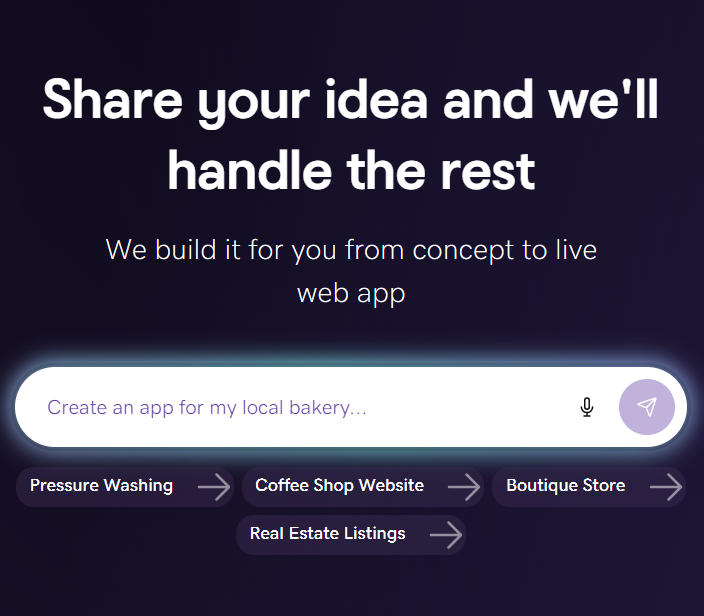
Describe your idea. We'll build your live website in minutes.
With a few prompts, Airo AI Builder generates your website, web app, pages, databases and logic in minutes — no coding required. Start for free with 50 AI credits a month. No credit card required.
Build for FreeWhat should a consulting website include?
A consulting website is not a small business brochure site. Your prospective clients (executives, procurement teams, and senior decision-makers) are looking for evidence that you've done this work before and that engaging you carries minimal professional risk.
Five pages close B2B consulting clients. Everything else is optional until you've built those five:
- Home: Your positioning statement and primary call to action (book a call, download a resource, contact you)
- About/Bio: Your credibility narrative: where you've worked, who you've served, what makes your approach different
- Services: Your service offerings, framed in the outcomes your clients care about, not descriptions of what you do
- Case Studies/Results: Your proof of results: evidence your approach works, even if client names remain confidential
- Contact: Your conversion mechanism: the booking or inquiry setup that turns interest into a conversation
Skip the blog, resources page, team page (if solo), and portfolio gallery until those five are solid. Five well-crafted pages tend to outperform ten thin ones.
How to build your consulting website with GoDaddy Airo AI Builder
The build process runs 2–3 focused hours: 5–10 minutes for AI generation, the rest for writing and refining your five core pages.
Airo AI Builder is GoDaddy's AI-powered website builder. It generates a domain, logo, and starter site from a single business description prompt.
Step 1: Describe your consulting practice to Airo
Go to godaddy.com/airo and describe your practice in 2–3 sentences. Be specific: name your client type, your domain (management consulting, HR strategy, executive coaching), and the outcome you deliver.
For example: "I'm an independent management consultant specializing in post-merger integration for mid-market manufacturing companies. I help executive teams align on structure, culture, and operations in the first 100 days."
A vague prompt ("I'm a business consultant") produces a generic starting point. A specific one produces copy and structure you can use with minimal changes.
Step 2: Review and customize your AI-generated pages
Airo generates a multi-page site with copy pre-populated from your description. Review each page for accuracy and tone. Don't redesign it.
Work through the five must-have pages in order. For each one, check whether the copy reflects how you actually describe your practice to clients and whether the page has a clear next step for the visitor. Swap out any generic copy with your own language.
Step 3: Connect your domain and publish
If you registered a domain through GoDaddy, connecting it to your Airo site takes one step inside your account dashboard. If you're using a domain registered elsewhere, you'll need to update your DNS settings to point to GoDaddy. Your registrar's support team can walk you through this in under 10 minutes.
Before publishing, check the site on your phone. Most of your prospective clients will check your site on their phone first, often before opening it on a desktop.
How to write each page of your consulting website
Home page: your positioning statement and primary CTA
Your home page has one job: tell the right prospective client they're in the right place, and give them a clear path to engage you.
Your positioning statement should name your client type, your domain, and the outcome you deliver:
- Weak: "Strategy consulting for businesses of all sizes"
- Strong: "Post-merger integration consulting for mid-market manufacturing companies"
The second resonates with fewer visitors, but those visitors will immediately recognize it as exactly what they need. Your primary CTA should be specific: "Book a 30-minute discovery call" tends to generate more inquiries than "Contact us."
About/Bio page: the credibility narrative enterprise clients read
Executive buyers read your About page to answer one question: "Has this person done work like mine before, with organizations like mine?"
Include: the types of organizations you've served (by size, sector, or situation), the scope of engagements you've led, your relevant credentials, and a clear statement of your approach. Leave out personal hobbies and life history. Executive buyers are evaluating professional fit, not personal connection.
Services page: outcome language, not feature lists
Consulting services pages typically read like job descriptions: "we assess your structure and recommend changes." What closes B2B clients is outcome language. Write in terms of the problem and its resolution:
- Weak: "Organizational design consulting: we assess your structure and recommend changes"
- Strong: "Post-merger org design: resolve reporting conflicts, eliminate role duplication, and establish a decision-making structure within 90 days"
Each service entry should name the situation, the outcome, and the engagement format (e.g., "8-week sprint," "retained advisory," "diagnostic + roadmap").
Case Studies/Results page: how to frame results without violating NDA
Most consultants avoid case studies because their clients don't permit public attribution. The workaround: anonymized case studies that describe the situation, approach, and result without naming anyone. Structure:
- Situation: "A Fortune 500 industrial manufacturer was 60 days into a merger with a regional competitor. The combined leadership team had two competing P&L structures and no agreement on which to keep."
- Approach: "We ran a 6-week org design sprint with the top 20 leaders, surfacing the four structural decisions that were blocking everything else."
- Result: "The leadership team reached alignment on structure in week 5. The combined P&L went live on Day 98 of the merger, two days ahead of the original target."
No client name. No NDA violation. Full credibility for anyone evaluating your work.
Contact page: the booking setup that turns visitors into client inquiries
Your Contact page is a conversion mechanism, not a form. The standard "name, email, message" form requires the visitor to figure out what to ask you. Give an open text box and most people will skip it entirely.
Replace or supplement it with a direct calendar booking link. Calendly, Acuity, and Cal.com all offer free plans that let prospective clients book a 30-minute discovery call without email back-and-forth.
Require: name, company, current situation (2–3 sentences), and what kind of help they need. This pre-qualifies every inquiry and ensures your first call is a real conversation.
Pro tip: GoDaddy Professional Email gives you a branded address (yourname@yourfirm.com) that reinforces credibility in every booking confirmation your calendar tool sends. A Gmail confirmation undercuts the impression your site just built.
How to add the trust signals enterprise clients look for
A professionally designed site earns a first look. Trust signals are what convert that look into a discovery call. Here's what executive buyers actually evaluate.
How to get testimonials that move enterprise buyers
"Over 500 happy customers!" means nothing to a VP considering a six-figure engagement. What matters:
- Named testimonials from recognizable organizations: even a single testimonial from a Director at a recognizable company carries more weight than ten anonymous five-star reviews
- Outcome-specific quotes: "Rohit helped us get to org alignment in six weeks. We'd been stuck for four months." is more convincing than "Great to work with!"
- Logos of organizations you've served (with permission): even displayed without attributed quotes, recognizable logos establish the caliber of your work
If you don't yet have testimonials, ask your last three clients for a one-sentence outcome quote. Most will say yes.
Where to place credentials for maximum credibility impact
Credentials signal that you operate within a recognized professional framework. What to include:
- Relevant professional certifications (PMP, ICF coaching credentials, McKinsey alumni affiliation, academic credentials relevant to your domain)
- Named frameworks or methodologies you're trained in (Prosci change management, Agile, specific consulting methodologies your target clients recognize)
- Professional association memberships (AMCF, IMC, ICF, relevant industry associations)
- Board positions or advisory roles (signals recognition by peers)
Place credentials in two locations: a scannable logo bar on your Home page and a fuller section on your About page.
How to set up lead generation on your consulting site
Converting visitors into client inquiries requires a working lead generation setup before you share the link with anyone.
| Method | Friction | Best when | How to implement |
|---|---|---|---|
| Inline calendar booking | Lowest | You're ready to take calls immediately and want maximum conversion | Embed Calendly, Cal.com, or Acuity widget directly on your Contact page and Home page CTA. Airo sites support embedded widgets via the website editor. |
| Intake form + calendar follow-up | Medium | You want to pre-qualify leads before committing a call time | Use Typeform, JotForm, or Airo's native form builder with 3–5 qualifying questions that route to a booking confirmation. |
| Email CTA + manual follow-up | Highest | You're testing the site before setting up scheduling tools | Route to your professional email. You respond and propose times manually. Slowest path to a booked call. |
For most solo consultants, the inline calendar booking converts at the highest rate. Use the intake form only if you're filtering a high volume of unqualified inquiries.
How Airo AI Builder compares to other website builders for consultants
If you're evaluating other options alongside Airo AI Builder, here's how the most common alternatives compare for professional services use:
| Builder | Strengths for consultants | Limitations for consultants | Best for consultants at this stage |
|---|---|---|---|
| GoDaddy Airo AI Builder | AI generates consulting-specific copy from a business prompt; domain, email, and site in one account; streamlined path from brief to live site | Fewer third-party integrations than established builders | Solo or boutique consultants who need a live, professional site within a day |
| Squarespace | Strong design templates; familiar to enterprise clients | No AI copy generation; blank-page starting point requires copy skills or a copywriter | Consultants who already have their copy written and want full design control |
| Wix | Large template library; flexible drag-and-drop | AI features are generic (not consulting-specific); can produce inconsistent results without design experience | Consultants who need advanced third-party app integrations not available in Airo |
Platform features and positioning accurate at time of writing, June 2026.
Airo pricing: what your consulting website will cost
GoDaddy Airo AI Builder offers four plan tiers. The Starter or Professional plan covers most consulting website requirements.
| Plan | Monthly cost (billed annually) | Key features | Best for consultants at this stage |
|---|---|---|---|
| Free | $0/month | 1 published site, 50 AI credits/month, no custom domain | Testing Airo before committing; not suitable for a live client-facing site |
| Starter | $9.99/month | Custom domain, Professional Email add-on, core pages | Solo consultants launching their first site |
| Professional | $24.99/month | All Starter features + more pages, custom features, ecommerce | Established consultants who need a resource library or online payments |
| Ultimate | $99.99/month | All Professional features + advanced AI credits and multiple sites | Firms managing multiple client-facing properties |
Prices accurate for GoDaddy Airo AI Builder plans at the time of writing, June 12, 2026.
Most solo consultants will find Starter sufficient for the five-page site this guide describes. Upgrade to Professional when you need a resource library, gated content, or online payments.
See other comparisons here:
Consulting website FAQs
Can I really build a consulting website without a designer?
Most independent consultants find that skipping the designer produces a better result faster. GoDaddy Airo AI Builder generates design and layout from your business description, removing the blank-page problem that stalls most DIY builds. The areas where designers add value (bespoke identity work, complex interaction design) are not what determines whether a consulting website converts B2B clients. Strong positioning copy and relevant trust signals do.
Will an AI-built website look professional enough for enterprise or executive clients?
Yes, if you write it well. Enterprise buyers evaluating a consultant's website are reading the About page and the case studies, not auditing the typography. A polished design with weak positioning copy loses to a clean design with specific, outcomes-focused copy. GoDaddy Airo AI Builder generates designs that read as professional by default. Make sure the content matches.
How long does it take to build a consulting website with Airo AI Builder?
Plan for 2–3 focused hours from prompt to published. AI generation takes 5–10 minutes. The rest goes to reviewing and customizing the five core pages. If you have existing copy or case studies, paste them in during Step 2. Airo's draft is a starting point you can replace entirely. Your case studies will take the most time. Do them well before launch.
In what order should I build out my consulting website pages?
Build the five core pages before anything else: Home, About/Bio, Services, Case Studies/Results, and Contact. Within those five, start with Home and About. They do the most work of establishing credibility before a visitor reaches out. Case studies take the most writing time, so draft them in parallel while you set up the site structure in Airo. Save Contact for last so the booking setup is tested before you go live.
Does GoDaddy Airo AI Builder work for solo consultants and small consulting firms?
GoDaddy Airo AI Builder is built for exactly this use case: a professional with a clear service offering who needs a credible online presence fast. Solo consultants and boutique firms are the core use case. For large firms with complex portfolios and advanced enterprise requirements, a custom build may be more appropriate.
How much does it cost to launch a consulting website with Airo AI Builder?
The Starter plan at $9.99/month (billed annually) covers the core requirements for a solo or boutique consulting site. Add $12–$20/year for a domain registered through GoDaddy. Total annual cost for a live, professional consulting website: under $150 at current pricing.
Do I need a professional email address for my consulting business?
A branded address (yourname@yourfirm.com) is a low-cost, high-impact credibility upgrade for a consulting business. Sending proposals and call confirmations from Gmail undercuts the impression your website builds. GoDaddy Professional Email, available as an add-on through your GoDaddy account, gives you a branded address tied to your domain.
Build your consulting website with GoDaddy Airo AI Builder
A credible, specific five-page site gives prospective clients a clear reason to reach out, before they've even spoken to you. GoDaddy Airo AI Builder is free to try. In 2–3 hours, you can have a live consulting site you're confident sharing.
Start building your consulting website with Airo AI Builder, free to try →