
Too many plans, too much jargon, and one nagging question: What if you pick the wrong host?
Choosing hosting shouldn’t require an IT background. You need a service that keeps your website available, protects your customers, and fits your budget — not a list of features you’ll never use.
This guide explains how to choose a web host based on what your small business actually needs. Follow the six steps, use the comparison checklist, and finish with a shortlist you can confidently put to the test.
What is web hosting? A quick refresher for business owners
Think of web hosting as the land your website is built on. Your host provides the server space and technology that make your pages, images, and other files accessible to visitors online.
Your domain name is the address people use to find that website. Hosting and domains work together, but they’re different services. And a great place to start is a check if the domain you want is available.
Yes, your website needs hosting — but if you use a website builder, hosting is usually included. For a deeper explanation, read about what is web hosting.
Match your answers to a hosting option in 60 seconds
Want the quick answer? Use these four questions to identify a hosting category, then compare the relevant GoDaddy plans.
- What are you building? A basic business website, WordPress site, online store, or custom application?
- Who will maintain it? You, a technically comfortable employee, or a developer?
- What’s your ongoing budget? Include renewal costs, not just the introductory offer.
- What growth do you expect? Steady traffic, seasonal spikes, or a rapidly expanding business?
| If you're building... | Your starting point |
|---|---|
| A simple website with modest traffic where you (or your developer) are comfortable managing hosting | Compare GoDaddy Web Hosting plans. |
| A WordPress site, without wanting to handle server maintenance | Explore managed WordPress hosting. |
| A simple business site where you don't want to manage hosting or code yourself | Consider a website builder with hosting included. |
| A growing site that needs more server control, with technical help available | Compare VPS hosting. |
| A custom Node.js application | Explore GoDaddy Node.js Hosting. |
These are starting points, not automatic recommendations. Your platform, resource requirements, and security needs should determine the final plan.
Step 1: Figure out what your business website actually needs

Skipping this step makes it easy to buy too little — or pay for more than you need. You don’t need exact numbers, just a realistic picture of your website and who’ll look after it.
What kind of site are you running? Brochure, lead gen, or online store
Brochure website: A local plumber’s site might include services, opening hours, testimonials, and contact information. A straightforward hosting plan can often handle this well.
Lead-generation website: A consultant might need booking tools, downloadable guides, and forms connected to a customer database. Check compatibility with those integrations.
Online store: A candle boutique needs product pages, inventory, payments, and dependable checkout. Dynamic shopping features can require more resources than a simple information site.
If you’re planning your first site, list the functions it needs before comparing hosts.
How much traffic do you expect — and do you have busy seasons?
Starting from scratch? Estimate your audience and explain any planned promotions to prospective hosts.
Already have a website? Check Google Analytics for monthly visitors and your busiest days.
Remember seasonal demand: holiday shopping for retailers, tax season for accountants, or back-to-school bookings for tutors.
Ask how the plan handles sudden increases. Cloud-based services can offer flexible capacity, but automatic scaling isn’t included everywhere.
As you maximize your SEO, revisit your hosting needs alongside traffic and conversion data.
How many websites do you need to host?
This should be a consideration for business owners managing more than one site — for example, a consultant with a personal portfolio plus a client site, a business with multiple brands, or an owner running a few location-specific pages.
It changes the hosting math: some plans cap you at one website, while others allow multiple sites under a single account, which can be more cost-effective than buying separate plans. Keep it practical — simply count how many sites you currently run or plan to launch soon. This is worth checking before buying, since it's an easy detail to overlook.
Most of GoDaddy’s hosting options include plans that let you host multiple sites, such as Web Hosting, Hosting for WordPress and VPS Hosting.
Who’s managing the site — you, an employee, or an agency?
Technical comfort matters more than team size.
If you’re handling everything yourself, a website builder or managed hosting may save valuable time. If an agency or developer maintains your site, VPS hosting and custom configurations become more practical.
More control isn’t automatically better. Choose the setup you can maintain consistently, especially when you’re busy running the business.
This guide can help you make a business website with an approach that matches your skills.
What small businesses really spend on hosting
Use these approximate industry-wide ranges as planning estimates—not current GoDaddy quotes. Prices vary by provider, region, contract length, resources, and management level.
| Hosting category | Approximate monthly budget |
|---|---|
| Shared hosting | $6–$20 |
| Managed WordPress hosting | $7–$50+ |
| Website builder with hosting | $10–$50+, with ecommerce often costing more |
| VPS hosting | $9–$100+, with managed services potentially higher |
| Dedicated server | $100–$300+ |
| App or cloud hosting | Usage-based or plan-based; costs vary substantially |
Always compare introductory price, renewal price, and total upfront payment. A low monthly equivalent may require paying for several years at checkout.
For example, a hypothetical $5-per-month first-year offer costs $60 initially. If it renews at $12 per month, the next year costs $144 — before extras.
Keeping customer data safe and compliant
Start by identifying what you collect: contact details, payment information, or sensitive health records.
For card payments, ask your payment provider about PCI DSS responsibilities. Hosted checkout can reduce your compliance scope, but doesn’t eliminate every obligation.
If your business is subject to HIPAA and handles protected health information, ordinary hosting isn’t enough by itself. Confirm appropriate safeguards and whether required business associate agreements are available.
Learn how to protect visitors’ data, why user security is essential, and which website security tools fit your needs.
Step 2: Find the right type of hosting for your business

Now translate those requirements into something you can buy. These five categories cover common small-business needs, although some overlap.
Compare the current GoDaddy hosting options alongside this overview.
| Hosting category | Best fit | Main trade-off | GoDaddy option to explore |
|---|---|---|---|
| Shared | Simple, lower-traffic business websites | Resources shared with other accounts, requires managing hosting environment | Web Hosting |
| Managed WordPress | Businesses using WordPress | Management scope varies by plan | Managed Hosting for WordPress |
| Website builder | Owners who want hosting fully handled for them, no technical setup required | Less portability and customization | Airo AI Builder |
| VPS or dedicated | Businesses needing resources and control | More cost and technical responsibility | VPS Hosting |
| App hosting | Custom applications and APIs | Runtime and service compatibility matter | Node.js Hosting |
Shared hosting: Great if you’re technically comfortable and want to spend less
Shared hosting places multiple hosting accounts on one server, helping keep costs affordable.
It’s a sensible starting point for technically comfortable business owners, such as a consultant, photographer, or local service business. Setup tools simplify common tasks, although you still need to maintain your website.
A big advantage of shared hosting is that it usually features interfaces such as cPanel, a hosting control panel that gives you more control over your website, with tools to manage files, databases and email, plus flexibility to install and manage different CMS platforms and applications.
The trade-off is shared capacity. Resource contention can affect performance, and plans impose limits even when some features are described as “unlimited.”
Explore web hosting, then upgrade if you repeatedly hit resource limits or experience slowdowns after optimizing your site.
Prefer less technical setup? A website builder or managed WordPress hosting may be a better fit.
Managed WordPress hosting: For less technical maintenance
With managed WordPress hosting, you control your pages, blog posts, and branding while the provider handles specified technical tasks.
Those may include server maintenance, WordPress updates, backups, and performance tools. Don’t assume every plugin update, security incident, or repair is covered.
If WordPress is already your preferred platform, managed WordPress hosting can reduce your maintenance workload.
Website builders with hosting built in: Best for beginners just getting started
A website builder combines site creation and hosting, removing the need to configure a separate server.
That’s useful when your priority is launching quickly rather than customizing infrastructure. Check whether your chosen plan supports the store, booking, or payment features you need.
Users of all skill levels can build a site with Airo AI Builder. Among its many advantages, Airo lets you export code so you don’t have to rebuild your site if you decide to move it.
GoDaddy Airo AI Builder
Describe your idea. We'll build your live website in minutes.
With a few prompts, Airo AI Builder generates your website, web app, pages, databases and logic in minutes — no coding required. Start for free with 50 AI credits a month. No credit card required.
Build for FreeVPS and dedicated hosting: Best for growing businesses that need full server control
A virtual private server, or VPS, provides an isolated environment with allocated resources on shared physical infrastructure. A dedicated server gives you an entire physical machine.
Both offer more control than basic shared hosting. Dedicated servers generally bring higher costs and capacity commitments.
Consider this tier when measured resource demand—not simply a bigger page count—justifies it. Unless management is included, you’ll need someone to maintain and secure the server.
Explore VPS hosting if your business has that technical support.
App hosting: For custom tools or software
A custom booking engine, customer portal, or software product needs an environment that runs application code and supports its dependencies.
Your developer should check runtime versions, databases, background jobs, deployment tools, and scaling limits.
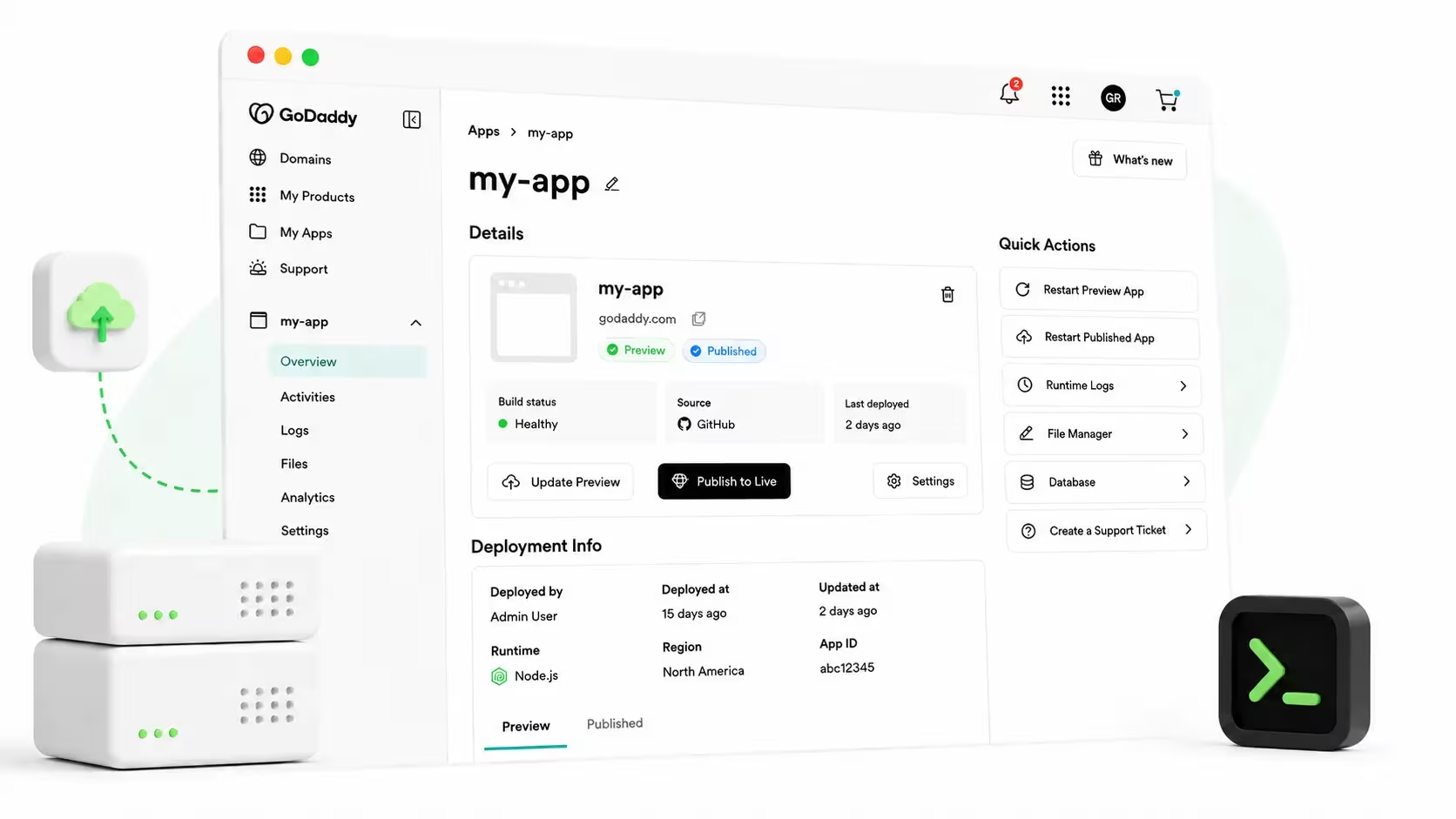
If you’re specifically building Node.js applications, explore GoDaddy’s Node.js hosting. While a standard website plan isn’t necessarily compatible with every application, GoDaddy Web Hosting plans include Node.js Hosting at no additional cost.
Step 3: Check off the hosting features that actually matter

Once you know the category, use this checklist to evaluate the web hosting services on your shortlist. Keep the web hosting cheat sheet handy if specifications get confusing.
Uptime: What an hour of downtime really costs a small business
Look for an uptime commitment of 99.9% or higher, then read how it’s measured.
At 99.9%, the mathematical equivalent is roughly 8 hours and 46 minutes of downtime per year. A monthly guarantee, exclusions, and credit rules may work differently.
For a shop receiving four $50 orders per hour, one unavailable hour puts about $200 in potential sales at risk. That’s an illustration, not guaranteed lost revenue.
Check:
- The monitoring period and excluded events.
- Whether a public status page is available.
- How service credits are requested.
Speed and the tech behind it
Fast pages help visitors browse, book, and buy. Hosting matters, but so do images, plugins, code, and site design.
Look for:
- SSD or NVMe storage: Fast storage that can reduce delays when servers access data.
- Caching: Reuses prepared content instead of rebuilding it for every request.
- A content delivery network, or CDN: Delivers eligible content from locations closer to visitors.
- Suitable resource limits: Enough CPU, memory, and database capacity for your workload.
Specifications alone don’t prove speed. Test your own pages and understand the importance of page speed.
Security essentials for small businesses
Security problems can interrupt sales and damage customer trust. Confirm what’s included and what costs extra:
- SSL/TLS certificates for encrypted connections.
- A web application firewall.
- Malware scanning, with clear cleanup terms.
- Backups and usable restoration tools.
- Two-factor authentication for relevant accounts.
SSL doesn’t make a site immune to attacks. Learn to fix not secure warning on your site and recognize common cybersecurity threats for small businesses.
Support that’s there when your business needs it
Without an IT department, dependable support is especially valuable.
Check available channels — phone, chat, email, or tickets — plus hours, regional availability, and escalation procedures.
Ask what support actually covers. Server troubleshooting, WordPress repairs, and custom-code debugging are different services.
Test pre-sales support yourself. A clear answer matters more than a fast greeting.
Room to grow, without starting over
Ask whether you can add resources or change plans without rebuilding your site, and whether upgrades involve downtime or migration fees.
Watch for recurring resource warnings, slow database operations, and poor performance during campaigns.
An upgrade may help, but diagnose first: oversized images or a faulty plugin can slow down an otherwise suitable plan.
Step 4: Know which tasks are still on you after you sign up

Hosting provides a foundation, not a complete handover of responsibility. Give these tasks an owner so they don’t disappear from your to-do list.
Back up your site regularly
Keep an independent copy of your files and database rather than relying exclusively on host backups.
Back up before major changes. A rarely updated brochure site might need monthly copies; a store may require daily or more frequent backups.
Test restoration, too. Here’s how to back up a WordPress site.
Keep your CMS and plugins updated
Outdated content management systems, themes, and plugins can contain known vulnerabilities.
Apply updates, remove unused extensions, and check important functions afterward. On managed plans, confirm which updates are automatic and which remain your responsibility.
Lock down your security settings and admin access
Enable HTTPS, use unique passwords, turn on two-factor authentication, and limit administrator permissions.
These are straightforward setup tasks, but access needs reviewing when employees or agencies change.
Manage your domain and business email
Your domain, hosting, and business email can live with separate providers. Changing one doesn’t automatically move the others.
Understand domain name vs hosting, learn to connect a domain to hosting, and explore the benefits of professional email for business.
Using one provider can simplify administration, but still track each service’s billing and renewal date.
Step 5: Switching hosts? Here’s how to do it without missing a beat

Switching is common. Careful preparation reduces the risk of downtime, missing orders, or interrupted email.
If you use WordPress, follow this detailed guide to migrate a WordPress site. And if you’ve chosen GoDaddy specifically, it’s a manageable task to move your site to GoDaddy.
Before you move
- Back up files, databases, and email independently.
- Confirm platform, runtime, database, and storage compatibility.
- Record existing DNS settings, including email records.
- Lower relevant DNS time-to-live values in advance, allowing the previous values to expire.
- Schedule the move during a quieter period.
For stores and membership sites, plan how to synchronize new orders and registrations during migration.
During the switch
- Copy the site to the new host.
- Test it using a staging address, preview URL, or another supported method.
- Check forms, logins, checkout, redirects, and HTTPS.
- Synchronize recent database changes before the final cutover.
- Change the required web DNS records.
If email isn’t moving, preserve its records. If it is moving, coordinate mailbox migration and the MX-record change separately.
After you’ve switched
Test the live site from different devices and connections. Send and receive email, submit forms, and complete a test purchase.
Keep the old service active during the transition—often at least 48–72 hours, longer if needed. Check DNS resolution and traffic before cancelling.
Monitor for missing files, broken links, and messages still reaching old mailboxes.
Behind the infrastructure: What GoDaddy’s hosting data shows

Measured results are more useful than broad promises.
GoDaddy’s report on the 2026 Review Signal WordPress Hosting Performance Benchmarks says its Managed Hosting for WordPress received a Top Tier award.
- Uptime above 99.97% across three monitoring services during testing.
- The fastest homepage load times in four of 12 tested locations: California, San Antonio, Frankfurt, and Cape Town.
- An average static response time of 26 milliseconds.
- Two errors in the LoadStorm test, with response times described as consistent under load.
These findings relate to the tested WordPress hosting configuration — not every GoDaddy product or customer website. A static response time also isn’t the same as a complete page-load time.
Use this evidence to inform your shortlist, then test your own site.
Make your final choice with a simple scorecard
Shortlist two or three suitable plans. Score each from one to five for platform fit, speed, security, support, renewal cost, and upgrade options.
Eliminate any plan that fails a must-have requirement, regardless of its total score.
The best website hosting advice is simple: buy for your current needs, budget for the ongoing cost, and make sure you have a practical path to grow.
Ready to compare? Explore GoDaddy hosting solutions or review GoDaddy Web Hosting plans.
FAQs about choosing a web hosting company
What matters most when choosing a web host for my small business?
Start with platform compatibility, dependable performance, security, helpful support, and affordable renewal pricing. Choose a plan you or your technical partner can maintain, then test it with a representative version of your site.
How much should a small business expect to pay for hosting?
As rough planning estimates, shared hosting often costs $6–$20 per month, managed WordPress $7–$50 or more, and VPS hosting $9-$100 or more. Compare renewal prices, upfront commitments, and extras such as email, backups, and management.
Can I switch my web host later without losing my site or email?
Usually, yes—with backups, compatibility checks, testing, and a coordinated DNS cutover. Email may need a separate migration. Keep the old service active until the transition is verified. Some website-builder sites require rebuilding rather than a direct transfer.
What does “unlimited” bandwidth or storage really mean?
It generally means there isn’t a fixed advertised allowance for that feature under normal permitted use. Fair-use rules and limits on CPU, memory, file counts, or other resources may still apply. Read the plan’s terms.
Do I need special hosting if I sell products online?
You need hosting or a hosted platform that supports your ecommerce software, secure checkout, backups, and expected demand. You should also carefully consider payment solutions, as well. Small stores may work on suitable shared or managed plans; larger stores may need more capacity. Confirm payment-security responsibilities with your payment provider.