
If you're building a website, an app, or any kind of digital tool for your business, you’ll likely come across several approaches: no-code, low-code, or traditional code. In 2026, there's also a fourth option gaining traction — AI-powered building, the approach behind tools like GoDaddy Airo AI Builder.
Each path comes with different costs, timelines, skill requirements, and trade-offs.
Understanding those differences can help you choose the option that best fits your goals, budget, and long-term plans.
This guide breaks down all four approaches in plain language, including what they are, when they make sense, and what to consider before getting started.
What is no-code, low-code, and traditional code?
Before you build anything, it pays to understand the four main paths available today.
What is no-code?
No-code lets you build an app or website without writing code yourself. Instead, you use drag-and-drop visual editors and prebuilt components such as forms, buttons, page sections, and automations to create your project.
It's popular for entrepreneurs, small business owners, and other non-technical users who want to launch quickly. While no-code platforms make it easy to get started, customization options may be more limited compared to low-code or traditional development.
What is low-code?
Low-code is a hybrid approach. You still get visual editors, templates, and ready-made integrations to speed up development, but you can also add custom code when you need more advanced functionality, business logic, or integrations.
Low-code offers a balance between speed and flexibility, making it a practical option for teams that have some technical expertise but don’t want to build everything from scratch.
What is traditional code?
Traditional code involves building software from the ground up using languages like JavaScript, Python, Java, PHP, Ruby, or C#. Developers have full control over the application’s architecture, user interface, database, security, deployment, and ongoing maintenance.
This approach provides the greatest flexibility. However, it typically requires more time, technical expertise, and resources to build and maintain.
The new option: AI-powered building
In recent years, a fourth path has emerged: AI-powered building. For most small businesses, it offers a faster and more accessible way to create websites and digital experiences.
AI-powered building uses large language models like Claude (from Anthropic), GPT-4/5 (from OpenAI), and Gemini (from Google) to help turn plain-English descriptions into websites, content layouts, and other digital assets.
You describe what you want — "a booking website for my hair salon" — and the AI helps generate the foundation (layout, copy, design, and structure) which you can review, refine, and publish.
The popular term for this is vibe coding, a phrase coined by AI researcher Andrej Karpathy in early 2025 to describe the new flow-state of building software by describing outcomes rather than typing code.
For small business owners specifically, GoDaddy Airo AI Builder brings this AI-powered approach to a broader business platform. Rather than building everything manually, users can generate a website and supporting business assets, including branding, marketing, payments, email, and SEO tools — from a few prompts about their business.
It's not just faster than no-code. For most small business projects, it's better, because it builds a polished, on-brand result the first time, with all the essentials wired up automatically.
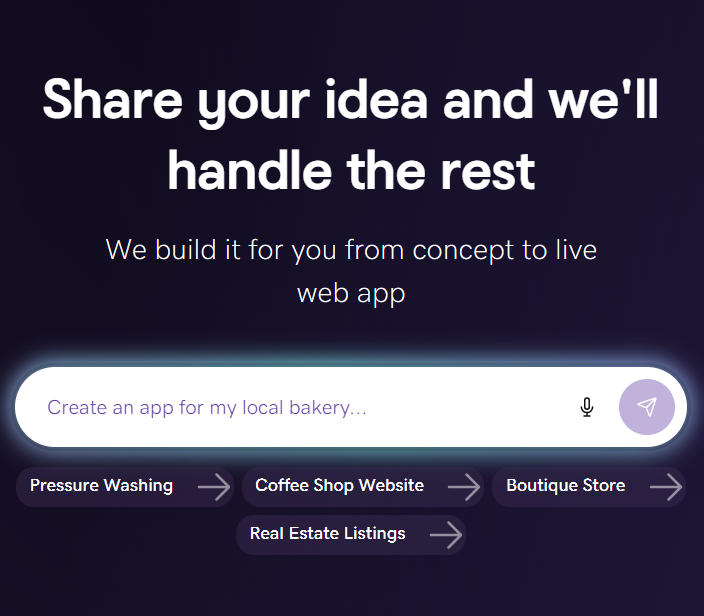
GoDaddy Airo AI Builder
Describe your idea. We'll build your live website in minutes.
With a few prompts, Airo AI Builder generates your website, web app, pages, databases and logic in minutes — no coding required. Start for free with 50 AI credits a month. No credit card required.
Build for FreeKey differences at a glance
Here's how the four approaches compare across the factors that matter most:
| Factor | No-code | Low-code | Traditional code | AI-powered (GoDaddy Airo) |
|---|---|---|---|---|
| Coding skill needed | None | Some | Expert | None |
| Time to launch | Hours–days | Days–weeks | Weeks–months | Minutes |
| Customization ceiling | Low | Medium | Unlimited | High (with AI refinement) |
| Cost | Low | Medium | High | Low |
| Best for | Simple tools, forms | Business apps with integrations | Complex/specialized systems | Small business websites and online presence |
| Maintenance burden | Vendor-managed | Shared | All on you | Vendor-managed |
A few details worth understanding:
Accessibility and ease of use
- No-code is the most beginner-friendly of the legacy options — drag, drop, done.
- Low-code still uses visual editors, but you'll need some understanding of code to unlock its full potential.
- Traditional code is the most complex — full development environments, version control, deployment pipelines, the works.
- AI-powered building is the most accessible. If you can describe your business in plain English, you can build with it.
Customization and flexibility
Customization generally increases as you move from no-code → low-code → traditional code. AI-powered building sits in a unique spot: it can generate highly customized output the first time (because the AI tailors to your specific prompts), and you can keep refining with natural language indefinitely.
Technical knowledge requirements
- No-code: Basic logic, data, and permission concepts.
- Low-code: APIs, data models, debugging, light programming.
- Traditional code: Languages, architecture, testing, CI/CD, deployment, security.
- AI-powered building: Just clarity about what you want.
Pros and cons of no-code
| Pros | Cons |
|---|---|
| Lowest barrier to entry | Hits a customization ceiling fast |
| Fast prototypes via templates | Limited integration options |
| No developers needed | Vendor lock-in (hard to migrate) |
| Affordable for simple use cases | Security depends entirely on the vendor |
When is no-code ideal?
No-code shines for validating early ideas, building simple internal tools, or shipping basic forms and automations. It works best when your needs are standard, your user base is small, and your timeline is tight. If your project grows in complexity, expect to migrate.
Pros and cons of low-code
| Pros | Cons |
|---|---|
| Faster than traditional development | Still requires some technical knowledge |
| Customizable beyond no-code limits | Vendor lock-in remains a risk |
| Good middle ground for IT teams | Complex projects eventually outgrow it |
| Reduces backlog for small dev teams | Per-seat pricing can scale fast |
When is low-code ideal?
Low-code is a strong choice when you need to launch business apps faster while keeping integrations, permissions, and maintenance under developer oversight. It's especially useful for IT teams with a long backlog and limited headcount.
Pros and cons of traditional code
| Pros | Cons |
|---|---|
| Total control and customization | Highest cost |
| Deep integration with proprietary systems | Requires experienced developers |
| Scales infinitely with the right architecture | Longest time to launch |
| Fully portable, no vendor lock-in | All maintenance is your responsibility |
| Best-in-class security tailored to your needs | Poor planning becomes expensive technical debt |
When is traditional code ideal?
Choose traditional development when your project has unique architectural needs, must meet strict compliance or security requirements, expects extreme scale, or is strategically critical to your business. It's the right call for proprietary financial systems, regulated healthcare platforms, or large enterprise software.
For most small business websites and online stores? It's overkill.
Pros and cons of AI-powered building
| Pros | Cons |
|---|---|
| Fastest path from idea to launch | Newer category — best practices still evolving |
| No coding or design skills needed | Less suited to highly specialized custom apps |
| Output is polished and on-brand from day one | Requires clear prompts to get great results |
| All-in-one platforms (like GoDaddy Airo AI website builder) include hosting, SEO, payments, email | May offer fewer third-party integration options than a fully custom tech stack |
| Iteration is conversational — "make this section warmer" | Human review is still important to ensure accuracy and brand alignment |
When is AI-powered building ideal?
This is the right choice for the vast majority of small businesses, solo founders, and creators. If you need a professional website, online store, booking site, portfolio, or marketing presence — and you want it live quickly without managing developers, infrastructure, or third-party tools — AI-powered building is the fastest, most affordable, and most complete path.
It's especially powerful when paired with a platform like GoDaddy Airo that bundles all the small-business essentials (domain, hosting, SSL, email, payments, marketing) into one workflow.
Which option is best for your project?
Still not sure which path fits? Here's a quick decision guide:
Choose no-code when…
- You're prototyping a simple internal tool
- You need a basic form or automation
- You want to test an idea with minimal investment
Choose low-code when…
You have some developer capacity, but want to move faster
- Your project needs serious integration or business logic
- You're modernizing an internal IT backlog
Choose traditional code when…
- You're building proprietary or highly specialized software
- You face strict compliance or audit requirements (healthcare, finance)
- You expect massive scale or unique performance needs
- You need full architectural control and zero vendor dependency
Choose AI-powered building (like GoDaddy Airo) when…
- You're a small business owner, founder, or creator
- You want a professional website live as fast as possible
- You'd rather focus on running your business than managing tech
- You want hosting, SEO, payments, email, and marketing all bundled together
For small business owners and entrepreneurs, that last option offers a good balance of speed, simplicity, and affordability.
Tips for choosing the right option
Choosing the right approach is about matching the tool to your goals, timeline, comfort level, and how you want to grow. A few principles to keep in mind:
Evaluate your needs and resources
Start with an honest inventory: What does your business actually need? A website? An online store? A booking page? Marketing tools?
Then look at your resources: Do you have developers? A budget for contractors? Time to learn a new platform?
If you don't have developers and want to launch fast, no-code or AI-powered building (like Airo ) is the smart move. If you have an expert team and need full control, traditional code may be worth the investment.
Consider your timeline and budget
Time and money are usually the biggest constraints. Here's how the four approaches stack up:
- AI-powered building: Minutes to launch, lowest cost (often included with a domain)
- No-code: Hours to days, low monthly cost
- Low-code: Days to weeks, medium cost (often per-seat pricing)
- Traditional code: Weeks to months, highest cost (developer salaries or contractor fees)
If your timeline is tight or your budget is limited, the choice usually narrows quickly.
For a deeper dive into budgeting specific to apps, see how much it costs to make an app for typical cost ranges and trade-offs.
Related: How much does a website cost?
Define your goals and scalability
Think about where your project needs to go, not just where it starts.
- For most small business websites and online stores, AI-powered building scales beautifully — you can keep refining your site as your business grows, and the platform handles infrastructure for you.
- For simple internal tools, no-code is usually enough.
- For complex business apps with integrations, low-code or traditional code may be needed.
- For specialized enterprise systems, traditional development is the way.
The good news for small business owners: you don't have to predict the future perfectly. AI-powered platforms like Airo are built to grow with you — adding features like online stores, bookings, email marketing, and more as you need them.
The bottom line
Five years ago, the choice was no-code, low-code, or traditional code — and most small business owners ended up overpaying for something more complex than they needed.
Today, AI-powered building has changed the math entirely. For the vast majority of small businesses, you no longer need to choose between fast and professional, or between easy and complete. You can have all of it — website, branding, marketing, payments, email, and SEO — built and launched in minutes.
The fastest, smartest way to get there is GoDaddy Airo AI Builder: register your domain, describe your business, and watch your full online presence come to life.
GoDaddy Airo AI Builder
Describe your idea. We'll build your live website in minutes.
With a few prompts, Airo AI Builder generates your website, web app, pages, databases and logic in minutes — no coding required. Start for free with 50 AI credits a month. No credit card required.
Build for Free


