
There are so many things to think about when you’re planning a wedding.
Venues, dresses, suits, flowers, wedding favors, cakes, menus, bands, transportation, DJs, table settings, something old, new, borrowed, blue. It’s all so exciting, but time-consuming, too.
The good news is that one easy-to-create element can help make planning your big day a little easier: a wedding website.
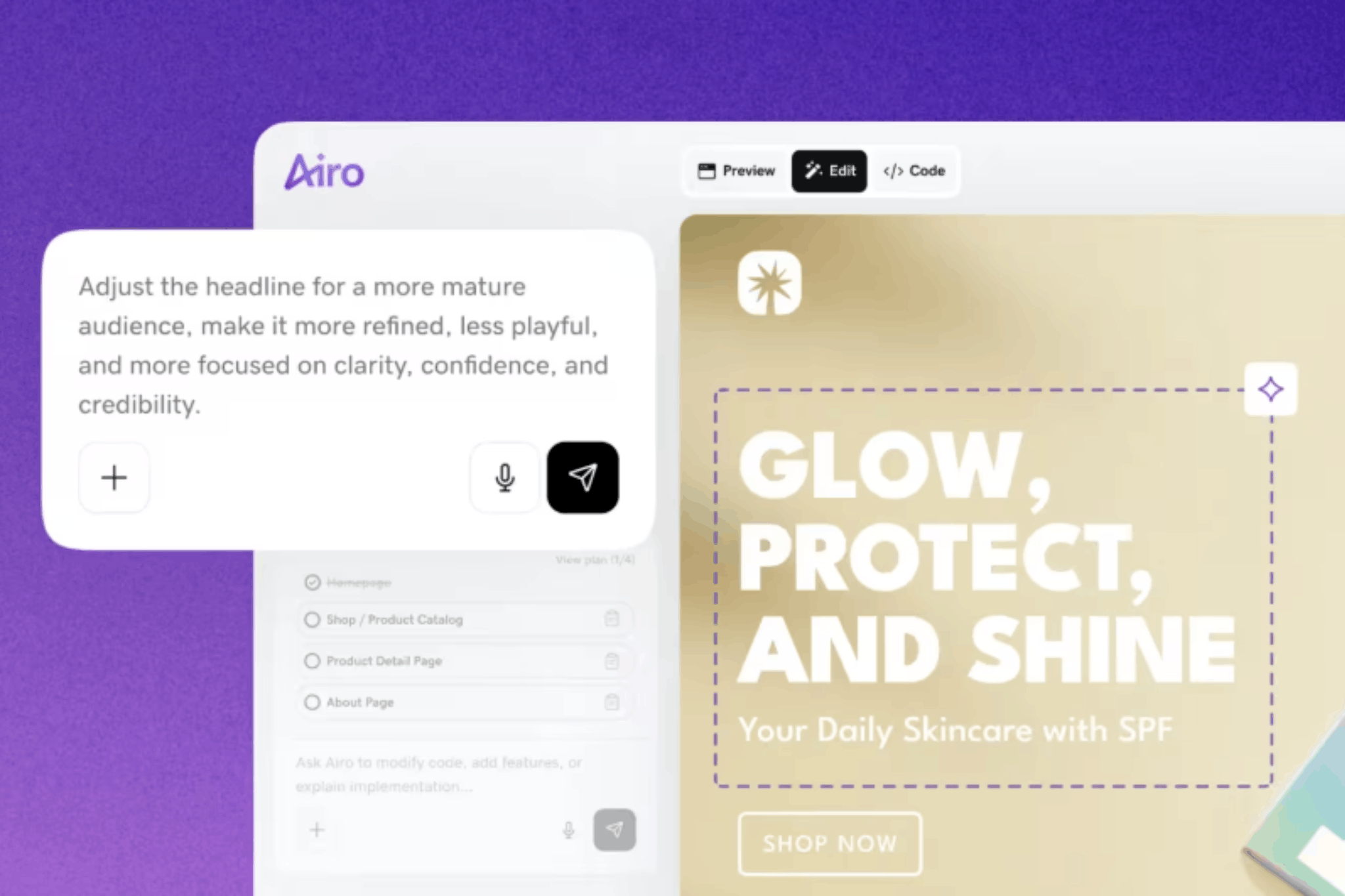
With GoDaddy Airo AI Builder, you can simply describe your big day, and it’ll take care of the heavy lifting for you — with no coding required — giving you more time to focus on the other details of your exciting event.
GoDaddy Airo AI Builder
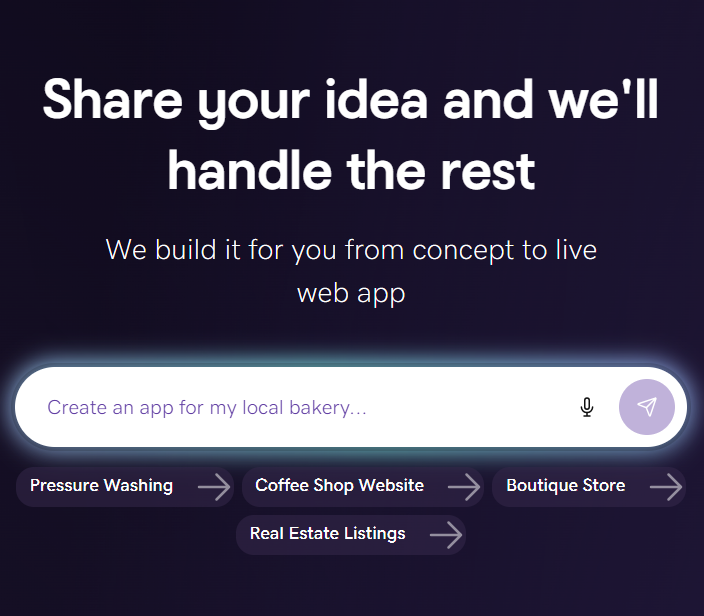
Describe your idea. We'll build your live website in minutes.
With a few prompts, Airo AI Builder generates your website, web app, pages, databases and logic in minutes — no coding required. Start for free with 50 AI credits a month. No credit card required.
Build for FreeWhat is a wedding website?
A wedding website is a site dedicated to your big day. It will feature all the essential information for guests; it's a place to share photos before and after the wedding, and it will serve as a forever reminder of the day you tied the knot.
Why every couple needs a modern wedding website
A wedding website is a site dedicated to your big day. Ideally, it should feature all of the essential information for guests ahead of your wedding. Optionally, it can also be a place to share photos before and after the wedding, allowing your website to serve as a digital keepsake of the day you tied the knot.
While designing, writing, and sending out invitations are a memorable part of the pre-wedding experience, having a complementary wedding website can help with the following:
Centralized information hub for enhanced guest experience
Save the dates and paper invitations can easily be lost or damaged by guests, especially if you send them out a year or more in advance.
A wedding website puts all the information guests need at their fingertips, from date/time information and venue details to recommendations for local places to stay. Having this information available online can help decrease the number of guest inquiries in those busy days leading up to the main event.
You can also get a personalized email address linked to your wedding website, so all correspondence, RSVPs, dietary requirements, and details of plus ones can be recorded in a dedicated, easy-to-search space.
Related: How to create a website with AI
Real-time updates and notifications
When you’re sending out invites, you won’t always have finalized every detail of your wedding.
For example, you might not know the exact time you want your wedding party and family on location for pre-wedding photos. A wedding website lets you update information like this when you have it, making it instantly accessible to everyone in your wedding party and saving you time on contacting everyone individually.
Positive impact on sustainability and the environment
Up there with the likes of invites printed on seeded paper and those printed with soy or vegetable inks, choosing a wedding website over traditional paper or card invites can help you lower your wedding’s impact on the environment.
A website allows you to make changes to wedding details quickly, without having to re-send amended invitations. You can also include last-minute guest list additions by simply sending them to your website to RSVP.
How to build a next-level wedding website in 10 steps
1. Define your vision and guest needs
The look and feel of your wedding website should tie in to the theme of your big day itself.
For example, if your dream wedding is taking place in a countryside barn, with wildflower displays as centerpieces, you might choose a breezy, floral style for your website.
Something else to keep in mind at this stage is the needs of your guests. If your grandma has vision issues, be sure to choose colors with high contrast to help her navigate your website.
Once you’ve got your vision, use that information to set the tone for your website. Not sure how to tie your vision to your website? Try using a business name generator! It’s a great way to get assistance with bringing your ideas to life.
2. Choose a platform that does the work for you
Wedding planning is a ton of work, so your website builder should ease the burden, not add to it. With GoDaddy Airo AI Builder, you’re able to simply describe what you’d like for your website, and it will generate your pages, features, and even starter copy to get you going, allowing you to quickly refine and publish a beautiful, functional website.
When selecting a website platform, look for one that allows you to:
- Generate a complete, styled website conversationally, without having to start from a blank page.
- Add features that you and your guests need, such as an RSVP form or photo gallery, by simply describing them.
- Weave in professional images to make your website look polished (for example, Airo AI Builder includes licensed stock photos and videos).
- Use a custom wedding domain name.
- Publish your site in a single click.
- Built-in mobile-responsive design and automatic SSL security features.
- Get found later with built-in SEO, if you choose to keep your website up as a keepsake.
3. Describe your design vision
Once you have chosen your platform, you don’t need to start from scratch or try to find a template that might work. Instead, you can describe what you want and let the builder do the rest.
Here are some things to think about before you get going:
- Do you want a full-page photo on your website’s first page (homepage) or a smaller image accompanied by a headline like “Welcome to our wedding?”
- Would you prefer to have a scrolling image gallery at the top of your homepage?
- How about having a welcome video at the top of your homepage?
With an AI-powered site builder, you can describe the vibe that you’re after (such as “a romantic website with a large hero image that has the bride and groom’s names prominently displayed”) and refine from there.
4. Personalize design with your colors, fonts, and style
Your wedding website can be a work in progress; you don’t need to know everything about your theme or color scheme before you set one up. Start with a simple description and use placeholder colors, words, images, etc. until you’ve fine-tuned your vision.
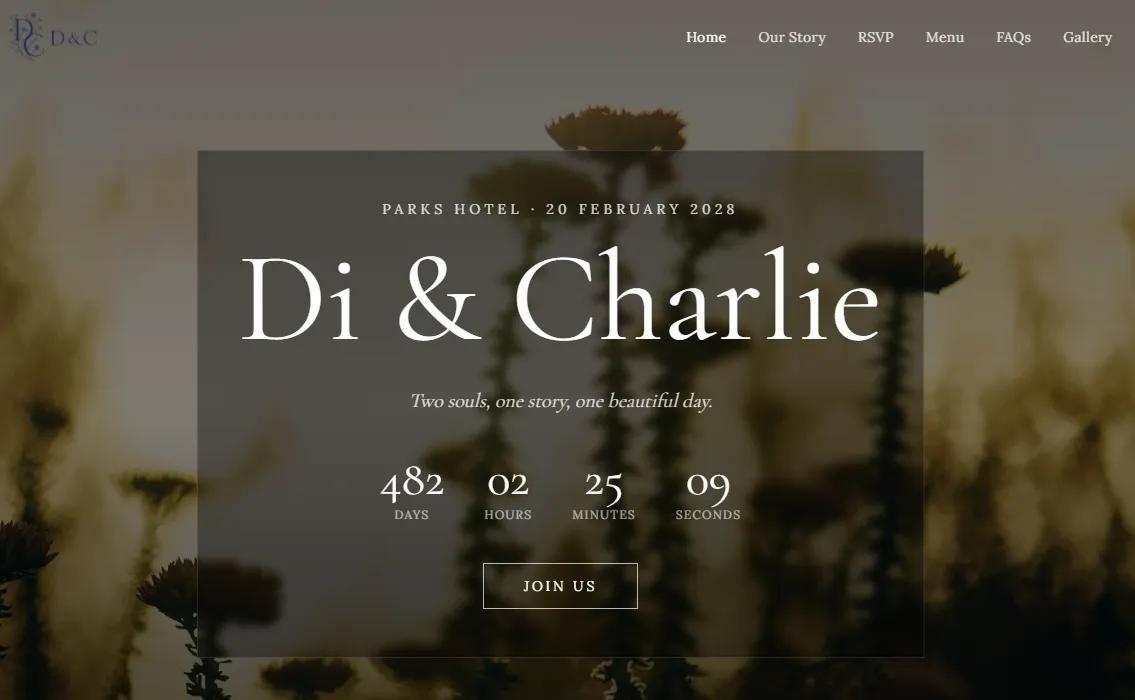
Refining your vision can include either manual edits (such as swapping images out) or asking the AI assistant to modify it for you. These modifications could include:
- “Make the colors softer.”
- “Add a photo gallery.”
- “Change the font to be more elegant.”
Continue to refine until your website reflects your real-world wedding vision.
5. Add multimedia elements
Weddings are inherently visual events, and your website should reflect this. With an AI builder, you’re able to request the multimedia elements that you’re looking for and then simply swap in your own media as you go along. For example, you can request a photo gallery for your engagement photos, then swap the placeholders for your own.
Multimedia options you might want to include are:
- Galleries, for everything from your engagement shoot to your engagement party
- Slideshows
- Videos
- Vlogs
- Livestreams
- Playlists
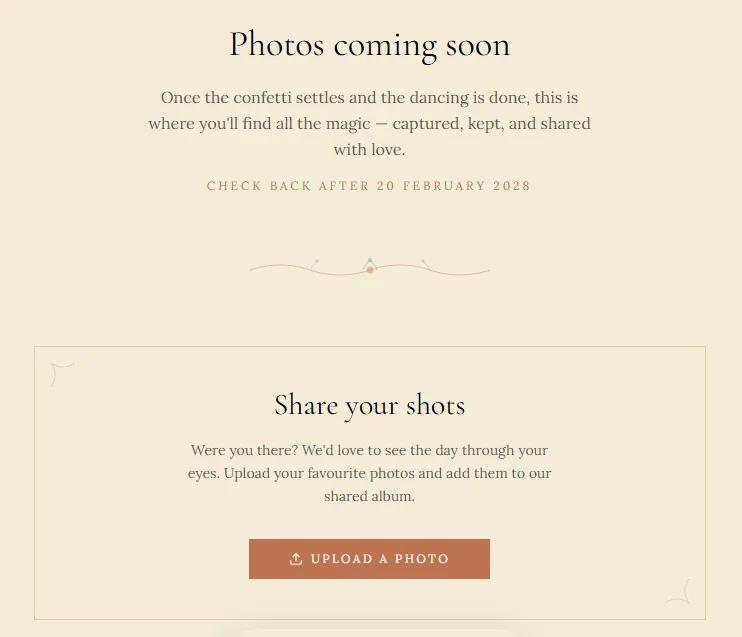
6. Incorporate FAQs
No matter how organized and thorough you are, you will always have some forgetful or chaotic guests at your wedding. So having an always-accessible FAQ section to direct them to can save you some serious stress.
Think about adding the following FAQs to your site:
- Where is the ceremony?
- What time should guests be at the ceremony venue?
- Are children allowed?
- What is the dress code?
- Should you bring gifts?
- Where is there to stay nearby?
7. Collect RSVPs and meal choices
What used to be a massive hassle for wedding planners can be streamlined with a well-designed RSVP form. With that, you can gather essential information, like who’s coming and their meal choices/dietary restrictions, digitally (rather than waiting and hoping your guests mail back their RSVP card).
An AI-powered website builder allows you to set up such a form conversationally, reducing both the work required to build it and the effort required by your guests to remember to mail their RSVP preferences back to you. Simply tell the builder to “add an RSVP form with a meal choice selection for either baked chicken or pasta primavera, as well as a field for dietary restrictions,” and then you can refine your form from there.
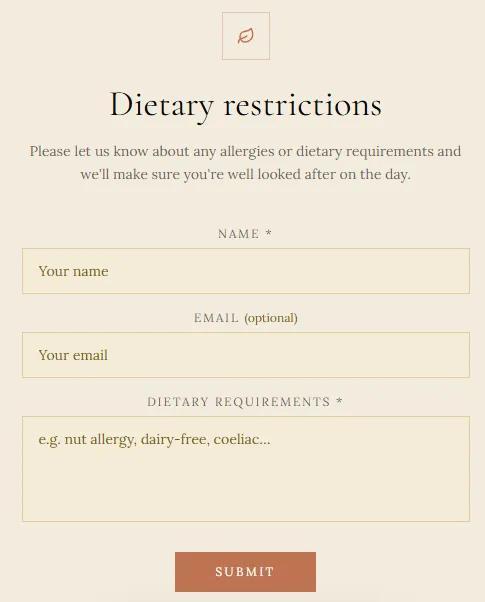
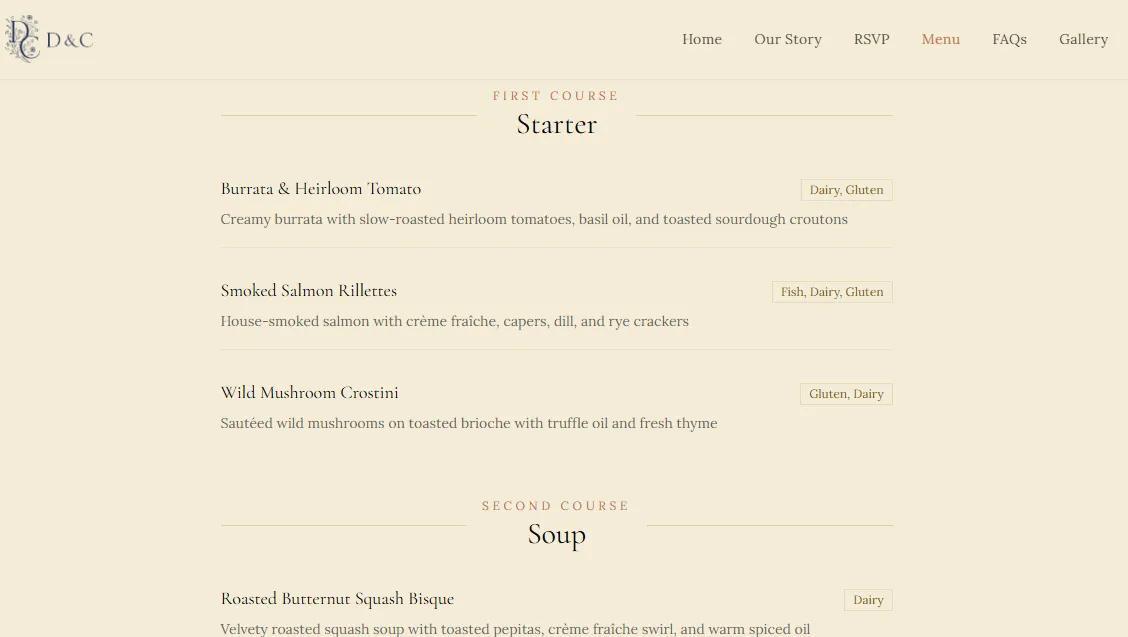
If you have a menu to share, include that on your RSVP page as well so that guests can choose which meal option sounds best to them.
8. Test for accessibility and mobile optimization
It’s thought that over 60% of web traffic now comes from mobile phones, so you’ll need to create a website that can be viewed from these types of devices.
The technical term for this is mobile responsiveness, and it basically means that all copy, layout, and images on your site look as good and are as visible and readable on handheld devices as they are on a laptop or PC.
Additionally, ensuring that your website is accessible means that visitors with disabilities can also successfully use your website and join in on the wedding festivities.
9. Choose a custom domain name
As mentioned earlier, it’s possible to create a custom domain name for your wedding website. Just head to the domain name search pages of a domain registrar (like GoDaddy) and enter the website name you have in mind.
Top tip: Did you know that you don’t need a .com web address ending? You could have a .info, .love, a location-based ending such as .vegas or .london, or even a .wedding domain extension!
Want to see if the domain you want is available? Give it a try here:
10. Share the website link with your guests
One word of advice: Avoid sharing your web address on social media before your wedding if you’re planning to use your website as an RSVP tool. You’ll avoid any potential hurt feelings for those who weren’t included in the invite list.
Wedding website strategy and planning: must-have features
We’ve alluded to the key features of a wedding website above, but now you might be wondering exactly how to plan your first website. Here’s an at-a-glance checklist to get you going.
Core pages
Before you start building, it can be helpful to look at website wireframe examples to plan your site structure and layout. Here are some core pages you need to have:
- Event details: If you’re having a destination wedding, this can be a whole timeline of pre- and post-wedding events.
- Travel and accommodation: List parking information, airport shuttle details, notable attractions in the area, and nearby restaurants and hotels.
- Dress code guidelines.
- Gift information: If you just want your guests' presence rather than presents, make sure you explain this on your site. If you’re open to receiving gifts or have a registry, you can link to it in this section, too.
- Menus: Include your full menu offerings on your website so that your guests know what to expect.
- FAQs: Add any questions that you might be asked repeatedly (or add ones as they’re asked). Some common questions would be about plus-ones, dress colors, etc.
Personal touches
Showcase your love story on your website with an About Us section about how and where you met. Add photo galleries for your engagement shoot and celebratory party pics. You can even film a “welcome to our wedding” video. It’s your time to shine!
Advanced features
Is there a vital piece of information you need your guests to see one week? For example, the deadline for RSVPing? Create a pop-up to make sure it’s the first bit of information they see when they visit your site.
Have guests who can’t attend the wedding in person? Set up a real-time video feed from a live streaming platform so people can witness your vows from around the world.
Post-wedding website transformation
A website can last a lifetime. Once your big day is done, you can keep it live for as long as you’d like to remind you of your big day.
Sharing photos, videos, and thank-yous
After the event, you can also add your professional photos to your site and share them through social media posts.
Your website is also a wonderful place to say a permanent thank you to your guests. Just create a new section of copy or a new page to say how much you appreciated them sharing your day with you.
Converting to an anniversary and milestone site
A website is something that can constantly be changed, switching up templates, words, images, and other content.
A year or so down the line, you could update yours to be an anniversary site or — if your family gets larger — an online family photo album and a new domain name.
Related: How to change your domain name
The future of wedding websites
Wedding websites can either replace or complement traditional invites and save the dates. And with GoDaddy’s Airo AI Builder, you can create a beautiful website yourself in minutes without any technical know-how or coding required. Simply describe your wedding theme and colors, and the AI builder will take it from there.
Once your website has been built, you can continue to conversationally refine your site until it’s exactly what you’re looking for.
Best of all, you can explore wedding website designs for free with Airo AI Builder. Weddings can be expensive, but your beautiful website doesn’t have to be.