

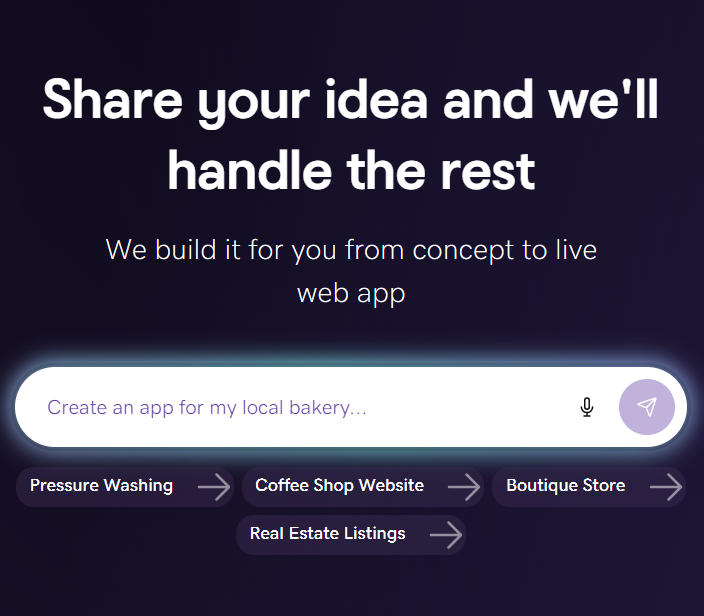
If you've ever used an AI platform like ChatGPT, Claude, or Gemini, you already know how much they've changed everyday work, from writing to design, research, marketing, and beyond.
Now, that same shift is happening in software. A new generation of tools called AI coding agents can take a plain-English request like, "Build me a booking site for my dog-grooming business," and actually make it happen. They plan the work, write the code, run tests, fix their own bugs, and hand you a working site or app.
The biggest AI coding agent tools you'll hear about most often in 2026 are Claude Code (from Anthropic), Cursor, GitHub Copilot, and open-source options like Aider and Cline. Each works a little differently, but they all share the same ability: turning ideas into functional code.
So, are AI coding agents genuinely useful for small businesses and creators, or are they still more hype than help? Let's take a closer look.
What is an AI coding agent?
An AI coding agent is software powered by a large language model (LLM), such as Claude Sonnet, GPT-4/5, or Gemini, that can take an end-to-end coding task and return a complete, reviewable solution. Where earlier tools (think autocomplete) just suggested the next line of code, AI coding agents do the whole job.
Give an agent a goal, and it will:
- Read the request and determine what success looks like
- Open files, search the codebase, and gather context
- Plan the steps, write or edit the code, and install dependencies
- Run the project, catch errors, and fix them automatically
- Deliver the finished result, often as a pull request you can review
Tools like GitHub Copilot Coding Agent, OpenAI Codex, Claude Code, Devin, and Cursor's Agent Mode all work this way. For small business owners, this means you can describe a website or app in plain English and receive a working starting point without advanced coding knowledge.
People have started calling this vibe coding. You describe what you want, watch the agent build it, and guide the process with feedback along the way.
How AI agents generate code

Most AI coding agents follow a similar workflow. Think of it as the same process a junior developer would use, just at a much faster pace.
- Understand the goal. The agent reviews your prompt or ticket and identifies the requirements and desired outcome.
- Gather context. It opens relevant files, searches symbols, and reads documentation in your repository.
- Plan. It maps out the steps it needs to take and identifies which files require updates. It can also adjust the plan if it spots potential issues.
- Implement. It creates a branch, writes or edits code, adds dependencies, and generates tests when needed.
- Test and iterate. The agent runs tests, linters, and type checkers, then reviews any errors and continues making fixes until everything passes.
- Hand it off. Once the task is complete, the agent commits the changes and opens a pull request with a clear summary so you or your team can review it and request revisions.
The biggest advantage is simple: the agent handles much of the repetitive work, while you stay focused on strategy, decision-making, and the bigger picture.
The major AI coding agents in 2026
Not every AI coding agent is designed for the same type of user. Some focus on helping developers write code faster, while others aim to automate larger projects or generate complete websites with minimal setup. Below are the most common AI coding agents and their use cases.
Built for developers inside the Integrated Development Environment (IDE):
- Cursor: A full-featured code editor built on VS Code with deep AI agent integration. It’s especially popular with professional developers managing larger projects.
- GitHub Copilot: Microsoft and GitHub’s AI coding assistant now includes a Coding Agent that can complete full development tasks asynchronously.
- Claude Code: Anthropic’s terminal-based coding agent is known for strong reasoning and handling large, multi-file refactorings effectively.
- Windsurf: An agent-focused IDE built by Codeium for longer-running and more autonomous coding workflows.
- Aider and Cline: Open-source AI coding agents that appeal to developers who want more flexibility and control over models and workflows.
Built for fully autonomous work:
- Devin (Cognition): Positioned as an AI software engineer, Devin is designed to take ownership of development tickets and complete work with limited supervision.
- OpenAI Codex (cloud): Runs coding tasks in a sandboxed cloud environment and returns completed pull requests for review.
Built for small businesses who want a finished site, not a codebase:
- GoDaddy Airo AI Builder: Designed for business owners who want a production-ready website instead of managing a codebase. Airo can generate a complete site using your domain name and business category, with hosting, SEO tools, SSL, payments, and email already integrated.
The right choice depends on whether you want to write code with AI help, delegate tasks to an autonomous agent, or skip code entirely and get a finished website.
Benefits of using AI coding agents
AI coding agents don't replace human review, but they dramatically reduce manual work and accelerate delivery. Here are some of the biggest advantages users consistently highlight:
- Faster shipping. Tasks that once took hours, such as building a feature, adding a form, or fixing a bug, can often be completed in minutes.
- Less context-switching. The agent handles branch creation, commits, push, and PR descriptions so you can stay focused on the decision, not the keystrokes.
- Higher baseline quality. Agents that run tests, linters, and type checkers iterate until the build is "green," catching issues humans often miss.
- Parallel work. You can hand off multiple tasks at once and review the results when they're ready.
- Transparent collaboration. Changes are typically organized into commits and pull requests, making it easier for teams to review updates, leave feedback, and guide the agent’s work.
- More time for strategic thinking. You stay focused on priorities, architecture, and business goals while the agent handles repetitive implementation work.
For non-developers building a small business website, the biggest benefit may be the simplest one: you can move from an idea to a live website without needing to work directly in a code editor.
AI agents vs. human developers

AI coding agents can automate large parts of software development, but successful projects still depend on human oversight.
The best results come from combining AI speed with human judgment, communication, and decision-making. Here’s how each one fits into the process:
| Task | Best handled by humans | Best handled by AI agents |
|---|---|---|
| Defining architecture and weighing trade-offs | ✅ | |
| Negotiating ambiguous requirements with stakeholders | ✅ | |
| Reviewing for security, privacy, and compliance | ✅ | |
| Setting code style and prioritizing readability | ✅ | |
| Writing boilerplate, CRUD endpoints, and tests | ✅ | |
| Running linters, type checkers, and fixing build errors | ✅ | |
| Generating documentation and PR descriptions | ✅ | |
| Handling repetitive refactors across many files | ✅ |
There are also a few practical realities teams should keep in mind when working with AI coding agents:
- An agent may recommend insecure dependencies, overlook error handling, or accidentally expose sensitive information in logs or code. Human review and security tooling, such as SAST scanners, still play an important role.
- Agents sometimes overbuild solutions, generating extra abstractions, unnecessary tests, or added complexity that was never requested. Developers still need to simplify and refine the final result.
- AI agents are extremely fast at repetitive workflow tasks like creating branches, writing commits, opening pull requests, and running test suites. Human teams remain essential for strategy, prioritization, and collaboration.
The teams seeing the strongest results tend to treat AI coding agents like highly capable junior developers: provide clear instructions, review the output carefully, and guide the process.
Use cases: Automatically building websites and applications
AI coding agents work a lot like autopilot for software projects. You provide the destination, and the agent handles much of the execution. Some of the most common jobs they can handle today include:
- Landing page and blog prototype. An agent can generate the project structure, routes, components, and styling for a website. It can also add basic SEO settings and contact forms, then deliver a review-ready pull request in minutes.
- API and database work (CRUD). Agents can create database models, API endpoints, validation rules, documentation, and tests. Many tools continue iterating until the entire test suite passes successfully, complete with usage examples for developers integrating the API.
- Refactors and migrations. AI coding agents are especially useful for repetitive maintenance work, such as updating dependencies, resolving breaking changes, adjusting build configurations, and fixing TypeScript issues until the CI pipeline passes again.
- Bug fixes tied to support tickets. The agent can reproduce an issue, inspect logs, write a regression test, and propose a fix with a clean commit history and detailed pull request summary.
- MVPs and demos. Tools like Bolt.new, Lovable, and Replit Agent let users describe an app idea and generate a working prototype in just a few minutes. They’re useful for validating ideas before investing in a full-scale build.
Limitations and challenges of AI coding agents
These tools are advancing fast, but they're not magic. To use them responsibly, you need to know where they fall short:
- Vague prompts produce vague results. Agents implement what's likely, not always what's correct. The clearer your request, the better the output.
- They can pass tests and still be wrong. If your test suite doesn't cover an edge case, neither will the agent.
- Security blind spots. Generated code has been caught using outdated cryptography, vulnerable dependencies, or hardcoded secrets. Always run security scans (SAST, dependency audits) on AI-generated code before shipping.
- Hallucinated APIs and packages. Agents occasionally invent functions or libraries that don't exist. Type checkers and tests catch most of these, but not all.
- Cost and rate limits. Heavy agent use can rack up real money in API costs and hit provider rate limits mid-task.
- Quality drift without supervision. Without code review, agent-written codebases can become inconsistent and hard to maintain over time.
- Privacy and IP considerations. Sending proprietary code to a third-party AI provider may not be acceptable for every team. Many enterprises now use on-premise or private-cloud agents for this reason.
Overall, AI coding agents are a force multiplier for people who already know what good code looks like, not a replacement for them.
How to choose the right AI tool to build your site or app
The best AI builder for one person may be the wrong fit for someone else. Before choosing a platform, think about your technical experience, long-term goals, and the kind of workflow you want. Here are the key factors to evaluate:
- Who you are. Developers may prefer tools like Cursor, Claude Code, or GitHub Copilot that work directly inside an IDE. Founders building MVPs often lean toward platforms like Bolt.new or Lovable for rapid prototyping. Small business owners who want a finished website instead of managing code may benefit more from an all-in-one platform like GoDaddy Airo AI Builder.
- Scope. Think about what you actually need to build. A simple landing page requires different tools than an online store, booking platform, or membership site.
- Control and portability. Check how much flexibility the platform gives you. Can you fully edit the site? Connect a custom domain? Export your content if you decide to move platforms later? Vendor lock-in can become a challenge with some AI-first builders.
- Built-in features. Features like SEO tools, SSL certificates, professional email, payment processing, live chat, and marketing dashboards can simplify your workflow and reduce the number of separate tools you need to manage. Many all-in-one platforms bundle these features together.
- Design flexibility. Some fast AI editors trade flexibility for speed. Check whether the system is section-based or grid-based, and whether you can hand-edit if needed.
- Support and pricing. Reliable customer support and transparent pricing matter, especially close to launch. A platform with 24/7 support and predictable costs can save time and stress when issues come up unexpectedly.
How GoDaddy Airo AI Builder creates websites (almost) automatically
GoDaddy Airo AI Builder is designed for people who want to get a professional website online quickly without managing code, infrastructure, or complicated setup steps. Instead of handing you a codebase to configure yourself, Airo AI Builder generates a ready-to-launch website connected to the tools small businesses typically need.
With just a couple of inputs (your business name and category), Airo AI Builder:
- Generates a Coming Soon page you can publish instantly to claim your spot online
- Builds a starter site tailored to your industry, with copy, images, and structure ready to edit
- Suggests logo options, social media handles, post drafts, ad copy, and email templates — so your whole brand launches together
- Sets you up for mobile, SEO, SSL, payments, inbox and chat, and email marketing out of the box
This approach looks very different from standalone AI coding agents. Tools like Claude Code or Cursor can help generate software and websites, but users still need to handle hosting, security, payments, email setup, and marketing integrations themselves.
GoDaddy Airo AI Builder brings those pieces together into a single workflow, making it easier for small business owners to move from idea to launch with fewer technical hurdles.
Real examples of what you can build with Airo AI Builder
You can launch all of these without writing a single line of code:
- A Coming Soon page with a custom image and message you can publish in minutes, then convert into a full site whenever you're ready.
- A services website (think consultants, freelancers, local businesses) with a starter structure, suggested copy, section-based editing, mobile-responsive design, and SEO baked in.
- A simple online store with product and service pages, built-in payments, and SSL, which is ideal for selling a handful of items without committing to a heavy ecommerce stack.
- A bookings or appointments site with scheduling and lead-capture forms for stylists, trainers, tutors, and other service providers.
- A portfolio or creator site with galleries, contact forms, and a blog you can update on the go.
How to get started with Airo AI Builder, step by step
Airo activates the moment you register a new domain with GoDaddy. Here's the path from idea to live site:
- Search for and register your domain. After checkout, Airo can start suggesting names, logos, and content based on your category.
- Publish your Coming Soon page from the dashboard so you have a presence online while you finish the full site.
- Generate the full site with AI and start editing the sections it creates for you.
- Fine-tune your brand by reviewing the copy, images, colors, fonts, and navigation to make sure it reflects who you are.
- Add the features you need, like forms, email marketing, SEO settings, appointments, or a store.
- Publish and promote. Use the marketing calendar to schedule posts and campaigns, then track results in Insights so you can keep improving.
Strategies to integrate AI into your development and marketing workflow
Whether you're using Claude Code on a custom app or Airo AI Builder to launch a small-business site, the same principles separate teams that get great results from teams that get noisy ones:
- Write better prompts. Clear instructions lead to better output. Specific acceptance criteria help AI agents understand exactly what success looks like. For example, “Add a contact form that emails submissions to hello@mybiz.com and displays a success message” gets far better results than simply saying “add a form.”
- Keep humans in the loop. Automated workflows can handle testing and repetitive tasks, but final approval should still come from a person. Human review helps catch edge cases, security concerns, and usability issues.
- Bake quality into CI. Automated tests, linters, and type checks should run on every commit or pull request. This allows the AI agent to keep iterating until the code passes all required checks.
- Apply AI to marketing, too. Generate email campaigns from prompts, personalize by segment, and A/B test subject lines and send times at scale.
- Run a content calendar. AI can help brainstorm blog topics, social posts, and campaign ideas. Human editors can then refine the tone, messaging, and brand voice before publishing.
- Document what works. Keep a short log of which prompts produced great results and which didn't. Your prompt library becomes a real competitive advantage over time.
AI coding agents have already changed how quickly websites, apps, and marketing campaigns can come together. A single person can now build and launch projects in days that once required an entire team.
For small business owners, the easiest path is often the simplest one: register a domain, choose the right platform, and use AI tools like GoDaddy Airo to help bring your website online faster.