

Business email compromise (BEC) is on the rise. Some research studies suggest that the practice grew by 13% just in the first three months of 2025 alone. This type of cyber threat targets businesses of all sizes and often leads to financial loss or data exposure.
BEC scams are designed to look legitimate, often impersonating trusted contacts or vendors to trick teams into sending money or sensitive information. The impact can be costly, but the right knowledge and email security measures can make a real difference.
In this blog post, we’ll explain what business email compromise is, how these scams work, and the steps that help protect your business from becoming a target.
What is business email compromise?
Business email compromise (BEC) is a type of social engineering cyberattack where criminals pose as trusted contacts to trick employees into sending money or sharing sensitive information. These scams take advantage of everyday business relationships, targeting employees, clients, and vendors to push through fraudulent payments or gain access to data.
BEC is an umbrella term for several types of cyberattacks, including spear phishing, spoofing, impersonation, and fake invoices. In many cases, attackers gain access to a real email account belonging to someone within the business or a partner, supplier, or affiliate. From there, they send messages that look legitimate, making them much harder to spot.
Because these emails come from familiar addresses, they often slip past initial suspicion. Email security depends heavily on human judgment, and one convincing message can lead to a costly mistake.
The content of these fake emails varies, but they can include:
- An email threat demanding payment
- A fake invoice
- A request for the recipient to change the bank account details of a supplier
- Links to harmful websites
- Viruses disguised as innocent-looking attachments
- A legal demand that involves a request for payment or a link to an unsafe site or file
One common variation is CEO fraud, also known as a whaling attack. In these attacks, criminals gain access to the email account of a CEO or other senior executive and use it to send messages to employees. These emails often request urgent action, such as:
- Make payments
- Send funds, sometimes via wire transfer
- Click on malicious links
Again, unless they know what to look for, there’s a good chance they’ll respond. No one ignores an email from the CEO of their company.
How do criminals gain access to emails?
There are a number of ways hackers take control of employees’ email accounts to carry out a BEC attack. These include:
- Fake password reset emails: Hackers send the victim an email that mimics one from their email provider. The email asks them to reset their password for one reason or another. When the recipient changes their password, the hacker steals their login data.
- Using details leaked in a data breach: If your password was leaked in a data breach and you use the same password for multiple accounts, a hacker can attempt to use the leaked data to log in to your email account.
- Malware: Hackers can install malicious software on your device that copies sensitive data like your login details and passwords. Malware can be installed on your device in a number of ways, including when you open infected attachments or visit an unsafe website.
- Weak passwords: If you use a password like 1234567, qwerty, or changemeplease, then a hacker can take a pot-luck approach to gain access to your email account.
- Outdated software: Attackers look for known vulnerabilities in older email clients and operating systems. Missing updates and security patches create an easy entry point, making regular updates a key part of protecting your accounts.
- Bypassing email authentication: Tools like Domain-based Message Authentication, Reporting, and Conformance (DMARC) help detect unauthorized emails, but they are not foolproof. Many businesses set DMARC to monitor threats instead of blocking them, so messages sent from compromised accounts can still pass authentication since they appear legitimate.
What’s the difference between BEC and phishing attacks?
While phishing emails are sent out indiscriminately to thousands of people, BEC scams are highly targeted, sophisticated attacks. Here’s a closer look at how phishing and BEC differ:
- Volume and targeting: Phishing campaigns send large volumes of emails to broad, often random audiences. BEC attacks focus on specific individuals, using a small number of carefully crafted messages after researching the organization.
- Personalization and research: BEC attacks are built on detail. Attackers study the business, identify key contacts, and reference real projects or relationships to make messages more convincing. Phishing emails tend to rely on generic templates with little personalization.
- Technical content: Phishing emails often include suspicious links, attachments, or malware that security filters can catch. BEC emails usually avoid these elements, relying on simple text that looks like a normal business request.
- Email source authenticity: Phishing emails often come from lookalike or misspelled domains, which can be a red flag. BEC messages are more convincing because they appear to come from trusted addresses. For example, someone impersonating info@unicornpopcorn.com might use info@uncornpopcarn.com.
- Trust exploitation: BEC scams are built around trust. Messages often appear to come from colleagues, executives, or partners and may reference real business activity. This added context makes them more believable and increases the risk of someone taking action.
BEC emails usually do not include obvious warning signs like malicious links, attachments, or malware. The attack relies on social engineering and trust, not technical exploits. As a result, traditional security tools that scan for harmful code or suspicious URLs often miss these messages entirely.
How common is business email compromise?
Business email compromise is not a rare or isolated threat. It affects organizations across industries and continues to grow as attackers refine their tactics.
Data from the FBI indicates that BEC scams have been detected in over 200 countries.
And, according to Arctic Wolf, over 70% of businesses have been targeted by a minimum of one BEC attack.
What’s the cost of an email business compromise?
BEC comes with a steep price tag, and the impact continues to grow. In 2025, the FBI reported that total losses from BEC scams in the U.S. had exceeded $3 billion.
Small businesses often face the greatest risk. Smaller companies usually don’t have the cushion of dedicated security teams and insurance to absorb the damage caused by a BEC. One successful attack can disrupt operations, drain cash flow, and in some cases, force a business to shut down.
The financial hit is only part of the story. BEC attacks can also damage trust. Customers may hesitate to share information or make payments after a breach. Suppliers and partners can also be affected, especially if attackers use compromised accounts to send fraudulent payment requests. Rebuilding those relationships takes time and effort.
Recovery brings additional costs, including:
- Investigating how the attack happened
- Strengthening security systems and processes
- Restoring lost or compromised data
One successful attack can disrupt operations, drain cash flow, and in some cases, force a business to shut down.
The financial hit is only part of the story. BEC attacks can also damage trust. Customers may hesitate to share information or make payments after a breach. Suppliers and partners can also be affected, especially if attackers use compromised accounts to send fraudulent payment requests. Rebuilding those relationships takes time and effort.
Recovery brings additional costs, including:
- Investigating how the attack happened
- Strengthening security systems and processes
- Restoring lost or compromised data
An example of business email compromise
In the summer of 2021, attackers gained access to email accounts belonging to construction vendors in Peterborough, New Hampshire. Using those accounts, they contacted the town’s finance department and requested that payments be redirected to new bank accounts.
The messages appeared legitimate, and the scam ultimately cost the town $2.3 million.
Four signs of a BEC attack
Although BEC scammers are clever, there are often a few tell-tale signs that the message you’re reading is a spoofed email. Here are four of the most common:
- Urgency: As with many cybersecurity scams, BEC attackers usually invoke a sense of urgency. This encourages recipients to act hastily and without consideration. The following can be a red flag:
- Invoices marked as overdue.
- The inclusion of short deadlines in emails, for example, “this payment must be made in 24 hours.”
- Use of words and phrases like “immediately” and “act now.”
- Typos: Cyber criminals may be tech wizards, but they’re not always the best at spelling and grammar. If you receive a professional email that’s filled with typos when usually there are none, this is a major concern. Contact the sender via a separate means and ask if the email is from them.
- Unexpected/unsolicited demands: If an email comes out of the blue or comes as a surprise to you, then there’s a chance it is part of a BEC scam. Treat anything unexpected with caution.
- Poor quality logos: If a logo or other piece of branding in an email looks poor quality, it could be a sign that the email is a business email compromise scam. Look out for distortions, fuzzy edges, and blurriness in graphics.
How can I protect my business against a BEC scam?
Protecting your business from BEC scams takes a mix of clear security policies and tools that help detect and prevent suspicious activity.
There are multiple ways to improve your email security and avoid data theft; many focus on the people who are most likely to receive these emails.
Add multi-factor authentication to the email login process
Multi-factor authentication (MFA) is a login method that requires you to prove you are who you say you are in more than one way before it allows you to access your account. Microsoft research highlights that MFA can block over 99.9% of account compromise attacks. It adds an extra layer of protection to the traditional authentication, which requires only a username and password.
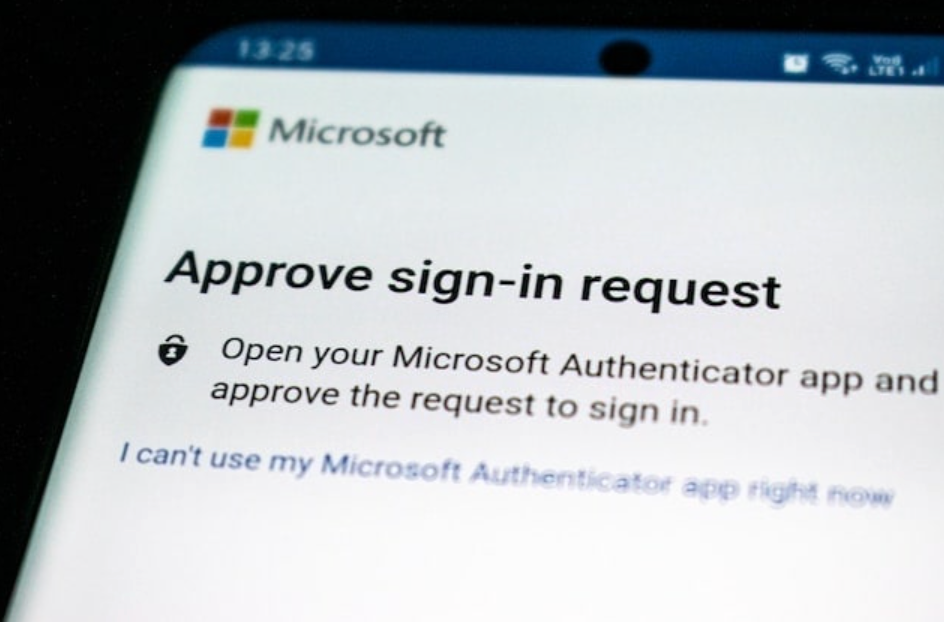
In addition to a username and password, MFA asks for:
- Something the user has, such as a USB or security token that acts like a sort of electronic key, or an electronic device like a mobile phone that’s already been shown to belong to the user, that can be sent a one-time passcode.
- Something the user knows, like a PIN or answer to a pre-defined security question such as “What was the name of your first pet?”
- Biometric information, such as a fingerprint, voice, or face scan.
How two-factor authentication works
Two-factor authentication is simple:
- Step one: Enter your username and password.
- Step two: Receive a text message to your pre-registered mobile phone with a one-time passcode. Enter that code into the email account when prompted.
Learn more about two-factor authentication, including examples and apps you can use, here.
Implement email authentication protocols
Email authentication protocols help protect your domain from spoofing and keep your messages trustworthy. These three protocols work together to strengthen your email security:
- SPF (Sender Policy Framework): Defines which mail servers are allowed to send emails on behalf of your domain. This helps block attackers from sending messages that appear to come from your business.
- DKIM (DomainKeys Identified Mail): Adds a digital signature to outgoing emails, confirming the message has not been altered and verifying it was sent from your domain.
- DMARC: Works with SPF and DKIM to guide how receiving servers handle unauthenticated emails. It also provides visibility into potential misuse of your domain so you can take action.
When configured correctly, these protocols reduce spoofing attempts and support better email deliverability. Your IT team or email provider can help make sure everything is set up and working as intended.
Insist on strong password practices
Weak passwords make it easy for cybercriminals to hack into email accounts.
Avoid using common patterns, reused passwords, or anything tied to personal details like names, birthdays, or favorite teams. This kind of information is often easy to find online and can be used to guess login credentials.
Strong passwords should:
- Be at least 12 characters long
- Use a mix of uppercase and lowercase letters
- Include numbers and special characters
- Be unique for each account
- Avoid recognizable words or personal details
Pro tip: If you’re struggling to remember randomized passwords, try using a passphrase. For example: My favorite dessert is apple pie with ice cream, and my second favorite is lemon bars.
To create a password from this passphrase, you take the first letter of each word and use it as your password. So, the above passphrase translates as Mfdiapwic&m2filb.
Of course, there’s also password managers (one free), which not only suggest strong passwords but also keep track of all your passwords and fill them in for you.
Make time for team training
If your team doesn’t know that BEC scams exist, then they are more likely to fall victim to one.
Schedule regular training sessions to teach your team how to spot BEC scams and what to do if they suspect an email may be a BEC scam.
This doesn’t have to be a costly process. The CISA is full of free educational resources, including the CISA Tabletop Exercise Packages.
Important training considerations
Employee training plays a major role in preventing BEC attacks. These scams often succeed because they target human behavior, not just technical gaps. A few key trends to keep in mind:
- Around 40% of BEC phishing emails are now flagged as AI-generated, which means they are often polished and error-free. Clear grammar and professional tone are no longer reliable signs that an email is safe.
- Managers are about twice as likely as other employees to fall for phishing attacks, according to a 2024 UK study. Training should include leadership and high-level decision-makers, not just frontline staff.
- Nearly half of employees hesitate to report mistakes, often due to fear of consequences. Creating a culture where reporting is encouraged and supported helps catch issues earlier.
- 83% of CISOs identify human error as the top vulnerability, reinforcing that technology alone is not enough. Ongoing education and awareness are essential parts of your defense.
Role-specific training approaches
BEC training works best when it reflects how different teams actually use email. Each role faces its own risks, so tailoring guidance makes it more practical and easier to apply day to day.
- Finance teams: Focus on payment verification, wire transfer procedures, and how to confirm vendor requests before sending funds.
- HR teams: Emphasize protecting employee data, spotting W-2 scams, and verifying requests for sensitive information.
- Executive assistants: Cover CEO fraud tactics, suspicious calendar invites, and how to confirm urgent requests from leadership.
- IT teams: Provide deeper training on authentication protocols, signs of account compromise, and incident response steps.
Training delivery methods:
- Use short, focused sessions instead of long annual trainings
- Schedule regular refreshers to keep awareness high
- Run simulated BEC scenarios based on real-world attacks
- Share examples of actual attempts to help employees recognize patterns
Identify your most targeted employees
Not every employee faces the same level of risk. Some roles are targeted more often because they handle money, sensitive data, or executive communication. High-risk roles often include:
- Finance and accounting teams
- HR and payroll staff
- Executive assistants
- C-suite leaders
- Procurement and accounts payable teams
Once you know who is most at risk, you can strengthen protections where they matter most:
- More frequent training: Provide quarterly BEC training instead of annual sessions
- Stronger verification steps: Require callbacks or secondary approval for high-value requests
- Closer monitoring: Review account activity more frequently for unusual behavior
- Stricter authentication: Add extra verification for sensitive actions
Set up a simple and easy way of reporting anything suspicious
If your business is targeted by BEC hackers, time is of the essence.
Be sure that your team knows how to report a suspicious email and who to report it to. For those who aren’t sure who to reach out to, an IT department would be a good first port of call.
What to do if you think you’re already a victim
Firstly, try not to panic.
Secondly, communicate, communicate, communicate.
Make sure employees know they will not be penalized for reporting a mistake. Delays give attackers more time to act, so encourage your team to speak up as soon as something feels off. Clear reporting channels and prior training help remove hesitation and speed up response times.
Once a potential BEC incident is identified, take immediate steps to secure your accounts. Have affected users update their login credentials right away and review account activity for anything unusual. This can help prevent further unauthorized access.
With the right training and response plan in place, your team will be better prepared to act quickly and reduce the impact of a BEC attack.
If you want to protect your business email from the start, check out GoDaddy’s secure email, website security, and small business antivirus and cybersecurity offerings.